 MetaTrader 5
 エキスパート
 インディケータ
 ライブラリ
ライブラリ
 ユーティリティ
 ウィジェット
 ルール
ルール
YouTubeにあるマーケットチュートリアルビデオをご覧ください
ロボットや指標を購入する
仮想ホスティングで
EAを実行
EAを実行
ロボットや指標を購入前にテストする
マーケットで収入を得る
販売のためにプロダクトをプレゼンテーションする方法
MetaTrader 5のためのテクニカル指標 - 61
 テクニカル指標からのシグナルは、株式および外国為替市場での取引の開始と終了に重要な役割を果たします。指標の本質は、将来の価格変動を予測することを目的とした金融銘柄価格の数学的変換です。
テクニカル指標をテストして、市場の動きとそれからの利益をより正確に予測します。
テクニカル指標からのシグナルは、株式および外国為替市場での取引の開始と終了に重要な役割を果たします。指標の本質は、将来の価格変動を予測することを目的とした金融銘柄価格の数学的変換です。
テクニカル指標をテストして、市場の動きとそれからの利益をより正確に予測します。 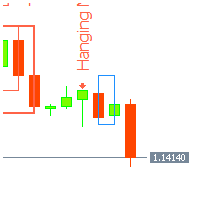
Japanese candlestick analysis has been in existence for hundreds of years and is a valid form of technical analysis. Candlestick charting has its roots in the militaristic culture that was prevalent in Japan in the 1700s. One sees many terms throughout the Japanese literature on this topic that reference military analogies, such as the Three White Soldiers pattern Unlike more conventional charting methods, candlestick charting gives a deeper look into the mind-set of investors, helping to establ
FREE

This indicator displays the remaining time of the current candle, providing a visual representation of the time left until the candle closes and a new one begins, helping traders to make more informed decisions and stay on top of market fluctuations with precise timing, enhancing their overall trading experience and strategy execution, and allowing them to optimize their trades and maximize their profits.
FREE

SmartTrader MTF Trend Bias is a small, free indicator that answers one question: what's the trend doing across six timeframes at once?
The panel shows: - Bullish / Bearish / Neutral for M1, M5, M15, M30, H1, and H4 - spelled out in full, color-coded, no symbols to decode - Hover any row for the exact reasoning (which EMAs, which direction) - Read only from each timeframe's last CLOSED bar, never the still-forming one - the most common cause of an MTF indicator "flipping its answer with no pric
FREE
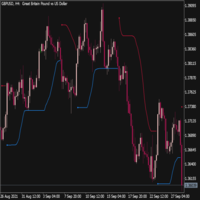
Trend Envelopes indicator is calculated based on a % of price change. That % is then used to determine if there is a new trend or trend remains the same.
This version is using Standard Deviation for the price change calculation instead and is adding prices smoothing prior to be used in calculations. The smoothing can be done using one of the 4 average types:
* Simple Moving Average
* Exponential Moving Average
* Smoothed Moving Average
* Linear Weighted Moving Average
Also, this
FREE

このインジケーターは、2つのカスタマイズ可能な色の間で滑らかな遷移を適用することで、チャートの外観を変えることができます。この目を引くグラデーション効果により、チャートは新鮮でモダンな印象を与え、視覚的に魅力的になります。 インジケーターがチャートに添付されると、現在のチャート上にあるすべてのインジケーターウィンドウにグラデーションが適用され、その後追加される新しいインジケーターウィンドウにも影響を与えます。 ぜひ試してみて、あなたのチャートの外観をリフレッシュしてください!視覚的に改善されたチャートは、取引の際の体験を向上させ、より良い判断を下す助けになります。新しい外観のチャートで取引を楽しんでください!
FREE

影響力の大きいニュースは、数秒のうちに価格を急激に変動させることがあります。正確なタイミングを把握していなければ、ニュース発表の直前にポジションを抱えたままになってしまったり、発表前後の最も安全な取引タイミングを逃してしまったりしがちです。
「Phoenix News Countdown Calendar」は、チャートに関連する通貨の今後の経済イベントへのリアルタイムのカウントダウンを表示するため、どのようなイベントがいつ発生するかを正確に把握できます。
ボラティリティに先手を打つ仕組み
- 最大5件の今後のイベントを、時間順にリアルタイムのカウントダウン付きで表示
- チャートシンボルに関連する通貨を自動検出、または手動で設定可能
- 影響度(高/中/低)によるフィルタリング
- オプションで、イベントのタイムラインをチャート上に直接表示可能
アラート
イベント発表の5分、15分、30分、または60分前に設定可能なアラート。影響度に応じて色分けされます。
「Phoenix News Countdown Calendar」を活用して:
-
FREE

The Supertrend indicator is a very versatile and and accurate trend detection system. It can also be used an an reversal indicator. Therefor you can use it either as entry or as an exit signal. Depending on your settings it is also good for trend confirmation. This version is slightly enhanced from the original version from mladen. The Supertrend of Averages Histogram Version contains: 11 different price options Averaging period
18 different averaging types ATR period and ATR multiplier Shows re
FREE

Desenvolvido por smart2trader.com Indicador Pin Bar Color detecta e pinta automaticamente padrões de pin bar no gráfico com cores personalizáveis, oferecendo configurações flexíveis para identificação de oportunidades de trading. Além disso, através do nosso indicador Pin Bar , é possível monitorar em tempo real as formações do padrão pin bar , sendo sempre avisado nos ultimos 30 segundos antes do encerramento do candle.
Sobre o Padrão Pin Bar
O padrão Pin Bar é amplamente utilizado na análise
FREE
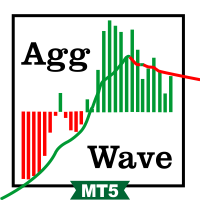
This indicator sums up the difference between the sells aggression and the buys aggression that occurred in each Candle, graphically plotting the waves of accumulation of the aggression volumes. Through these waves an exponential average is calculated that indicates the direction of the business flow.
Note: This indicator DOES NOT WORK for Brokers and/or Markets WITHOUT the type of aggression (BUY or SELL). Be sure to try our Professional version with configurable features and alerts: Agre
FREE
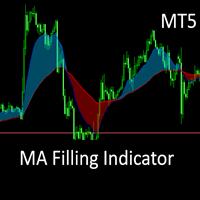
This is the MT5 converted Version of the The MA Filling Indicator, developed by Scriptong, is an advanced technical analysis tool designed for MetaTrader 4 (MT4) that enhances the traditional Moving Average (MA) indicator by incorporating a visually intuitive filling feature. The MA Filling Indicator is a versatile tool suitable for both novice and experienced traders seeking to enhance their trend-following strategies with a clear, color-coded representation of market dynamics. Support and ques
FREE
In the world of finance, correlation is a statistical measure of how two securities move in relation to each other. Correlations are used in advanced portfolio management. This indicator measures how different securities move in relation to a reference one, thus making portfolio management easier. [ Installation Guide | Update Guide | Troubleshooting | FAQ | All Products | Get Help ] Avoid concurrent trades in highly correlated instruments Find trading opportunities among highly correlated
FREE

MT4 Version 概要
このインジケーターは、洗練されたトレンドフォロー型モデルに、動的な価格拒否検出、ローソク足の色分け、ATR(平均的な真の変動幅)に基づくターゲット予測を統合し、トレーダーがトレンド継続セットアップを視覚的に識別・管理できる包括的なシステムを提供します。
チャート上に直接表示され、トレンドの変化の兆候を自動的に検出し、適応型サポート/レジスタンス付近での拒否を確認し、ストップロスとテイクプロフィットの計算済みレベルを表示して、構造化されたリスクリワードの意思決定をサポートします。
従来のインジケーターがトレンド方向やエントリー信号のみに焦点を当てるのとは異なり、このツールはシグナルのフィルタリング、ボラティリティ調整型のポジショニング、段階的な利確戦略を組み合わせて、より高度なトレード判断を可能にします。
コンセプト
本インジケーターの核となるのは、ATRベースのバンドにWMAとEMAによるスムージングを施したカスタムSupertrendです。これにより、ノイズを除去しながら主要なトレンドの変化を追跡できます。
特筆すべきは拒否ロジックで、トレンドラ

Aurexon DriftWave EMA
MetaTrader 5 Custom Indicator Overview
Aurexon DriftWave EMA is an EMA-based chart context indicator for MetaTrader 5. It is designed to give traders a clear visual overview of trend direction, impulse behavior, and volatility boundaries directly on the price chart. Instead of relying only on arrow signals, the indicator displays EMA lines, EMA cloud, ATR volatility rails, and optional closed-bar Buy/Sell confirmation arrows. Key Features Fast EMA impulse line Slow EMA t
FREE

Here's how to use the BTC_PriceAlert.mq5 indicator in MetaTrader 5: What it does It's a custom indicator (not an EA) for BTCJPY that draws horizontal alert lines on your chart and fires a notification when price touches your specified upper or lower target. It checks the high/low of each bar (wick touches count, not just closes).
Install the indicator Copy BTC_PriceAlert.mq5 into your MT5 data folder under MQL5/Indicators (File > Open Data Folder in MetaEditor or MT5). Compile it in MetaEditor
FREE

Live MTF Trend Panel for MT5 Live MTF Trend Panel adalah indikator MetaTrader 5 yang menampilkan arah pergerakan candlestick secara real-time pada berbagai timeframe dalam satu panel modern dan ringan. Indikator ini dirancang khusus bagi trader yang ingin melihat kondisi market secara cepat tanpa menggunakan indikator teknikal tambahan. Berbeda dengan indikator trend pada umumnya, indikator ini tidak menggunakan Moving Average, RSI, MACD, ATR, ADX, Supertrend, Ichimoku, ZigZag, Fractal, Volume,
FREE

In which direction should I trade today? For “TREND followers”, we need to determine the TREND . This indicator determines the Trend based on the price High, Low and Close of every bar, for a given period and timeframe. Calculating and plotting the Trend UP and Trend DOWN lines. If the: “Trend UP” line (Green) is above the “Trend DOWN” line (Red), then it is a BULLISH Trend (see "Screenshots" tab). “Trend DOWN” line (Red) is above the “Trend UP” line (Green), then it is a BEARISH Trend (see "
FREE

MSM Currency Power Meter (MT5 Version) The MSM Currency Power Meter is a highly sophisticated, real-time multi-currency strength dashboard engineered exclusively for the MetaTrader 5 platform. This indicator eliminates market guesswork by visually decoding the true relative strength and weakness of the 8 major global currencies: EUR, GBP, AUD, NZD, USD, CAD, CHF, and JPY . Key Features & Mechanics: Real-Time Matrix Calculations: It monitors 16 core currency pairs simultaneously, analyzing cu
FREE

PGSindicator for MetaTrader 5 Free Companion Indicator for Profit Guard System Trade Panel. *** The attached video is the " PGS Trade Panel Tutorial Part 1 " *** (4m video) Adjust >>> **** EMA1 N-Pips Separation from EMA2
This setting defines the minimum distance required between EMA1 and EMA2 before a trend condition is considered valid.
The default value is 100.0 pips for NASDAQ 100, 1 minute CHART . Depending on how your broker calculates pip values, you may adjust this to 20.0 or 10.0
FREE

TARA_Forex Individual Timeframe Market Structure Indicator Trade the Active Structure, Not the Noise TARA_Forex Individual Timeframe Market Structure Indicator is a dedicated single-timeframe price-action analysis tool that identifies Higher Highs (HH), Higher Lows (HL), Lower Highs (LH), Lower Lows (LL), Change of Character (CHOCH), Break of Structure (BOS), Market Ownership, and Market State . The indicator focuses on market structure itself rather than relying on traditional lagging indicator
FREE

MTForge Volume AI — User Guide This indicator gives you a real-time dashboard on your chart that breaks down volume into buying and selling pressure, so you can see who's in control — buyers or sellers — at both the daily session level and the individual bar level. SESSION Row — This always shows the full day's picture. It tells you what percentage of today's total volume is buying vs selling, the actual buy and sell volume numbers, the delta (difference between buy and sell), and how imbalance
FREE

The liquidity swings indicator highlights swing areas with existent trading activity. The number of times price revisited a swing area is highlighted by a zone delimiting the swing areas. Additionally, the accumulated volume within swing areas is highlighted by labels on the chart. An option to filter out swing areas with volume/counts not reaching a user-set threshold is also included.
This indicator by its very nature is not real-time and is meant for descriptive analysis alongside other com

The MTF MACD .mq5 indicator is a custom technical indicator designed for the MetaTrader 5 (MT5) platform . It is a Multi-Timeframe (MTF) implementation of the standard MACD (Moving Average Convergence Divergence) indicator . With the MTF capability, you can view MACD signals from a higher timeframe (e.g., H1 or D1) directly on your active chart timeframe (e.g., M5 or M15) without switching chart views . Visual Display & Features Separate Window : Displays in an indicator window below the main p
FREE

AurumEdge マトリックス は、商用グレードのマルチタイムフレーム(MTF)トレンド識別アルゴリズムであり、市場の確率的ノイズをフィルタリングし、レンジ相場のマクロ環境における「ウィップソー」によるドローダウンを積極的に軽減するよう特別に設計されています。もともとは、プライベートの自動アルゴリズム取引システムの中核となる数学的シグナルエンジンとして開発されましたが、現在は決定論的でリペイントのない精度を求める手動トレーダー向けに、純粋なビジュアルマトリックスを公開しています。 従来のインジケーターが失敗する理由は、単一の時間軸でしか動作せず、遅行シグナルを盲目的に生成し、レンジ型のコンソリデーションゾーンにおいてリテール流動性を罠にかけてしまうからです。AurumEdge は、厳格な3層の定量的防御システムを採用することで、この問題を数学的に解決します。 AurumEdgeの3層エッジ:
MTF 時系列コンフルエンス: エンジンは同時メモリバッファを通じて、M1、M5、M15のタイムフレームをネイティブに取得します。3つすべての時間軸が完全な方向一致を達成しない限り、シグ
FREE

ARC VELOCITY PULSE Parabolic SAR Direction + ROC Recovery for XAUUSD
Arc Velocity Pulse is a professional Gold trading indicator designed to identify trend-aligned recovery opportunities supported by directional movement, momentum acceleration, and volatility-based trade levels.
The indicator combines Parabolic SAR direction analysis with Rate of Change recovery confirmation, an internal Gann and Fibonacci price-alignment engine, confi
FREE

Elliott Wave PRO MTF & SQX Engine: Manual Técnico Este indicador es un sistema algorítmico avanzado que escanea el mercado buscando la estructura clásica de Ondas de Elliott (Impulso 1-5 + Corrección ABC). Combina volatilidad adaptativa (ATR), fuerza de tendencia (ADX), filtros Multi-Timeframe (MTF) y una salida de datos especializada para integrarse con constructores de estrategias automáticas como StrategyQuant X. ️ 1. Parámetros de Entrada (Inputs) Los parámetros están agrupados lógicame
FREE

MetaTrader 用 Slope Channel インジケーター
あらゆる取引スタイルに適応できる市場トレンド分析ツールをお探しですか? Slope Channel – 価格の方向性や市場の主要レベルを特定する信頼できるアシスタントです! Slope Channel とは? Slope Channel は革新的なインジケーターで、チャート上に傾斜チャネルを構築し、ローカル極値に基づいてそのパラメーターを自動計算します。このツールは最適なチャネルオプションを強調表示し、変化する市場条件に迅速に適応することを可能にします。 ユニークな特徴 チャネル角度の自動計算: インジケーターはチャネルの傾斜角を表示し、そのタイプを示します: 収束(正の角度): チャネルの狭まりと価格圧力の増加を示します。 発散(負の角度): 範囲の拡大と不安定性の可能性を示します。 最新データの更新: チャネルは新しいバーごとに再計算され、最新データが使用されます。 幅広い応用 このインジケーターは以下に適しています: スキャルピング – 短期的な変動の分析。 デイトレ
FREE

Check a pending stop order before you send it. A pending order can be refused for reasons the terminal can already show you: the price is not on the broker price grid, the volume is not a valid step, or the entry sits closer to the market than the symbol stops level allows. Pending Order Inspector MT5 reads those contract values and shows how your intended order compares with them, on the chart, before you place it yourself. Enter the price, volume, optional Stop Loss and optional Take Profit yo
FREE

#ピボットポイント_スリム インジケーター #概要 6種類のピボットを搭載した、プロフェッショナル向けピボットポイントインジケーターです。 見やすいデザインで、重要なサポート・レジスタンスレベルを自動的にチャート上に表示します。 #カスタマイズ可能な表示設定 各レベル(P、S1-S5、R1-R5)の個別色設定 各レベルの表示/非表示切り替え ラベル表示/非表示 価格表示/非表示 ラベル位置(左/右) ラベルオフセット調整(ラインとテキストの間隔) ライン幅調整 履歴表示数(最大15期間) #基本パラメータ -Pivot Type - ピボット計算方式を選択 Traditional(トラディショナル) - 最も一般的な標準ピボット計算式(S1-S5、R1-R5) - 5つのサポート・レジスタンスレベル - あらゆるトレードスタイルに適用可能
Fibonacci(フィボナッチ) - フィボナッチ比率を使用した
FREE
The indicator shows Jake Bernstein's MAC (Moving Average Channel) System signals ---------------------------------------- System assumes several types of entering in trade, in this indicator only one type implemented - on closing of second trigger bar. It is recommended to start using this indicator together with Jake Bernstein's free lessons https://www.youtube.com/@JakeatMBH/videos Arrow shows signal bar - enter on closing or on opening of the next bar, cross - stop level, dot - minimum profi
FREE

Smart SR Levels Support and Resistance - Professional Strength-Based Support & Resistance Indicator MT5
Key Features: • Automatic detection of significant Support and Resistance levels • Line thickness based on level strength (number of touches + volume factor) • Custom colours for Support and Resistance • Multi-timeframe support • Clean background lines (no overlap with candles) • Labels showing S/R type and strength value
Perfect for price action traders, supply-demand zones, and institutio
FREE

Spread Info and Candle Timer Panel FREE - Essential Info Tool
Small, lightweight and fast information panel for scalpers and intraday traders. Displays real-time Spread in points and pips, current Ask/Bid prices and countdown timer to candle close.
Never miss a candle close again and always see your real spread.
FREE, No DLL, Lightweight & Fast - will not slow down your terminal.
FEATURES: Real-time Spread in points and pips Real-time Ask and Bid prices Candle Timer with countdown mm:
FREE

本インジケーターは、ボリンジャーバンド風のボラティリティチャネルの上限および下限のみを表示し、中央の移動平均線は描画しません。主な目的は、視覚的にシンプルで柔軟なボラティリティエンベロープを提供し、価格がチャネル境界に対してどのように振る舞うかに集中できるようにすることです。同時に、チャートの外観や構成をユーザーが自由にコントロールできるように設計されています。 従来のボリンジャーバンドでは中央の移動平均線が常に表示されますが、本インジケーターでは計算目的のみに使用されます。中央ラインは意図的に非表示とすることで視覚的なノイズを減らし、必要に応じてユーザーが別途管理・追加できるようになっています。 上限バンドと下限バンドはそれぞれ独立して色を設定することができ、視認性の向上やチャートテーマへの適応が容易です。従来のボリンジャーバンド表示を再現したい場合は、同じパラメータの移動平均インジケーターを別途追加することで、中央線のスタイルを自由にカスタマイズできます。 本インジケーターは、バンド計算の内部基準として移動平均を使用します。デフォルトでは単純移動平均(SMA)を採用し、計算の透明性
FREE

Green Red Triple Overlap Candle by RWBTradeLab
Three candles of the same colour that go nowhere. A clean, non-repainting detector for MetaTrader 5 that finds the groups where one side keeps pushing and the other side keeps absorbing — and marks the exact band the group folded over. All from CLOSED candles only.
What This Indicator Does
The middle candle is the reference. Candle 1 and Candle 3 clamp its BODY from opposite ends, which is what stops the three of them from stepping away from eac
FREE
This indicator identifies short-term, medium-term and long-term highs and lows of the market according to the method described by Larry Williams in the book "Long-term secrets to short-term trading".
Brief description of the principle of identifying the market highs and lows A short-term high is a high of a bar with lower highs on either side of it, and, conversely, a short-term low of a bar is a low with higher lows on either side of it. Medium-term highs and lows are determined similarly: a
FREE

Most candles say very little. A few say a great deal. Candle Strength makes the difference visible without you measuring anything. It colours every candle by how much of its move is body relative to current volatility: strength = |close - open| / ATR A candle with a large body relative to ATR is a committed move: one side took control and held it into the close. A candle with a small body is indecision, no matter how far the wicks travelled. How to read it Blue - strong bullish candle, body at
FREE

Blame The Box is a lightweight, session range and breakout analysis indicator. It identifies custom intraday consolidation sessions, maps out dynamic breakout levels, and displays real-time position sizing directly on your chart.
Key Features Automated Session Mapping: Automatically detects and frames intraday consolidation ranges (such as the Asian session) with a customisable background and border box. Dynamic Level Projections: Automatically plots Long/Short entry buffers, Stop Loss, Break
FREE
The currency strength momentum has a lot of similarities with currency strength meter presented in the previous page, but the difference are much more pronounced. You can try putting both in the same chart and see the difference in results. Currency strength momentum measures strength of a currency based on (you guess it) it's momentum relative to other currencies, while currency strength meter measures the strength of a currency based on pips it has moved in a certain direction.
FREE
ZigZag Reversal Detector Signals This is a technical indicator based on the ZigZag principle, designed to automatically detect market reversal points and generate clear buy and sell signals. Customizable Parameters ️: Level : Determines the sensitivity of the ZigZag to price changes. Ecart : Sets the minimum distance between two ZigZag points. Rebond : Adjusts the confirmation threshold for a reversal. Alerts & Notifications : Enable or disable according to your needs. Pe
FREE

Renko Velocity Heatmap is a separate-window indicator that converts standard time-based price series into Renko-style blocks and colors them by momentum speed. Each block represents a fixed Renko box size, while the color intensity reflects how fast the block was formed relative to recent average formation time. Slow movement appears dim/neutral, fast movement becomes more saturated, enabling quick visual assessment of acceleration and deceleration in trend moves. The indicator is designed for t
FREE

# ️ VUI LÒNG ĐỌC KỸ TRƯỚC KHI SỬ DỤNG CÔNG CỤ NÀY!
**Trước khi sử dụng chỉ báo logic xu hướng này, vui lòng dành thời gian đọc kỹ tất cả các chi tiết, hướng dẫn đa khung thời gian và cảnh báo rủi ro bên dưới. Sự an toàn vốn của bạn hoàn toàn phụ thuộc vào việc bạn hiểu rõ các quy tắc này. Cảm ơn bạn đã dành thời gian và sự tận tâm!**
---
### MỨC ĐỘ THANH KHOẢN XU HƯỚNG — CÔNG CỤ ĐỘNG LỰC ĐA KHUNG THỜI GIAN NÂNG CAO
**Trend Liquidity Levels** là một công cụ phân tích mạnh mẽ được thiết k
FREE

True Move A/D
フローレベルの読み取り。一本のライン。三つの統合シグナル。 標準の Chaikin 累積/配分ラインは単一の要素 — ローソク足のレンジ内における終値の位置 — を使用します。True Move A/D は三つの要素を使用し、それぞれの実際の信頼性で重み付けします。 複合公式: K = 0.10 × Price Flow + 0.10 × Midpoint Bias + 0.70 × Close-to-Close Direction Close-to-Close モメンタムに 70% の重みを置くのは意図的です。ローソク足がどこで始まりどこで終わったかは、バー間における真の方向性コミットメントの最も一貫性のあるシグナルです。二つのバー内部成分は、主要シグナルを圧倒することなくニュアンスを加えます。 すべては前バーの加重平均価格で正規化されます — これによりインジケーターは銘柄間・時間足間で一貫性を持ち、大きなレンジのバーがスケールだけで支配するのを防ぎます。 既存の A/D インジケーターとの違い: 標準 Chaikin A/D は close-to
FREE

This indicator is based on the Fractals indicator. It helps the user identifying whether to buy or sell. It comes with an alert that will sound whenever a new signal appears. It also features an email facility. Your email address and SMTP Server settings should be specified in the settings window of the "Mailbox" tab in your MetaTrader 5. Blue arrow up = Buy. Red arrow down = Sell. Line = Trailing Stop. You can use one of my Trailing Stop products that automatically move the Stop Loss and includ
FREE

Multi-Timeframe Momentum Strength Dashboard
TAGLINE
See the force behind the move—not only its direction.
PRODUCT OVERVIEW
MomentumPulse Navigator MT5 is a professional, beginner-friendly multi-timeframe momentum dashboard for MetaTrader 5. It combines five respected momentum measurements into one clear visual assessment, helping traders identify whether bullish or bearish pressure is strong, weak, mixed, or neutral.
Instead of requiring the trader to open several indicator windows and com
FREE
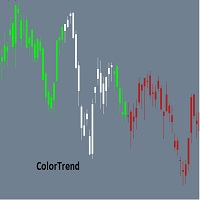
Combining the best of Price Action , Directional Movement , and Divergence / Convergence analysis, the Candle Color Trend is the easy and reliable way to identify the direction of the trend. The indicator automatically paints the candles according to the premise that the upward trend is defined by prices that form a series of ascending tops and bottoms. On the other hand, the downward trend is defined by prices that form a series of descending tops and bottoms.
Color Trend is certainly one of
FREE

Yellow Indicator by Quant Atlas Creator: https://www.quant-atlas.com/ Yellow Indicator is a clean reversal focused trading tool designed to highlight potential turning points using momentum behavior and RSI structure. The indicator looks for moments where momentum has moved through an important zone and begins to show signs of exhaustion. When conditions align, it plots dark yellow triangle signals directly on the chart. Both bullish and bearish signals use the same dark yellow visual identity,
FREE

SR Zones Pro — Multi-Timeframe Support & Resistance Zones Indicator for MT5 Identify High-Probability Bounce Zones with Institutional Precision. Works on All Instruments & Timeframes. What Is SR Zones Pro? SR Zones Pro is a professional-grade Support & Resistance zone indicator for MetaTrader 5. Unlike basic horizontal lines drawn manually, SR Zones Pro automatically detects, merges, and ranks swing-based price zones — and overlays them with higher timeframe context, candle pattern recognition,
The Haos oscillator coded for the MT5!
This oscillator allows to verify overbought / oversold regions in two periods (14 and 96, for example), making it possible to anticipate a reversal. Possibility to activate an audible alert when it reaches a defined level. Possibility to choose the alert sound by placing a .wav song in each asset or timeframe. (save a .wav file to the MQL5 \ Files folder) Possibility to activate / deactivate histogram and levels to make the screen cleaner. Customizable col

Sandwich Candle Scanner Pro Sandwich Candle Scanner Pro is a high-precision price action tool specifically engineered to detect Sandwich (Three-Method) candlestick patterns automatically. This indicator is a powerful asset for traders focusing on high-probability reversals and trend continuations, particularly effective on volatile assets like XAUUSD (Gold) , Indices, and Major Forex pairs. Stop hunting for patterns manually. Let this professional scanner do the heavy lifting, ensuring you never
FREE

This indicator will show a vertical representation of the volume distribution within a selected user range.
This is a free version of the full product. It is limited to use on a week old data or older. Find the full product at https://www.mql5.com/en/market/product/42234 .
Main features: This Indicator will create an image that will allow viewing the tick volume per price level in a graphical form. The indicator will work on any range size in any time-frame, limited only by your computer mem
FREE

UT Bot Apex — NON-REPAINT signals with a smart news filter, FVG confluence, TP/SL zones and an M1–H1 multi-timeframe scanner.
Most indicators hand you an arrow and leave you on your own. You don't know where to put the stop, which signals are worth taking, or whether what you see now will still be there tomorrow.
UT Bot Apex takes the UT Bot engine (ATR trailing stop) and adds what's missing: every flip confirms AT BAR CLOSE, every signal carries a measured quality score, and the chart shows

トレンドオラクル&ゼロマックスシステム:インパルス動きを予測する革新的なアルゴリズム 勢いの強い価格爆発の前に市場に参入し、逃げ出す列車を追いかけるようなことはしたくないと思いませんか?
プロフェッショナル向けトレーディングシステム「ゼロマックス」に搭載された、高精度なモメンタム予測指標「トレンドオラクル」をご紹介します。この次世代ツールは、特に金(XAUUSD)のようなボラティリティの高い銘柄を取引する際に、絶対的な明瞭さを必要とするトレーダーのために設計されています。
トレンドオラクルの秘密とは?
トレンドオラクルの最大の特長は、隠れた累積的な保ち合い局面を特定できることです。アルゴリズムが市場データを単一の収束点に圧縮すると、巨大なエネルギーの急上昇が間近に迫っていることを示唆します。
インパルス形成のゼロポイントでエントリーシグナルを受け取ることができ、最小限のストップロスで最大限の利益を得ることができます!
ゼロマックストライアド:3つの指標の相乗効果 ゼロマックスは単なるシグナルではありません。これは完全かつ自己完結型のエコシステムです。3つの

**ギャンの九角形 2 — 高度な価格・時間予測ツール**
九角形は W.D. ギャンの最も強力な予測ツールのひとつです。本インジケーターは MetaTrader 5 向けの第二世代完全実装で、パトリック・ミクラの書籍の手法に直接基づいています。 インタラクティブツールバー、トレードシグナルパネル、ギャン星形図、チャネルゾーン、 角度統計、平均ゾーンオーバーレイ、12言語インターフェースを追加しています。
1つの基準価格から、基本十字(0・90・180・270度)と対角十字(45・135・225・315度)上の サポート/レジスタンスを投影します。時間(将来の転換バー)も予測し、どの角度を市場が 最も尊重しているかを計測します。価格レベルとギャン時間カウントが一致すると、 「価格-時間コンフルエンス」アラートを発します。
分析・予測専用ツール。DLL不要、インターネット不要。あらゆる銘柄・時間足で動作。
**主な機能** - 価格レベル:基本十字・対角十字、複数リング - シグナルパネル(書籍手法):BUY/SELL SETUP、3段階コンフルエンス、価格-時間アラート -

Volumetric Order Blocks + Market Structure Smart Money order block detection, volume-weighted confirmation, full BOS/CHoCH market structure.
Version 1.33: Added Fair Value Gaps, Premium/Discount/Equilibrium zones, multi-timeframe highs & lows, and Accumulation/Distribution zones. Overview Rudy Bank finds and draws institutional order blocks directly on your chart, then backs every one of them up with real market data: volume, internal buy/sell activity, and precise market-structure context, so

取引に十分なボラティリティがあるかを、リアルタイムで確認できます。リペイントなし、どの通貨ペアでも使えます。
どの通貨ペア、どの時間足でも。ラインはローソク足の確定時に固定されます。
Strategy Testerで無料デモを試せます。
>> Get more free and premium indicators here
Baseline, volatility, oscillators and more.
No repainting. No guessing. Just clean signals.
課題
エントリーが正しくても、値動きが伸びないことがあります。市場が静かなときは、価格が漂い、ノイズでストップに触れ、目標到達に時間がかかります。
静かな市場で取引するローソク足ごとに、小さな値動きのためにリスクを抱えることになります。
解決策
時間をかける価値があるほど市場が動いているかを、ひと目で確認できます。1本のラインと2色だけです。緑は実行、灰色は待機です。エントリーを探す前に、はっきりした「はい」か「いいえ」を得られます。

Propfirm Risk Guard Dashboard — Prop‑firm P/L, Drawdown & Exposure Monitor for MT5 Propfirm Risk Guard Dashboard is a compact chart indicator that gives traders an instant, accurate view of their challenge-style limits and worst‑case exposure. Built for traders preparing or taking prop firm evaluations, it aggregates closed P/L, floating P/L, and estimated SL exposure (open + pending) and compares them to your configured daily drawdown, max loss (initial drawdown), and profit target — all in on
FREE

Logic Trade Solution Indicator (Standalone)
Idea by Suresh Dhuraisami | Code by Rafilathif Description The Logical Trading System (LTS) is a powerful multi-timeframe indicator for MetaTrader 5, designed around the concept of Valid Reversal Zones (VRZ). It generates precise trading signals and delivers comprehensive alerts, ideal for traders who value structured price action and zone-based strategies. Key Features VRZ Zone Detection: Identifies high-probability reversal zones using swing hig
FREE

QUANTUM VIXES EMPEROR - AI Trading System for Deriv VIX Indices Professional indicator designed exclusively for Volatility Indices (VIX 10, 25, 50, 75, 100). This wont work in FOREX GOLD, EUR-USD. Please test it on Synthetic indices such as Volatility Indices (VIX 10, 25, 50, 75, 100) KEY FEATURES Auto VIX Detection Automatically identifies which VIX index you're trading and applies optimal settings for that specific index. For any further about the indicator kindly contact me here on ht
FREE

Breakout and Rejection Range Trading is a MetaTrader 5 indicator that identifies two range behaviors: breakouts, when price pushes through a level, and rejections, when price fails at a level and turns back. It maps the range and the trigger levels so you can trade both cases. Features Automatic range mapping: tracks the highest high and lowest low over a lookback window to define the current range top and bottom. Breakout and rejection logic: a close beyond the range marks a breakout; a failure
FREE

Supply and demand in trading describes how buyer (demand) and seller (supply) actions set asset prices, with high demand/low supply raising prices (premium) and low demand/high supply lowering them (discount); traders identify these imbalances as "zones" on charts (e.g., Rally-Base-Rally for demand, Drop-Base-Drop for supply) to find potential entry/exit points, aiming to buy at discount demand zones and sell at premium supply zones, using volume and price action to confirm institutional acti
FREE

MP Price Change Indicator is a tool to calculate the price movement by percentage. The Value of this indicator can be adjusted to look back of the percent of price change within certain timeframes. This is a powerful tool when used by other indicators as well, such as ATR and ADR, for understanding price fluctuations and tolerance in different strategies. ___________________________________________________________________________________ Disclaimer:
Do NOT trade or invest based upon the analysi
FREE
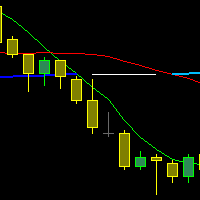
The indicator draws three Moving Averages. Two short ones cross a long one.
At the same time, the long MA changes color: If both short MAs are above the long one - first color; If both short MAs are below the long one - second color; If the two short MAs are on opposite sides of the long one - third color. All three MAs are based on closing prices with a smoothing method of "simple."
cross MA cross 3 MA cross three Moving Average across Moving cross Moving crossing MA crossing MA across MA
FREE

Daily Price Ruler Pro - Visual Grid for Daily Open Levels
An essential visual tool that creates a dynamic, customizable "Price Ruler" anchored to the Daily Open price. Perfect for day traders to track pip/point distances from the start of the day at a glance. Full Description: Daily Price Ruler Pro is a lightweight, highly customizable indicator designed for precise price action and distance tracking. It automatically plots a vertical "Ruler Body" ahead of the current price action, with hor
FREE

If you are Looking Best indicators in Mql5 Market. Check these out!
SSS Scalping Smart Signals MT5 Indicator
Scalping Winning Signals Pro SWS
LTL Long Trend Locator
UZFX The5ers Guardian PRO – The Ultimate Challenge Protection Dashboard for MT5 Pass your The5ers Challenge with confidence using the most advanced account monitoring dashboard designed specifically for The5ers traders . UZFX The5ers Guardian PRO is a professional MT5 indicator that continuously monitors your trading account, ca
FREE
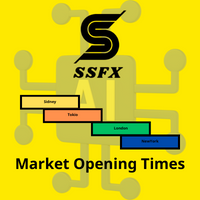
The index makes it easy for traders to know the opening and closing times of global markets :
- Sidney - Tokyo - London - New York
Where it misleads each time zone and enables us to know the times of overlapping the markets when the liquidity is high.
To get more indicators and signals, follow us on the Telegram channel link
https://t.me/tuq98
Or our YouTube channel, which has explanations in Arabic and a technical analysis course
https://www.youtube.com/@SSFX1
FREE

TREND FOLLOWING INDICATOR — FREE
A free Trend Following Indicator developed from my own Trend Following EA, designed for scalping and day trading.
FEATURES
• BUY & SELL trend-following signals
• TP & SL levels displayed on the chart
• Real-time signal notifications/alerts
• Approximately 3–4 signals per day under typical market conditions
• Multi-timeframe support
• Suitable for Forex, Gold and other supported instruments
• Beginner and experienced trader friendly
️ RECOMMENDED SETTING
FREE

Forex Bat Harmonic Dashboard を作成したのは、複数の通貨ペアとタイムフレームにわたって正確な Bat パターンを手動で探すのに何時間もかかり——それでも常にセットアップを見逃していたからです。 これは、厳格なフィボナッチ比率検証と、真の Bat を定義する重要な XAD 88.6% リトレースメント を使用して、ウォッチリスト全体の Bat ハーモニックパターン を自動検出するプロフェッショナルなマルチシンボル・マルチタイムフレームスキャナーです。バックグラウンドで継続的に動作し、確認されたすべてのパターンを1つの清潔で整理されたダッシュボードに表示します。 すべてのシグナルは、適切な右側確認(デフォルト PivotRight = 5)を伴う確定済みの足で確認されます。Bat パターンがダッシュボードに表示されたら、消えたり変わったりすることは決してありません。 Bat パターンを独自にする要素とは? Bat パターン は Scott Carney によって発見された 5 点 XABCD ハーモニック構造で、 D 点が XA の正確に
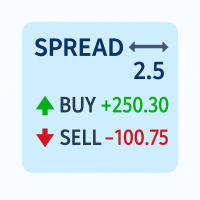
Track your spread and all position PnLs (Buy & Sell) in real-time – stay in control of your trades at a glance!
Features: Real-time spread display (in pips) Total Buy position PnL Total Sell position PnL Clean, non-intrusive display layout Works with all symbols and timeframes Perfect for: Scalpers needing quick spread awareness Day traders monitoring long/short performance Risk managers optimizing exposure No need to switch tabs or rely on external tools — everything you need is visible at
FREE

The ONLY RSI Indicator You'll Ever Need - Works with ANY Broker, ANY Symbol! Finally, an RSI indicator that automatically adapts to YOUR broker's symbol naming conventions! Whether you trade Forex, Gold, Bitcoin, or Stock Indices - this universal indicator detects and monitors related symbols automatically. KEY FEATURES & BENEFITS UNIVERSAL COMPATIBILITY Auto-Detects Broker Patterns : Works with ANY broker suffix (.m, .pro, .raw, etc.) All Asset Classes : Forex, Metals (Gold/Silver), Crypto,
FREE

GomerAI REGIME – 市場環境分類 価格 : $0 プラットフォーム : MetaTrader 5 タイプ : 市場環境インジケーター(非自動売買) 概要 このインジケーターは、 GomerAI Market Research Framework の一部であり、市場構造と取引環境を分析するために設計された分析ツール群に属しています。 各インジケーターは市場行動の特定の側面に焦点を当て、トレーダーや自動売買システムが現在の市場状況をより深く理解できるよう支援します。 GomerAI REGIME は、トレンドの強さ、ボラティリティ、レンジ行動という三つの要素を通じて現在の市場環境を評価します。このインジケーターは売買シグナルを生成したり取引を実行したりするものではなく、これら三つの要素がどのように相互作用しているかを分析し、現在の市場が静かな状態、トレンド状態、または極端な状態のどれにあるのかを判断します。 その目的は、トレーダーやエキスパートアドバイザーが戦略ロジックを適用する前に、自分たちがどの種類の市場環境で動いているのかを理解できるようにすることにあります。静かな状態
FREE

Qstick is a way to objectively quantify candlestick analysis and improve the interpretation of candlestick patterns. Qstick was developed by Tushar Chande and published in his book " The New Technical Trader - Boost Your Profit by Plugging Into the Latest Indicators (1994) ". Qstick is built based on a moving average of the difference between the Open and Close prices. The basis of the idea is that the Opening and Closing prices are the heart of candlestick analysis. We strongly recommend the re
FREE
MetaTraderプラットフォームのためのアプリのストアであるMetaTraderアプリストアで自動売買ロボットを購入する方法をご覧ください。
MQL5.community支払いシステムでは、PayPalや銀行カードおよび人気の支払いシステムを通してトランザクションをすることができます。ご満足いただけるように購入前に自動売買ロボットをテストすることを強くお勧めします。

取引の機会を逃しています。
- 無料取引アプリ
- 8千を超えるシグナルをコピー
- 金融ニュースで金融マーケットを探索