Classic Fractal Scalper
- Experts
-
Tom Seljakin
 🥇🚀 Professional Forex & Crypto Solutions
We are a professional team of developers and market-making specialists with 12+ years of experience in the Forex and cryptocurrency markets. - Versione: 1.0
- Attivazioni: 5
Professional Fractal Breakout Expert Advisor
🎁 SPECIAL OFFER: BUY ANY ONE EA FOR $40 — GET THE ENTIRE EA COLLECTION FREE!
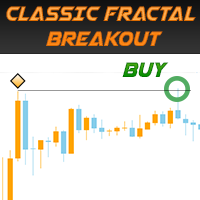
A professional trading tool built around one of the most popular breakout strategies on MQL5: High/Low Fractal Breakouts.
Developed by professional traders with a combined 12 years of experience, Classic Fractal Scalper brings a classic fractal breakout approach together with advanced order management, execution monitoring, and automated notifications.
The Strategy Behind Classic Fractal Scalper
Classic Fractal Scalper is an Expert Advisor based on the breakout of custom fractal levels.
The EA identifies upper and lower fractals and places pending stop orders around these levels. Traders can customize the fractal structure, the number of fractals used for trading, and the additional distance added to breakout entry levels.
Once a pending order is activated, the EA manages the resulting trade according to its configured trading and risk-management parameters.
Beyond its entry logic, Classic Fractal Scalper includes a comprehensive set of professional monitoring tools designed to help traders analyze order execution and understand how their strategy performs under real market conditions.
Key Features
- Custom Fractal Configuration: Adjust the number of bars used to define each fractal.
- High/Low Breakout Strategy: Places pending orders around selected upper and lower fractal levels.
- Flexible Entry Offsets: Add extra points to fractal levels to customize breakout entries.
- Execution Statistics: Records detailed order execution data in CSV files.
- Automatic Chart Screenshots: Captures chart screenshots when pending orders are activated.
- Push & Email Notifications: Receive notifications when stop orders are triggered.
- Trading Alerts: Generate alerts when pending orders become active.
- Flexible Money Management: Choose fixed lots, balance-based lot sizing, or percentage-based risk calculations.
Detailed Functionality
1. Custom Fractal Configuration
The EA uses a fractal calculation principle similar to the classic Bill Williams Fractals indicator, with an important additional advantage: traders can customize the fractal size.
You can specify the number of bars required on both the left and right sides of a fractal, allowing you to adjust how the EA identifies relevant market highs and lows.
2. Detailed Order Execution Statistics
Classic Fractal Scalper records detailed execution information in CSV files, including:
- Actual order execution price.
- Spread at the moment of activation.
- Time an order remained open.
- Slippage and other execution-related information.
These statistics help traders evaluate broker execution quality and analyze the behavior of the trading strategy.
3. Automatic Chart Screenshots
When a pending stop order is activated, the EA can automatically capture a screenshot of the chart.
This provides a visual record of the market conditions surrounding order activation.
4. Automatic Notifications
The EA can send push notifications or email alerts when pending stop orders are activated.
This is particularly useful for traders who want to monitor trade execution without constantly watching their trading terminal.
Where to Find Execution Records
The EA saves its execution statistics and chart screenshots in the following terminal directory:
MQL4\Files\Classic Breakout Scalper\Screenshots\
CSV files contain execution data, while screenshots provide a visual record of order activation.
Input Parameters Explained
Basic Settings
- Comment for Order: Custom comment attached to orders opened by the EA.
- Magic Number: Unique numerical identifier used to distinguish this EA's orders from trades opened by other Expert Advisors.
Entry Rule Settings
- Number of Bars from the Right / Left of a Fractal: Defines how many bars must form on each side before a fractal is identified.
- Number of Trade Fractals: Determines how many upper and lower fractals the EA considers when placing pending orders.
- Add Extra Points to High / Low Fractals: Adds a specified number of points beyond the identified fractal high or low to determine pending-order entry levels.
- When a Stop Order Is Activated, Send a Notification: Selects the notification method used when a pending order is triggered.
- When a Stop Order Is Activated, Send an Alert: Enables an alert when a pending order becomes active.
- Take a Screenshot of the Chart: Automatically captures a chart screenshot upon pending-order activation.
- Record Execution Data of Orders: Enables CSV recording of order execution statistics.
Money Management Settings
Money Management Type
Choose the position-sizing method that suits your trading plan:
- Fixed Lot: Uses a predefined lot size for trading.
- Lot Size Per Balance: Calculates the lot size according to your account balance. For example, if the setting is 0.10 lots per $10,000, a $9,000 balance corresponds to 0.09 lots, while an $11,000 balance corresponds to 0.11 lots.
- Risk Per Trade: Calculates position size according to the specified risk percentage per trade.
Additional parameters:
- Fixed Lot / Lot Step / Risk Percent: Defines the fixed lot size, balance-based lot increment, or percentage risk, depending on the selected money-management method.
- Balance Size for a Certain Lot: Specifies the account balance corresponding to the selected lot size.
Additional Settings
- Notification Type for Critical Errors: Defines which notification method the EA uses when a critical error occurs.
- Minimum Available Bars Before Trading: Specifies how many historical chart bars must be available before the EA starts calculating fractals and placing orders.
- Color for Upper Fractals: Sets the chart color used to display upper fractals.
- Color for Lower Fractals: Sets the chart color used to display lower fractals.
Recommended Broker
For the recommended trading environment, consider FXTM:
👉 https://forextime.com/?Referral=38370
Get the Complete FxNeuroLink EA Collection
🎁 BUY ANY ONE EA FOR $40 — GET THE ENTIRE EA COLLECTION FREE!
Purchase any one Expert Advisor for $40 and receive access to the complete FxNeuroLink EA collection.
Join our community for Forex and cryptocurrency insights, trading discussions, and product updates:
👉 Forex & Crypto Earners Group
Risk Disclaimer: Breakout strategies can experience false signals, slippage, spread widening, and losses during volatile or ranging markets. Position sizing should be appropriate to your account balance and risk tolerance. Test the EA on a demo account before using it with real funds.