TSMouseTP

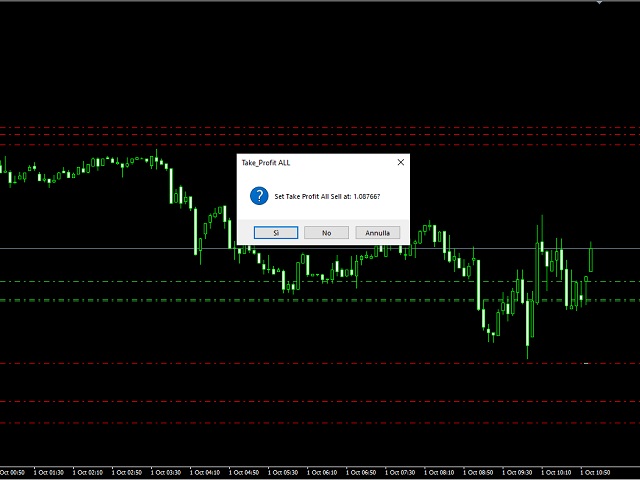
Script to move the Takeprofit of your positions all on one level, or just a Takeprofit of one of them.
Convenient and quick to use.
Just drag the script to a point in your template, at the price level you want, and the utility will ask you if you want to move all the Takeprofits to that level, or just move one Takeprofit of a position.
Very useful when the positions are very close or the Takeprofits are too close.
We would appreciate your feedback, so we can improve ourselves.

Good trading.


Prodotti consigliati
BreakEven Grid Utility for MT4 BreakEven Grid is a powerful utility for manual trade management on the MetaTrader 4 platform. It provides a convenient on-screen panel with buttons to help you manage your open positions with a single click.  Features: Set BE+Profit: Automatically sets Take Profit to breakeven + desired profit in pips or money. Close BUY/SELL: Instantly close all Buy or Sell orders for the current symbol. Close +$/-$/Old/New: Close only profitable, losing, oldest or newest tra
This tool will perform Trailing stop loss and Break even management for orders. Helps you limit or reduce the time spend watching orders on the screen, especially when you need to go to sleep. Just add this EA to 1 chart, you can manage all pairs. You can filter orders by comment, magic number, symbol, and order ticket number. When Breakeven it can add shift/offset pips (to cover the commission...). You can try in strategy tester before purchase. The EA will add Buy and Sell alternately, so yo
Easy Trade Executor è uno strumento per il calcolo rapido del lotto, l'esecuzione degli ordini e la gestione dei trade in MT4. Posiziona direttamente sul grafico i livelli di Entrata, Stop Loss e Take Profit, ottieni il calcolo automatico del lotto e apri trade con rischio controllato in pochi clic. Perché scegliere Easy Trade Executor? Easy Trade Executor è stato progettato per i trader che cercano molto più di un semplice calcolatore del rischio. Vogliono gestire i propri trade in modo rapido
Equity Master Stop v2
Frank William Jr Colbert
Trading tool combining a sophisticated equity stop-loss, dynamic take-profit management (Breakeven & Trailing), and symbol-group-based closing logic. It is a complete risk management and trade supervision tool. Features: All features of `Equity Master Stop v1` (floating profit/loss limits, exit protection, skip hours). Take-Profit Override: Can force a TP on any order to lock in a `MAX_FLOATING_PROFIT`. Step Breakeven: Locks in increasing amounts of profit as a trade moves favorably (e.g., aft
Expert Advisor for MT4 Useful utility MUST have for all traders.  With 1 click button, you're able to close all your open positions. Its come with a warning pop up notification when you click to close all your trades, to avoid an accident press the button. Just press 'Yes' to confirm or 'No' to cancel it. The expert will close all your open positions no matter what pairs you currently open or directions. Just attach the expert on 1 of your chart, and you're good to go.
Grid Trading
Waseem Raza
5 (3)
Grid Trading EA is a semi-automated one-click trading EA for both Normal Trading and Grid/Martingale Trading . Normal Trading Simply click Buy or Sell directly from the chart. The EA will automatically manage trades by: Setting Stop Loss and Take Profit Managing Trailing Stop Grid / Martingale Trading When Grid Trading mode is enabled, the EA will automatically open additional grid orders at specified distances while increasing the lot size based on your settings. Inputs & Settings Lots — Initia
Trade Manager MT4 DaneTrades
Levi Dane Benjamin
4.09 (11)
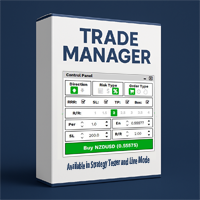
Trade Manager per aiutarti a entrare e uscire rapidamente dalle operazioni calcolando automaticamente il tuo rischio. Incluse funzionalità che ti aiutano a prevenire l'eccessivo trading, il vendetta trading e il trading emotivo. Le operazioni possono essere gestite automaticamente e i parametri di performance del conto possono essere visualizzati in un grafico. Queste caratteristiche rendono questo pannello ideale per tutti i trader manuali e aiuta a migliorare la piattaforma MetaTrader 4. Suppo
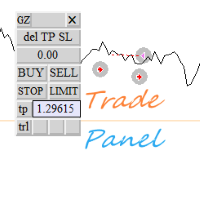
Trade panel manual is a multifunctional trading assistant. It allows you to open market and pending orders in one click. Value is set via button menu edit or deleted by specific buttons pending orders and the value of take profit and stop loss in one click. Through the edit menu of the button, a value is set that can be easily changed by simply moving level_tp lines for take profit or stop loss levels and for pending orders. It is possible to select orders and determine for them and set the leve
TakeProfit Catcher
Mikhail Kontsevoy
It is so very disappointing when the price does not have enough points to achieve Take Profit and makes a reversal. This EA sets virtual levels near the TakeProfit levels. This EA sets virtual levels next to TakeProfit orders. If these levels are reached by price, breakeven or trailing stop is applied for an order. Features This EA does not set new orders. The aim of this EA is to manage stop losses of existing orders that are set by another EA or manually (magic number equals 0). For correct w
TSTrendLineSymbol
Salvatore Labriola
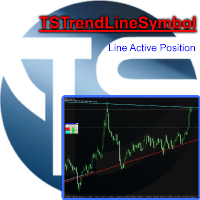
Utility, which draws buy or sell trendlines, which can also become support or resistances able to close any position on the screen Algorithm that calculates the gain of the position, at the touch closure of the line.   The benefits you get: Works on forex and CFD, timeframe from M1 to Weekly. Easy to use screen control panel. Audible warning messages at the touch of the line. Easy to use.
Margin Call Shield – Defend Your Margin on Your Terms Margin Call Shield   is a tool for MetaTrader 4 traders who want to decide for themselves which open positions are closed during margin call situations before the platform does so automatically based on its internal rules. By default, the broker or platform decides which positions to close, often using undisclosed algorithms. Margin Call Shield lets you set this order according to your own strategy. Why Was Margin Call Shield Created? In a  
Virtual Collider Manual   is a trading assistant with a built-in panel for manual trading. It automatically moves a position opened by a trader in profit using innovative adaptive grid algorithm of averaging and adaptive pyramiding Know-how of the grid algorithm of averaging and pyramiding of the   Virtual Collider Manual   trading robot is based on fully automatic adaptation of all characteristics of dynamically build order grid and pyramid with actual price movement with no need for adjusting
Risk Commander
Adisorn Soodkanueng
Product Name: Risk Commander: Trade Assistant & Strategy Simulator Risk Commander is more than just a trade panel—it is a complete Manual Trading Ecosystem . It serves two powerful purposes: Live Assistant: Helps you execute trades with speed, precision, and perfect risk management in real-time markets. Training Simulator: Fully compatible with the Strategy Tester (Visual Mode) , allowing you to practice manual trading on historical data without risking a cent. NEW! Built-in Simulator Mode Stop
Trade Manager G2 MT4
Ida Bagus Putu Mahardika
TRADE MANAGER G2 – PRODUCT DESCRIPTION By Ida Bagus Putu Mahardika Trade Manager G2 – All-in-One Trading Panel for Professional Execution & Risk Management Trade Manager G2 is a next-generation trading panel designed to give you full control over order execution, position management, and profit optimization in real time on MetaTrader 5. With a modern card-based user interface and individual TP actions per level, this panel elevates your trading experience to the next level. KEY ADVANTAGES OF
Rhino Backtest Manager - pannello di gestione delle operazioni per il trading reale e lo strategy tester Rhino Backtest Manager è un pannello di gestione delle operazioni che funziona sia nel trading reale sia nello strategy tester di MetaTrader 4. Consente di inviare e seguire gli ordini manualmente all'interno del tester con la stessa interfaccia usata su un conto reale, così una strategia può essere verificata sui dati storici e poi operata senza cambiare strumento. Il pannello calcola il vo
SL InfoPanel
Sergei Lopukhov
SL InfoPanel is an information panel that displays operational trading information on the current instrument. The panel contains the following information: The first column: The fixed profit for the specified period of time and the percentage of this profit to the current deposit (the time period is configured in the "Account History"). The value is colored blue if there is a profit and red if there is a loss. Open Long orders (number of lots/number of orders). Open Short orders (number of l
Smartility
Syed Oarasul Islam
This utility is designed to help you with your Manual Trading. It allows different ways of closing trades. It can display total number of BUY and SELL orders individually and also their individual profits. It can enter trades without stopl loss and take profits. However upon selecting UseStopLossTakeProfit from the settings it can use best possible stop loss and take profits based on the market conditions. Upon selecting the CloseOppositeTrades  from the settings it can close opposite trades. Fo
MultiLimitStop EA
Siti Latifah
5 (1)
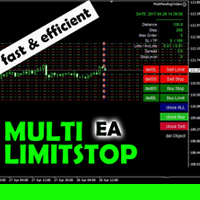
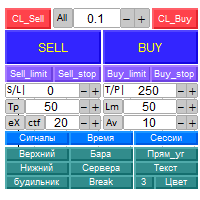
This EA is designed for automatic placing of pending orders (sell limit, buy limit, sell stop, buy stop) including Stop Loss & Take Profit levels (editable) with only one button click. This EA can make order multi pending level / pending orders grid. So, with this EA placing pending orders will be faster, more accurate and more efficient. Main Purposes Automation Pending orders grid style trading. Automation of the process of placing the Pending Orders: fast accurate efficient Automation of cl
Verdure Lot Calculator
Olawale Adenagbe
5 (1)
Overview Money management is an all-important aspect of trading that many traders often overlook. It is very possible that even with a winning strategy, bad money management can often result in huge loses. Verdure Lot Calculator aims to help traders minimize risk and exposure in the Forex market. Verdure Forex Calculators implements Lot (Trade or Contract Size) Calculator as an indicator on MT4 platform. Lot Calculator (trade or contract size) A lot refers to a bundle of units in trade. In Fore
Grid Builder
Oleg Remizov
5 (4)
The   Grid Builder MT4   utility is designed for placing a grid of pending orders of any complexity and will be an excellent tool in the hands of a trader who trades grid trading strategies. The tool has numerous settings that allow you to quickly and easily build a grid of orders with the specified parameters. All types of pending orders are supported: Buy Stop; Buy Limit; Sell Stop; Sell Limit. The script also allows you to delete a previously placed grid of orders in one click. If the "Delete
Panel "panel_kjutaMultiTerminal" for trading. Opens, modifies, closes and deletes trading and pending orders from the chart using virtual lines, buttons and the active information terminal. Automatically opens an order by indicator levels. Hints in Russian, English or disabled. It has a number of functions for trailing virtual Take Profit lines and limit orders. Displays information on the active information terminal.  Hides and includes virtual lines S/L , T / P, buttons "<>","M","X", as well a
TesterPro
Miguel Angel Barahona Ochoa
TesterPro è un pannello progettato per l’uso nel *Strategy Tester* di MT4. Consente di simulare ordini di acquisto e vendita, impostare la dimensione del lotto, *take profit* e *stop loss*. È possibile modificare gli ordini aperti e chiuderli parzialmente in qualsiasi momento. Inoltre, è possibile regolare i livelli di *take profit* e *stop loss* semplicemente trascinando le linee corrispondenti con il mouse. Durante il *backtesting*, ** TesterPro ** fornisce un rapporto in tempo reale con inf
The Simple Lot Size Calculator can help you with risk management. Just type risk percentage, stop loss points and click calculate to get required lot size. The Simple Lot Size Calculator calculates a current chart's instrument. It's lightweight. Just load it to your chart then The Simple Lot Size Calculator will apper in the left upper corner of your chart.
CoPilot dashboard MT4
Frederic Jacques Collomb
CoPilot — Dashboard di trading giornaliero Conosci i tuoi numeri. Fai trading con chiarezza. Versione MT5 Cos'è CoPilot? CoPilot è un assistente di trading di livello professionale che visualizza in tempo reale tutte le statistiche di performance giornaliera direttamente sul grafico — con una curva di equity in tempo reale che si aggiorna operazione per operazione. Progettato per i trader attivi che necessitano di visibilità immediata sulla propria sessione senza lasciare il grafico, CoPilot agg
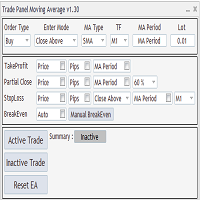
Expert Advisor to Automatically Trade Moving Averages price breakouts & retests .  ​ Complete trading solution with automated Entry , Take Profit , partial profit , Stoploss and also auto breakeven where SL is moved to Entry once tp1 / first target is reached , Moving averages are used to identify trends and confirm reversals ,  They are effective in all time frames . from 1 min scalping to 4hr or Daily charts swings ,  ​ With MA Trade Panel EA we can automatically buy / sell when price breaks
Trade Manager 4 Lite is trading panel developed with a goal to make manual trading in some (routine) task easier. Trade Manager 4 Lite also works in Strategy Tester. Version for Meta Trader 5 is here: Trade Manager 5 Lite Main features of Trade Manager 4 Lite Trading for Forex and CFDs Support for 4 and 5 digit brokers 65 combinations to set order Set Take Profit, Stop Loss and entry level for Pending Order with lines positioned on the chart Break Even Trailing Stop Loss Multiple Orders at one
RisklyScalen MT4
Gabriele Liberto
ScaleIn splits one manual entry into several positions. Open a trade as usual: ScaleIn adds the extra positions you choose, each with its own take profit, while keeping the total risk of the whole trade under control. Positions to open - Number of additional positions. - Same volume as your original trade, or custom volumes for each position. Entries - Market orders (all positions open immediately), or pending orders placed at a set distance between levels. Stop loss and take profit - Stop l
Savage Trades M.T.A.  is a Manual Trade Assistant expert advisor. This EA contains self-adaptive market algorithm, which uses price action patterns and standard trading indicators. 1.) Quickly Execute trade entries with the click of a button with your own predetermined Stop Loss and Take Profit. 2.) Non-Repainting retracement and reversal warnings indicated by arrows and system alert. 3.) Auto adjusting Support and Resistance levels with strength indicated by color shade. 4.) Auto adjusting Fibo
Trade Auto Close
Makarii Gubaydullin
Chiusura automatica trade: a tempo, o trigger di Profitto / Perdita Con questa utility, puoi automatizzare la chiusura dei trade in base a una determinata condizione. Utility multifunzione : 66+ funzioni, inclusa questo strumento  |   Contattami  se hai domande  |   Versione MT5 Per attivare la Chiusura Automatica, è necessario impostare i seguenti parametri (nel pannello): 1. Simbolo   a cui verrà applicata la funzione: per un   [Symbol]   specifico / o per   [ALL]   tutti i simboli. 2.   Cond
Like the logic of this tool? Explore the full ecosystem of professional indicators and utilities, built by a trader for traders: All author's products in MQL5 Market: https://www.mql5.com/en/users/musa1994/seller Trading philosophy and details: https://developer-mql4-mql5.netlify.app/ Risk Manager Panel is a professional trading panel for MetaTrader 4 that automatically calculates lot size based on risk and manages trades in one click. No more manual lot calculation — the panel does it
Gli utenti di questo prodotto hanno anche acquistato
Forex Trade Manager MT4
InvestSoft
4.98 (447)
Benvenuto a Trade Manager EA, lo strumento definitivo per la gestione del rischio , progettato per rendere il trading più intuitivo, preciso ed efficiente. Non è solo uno strumento per l'esecuzione degli ordini, ma una soluzione completa per la pianificazione delle operazioni, la gestione delle posizioni e il controllo del rischio. Che tu sia un principiante, un trader avanzato o uno scalper che necessita di esecuzioni rapide, Trade Manager EA si adatta alle tue esigenze, offrendo flessibilità s
Exp COPYLOT CLIENT for MT4
Vladislav Andruschenko
4.69 (65)
Copiatore professionale di operazioni per MetaTrader 4 Un copiatore di operazioni veloce, affidabile e professionale per MetaTrader 4 . COPYLOT consente di copiare operazioni Forex tra i terminali MetaTrader 4 e MetaTrader 5 , offrendo una sincronizzazione flessibile per diversi tipi di conto e modalità operative. La versione COPYLOT MT4 supporta: MetaTrader 4 → MetaTrader 4 MetaTrader 5 Hedge → MetaTrader 4 MetaTrader 5 Netting → MetaTrader 4   Versione MT5 Descrizione completa + DEMO + PDF Com
Local Trade Copier EA MT4
Juvenille Emperor Limited
4.96 (111)
Local Trade Copier EA MT4 è un trade copier rapido e flessibile per copiare e gestire operazioni tra più conti MetaTrader 4 sullo stesso computer Windows o Windows VPS. Combina la sincronizzazione locale delle operazioni con controlli lato Receiver per dimensione del lotto, gestione del rischio, filtraggio delle operazioni, mappatura dei simboli, gestione delle operazioni e protezione del conto. Configura i terminali Transmitter e Receiver in circa 1 minuto e copia operazioni manuali o aperte d
Grid Manual MT4
Alfiya Fazylova
4.71 (17)
Grid Manual è un pannello di trading per lavorare con una griglia di ordini. L'utilità è universale, ha impostazioni flessibili e un'interfaccia intuitiva. Funziona con una griglia di ordini non solo nella direzione delle perdite, ma anche nella direzione dell'aumento dei profitti. Il trader non ha bisogno di creare e mantenere una griglia di ordini, lo farà l'utilità. È sufficiente aprire un ordine e il manuale di Grid creerà automaticamente una griglia di ordini per esso e lo accompagnerà fino
Trade Indicator Assistant is a powerful MT4 utility designed to turn indicators into automated trading systems. Its main feature is the ability to automatically detect an indicator’s   BUY and SELL signal buffers , without requiring you to know the buffer numbers, search through indicator settings, or modify the indicator source code. Bonus Indicator: After purchasing Trade Indicator Assistant, contact me to receive Trade Signal Pro completely free as a bonus indicator. [Download Demo Version]
TradePanel MT4
Alfiya Fazylova
4.84 (95)
Trade Panel è un assistente commerciale multifunzionale. L'applicazione contiene più di 50 funzioni di trading per il trading manuale e permette di automatizzare la maggior parte delle attività commerciali. Istruzioni per l'applicazione : https://www.mql5.com/it/blogs/post/762331 Versione di prova dell'applicazione per un conto demo: https://www.mql5.com/it/blogs/post/762419 Come installare l'applicazione: https://www.mql5.com/it/blogs/post/762362 Come testare l'applicazione in modalità visuale:
Trade Assistant MT4
Evgeniy Kravchenko
4.43 (197)
It helps to calculate the risk per trade, the easy installation of a new order, order management with partial closing functions, trailing stop of 7 types and other useful functions. Additional materials and instructions Installation instructions   -   Application instructions   Line function -   shows on the chart the Opening line, Stop Loss, Take Profit. With this function it is easy to set a new order and see its additional characteristics before opening.   Risk management  - The risk calcu
Trade copier MT4
Alfiya Fazylova
4.62 (37)
Trade Copier è un'utilità professionale progettata per copiare e sincronizzare le transazioni tra conti di trading. La copiatura avviene dal conto/terminale del fornitore al conto/terminale del destinatario, che sono installati sullo stesso computer o vps. Prima di acquistare, puoi testare la versione demo su un account demo. Versione demo qui . Istruzioni complete qui . Funzionalità e vantaggi principali: Supporta la copia degli ordini: MT4> MT4, MT4> MT5, MT5> MT4, inclusi i conti di compensaz
Telegram to MT4 Coppy
Sergey Batudayev
4.09 (11)
Da Telegram a MT4: la soluzione definitiva per la copia del segnale Semplifica il tuo trading con   Telegram su MT4   , l'utility all'avanguardia progettata per copiare i segnali di trading direttamente dai canali e dalle chat di Telegram sulla tua piattaforma MetaTrader 4, senza bisogno di DLL. Questa soluzione affidabile garantisce un'esecuzione impeccabile dei segnali con una precisione e opzioni di personalizzazione senza pari, risparmiando tempo e aumentando la tua efficienza. [ Instruction
News Filter EA MT4
Rashed Samir
5 (10)
News Filter EA: Advanced Algo Trading Assistant News Filter EA is an advanced algo trading assistant designed to enhance your trading experience. By using the   News Filter EA , you can integrate a Forex economic news filter into your existing expert advisor, even if you do not have access to its source code. In addition to the news filter, you can also specify   trading days   and   hours   for your expert. The News Filter EA also includes   risk management   and   equity protection   features
DoIt Trade Manager - Risk Panel and EA Position Manager for MT4 Finding an entry is only half the job. Many execution mistakes happen in position sizing, partial exits, breakeven, trailing and account protection. DoIt Trade Manager puts the complete workflow on the chart. Plan the risk before entry, execute the order and apply consistent management rules to your manual trades and selected positions opened by other EAs. Full setup guide + how the free version works and where PRO starts :  https:/
The product will copy all telegram signal to MT4   ( which you are member  ) , also it can work as remote copier.  Easy to set up, copy order instant, can work with almost signal formats, image signal, s upport to translate other language to English Work with all type of channel or group, even channel have "Restrict Saving Content", work with  multi channel, multi MT5 Work as remote copier: with signal have ticket number, it will copy exactly via ticket number. Support to backtest signal. How to
PZ Trade Pad Pro MT4
PZ TRADING SLU
3.67 (3)
Effortlessly calculate lot sizes and manage trades to save time and avoid costly errors The Trade Pad Pro EA is a tool for the Metatrader Platform that aims to help traders manage their trades more efficiently and effectively. It has a user-friendly visual interface that allows users to easily place and manage an unlimited number of trades, helping to avoid human errors and enhance their trading activity. [ Installation Guide | Update Guide | Troubleshooting | FAQ | All Products ] One of the k
The program is use to copy trading from MT4   to MT4 and MT5  on same Windows   PC or VPS .   Now you can easy copy trades to any MT4 account or MT5 account. Instants copy, speed smaller 0.1 seconds, easy to setup. Need run EA as Signal provider on one MT4 account, other MT4 / MT5 will run EA as Trade copier. You can download and try demo version on demo account Copi Trade MT4 demo   version   here   Copi Trade MT5 demo   version  here  
Trade Manager Pro MT4
Bryan Djoufack Nguessong
Si tratta di un'utility che semplifica il trading, mettendo a portata di clic o di pochi clic attività che richiedono molto tempo come la gestione degli ordini e la gestione del rischio. Caratteristiche Gestione del rischio  Calcola automaticamente i lotti in base al rischio specificato in % o in $ nel campo del rischio e vi permette di inserire le linee per SL TP ecc. e di visualizzare in tempo reale il Risk Reward. TrueRisk include le commissioni quando calcola la dimensione del lotto sol
Trading History MT4
Siarhei Vashchylka
5 (9)
Trading History - A program for trading and money management on the history of quotes in stratagy tester. It can work with pending and immediate orders, and is equipped with trailing stop, breakeven and take profit functions. Very good for training and testing different strategies. Manual (Be sure to read before purchasing) Advantages 1. Allows you to test any trading strategy in the shortest possible time 2. An excellent simulator for trading training. You can gain months of trading experience
CloseIfProfitorLoss with Trailing
Vladislav Andruschenko
4.88 (32)
Close If Profit or Loss with Trailing per MetaTrader 4 — chiusura automatica per profitto totale o perdita totale Un’utilità pratica per MetaTrader 4 che chiude automaticamente le posizioni quando il profitto totale o la perdita totale raggiunge il livello impostato. L’Expert Advisor monitora le operazioni aperte, calcola il risultato flottante, può usare Trailing Profit e aiuta a gestire le posizioni più rapidamente rispetto a una reazione manuale. MetaTrader 4 è ancora molto utilizzato da tra
Shepherd Safety EA
AW Trading Software Limited
4.92 (13)
AW Shepherd Safety EA è un Expert Advisor per la gestione delle posizioni aperte. Il primo ordine lo apre il trader dal pannello, poi l'EA gestisce il basket da solo: aggiunge ordini di recupero con filtro del trend, chiude il lato su TakeProfit, trailing o stop e mostra i livelli di chiusura sul grafico. Acquisti e vendite sono gestiti separatamente, entrambi i lati possono essere aperti contemporaneamente. L'ordine di recupero non si apre semplicemente al raggiungimento del passo di prezzo, ma
Trade Assistant Pro 36 in 1
Makarii Gubaydullin
4.76 (21)
Strumento Multifunzionale: Calcolatore di Lotti, Ordini Grid, Rapporto R/R, Gestore Trade, Zone di Domanda e Offerta, Price Action e molto altro Versione Demo   |   Manuale utente L'Assistente di Trading non funziona nel tester di strategie: puoi scaricare la Versione Demo QUI per testare l' utilità . Contattami per qualsiasi domanda / idee di miglioramento / in caso di bug trovato Se hai bisogno di una versione MT5, è disponibile qui Semplifica, accelera e automatizza il tuo processo di tradin
RS Trade Copier
Boris Sedov
5 (1)
RS Trade Copier - il local trade copier ultra-veloce con una vera interfaccia grafica. Smetti di inserire i numeri di conto manualmente. Addio alle interminabili liste di oltre 200 parametri nelle impostazioni. Uno strumento affidabile e flessibile per copiare operazioni di trading tra multipli terminali MT4 e MT5. È adatto sia a trader esperti e servizi di segnali, sia a investitori privati. Permette di sincronizzare il trading da uno o più Fornitori a uno o più Clienti con elevata precisione e
Telegram to MT4 Multi-Channel Copier   copia automaticamente i segnali di trading dai tuoi canali Telegram e Discord direttamente su MetaTrader 4. Niente bot, niente estensioni del browser, niente copia manuale. Il segnale arriva su Telegram o Discord e l'EA apre l'operazione nel tuo terminale in pochi secondi. E prima di copiare un canale, il backtester integrato ti mostra cosa avrebbe fatto quel canale sul tuo conto. Il prodotto include due componenti: un'applicazione Windows che ascolta i tuo
Rhino Chart Drawing Tools offre un flusso di lavoro per il disegno in stile TradingView per MetaTrader 4. Include 54 strumenti di disegno , una barra degli strumenti personalizzabile, Preferiti, stili rapidi, impostazioni degli oggetti, modelli e un gestore degli oggetti. Manuale utente: Come utilizzare il prodotto Versione demo gratuita: Scarica la demo Versione per MetaTrader 5: Rhino Drawing Tools per MT5 Strumenti di disegno Gruppo Elenco degli oggetti Linee Linea di tendenza, raggio, line
Il MT4 to Telegram Signal Provider è uno strumento facile da usare e completamente personalizzabile che consente l'invio di segnali a Telegram, trasformando il tuo account in un fornitore di segnali. Il formato dei messaggi è completamente personalizzabile! Tuttavia, per un uso semplice, puoi anche optare per un modello predefinito e abilitare o disabilitare parti specifiche del messaggio. [ Dimostrativo ]  [ Manuale ] [ Versione MT5 ] [ Versione Discord ] [ Canale Telegram ]  New: [ Telegram To
Multi Account Local Trade Copier è un copiatore locale veloce per MetaTrader: copia le operazioni tra terminali MT4/MT5 sullo stesso PC o VPS Windows, da un conto master a più conti ricevitori — i tuoi conti reali, demo o prop firm, presso lo stesso broker o presso broker diversi. Funziona a eventi : il master pubblica ogni operazione nell'istante in cui avviene, e il ricevitore misura e registra la latenza di copia reale di ogni singola operazione — tipicamente 50-150 ms . Niente DLL, niente po
Magnifier Ruler Crosshair
Taras Slobodyanik
5 (2)
The indicator has three main tools: Magnifier (Zoom chart), Ruler  ( Time and Price scales ),   and Crosshair. You can move it all around with your mouse and customize different formats for  displaying , customize   size and color of each element. The Magnifier (zoom chart) allows you to display candles from any time frame and at different scales. Hotkeys: 'Q' - higher timeframe, 'A' - lower timeframe, 'W' - decrease candle size, 'S' - increase candle size, 'Z' - show/hide zoom chart You can
Automatic Trailing Stop Based on Take Profit Percentage with Profit Lock EA MT4   Lock in your profits and "let your winners run" past your 100% take profit target with this EA.  This Expert Advisor automatically adjusts your Stop Loss based on up to 4 user-defined Take Profit Target Percentages, locking in your profit.  If price pushes past your 100% take profit target, the EA will automatically trail the price by user-defined pips, so you won't miss that runaway train again.   EA Features The
Exit Manager
Victor Christiaanse
5 (2)
Close every trade at the right moment, automatically. Most traders spend their energy on the entry and then close too early, too late, or on a feeling. Exit Manager takes the exit off your hands. Open a trade the way you always do, by hand or with any Expert Advisor, and Exit Manager watches it and closes it, fully or partly, when the indicator signal you chose appears. You can see it working on the chart. A clean panel on your chart shows, for every open trade, which rule will close it next, ho
TradeMirror è uno strumento locale di copia degli ordini progettato per le piattaforme MT4/MT5, con supporto alla sincronizzazione delle operazioni in tempo reale. Tutorial Clicca sul link Tutorial di Trademirror per visualizzare altri tutorial. Vantaggi del Prodotto In linea con gli elevati standard di sicurezza, stabilità e privacy per i software finanziari, abbiamo ottimizzato tre aspetti fondamentali: Interfaccia grafica intuitiva per un utilizzo semplificato Protezione rafforzata della priv
Exp Averager
Vladislav Andruschenko
4.82 (22)
Averager per MetaTrader 4 — sistema professionale di recupero posizioni e gestione di serie di operazioni Un Expert Advisor progettato per i trader che vogliono gestire in modo intelligente posizioni in drawdown, migliorare il prezzo medio di entrata e controllare l’intero paniere di operazioni come una struttura unica e coordinata. Averager non è un semplice strumento di mediazione. È una soluzione pratica per ricostruire posizioni in perdita, riorganizzare il prezzo medio e portare l’intera s
Unlimited Trade Copier Pro
Vu Trung Kien
4.43 (7)
Unlimited Trade Copier Pro is a tool to copy trade remotely to multiple MT4, MT5 and cTrader accounts at different computers/locations over internet. This is an ideal solution for you if you are a signal provider and want to copy your trades to other receivers globally on your own rules. One provider can copy trades to multiple receivers and one receiver can get trade from multiple providers as well. The provider can even set the subscription expiry for each receiver, so that receiver will not b
Altri dall’autore
Useful indicator that incorporates two moving averages, for your favorite trading strategy. Moving averages are fully configurable, Period, Method, Color, Etc Just place it on your favorite timeframe. The benefits you get : Never redesigns, does not retreat, never recalculates. Works on forex and CFD, timeframe from M1 to Monthly. Easy to use. Convenience for your trading.
FREE
Useful indicator that incorporates three moving averages, for your favorite trading strategy. Moving averages are fully configurable, Period, Method, Color, Etc Just place it on your favorite timeframe. The benefits you get : Never redesigns, does not retreat, never recalculates. Works on forex and CFD, timeframe from M1 to Monthly. Easy to use. Convenience for your trading. 
FREE
TSMarketPrice
Salvatore Labriola
Indicator that displays the current price and the percentage of loss or gain, compared to the previous day. The benefits you get : Possibility to choose your favorite crosses. Never redesigns, does not retreat, never recalculates. Works on forex and CFD, timeframe from M1 to monthly. Easy to use. Parameters : FontSize = 20; font size FontType = "Tahoma"; character type Angle = Bottom_Right; angle view (top right .. top left sect ..) Show_Price = true; view the Bid Show_Var = true; see the dif
FREE
TSMatrixStochasticPair Indicator for currency strength trading, through the Stochastic indicator. Intelligent algorithm for scalper and intraday traders.   The benefits you get: Never redesigns, does not retreat, never recalculates. Works on forex, timeframe from M1 to D1. Integrated pop-up, push notification and sound alerts. Easy to use.     Parameters:         KPeriod: k_ stochastic parameter.         DPeriod: D_ stochastic parameter.         Slowing: stochastic parameter.         MA_Method:
TSScreenBowTie
Salvatore Labriola
Expert for trading with the BowTie strategy. Intelligent algorithm for scalper and intraday traders. Multi time frame and multi currency panel.   The benefits you get: Easy-to-use panel that alerts you to crossings of moving averages, like strategy, on each currency. Possibility to choose your favorite crosses. Possibility to choose to activate only the preferred time frames. Never redesigns, does not retreat, never recalculates. Works on forex and CFD, timeframe from M5 to D1. Integrated pop-up
indicator for trading with the strategy with two moving averages. Intelligent algorithm for scalper and intraday traders. Multi time frame and multi currency panel.   The benefits you get :   Easy to use panel that alerts you to crossings of moving averages, as per strategy, on each currency. Possibility to choose your favorite crosses. Possibility to choose to activate only the preferred time frames. Never redesigns, does not retreat, never recalculates. Works on forex and CFD, timeframe from M
TSDeleteAllObject
Salvatore Labriola
Script utility to clean up your template from every object. Convenient and quick to use. Just drag the script onto your template and it will be cleaned of all visible and non-visible objects present. Very useful for objects that cannot be eliminated simply by writing or shapes, etc. We would appreciate your feedback, so we can better ourselves. Happy Trading. 
FREE
TSMouseSL
Salvatore Labriola
Script to move the stoploss of your positions all on one level or just a stoploss of one of them. Convenient and quick to use. Just drag the script to a point in your template, at the price level you want, and the utility will ask you if you want to move all the stoplosses to that level, or move only one stoploss of a position. Very useful when the positions are very near or the stoplosses are too near. We would appreciate your feedback, so we can improve ourselves. Good trading.
TSReduceExposition
Salvatore Labriola
Script to reduce the exposure of your operations on the chart. Convenient and quick to use. Just drag the script to a point in your template, and in the input values you will be able to modify several variables to reduce the exposures. We would appreciate your feedback, so we can improve ourselves. Good trading.   Parameters: FilterTrade = All; All positions or only the buy or only the sells. Only_Profit = True; Only those in profit if true, in false it applies to all positions. Reduce_Perc = 50


TSScreenIchimoku
Salvatore Labriola
Panel designed for ichimoku traders. Intelligent algorithm that reveals signals over multiple time frames and multiple currency crosses.   The benefits you get :   Significantly lightens the signal search analysis. Never redesigns, does not retreat, never recalculates. Works on forex, CFD, Crypto and stocks, time frames from M5 to W1. Integrated pop-up, push notification and sound alerts. Easy to use. Parameters : Number_Instrument = 10; Number of instruments displayed Tenkan = 9; Kijun = 26;
TsMonitorPosition
Salvatore Labriola
Utility, which displays all your market positions.   Analyze: The clear exposure of each currency. Total orders Total lots Profit and loss for every cross. Percentage reduction of positions. Closing of the entire basket, or closing only positive or negative positions. Etc.   The benefits you get:             Each button will open a pop up to inform you of its usefulness             Works on forex and CFD.             Easy to use. Parameters Template = Default.tpl; possibility to open your favor
TSMonitorLevel
Salvatore Labriola
Indicator, which draws supports and resistances. Algorithm that calculates the entry zone of the position and the possible target.   The benefits you get: Never redesigns, does not retreat, never recalculates. Works on forex and CFD, timeframe from M1 to Weekly. Integrated pop-up, push notification and sound alerts. Easy to use. Parameters: SENSIBILITY = indicates the importance of levels, we recommend a minimum value of 1.0 PERIOD_BAR = indicates how many bars are considered for volatility, w
TSTrendLineSymbol
Salvatore Labriola
Utility, which draws buy or sell trendlines, which can also become support or resistances able to close any position on the screen Algorithm that calculates the gain of the position, at the touch closure of the line.   The benefits you get: Works on forex and CFD, timeframe from M1 to Weekly. Easy to use screen control panel. Audible warning messages at the touch of the line. Easy to use.
TSScreenBreakLevel
Salvatore Labriola
Indicator, which draws supports and resistances that have been broken. Intelligent algorithm for scalper and intraday traders. Multi time frame and multi currency panel.   The benefits you get Never redesigns, does not retreat, never recalculates. Works on forex and CFD, timeframe from M5 to Daily. Integrated pop-up, push notification and sound alerts.            Easy to use.   Parameters input int Number_Instrument = 10; Number of crosses present in your panel SENSIBILITY = 1; indicates the imp
TsTriangularHedge
Salvatore Labriola
The utility allows you to open, monitor and manage open positions on the forex market and only on instruments in which it is possible to create triangulations or those instruments that share the same currency in the numerator or denominator: ex: EURSUSD --- GBPUSD --- EURGBP The help of operational lines and valuable information on the panel allow the trader to manage trades more easily. Recommended for novice and experienced traders. External variables CrossSymbol = choose the cross on which
TSInfoKit
Salvatore Labriola
This Utility is a test for creating objects on the graph . Drag it on any graph and follow the instructions! Any questions about work program send me mail : info@tradingsolution.it In future I will add more information with new version for now it provides account information: AccountNumber AccountName AccountCurrency AccountCompany Server Account Leverage Stop Out level Balance Equity Margin Free Margin
Filtro:
Nessuna recensione
Rispondi alla recensione