Risk King
- Utilità
- Versione: 1.1

Description
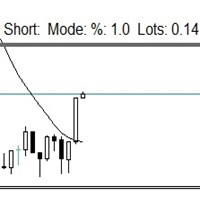
Risk King is a free position-size and risk indicator for MetaTrader 5. Drag three lines on your chart, and the panel works out the right lot size for your risk, so you can see the full trade before you click Buy or Sell.
Set how much you want to risk, either as a percentage of your account or as a fixed amount. Then place your stop loss where the trade makes sense. Risk King does the maths, including tick values, currency conversion, your broker's lot step and commission.
Key features
- Draggable Entry, Stop Loss and Take Profit lines directly on the chart
- Automatic LONG / SHORT detection from where you place the stop
- Lot size calculated from your risk % or fixed money amount
- Live R:R ratio, potential reward, actual risk (after lot rounding) and margin required
- Price tags on the chart showing pips and money at each line
- Risk basis selectable: balance, equity or free margin
- Optional LIVE entry that follows the market price
- Warnings for risk above your limit, insufficient margin, a TP on the wrong side, and a minimum lot larger than your target risk
- Works on forex, metals, indices and crypto, on any account currency
- Dark and light themes, with the panel on the left or right
- Collapsible panel and a LOCK button so lines can't be moved by accident
How to use
- Attach Risk King to any chart. Three lines appear (blue Entry, red SL, green TP), along with the panel.
- Set your risk in the panel. Type a value or use the + / - buttons. The % / $ button switches between a percentage of your account and a fixed money amount. The BAL / EQUITY / FREE button chooses what the percentage is based on.
- Drag the red SL line to where your stop belongs. The direction (LONG or SHORT) updates automatically.
- Drag the green TP line to your target. The panel shows the R:R, the potential reward, and the tag on the chart shows pips and money.
- Read the position size from the large "Position size (lots)" number in the panel, then enter that volume in your normal order window.
- Use the buttons at the bottom as needed:
- LIVE ON / OFF: the Entry line follows the market price, or stays where you put it (for pending orders).
- RESET: puts the lines back at default distances from the current price.
- LOCK: locks the lines in place so you can't drag them by accident.
- "-" at the top: collapses the panel to save chart space.
Reading the panel
| Field | Meaning |
|---|---|
| READY / CHECK / INVALID | Setup status. CHECK means a warning is showing at the bottom of the panel. |
| Target | The money you set out to risk |
| Actual risk | The real risk after the lot size is rounded to your broker's step |
| Potential reward | Profit if the TP is hit |
| Margin required | Margin for the calculated lots. A "~" in front means it is an estimate. |
| Spread | Current spread in pips |
Input parameters
- Risk mode: percentage of the basis, or fixed money
- Risk value: the amount to risk
- Risk basis: balance, equity or free margin
- Warn if risk above: shows a warning if the actual risk exceeds this percentage (0 turns it off)
- Commission per lot: round-turn commission, included in the risk calculation
- Default SL pips and default reward:risk: used when the lines are first placed or reset
- Live entry: whether the Entry line follows the market on startup
- Theme, panel side, X and Y offset: panel appearance and position
- Line colors and width
Good to know
- Risk King is an indicator, so it does not place or modify trades. You enter the order yourself using the calculated lot size.
- On forex pairs with 3 or 5 digits, one pip is 10 points. On gold, indices and crypto, a pip is one point, so check the "pts" value on the panel if you prefer to think in points.
- Lot sizes are rounded down to your broker's volume step, so your actual risk is slightly below the target. If the broker's minimum lot is larger than what your risk allows, the panel warns you.
- Always test on a demo account first and compare the numbers with your broker's own calculator.
Disclaimer
Trading leveraged products carries a high level of risk and may not be suitable for everyone. This tool is for educational and informational purposes only, and does not constitute financial advice. Calculations depend on broker data and may differ from actual execution. Use at your own risk.