RBM Zoomscroll
- Utilità
-
Renato Brendim Medici
 RBM Trader is an Economist and Global Trader, specialized in FX, Derivatives and Equity. Creator of the Reverse Setup and the GFT method.
Author of the book "Macroeconomics for Traders," connecting macroeconomics, geopolitics and financial markets in a practical, straight-to-the-point way. - Versione: 1.0
RBM Zoom Scroll
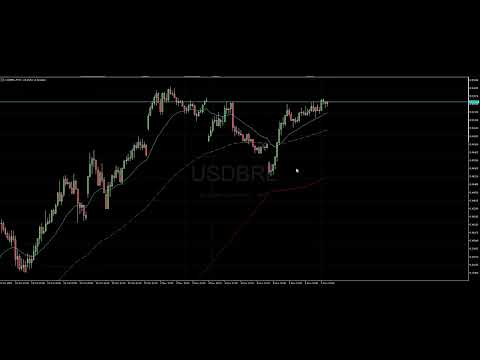
Every trader knows the feeling. You are on the gold M5, you want to see how the whole day built up, and you start clicking zoom buttons or dragging the price scale around. By the time you are done, the move you wanted to look at is already gone.
RBM Zoom Scroll fixes this the way it should have worked from day one: you spin the mouse wheel over the chart and the chart zooms. No buttons, no menus, no dragging.
How it works
- Scroll: zooms the chart in and out horizontally, which means more or fewer candles on screen.
- Shift + Scroll: stretches or compresses the price scale around the center of the chart. Great for getting a better look at a tight range, or for fitting a whole leg of a move on screen.
What you get in practice
- Switch from the big picture to execution view in a second, without taking your hand off the mouse.
- Works on any symbol and any timeframe: gold, Nasdaq, forex, indices, stocks, crypto.
- Lightweight. It draws nothing on your chart, uses no buffers and puts no load on the platform.
- When you remove the indicator, MT5 goes back to its original mouse behavior. Nothing stays stuck in your chart settings.
Inputs
- Vertical zoom intensity: how much the price scale changes with each wheel click (default 10%).
- Invert scroll: flips the direction, in case you prefer to spin forward to zoom out.
- Debug: prints the wheel events in the Experts tab. Only useful if you want to check that the mouse is being read.
Good to know before you buy
- Horizontal zoom uses the 6 native MT5 chart scale levels, so it moves in steps rather than continuously.
- After using the vertical zoom, the price scale stays fixed. To go back to automatic, open the chart properties (F8) and uncheck "Fixed scale".
- Spin the wheel with the mouse over the candle area. Over the price scale on the side, MT5 does not send the event.
Installation
Drag the indicator onto the chart and you are done. There is nothing to set up before you start using it.
Developed by RBM.TRADER, economist and global trader, creator of the GFT Method.
Website: https://rbmtrader.netlify.app/