RBM Quick Entry Panel
- Experts
-
Renato Brendim Medici
 RBM Trader is an Economist and Global Trader, specialized in FX, Derivatives and Equity. Creator of the Reverse Setup and the GFT method.
Author of the book "Macroeconomics for Traders," connecting macroeconomics, geopolitics and financial markets in a practical, straight-to-the-point way. - Versione: 2.16
RBM Quick Entry Panel PRO
SHORT DESCRIPTION
One-click on-chart entry panel: lot size, stop loss, take profit, up to 3 partial exits and automatic breakeven.
FULL DESCRIPTION
Anyone who trades every day knows the hard part is rarely the analysis. It's the execution. Opening the order window, typing the lot, working out the stop, remembering to take partials, moving to breakeven at the right moment. In a fast market every one of those steps costs seconds and leaves room for mistakes.
RBM Quick Entry Panel PRO fixes that with a clean panel right on your chart. You set the exit plan before you enter, and the EA handles the rest.
HOW IT WORKS
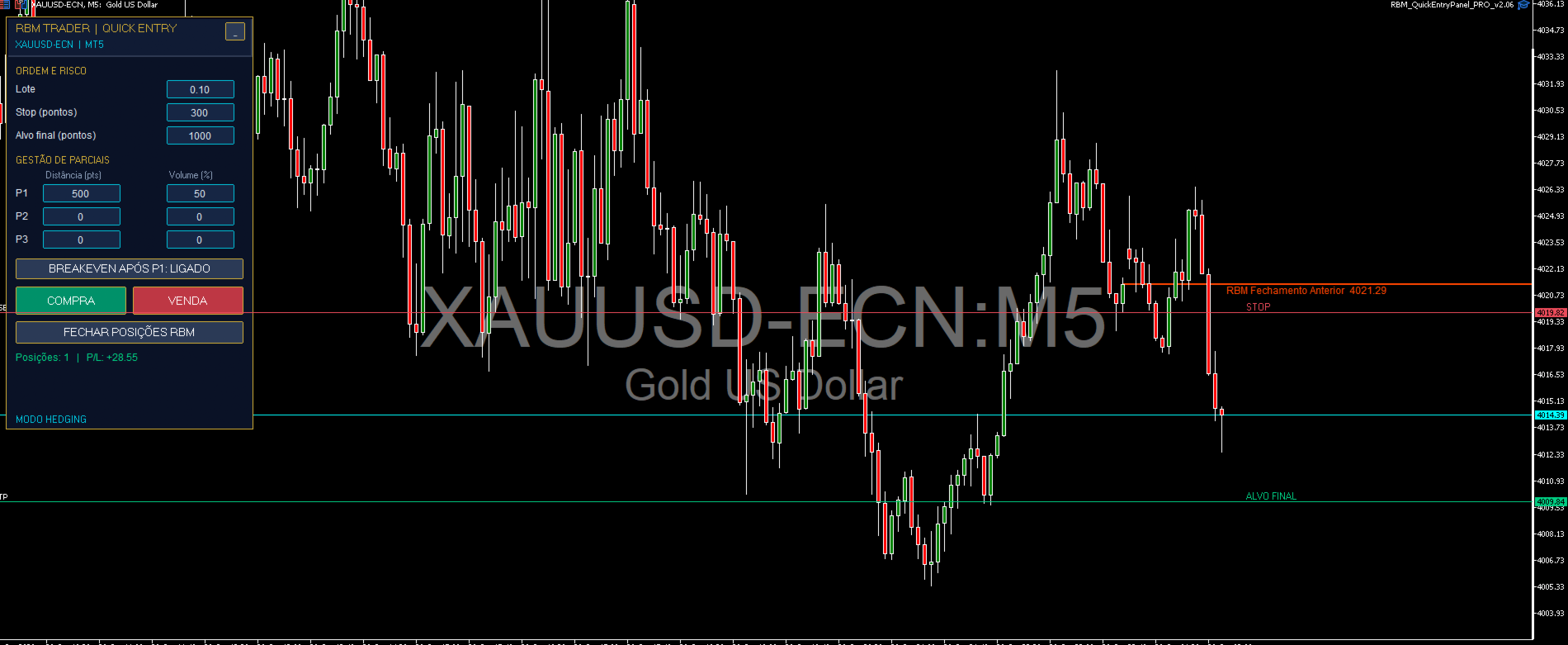
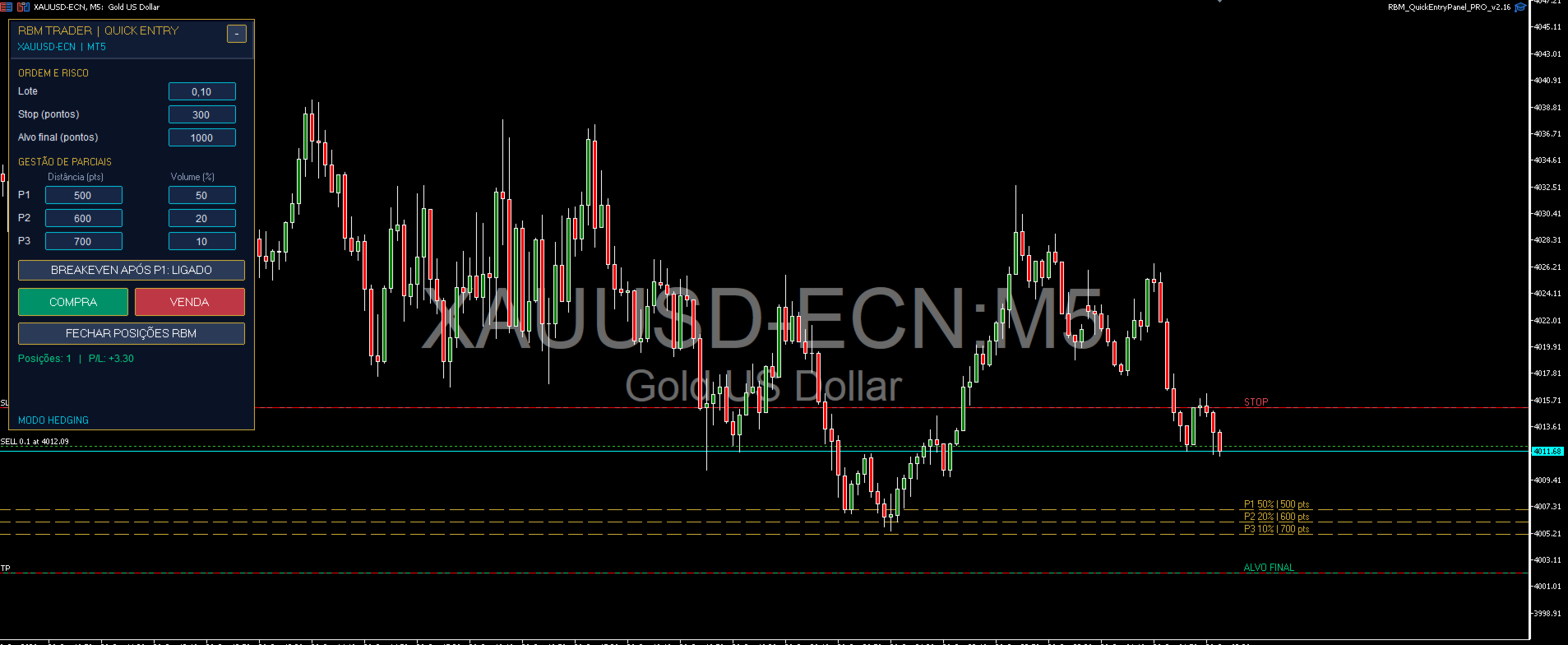
Fill in the lot, stop loss and final target in points, choose up to 3 partial exits, and click BUY or SELL. From that moment the panel tracks the position tick by tick. When price reaches the P1 distance, it closes the percentage you chose. If breakeven is on, the stop moves to your entry right after. Whatever is left keeps running toward the final target.
A concrete example: 0.10 lots, 300-point stop, 1000-point target, P1 at 500 points closing 50%. When price moves 500 points in your favor, half the position is banked and the stop on the other half moves to entry. From that point on, the worst case is exiting at zero with profit already in your pocket.
WHAT YOU GET
- Lot, stop and final target editable on the fly, with no order window to open
- Three partial exits (P1, P2, P3), each with its own distance in points and its own percentage of the initial volume
- Breakeven-after-P1 button, switched on and off with one click, with a configurable offset
- BUY, SELL and CLOSE POSITIONS buttons
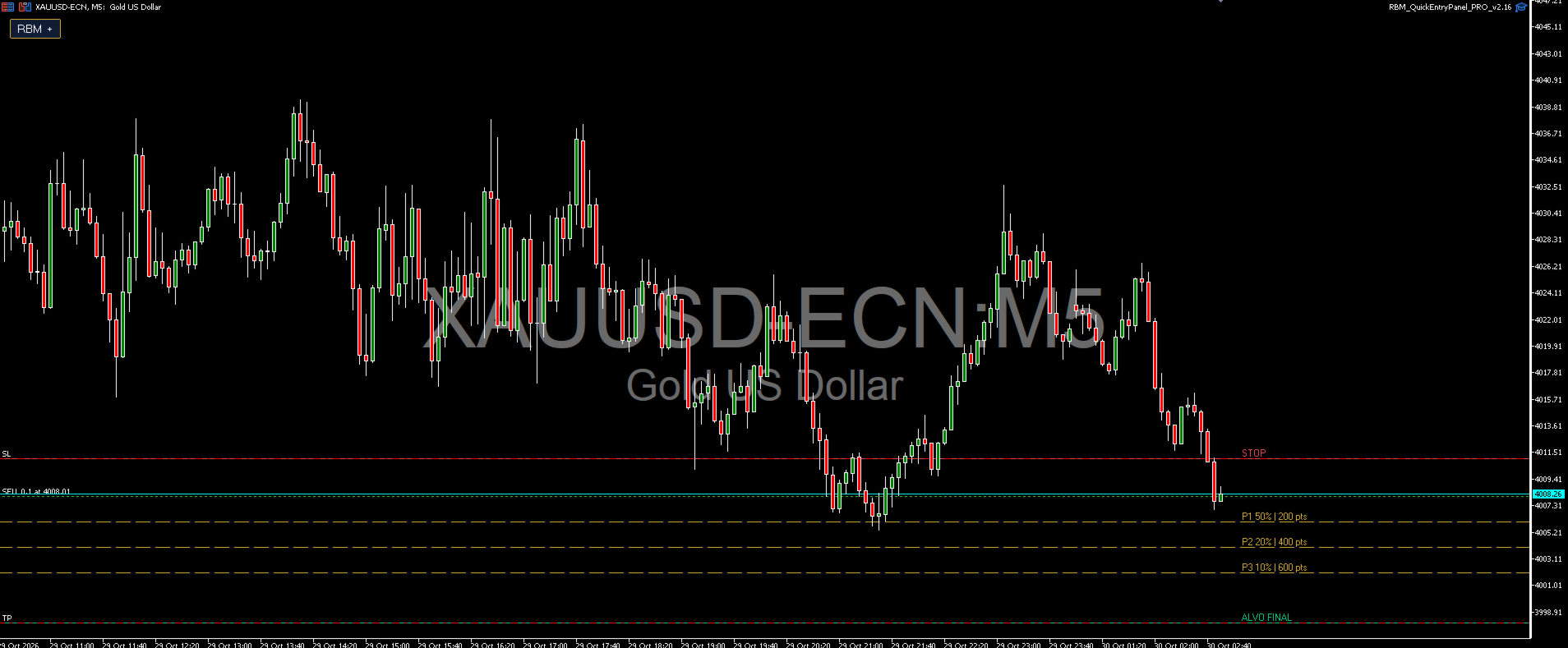
- Stop, target and partial levels drawn on the chart, disappearing automatically as they are executed
- A collapse button for when you need a clear screen
- Interface in English or Portuguese
EXECUTION SAFETY
- Checks margin before sending the order and tells you if it is not enough, instead of letting the broker reject it
- Respects the broker's stop level and freeze level, adjusting distances when needed
- Always rounds the lot down, never up, so your risk never grows without you asking
- Validates partial percentages: the sum can never exceed 100%
- Detects whether the account is hedging or netting and behaves correctly in each
- Only manages positions it opened itself (own magic number). Your other trades are left untouched
- Stores the state of every position. If you close MT5 and reopen it, partials already executed are not repeated
SETTINGS (INPUTS)
Language, initial lot, stop loss, final target, the three partials with distance and percentage, breakeven and offset, maximum deviation, magic number, and an option to show or hide the chart lines.
WHO IT IS FOR
The trader who decides the entry and wants to execute with speed and discipline: scalpers, day traders, anyone trading gold, indices or forex. This is not a robot that trades by itself. It generates no signals and does not decide when to enter. You do.
HOW TO INSTALL
Attach the EA to a chart, enable Algo Trading, and the panel appears. One EA per chart. To trade another symbol, open another chart.
NOTE ABOUT THE STRATEGY TESTER
Because the panel depends on your clicks, in the Strategy Tester the EA opens a few automatic trades for demonstration purposes only. This mode is never active on a live account or a live chart.
RISK WARNING
Trading financial markets involves risk of loss, including the loss of all your capital. This product is an execution tool and does not guarantee results. Test on a demo account before using it on a real one.