RM Chart Anchor
- Utilità
-
Mohammadreza Mahdi Mavaddat
 Strumenti per MetaTrader 5 per trader di Price Action, Struttura di Mercato e Divergenze
- Versione: 1.0
- Attivazioni: 5
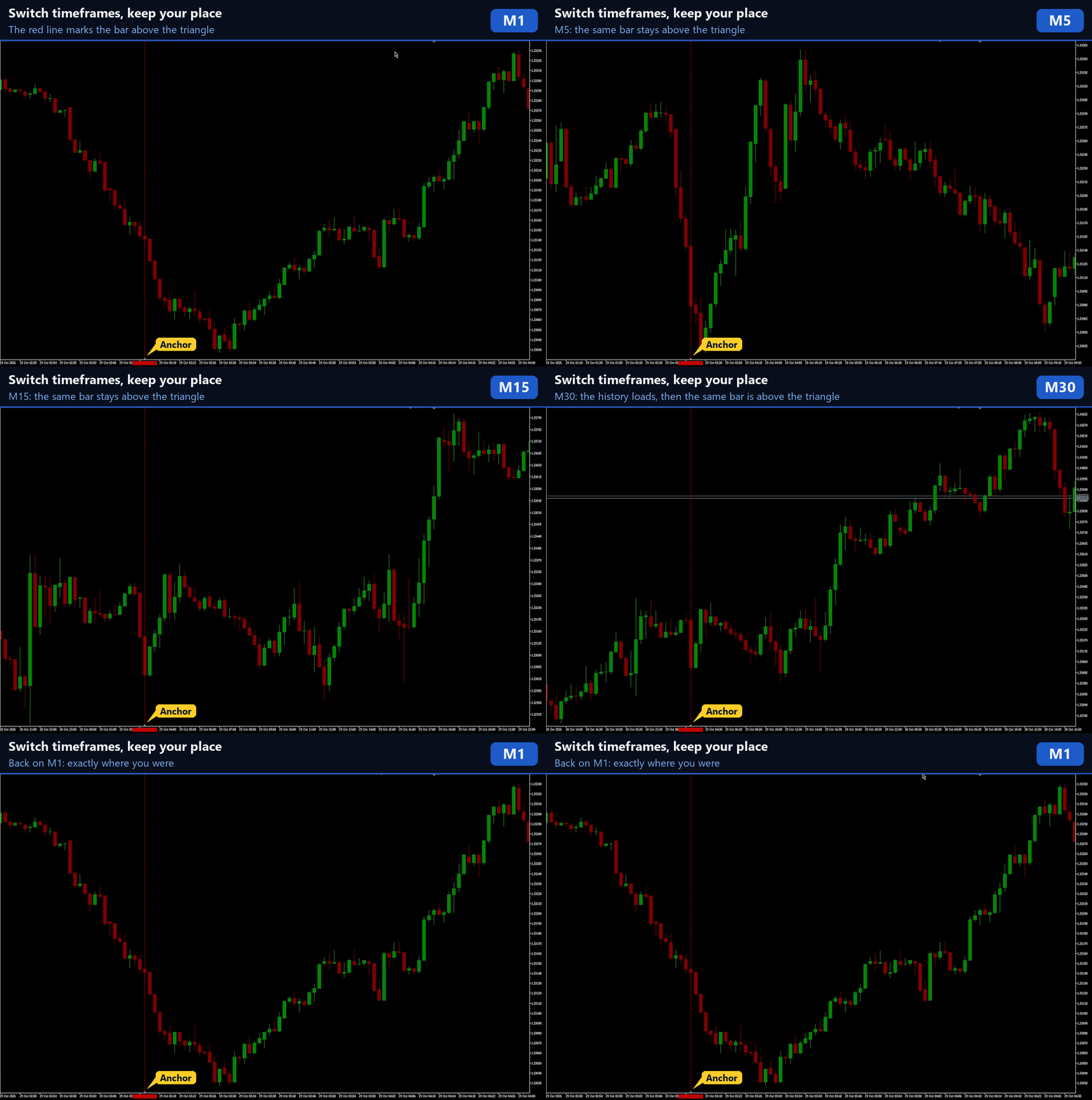
RM Chart Anchor keeps your chart position when you switch timeframes in MetaTrader 5.
In MetaTrader 5 a timeframe change brings the chart back to the latest bars. If you study a setup from last month on M15 and click H1 to see the bigger picture, you have to scroll back and find it again, on every switch.
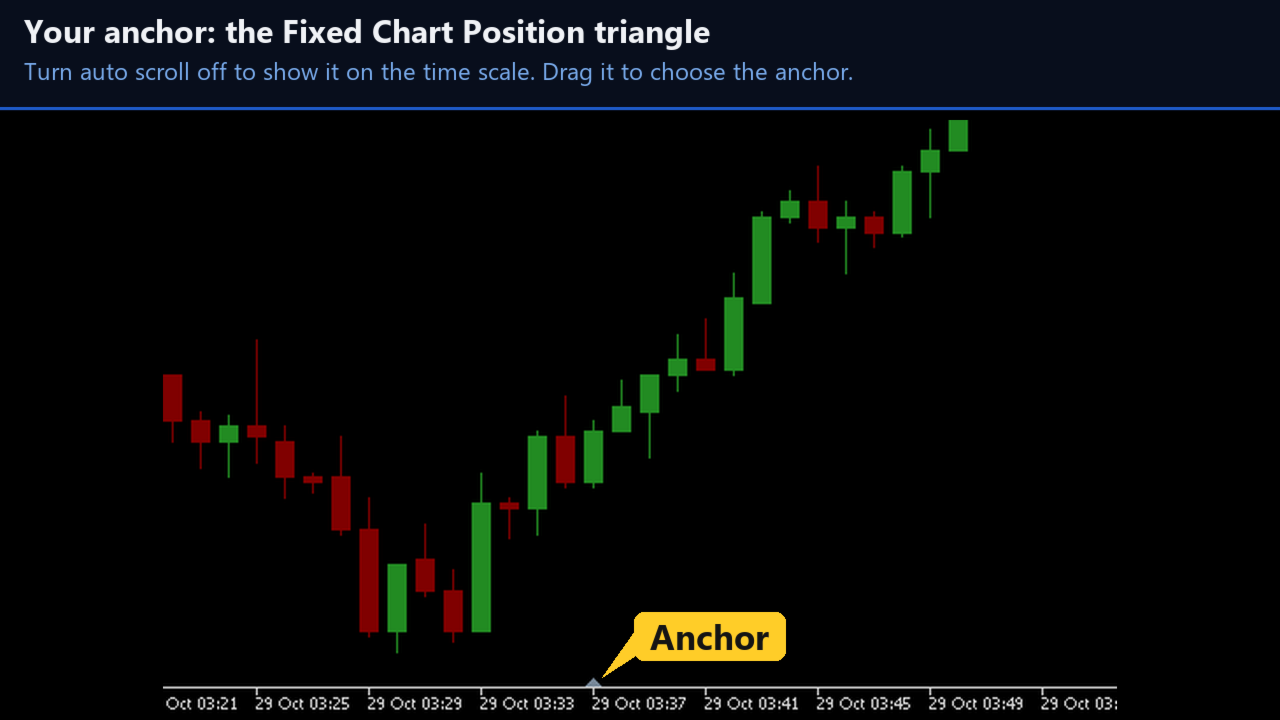
RM Chart Anchor uses the gray Fixed Chart Position triangle that MetaTrader 5 already shows on the time scale at the bottom of the chart when auto scroll is off. The bar above the triangle stays above the triangle on the new timeframe. There are no panels or extra lines: the indicator works in the background. Zoom, scroll, dragging the triangle and returning to live price work as before.
Two reference modes
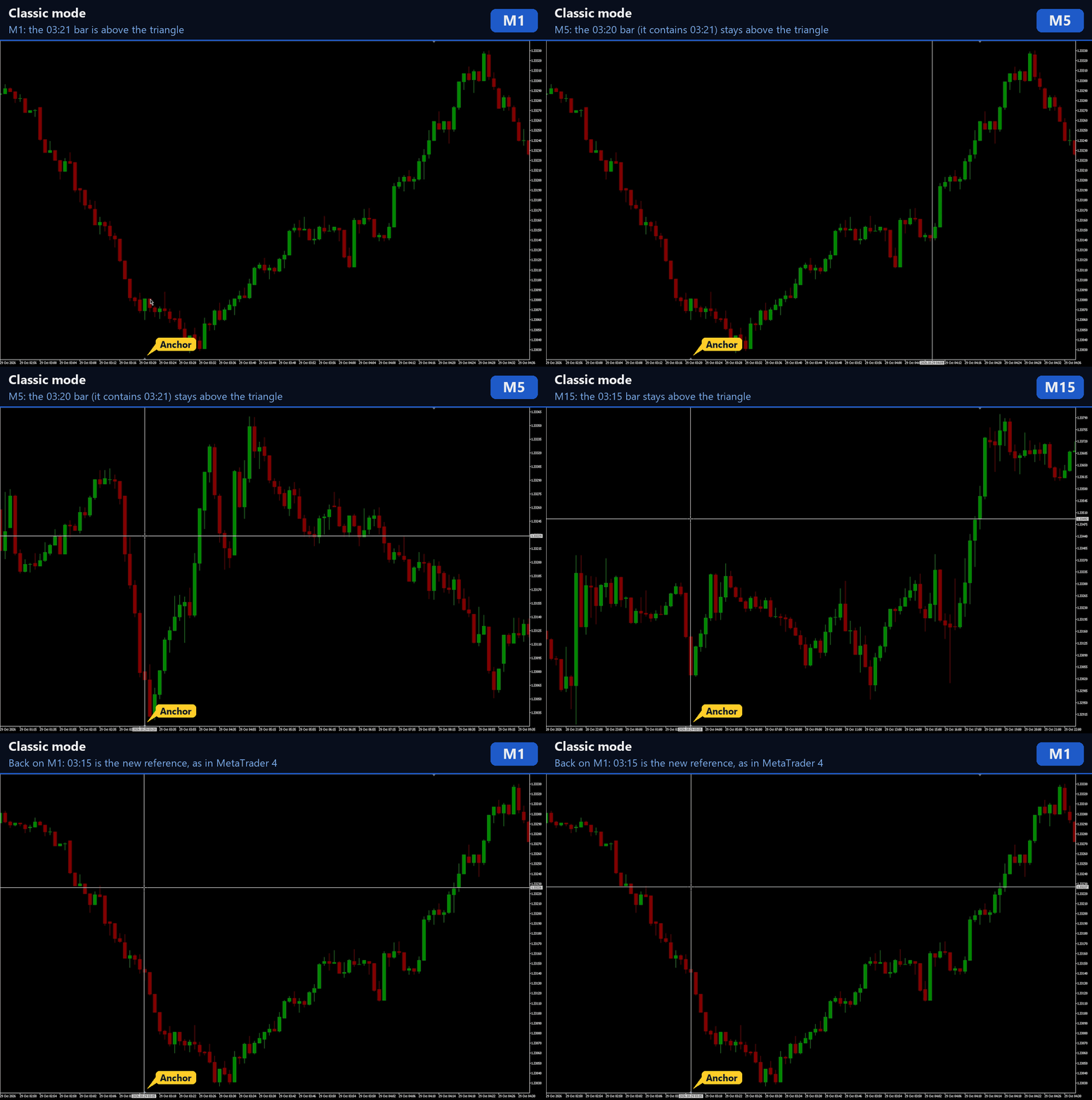
- Classic: after each timeframe change, the matching bar on the new timeframe becomes the new reference, as in MetaTrader 4. Example: M15 at 10:30, then M5 shows 10:30, H1 shows 10:00 (the bar that contains 10:30), and back on M15 the chart is at 10:00.
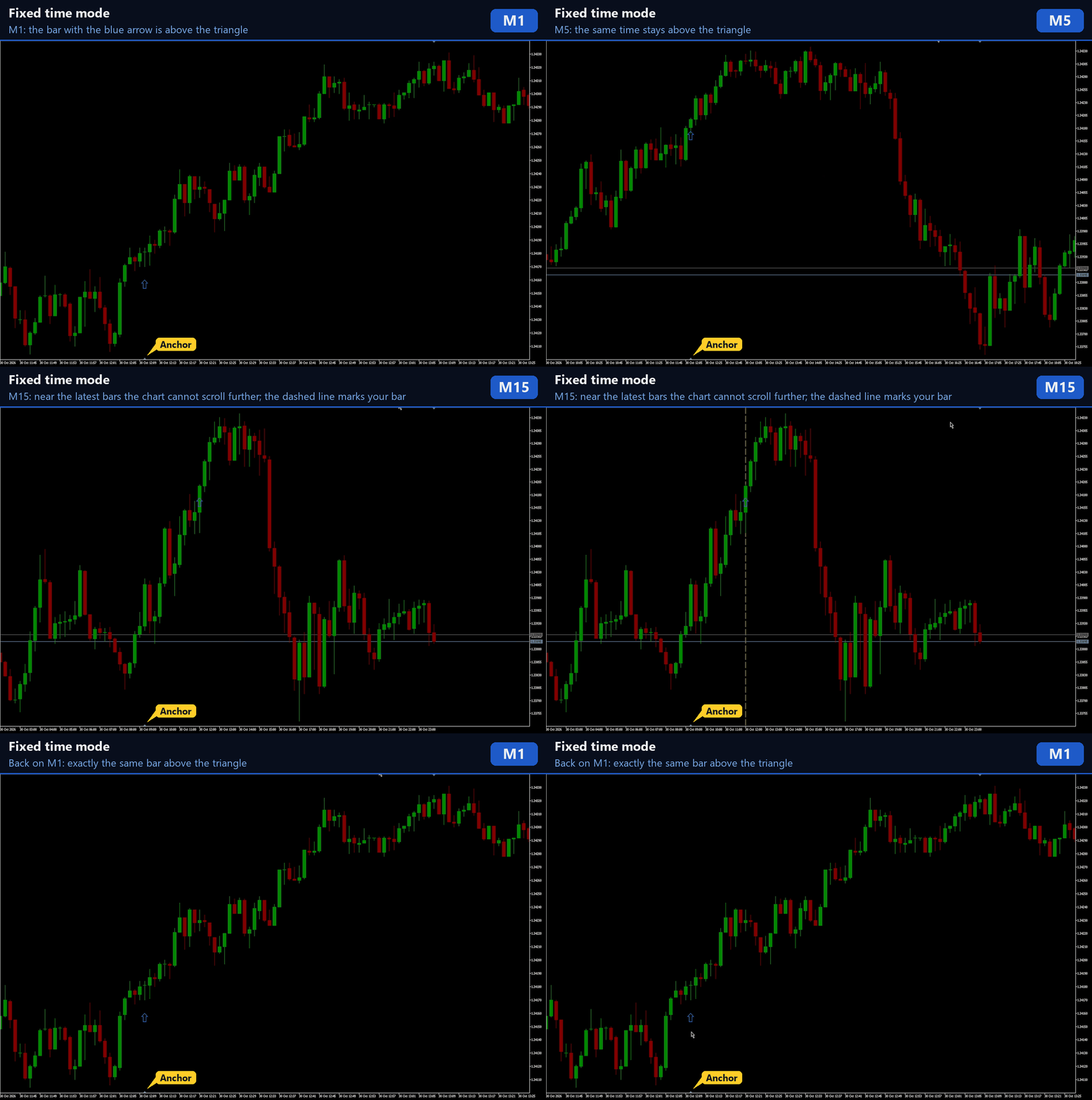
- Fixed time: the exact time is kept across timeframe changes and changes only when you scroll the chart or move the triangle. Example: M15 at 10:30, then H1 shows 10:00, and back on M15 the chart is at 10:30 again.
How to use
- Attach RM Chart Anchor to the chart.
- Turn auto scroll off (toolbar button or chart properties). The gray triangle appears on the time scale at the bottom of the chart. Drag it to the place you want to use as the anchor.
- Scroll to any place in the history and switch timeframes. The chart stays where you are.
- To follow live price again, turn auto scroll on. While auto scroll is on, the indicator does nothing and MetaTrader 5 works as usual.
Near the latest bars
MetaTrader 5 cannot scroll a bar past the end of the chart, so a recent bar cannot always be placed above the triangle on a higher timeframe. Classic mode then shows the normal end of the chart and takes the bar above the triangle as the new reference, as in MetaTrader 4. Fixed time mode keeps your time as the reference and can mark the bar with a dashed line. Scroll the chart and the line goes away; click the line to hide it.
The triangle position and your chart shift setting are never changed.
Features
- Works on all symbols and timeframes, and on several charts at the same time. Each chart keeps its own position.
- Waits for the history of the new timeframe to load. If the time is older than the available history, the oldest bar is shown.
- No indicator buffers. The only chart object is the optional marker line.
- Low CPU use: the indicator works only when the chart changes.
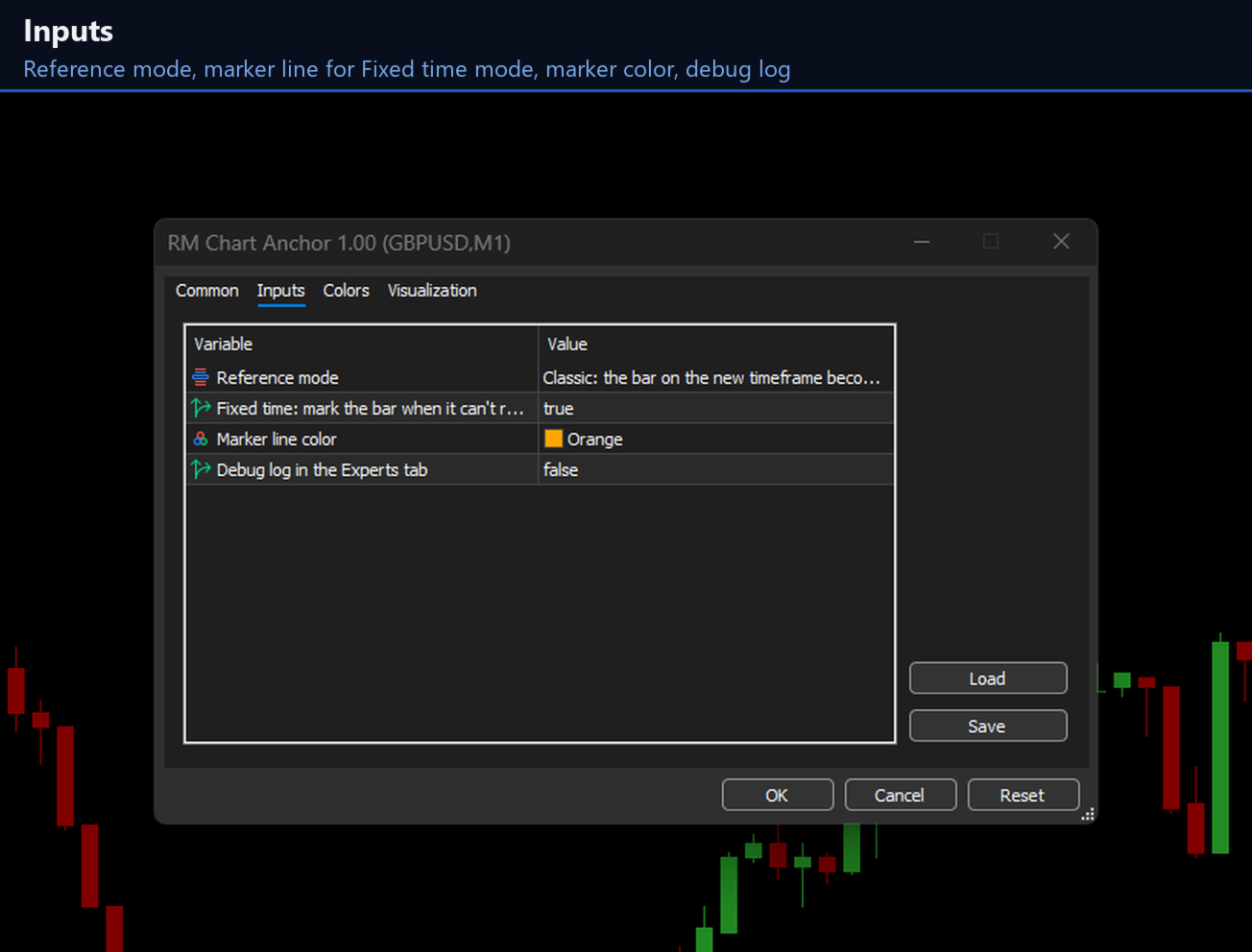
Inputs
- Reference mode: Classic or Fixed time.
- Fixed time: mark the bar when it can't reach the triangle: true or false.
- Marker line color.
- Debug log in the Experts tab: for support only.
Notes
- Timeframes cannot be switched in the Strategy Tester, so the demo version cannot show how the indicator works. In the tester it only shows a short note. Please see the screenshots.
- How far back the chart can go depends on the history from your broker and on the "Max bars in chart" setting of the terminal.
Questions and ideas are welcome in the comments or by private message on MQL5.