RM Sync Master
- Indicatori
-
Mohammadreza Mahdi Mavaddat
 I am a trader, market analyst, and software developer focused on building practical tools for technical analysis and price action trading.
 - Versione: 1.0
RM Sync Master - Multi-Chart and Multi-Timeframe Synchronization
RM Sync Master is a free utility for MetaTrader 5 that synchronizes multiple open charts to the same market time and price reference.
It is designed for traders who work with multiple timeframes or multiple symbols and need to examine the same market moment across several charts without manually scrolling and positioning each chart.
How It Works
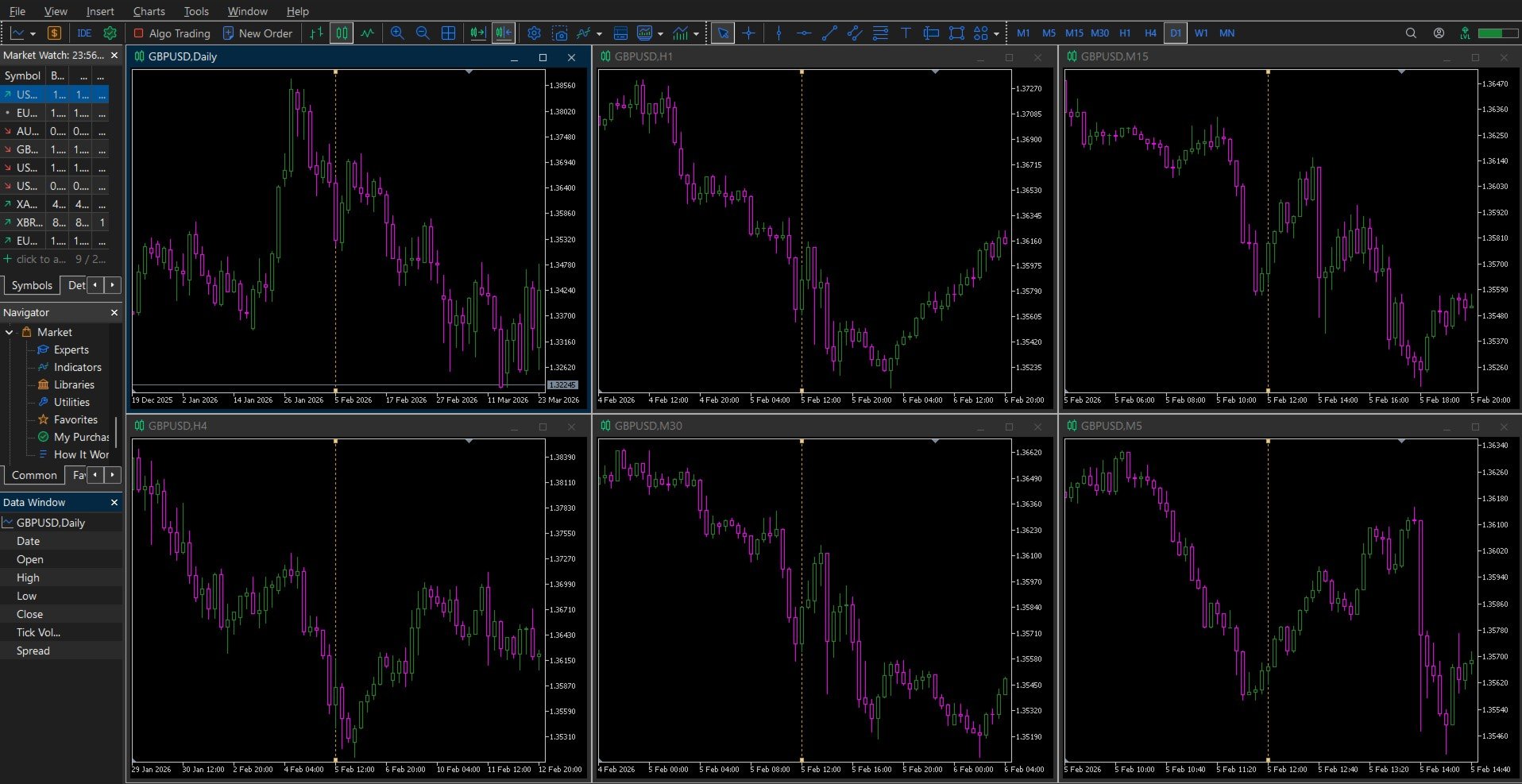
RM Sync Master uses a synchronized vertical time line as a common reference between charts. When the vertical line is created on one chart, all open charts are moved to the corresponding market time.
The selected candle is positioned at the center of each chart. Auto Scroll is disabled while synchronization is active, allowing you to examine historical market data without the charts automatically returning to the latest candle.
The main advantage is the ability to move through historical data by simply dragging the synchronized vertical line. When the line is moved on any chart, all other synchronized charts automatically move to the corresponding time.
This makes multi-timeframe analysis much faster because you can inspect the same market moment on different timeframes without repeatedly searching for the corresponding candle.
Keyboard Controls
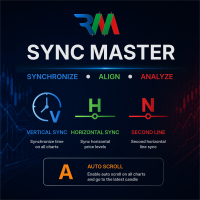
Press V to create or remove the synchronized vertical time line.
Press H to create or remove the first synchronized horizontal price line.
Press N to create or remove the second synchronized horizontal price line.
Press A to return all charts to the latest market data by enabling Auto Scroll and moving the charts to the most recent candle.
Vertical Time Synchronization
The V key activates the main synchronization function. A vertical line is created at the selected candle and the same market time is applied to all open charts.
The line can then be dragged on any chart. All other charts follow the selected time automatically. The vertical line remains centered on each chart, making it easy to compare market structure and price action across different timeframes.
Press V again to remove the synchronized vertical line.
Horizontal Price Synchronization
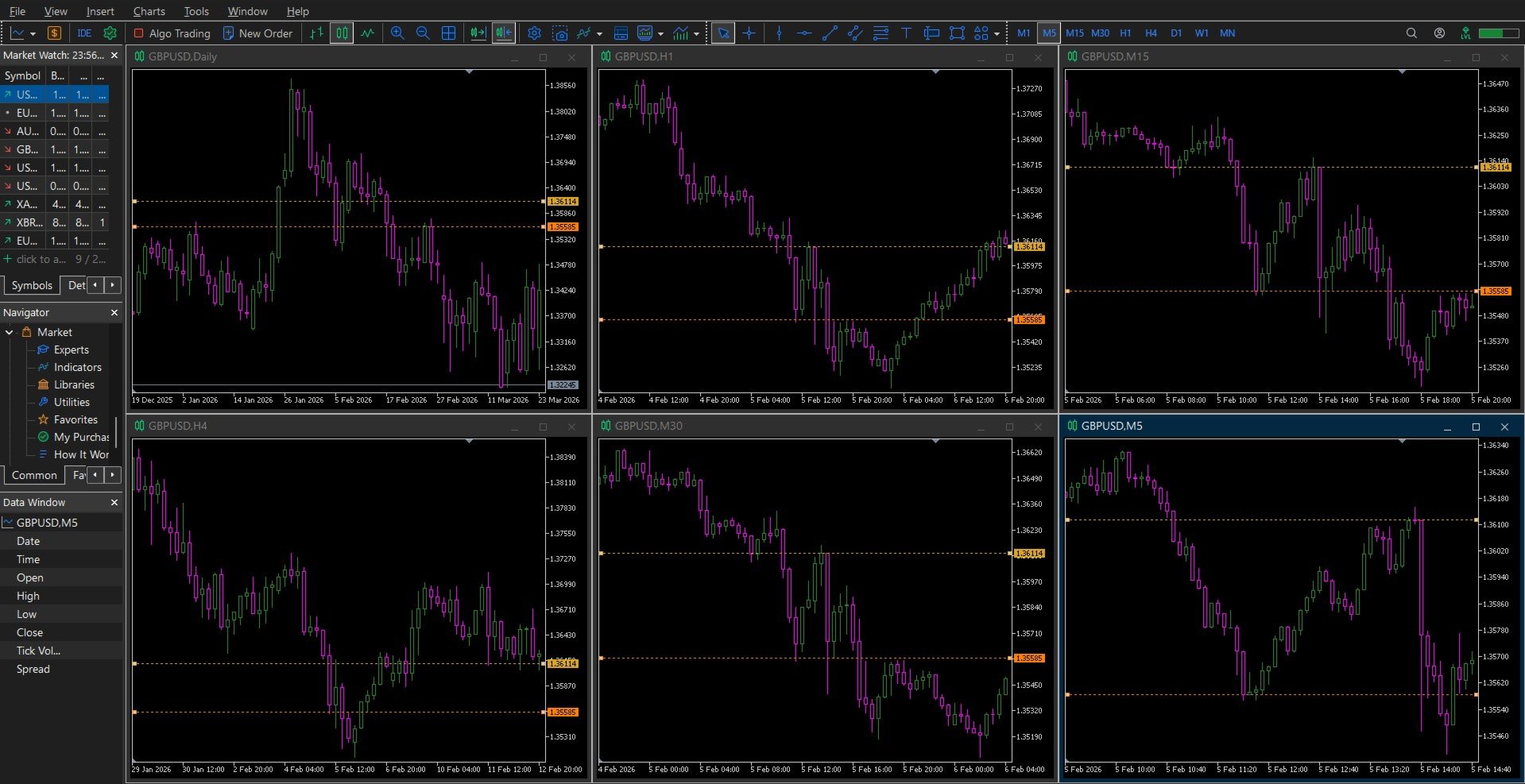
The H key creates a synchronized horizontal line. The line is displayed on all open charts and can be moved from any chart. When its price level changes, the other charts are updated automatically.
The N key provides a second independent horizontal line. This allows two different price levels to be monitored simultaneously across the charts.
The horizontal lines are useful for comparing common price references, levels, zones, highs, lows and other technical areas across charts where the price scale is applicable.
Return to Live Market
When historical analysis is finished, press A to enable Auto Scroll on all synchronized charts and move them to the latest available candle.
This provides a quick way to return from historical analysis to the current market.
Typical Applications
RM Sync Master can be used for multi-timeframe market structure analysis, historical chart examination, Price Action analysis, Smart Money Concepts (SMC), ICT analysis, Supply and Demand analysis, Order Block and Fair Value Gap verification, and comparison of multiple market charts.
Time synchronization can also be useful when analyzing different symbols because the same market time can be displayed across multiple charts.
Main Benefits
RM Sync Master reduces the manual chart navigation required when working with multiple timeframes. Instead of independently scrolling and locating the same market moment on each chart, one chart can be used as the reference while the others follow automatically.
The utility is controlled entirely through simple keyboard shortcuts and works with the charts that are currently open in MetaTrader 5.
RM Sync Master is provided free of charge for traders who want a faster and more convenient way to work with multiple charts and timeframes.

























Great for MTF analysis The vertical line sync with auto-center is brilliant for checking market structure across different timeframes. Very lightweight and responsive. Highly recommended!