Vector Local Copier MT5
- Utilità
-
Sotirios Apostolos Adaloglou
 MQL5 developer. I build Expert Advisors, indicators, and trading utilities for MT4/MT5 — from strategy logic to execution and risk management, fully backtested. I'm also a live trader, so I build tools that hold up under real market conditions.
 - Versione: 1.0
- Attivazioni: 20
Most trade copiers give you forty features and a forty-page manual. Vector Local Copier gives you the copying that actually matters — done reliably, set up in a minute, and protected by safety logic most copiers simply don't have.
It mirrors trades from one master MT5 terminal to any number of slave terminals on the SAME Windows PC or VPS. No cloud, no DLLs, no external servers, no account passwords leaving your machine. Just fast, faithful local copying.
⚡ WHO IT'S FOR
Traders running multiple MT5 accounts on one machine who want copies that are faithful and safe — without paying premium prices or wading through dozens of settings they'll never use. If you've looked at the big copiers and found them bloated, overpriced, or intimidating, Vector is the clean alternative.
🛡️ WHAT MAKES IT DIFFERENT
Vector's edge isn't the length of its feature list — it's what happens when things go wrong. Three protections built in as standard:
✅ Anti-chase entry guard. If a master trade is already older than your chosen window (say your slave was offline and just reconnected), Vector will NOT open it at a now-worse price. It skips it instead of chasing a move that already happened. No surprise fills at bad prices.
✅ Broker-safe lot sizing. Every copied lot is validated against the slave symbol's min / max / step BEFORE it's sent. Invalid sizes are safely skipped or bumped to the minimum — your choice — never blindly rejected by the broker.
✅ Master-offline protection. If the master terminal dies or freezes, Vector detects the silence and either holds or flattens the slave positions — your policy — instead of blindly holding a dead master's trades forever.
📋 FEATURES
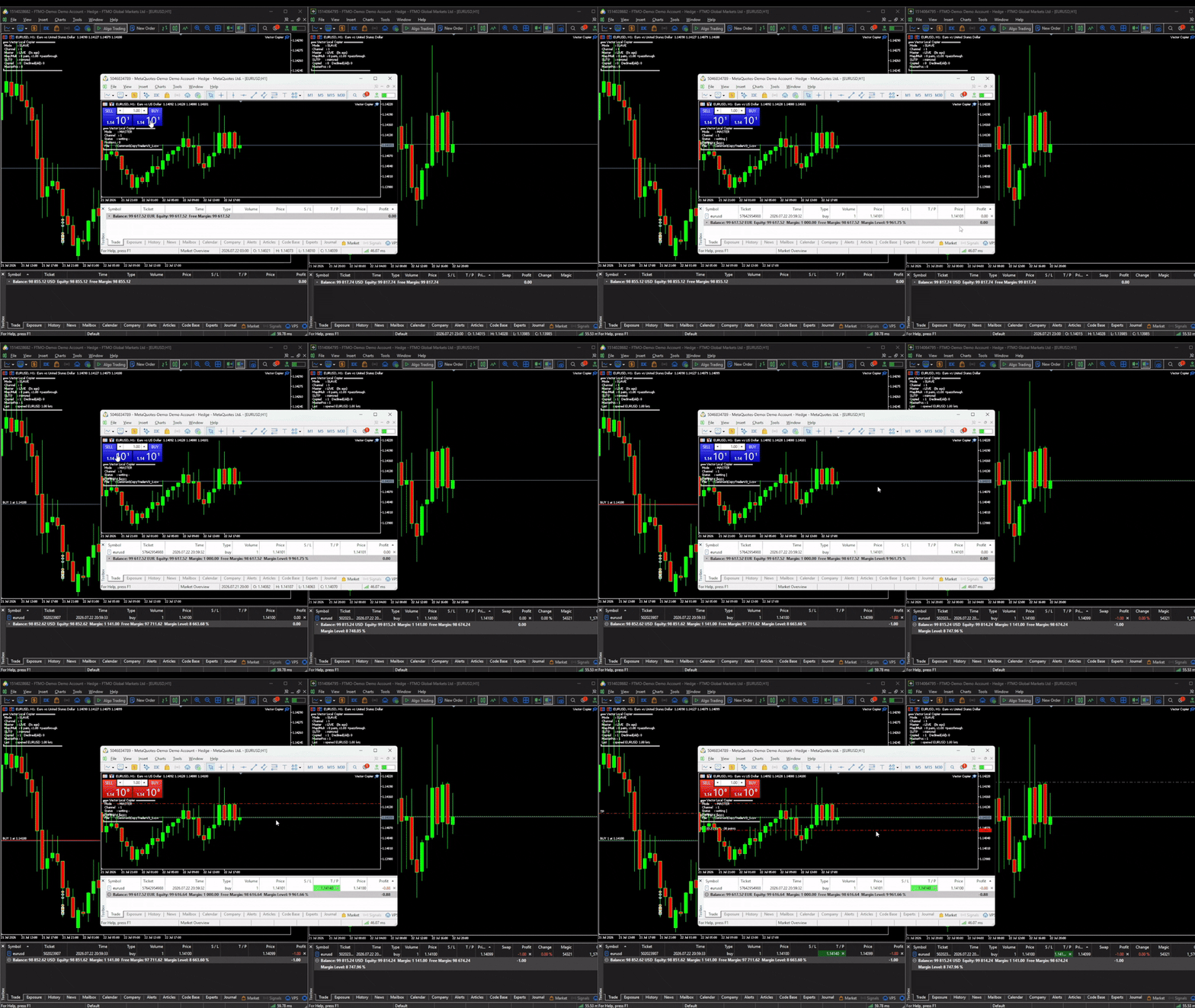
• Local, real-time copying between MT5 terminals on the same PC or VPS
• One master, many slaves — each slave with its own settings
• Symbol mapping — map any master symbol to any slave symbol (e.g. GER40 to GER30) for brokers with different instrument names
• Global and per-symbol lot multipliers
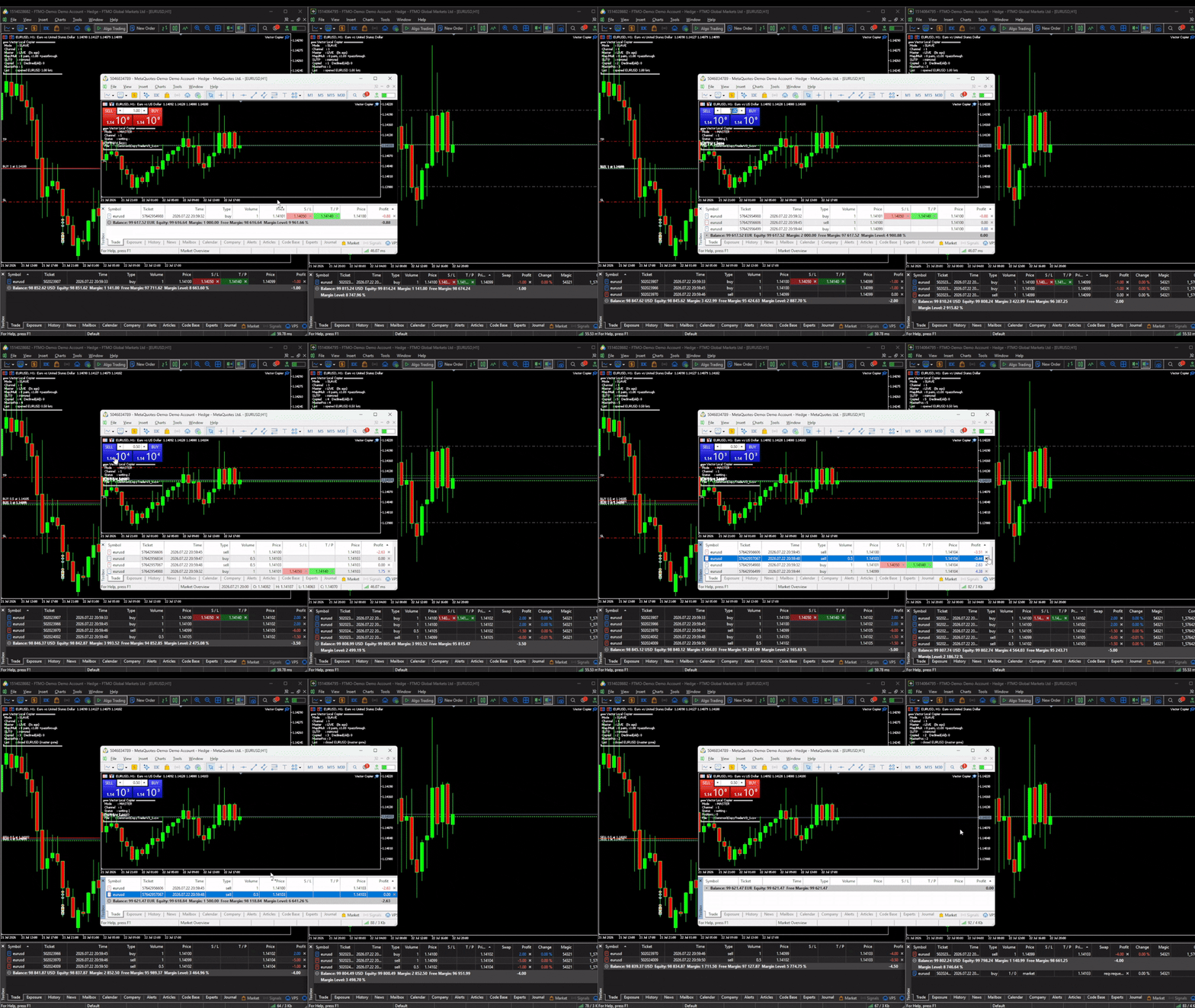
• Optional SL/TP mirroring — including when the master adds, moves, or removes them
• Full open / close / partial-close copying
• Anti-chase age guard
• Broker-safe lot validation
• Master-offline hold/flatten policy
• Optional equity targets — auto-close all trades and stop at a set profit or loss
• Discreet, configurable position comments (or blank)
• Independent copier groups — run multiple master-to-slave groups on one machine with separate Channel IDs
• Live on-chart dashboard — connection health, positions copied, skipped trades, last action, configurable text color
• Survives restarts — loses no state if a terminal restarts or reconnects
• Low resource use — runs on a simple timer, accurate and light on CPU
🚀 HOW IT WORKS — 1-MINUTE SETUP
1. Install the EA on EVERY MT5 terminal that will send or receive (same PC or VPS)
2. On the source account: attach in MASTER mode
3. On each copy account: attach in SLAVE mode with the SAME Channel ID, set your symbol map and multiplier
4. Done. Slaves now mirror the master automatically
🎁 TRY IT FREE
A free demo version is available. It runs the complete copier — mapping, dashboard, close sync, every feature — capped to 0.01 lots on the slave side, so you can confirm it works on your exact setup before buying.
You can find the demo version here 👉 https://www.mql5.com/en/market/product/187177
To install the demo: MT5 → File → Open Data Folder → MQL5 → Experts → paste the demo file → restart the terminal. Test on a demo account first.
⚠️ IMPORTANT — PLEASE READ BEFORE BUYING
• Same machine only. Vector copies between MT5 terminals on the same Windows PC or VPS. It does NOT copy over the internet to a different computer.
• MT5 to MT5 only. This product does not bridge to MT4.
• Positions only. Copies market positions (open/close/partial). Pending orders are copied once they fill on the master.
• Test on demo first. Always verify mapping, multiplier, and close behavior on demo accounts before going live.
• Prop firm / broker rules are your responsibility. Some prop firms and brokers restrict copy trading between accounts. Check your firm's rules before use.
💬 SUPPORT
Questions or setup help? Message me through MQL5 — happy to help you get running. If Vector works well for you, a positive review is hugely appreciated. If something's not right, contact me first and I'll help you sort it out.
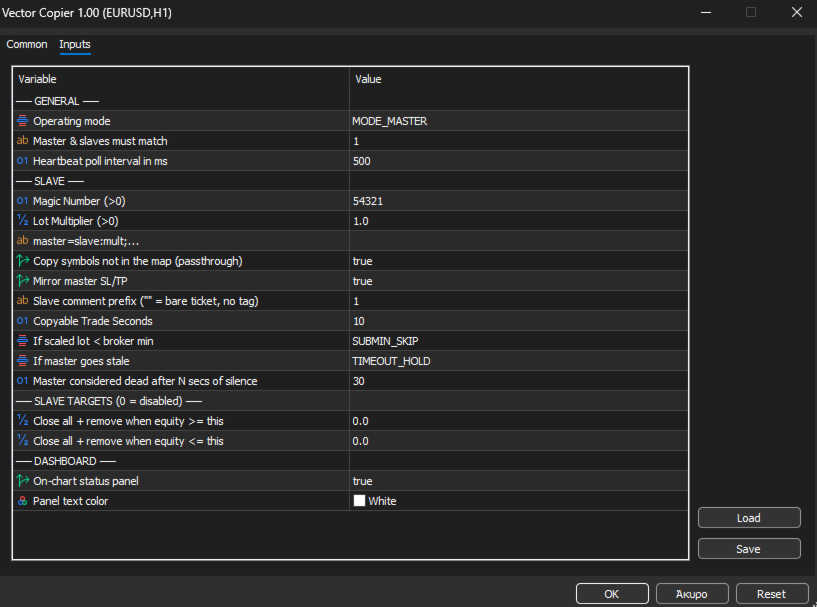
INPUT PARAMETERS
General:
• CopyMode — MASTER or SLAVE
• ChannelID — must match between a master and its slaves. Different IDs = separate independent copier groups on one machine
• MilliSecs — poll interval in milliseconds (default 1000)
Slave:
• Magic — unique ID for this slave's positions (> 0; different per slave on the same account)
• GlobalMultiplier — lot multiplier applied to every copied trade (> 0)
• SymbolMap — e.g. GBPUSD=GBPUSD;GER40=GER30:0.5 — format is master=slave with an optional :multiplier per pair
• CopyUnmapped — copy symbols not in the map, same name (default false)
• CopySLTP — mirror the master's stop loss / take profit
• CommentTag — tag on slave positions (empty for none)
• MaxCopyAgeSeconds — don't copy a master trade older than this (anti-chase)
• OnSubMinVolume — if a scaled lot is below broker minimum: SKIP or BUMP to min
• OnMasterTimeout — if the master goes silent: HOLD or FLATTEN
• StaleSeconds — master silence duration that counts as offline
Slave targets (0 = off):
• EquityTarget — close all and stop when equity reaches this
• EquityLoss — close all and stop when equity falls to this
Dashboard:
• ShowDashboard — on-chart status panel
• DashboardColor — panel text color