Throttle Trade Manager MT5
- Utilità
- Versione: 1.12
- Aggiornato: 19 ottobre 2026
- Attivazioni: 10

Too many entries, not enough hands? Hit the Throttle.
You scale into gold with ten positions. Price turns. Now you have to fix ten stop losses, one row at a time, while the market runs. Throttle Trade Manager does it in one click.
Throttle is a trade panel for MetaTrader 5 built for traders who hold many positions on one symbol:
- One click, every trade: one stop loss price for all trades, or break-even on all of them
- One click to get out: close all, close only winners, close only losers, or close 25 / 50 / 75% of every trade's volume
- One click to get in: 10, 20 or 30 entries at once, each opened with your stop loss already attached
- Staged exits without typing: TP1 to TP4 spread across the group, or one Master TP for all
SL, TP, close all. One click, done.
Throttle does not open trades by itself. Every entry comes from your click or hotkey. Automatic functions (trailing stop, auto break-even, partial close at TP1, equity protection) only run after you switch them on.
Why traders choose Throttle
- Built for many positions at once: mass entry x10 / x20 / x30, and every SL, TP and close button works on the whole group
- Partial close of every trade from one button, by volume, with clear rules for small lots
- Take profit split across TP1 to TP4 groups, oldest trades first, existing SLs kept
- Ready the moment you attach it: no Telegram bot, no WebRequest whitelist, no DLLs, no external connections
- Safe defaults: nothing automatic runs until you switch it on, and trading toggles are remembered per account, so a demo setting never switches itself on on your live account
- Everything on one screen: two live gauges for trade progress and open P/L, four skins, portrait or landscape
Choose which trades to manage
- Scope button: ALL, BUY or SELL trades on the chart symbol
- Optional magic number filter (-1 manages all manual and EA trades)
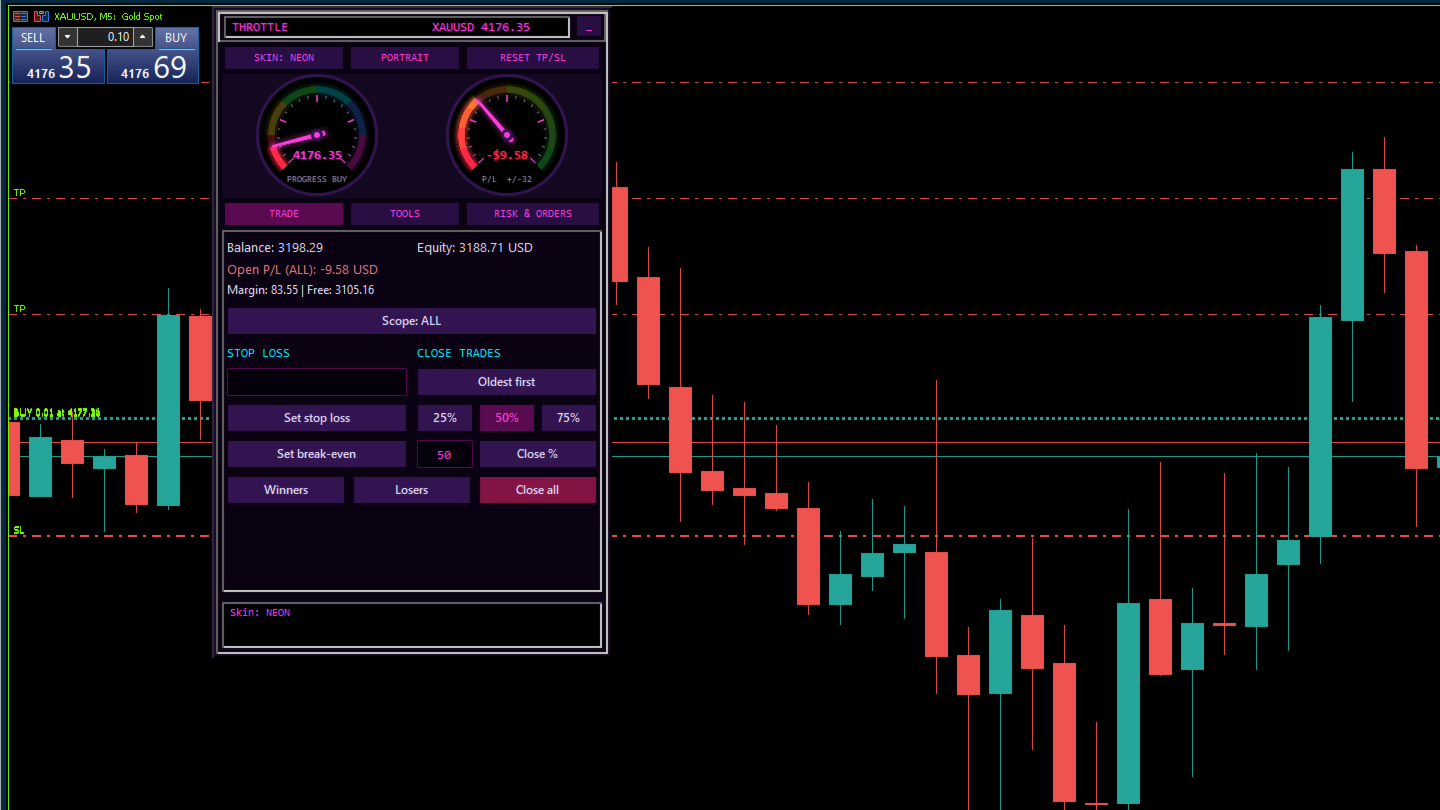
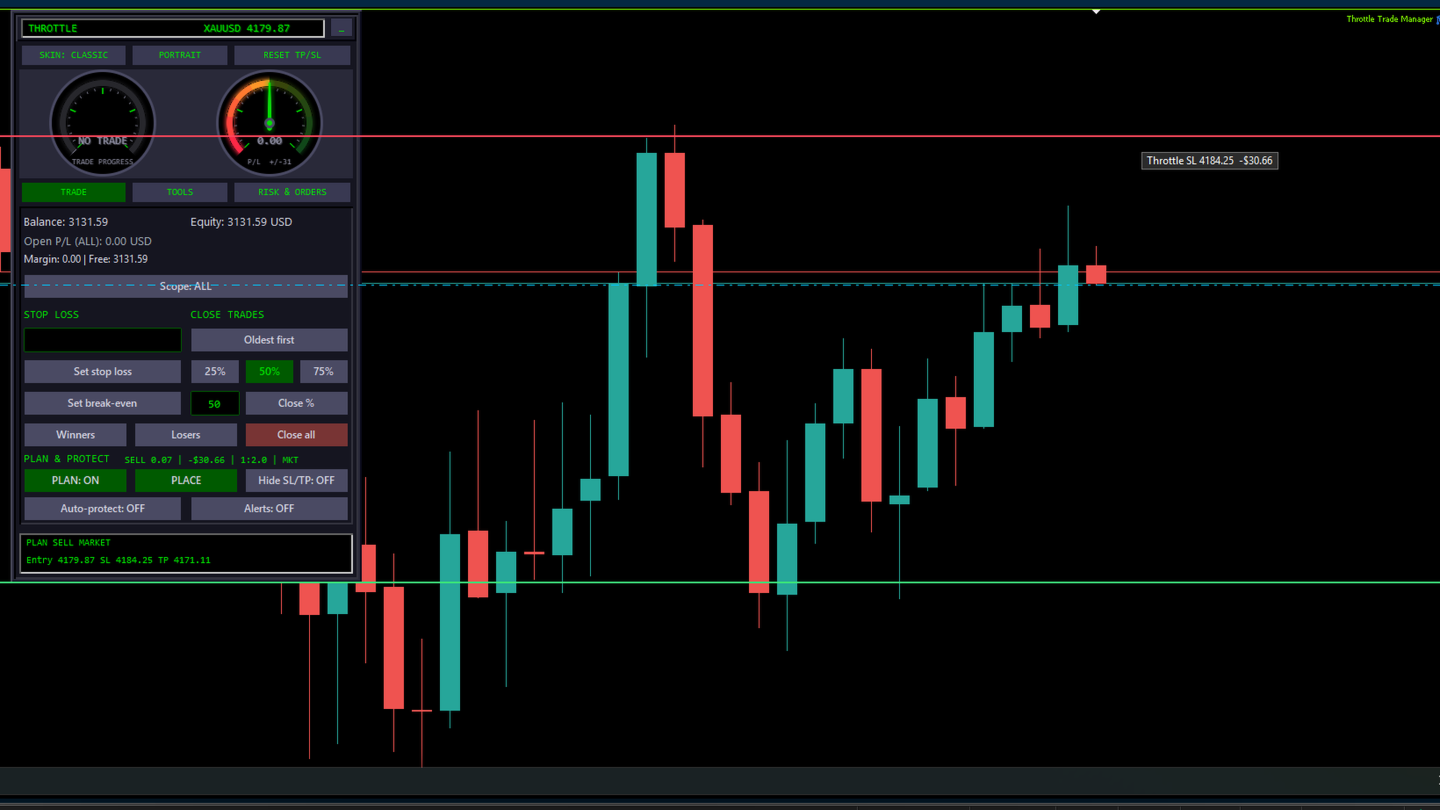
TRADE tab
- Live balance, equity, margin, free margin and open P/L of the selected scope
- Set stop loss: one SL price for all trades in scope
- Set break-even: SL to each trade's own entry (never loosens a stop)
- Close all, close winners, close losers
- Partial close: 25%, 50%, 75% or any whole number closes that share of EACH trade's volume (rounded down to the lot step; trades too small are skipped, and a trade whose remainder would fall below the minimum lot is closed in full). Input ClosePercentMode can switch it to closing a % of the number of trades, oldest or newest first.
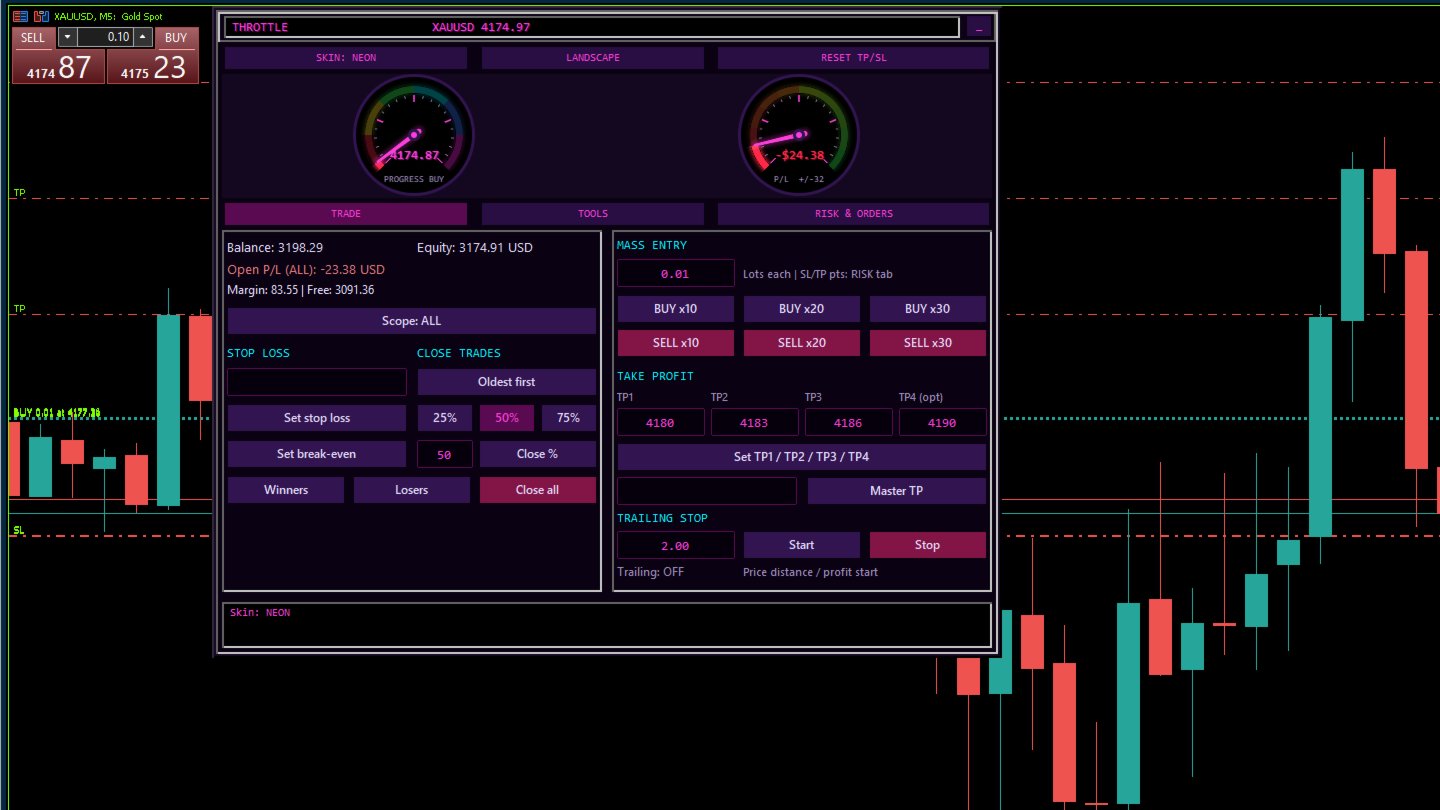
TOOLS tab
- Mass entry: BUY or SELL x10, x20, x30 with your lot size per trade; every entry gets the SL (and TP, if set) from the RISK tab, so trades are never opened naked
- Take profit split: TP1, TP2, TP3 and optional TP4 across equal groups of trades
- Master TP: one TP price for all trades in scope
- Trailing stop by price distance, starting once a trade is that far in profit
RISK and ORDERS tab
- Lot calculator: risk as % of balance or fixed money; type the SL in points or simply type the stop price (a value near the current price is read as a price, below Bid = buy stop, above Ask = sell stop)
- One click sends the calculated lot to mass entry and single orders
- Market BUY and SELL with SL and TP in points, optional TP from reward to risk
- Buy limit, buy stop, sell limit, sell stop and delete pendings
- Auto break-even with trigger and lock points, optional partial close at TP1
- Equity protection: daily loss % and daily target %, closes trades and can block new entries for the rest of the day
Dashboard
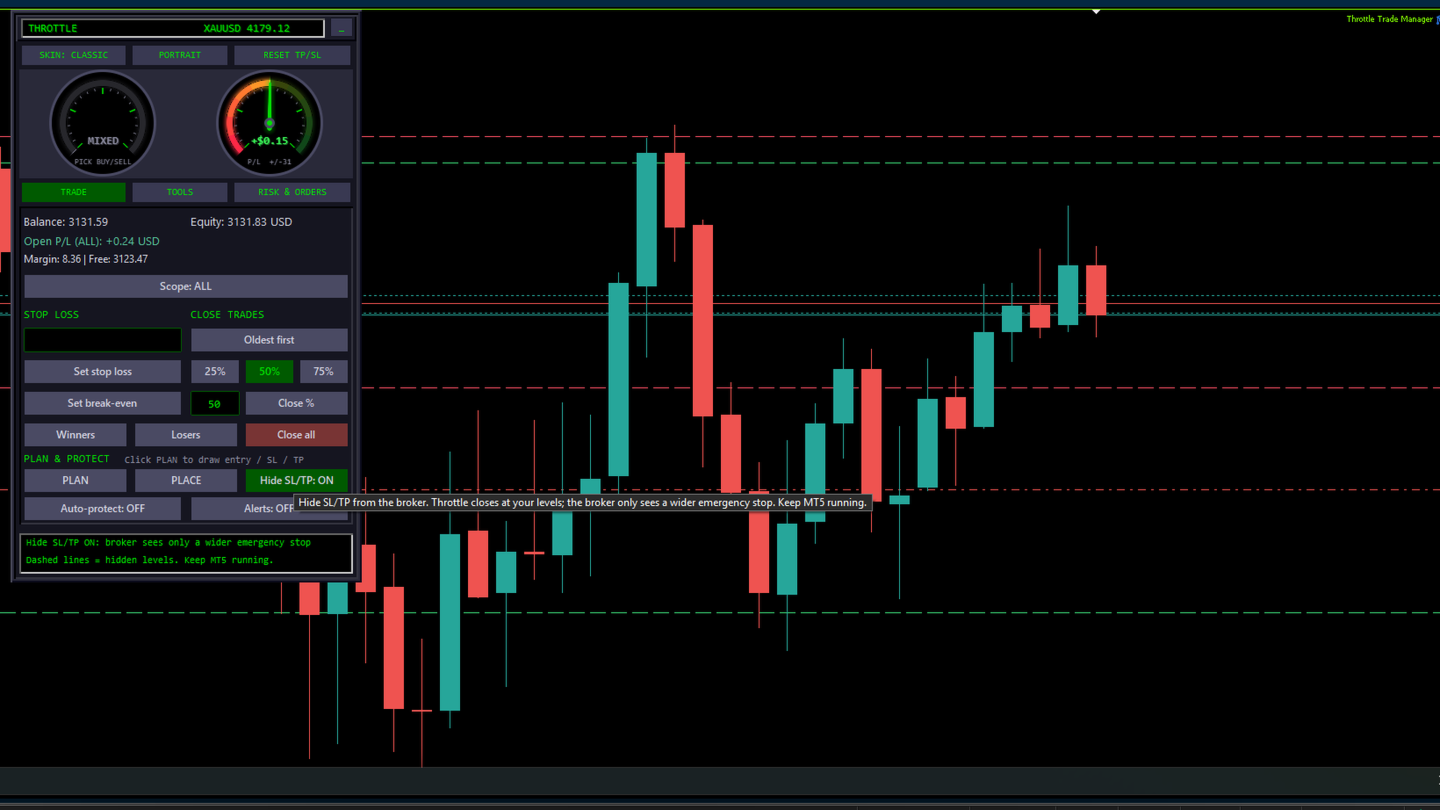
- Trade progress gauge: price position between SL, break-even and TP1 to TP4
- P/L gauge: open profit or loss of the selected scope
- Four skins (Classic, Midnight, Neon, Gold), portrait or landscape layout
- Drag to move, hide to a small tab; panel layout remembered per symbol, trading toggles per account
- Optional hotkeys: Shift+B buy, Shift+S sell, Shift+C close all, Shift+E break-even
Safety checks
Before each order or change the panel checks Algo Trading permission, lot size limits, free margin, broker stop and freeze levels, and the correct side of the market. Trades that can't take a level are skipped and counted, and the footer shows Updated, Skipped and Failed with the broker's reason. Reset TP/SL asks for confirmation first. Most other buttons act immediately, so practise on a demo account first.
Inputs
Trading: MaximumDeviationPoints, ManagedMagic, ClosePercentMode. Reset TP/SL: ResetAllSymbols. Gauges: PLGaugeRange. Risk and Orders: DefaultRiskPercent, DefaultSLPoints, DefaultRR. Equity Protection: DailyLossPercent, EquityTargetPercent, BlockEntriesAfterHit, ProtectAllSymbols. Auto Break-even: BETriggerPoints, BELockPoints, PartialAtTP1Percent. Hotkeys: EnableHotkeys. Strategy Tester: TesterSelfTest (only in non-visual tester runs, places small test trades for validation; never on a live or demo chart).
Good to know
- Attach one copy per symbol chart. The panel manages the chart symbol.
- Mass entry needs a hedging account to hold separate positions.
- Automatic functions run inside your terminal, so MT5 must stay open and connected with Algo Trading on.
- The Strategy Tester does not pass chart clicks to EAs, so panel buttons can't be tested there. Watch the video to see every button in action before you buy.
- No DLLs and no external connections.
A full PDF user guide is available. Ask for it in the comments or by private message. Support is through the product comments and MQL5 private messages.
This is a trade management tool. It does not promise any profit. Trading leveraged products carries a high level of risk.