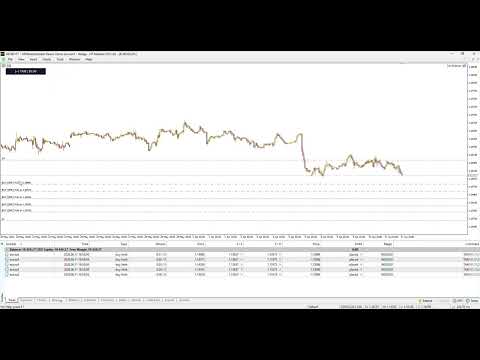
Trading Assisten Manager
- Experts
- Versione: 21.8
- Attivazioni: 5

TAM Premium (Trading Assistant Manager) is a revolutionary trading panel for MetaTrader 5 that brings the smooth TradingView-style trading experience directly into your chart.
Say goodbye to confusing manual lot calculations and slow order execution! With TAM Premium, simply define the maximum loss you are willing to take (Risk % or Risk $), visually drag and drop your target levels on the chart, and let the Assistant calculate the most precise lot size while executing orders within milliseconds.
Highly recommended for Prop Firm Traders (FTMO, etc.), Scalpers, Day Traders, and News Traders who require speed, discipline, and advanced equity protection.
🔥 CORE FEATURES1. Visual Drag & Drop Execution (TradingView Style)
Open both Pending Orders (Limit/Stop) and Market Orders as easily as dragging a line.
Move the:
- Entry Line (Gray)
- Stop Loss Line (Red)
- Take Profit Line (Green)
to your preferred Support and Resistance levels.
The line labels will display:
- Lot Size Calculation
- Estimated Profit (+)
in real-time before you execute the trade.
2. Auto Lot Size by Risk (Prop Firm Ready)
Protect your account from margin calls.
Define your risk based on:
- Account Balance/Equity Percentage (%)
- Fixed Dollar Amount ($)
As you adjust the Stop Loss line, the EA automatically recalculates the lot size so that your maximum loss remains exactly within your predefined risk level.
100% stress-free risk management.
3. Advanced DCA & Grid Layers
Want to split your orders to achieve a better average entry price?
Use the Grid Layer feature with multiple lot distribution methods:
- Linear – Equal lot size across all levels.
- Scale Up – Larger lots at lower levels (ideal for bounce strategies).
- Scale Down – Largest lot at the first entry, decreasing on lower levels.
4. Breakout Trap / OCO (News Trader Special)
Ultra-fast One Cancels the Other (OCO) system designed for news trading.
Simply enter the point distance, click execute, and the EA will instantly place:
- Buy Stop
- Sell Stop
with symmetrical TP and SL levels.
5. Equity Protector (Account Safety Belt)
Leave your PC with peace of mind.
Set:
- Profit Target (+$)
- Maximum Loss Limit (-$)
When your total floating profit or loss reaches the specified value, the EA automatically closes all active positions immediately.
🛡 SMART MANAGEMENT & PROTECTION FEATURESAuto TP & SL
A must-have feature for scalpers.
As soon as an order is opened, the EA instantly applies:
- Take Profit
- Stop Loss
automatically.
Dynamic Trailing Stop
Your profit-locking security guard.
Advanced trailing stop system featuring:
- Start
- Distance
- Step
configured either in points or monetary value.
Set Break-Even (BE)
Turn your trades into a risk-free position.
Move your Stop Loss to the break-even point (Entry Price + Costs) with a single click.
Secure Position (Golden Combo)
One-click action that:
- Moves Stop Loss to Break-Even
- Closes 50% of the position (Partial Close)
Secure profits instantly.
Partial Close 50%
Withdraw half of your profits into realized balance while allowing the remaining position to continue running.
🚀 HIGH-PERFORMANCE OPTIMIZATION (ZERO-LAG ENGINE)Unlike other trading panels that heavily burden the CPU, TAM Premium is built with:
- Price Caching
- Asynchronous Execution
technology.
Smooth Performance
Dragging SL/TP lines on the chart will not cause MT5 to stutter or lag.
Anti-Broker Spam
Massive order execution (for example, 50 grid layers) is processed in the background, preventing terminal freezing.
🎨 USER INTERFACE (MODERN UI/UX)Minimizable Panel
Hide the panel whenever needed.
The panel title transforms into a live running Profit/Loss scoreboard.
Light/Dark Theme
Switch between light and dark modes using the ☀️ / 🌙 button.
Target Scope
Apply:
- Close All
- Protector
either to:
- Current Pair only
- All Pairs in the account
- Attach TAM Premium to any chart (any timeframe).
- In the TRADE tab, define your risk limit (Example: RISK $ = 10).
- Click Buy Market or Buy Limit.
- Drag the red Stop Loss line to your preferred safe area.
- Click EXECUTE TRADE → Click SURE? for double confirmation.
- Move to the MANAGE tab to enable Trailing Stop, or the EXIT tab to secure profits.
Support & Contact
If you have questions, require custom modifications, or would like to report a bug, please contact us via:
- MQL5 Private Message
- Official Telegram Support