Simba Manual Assistant Pro

  • Utilità
  • Emmanuel Ndacyayisenga
    Emmanuel Ndacyayisenga
    Emmanuel Ndacyayisenga is a quantitative trader and Expert Advisor developer dedicated to transforming professional trading concepts into reliable automated solutions. With experience across Forex, Gold, Indices, and CFD markets, he specializes in developing trading systems that combine market
  • Versione: 7.0
  • Attivazioni: 10
SIMBA Manual Assistant Pro

You Already Know How to Enter. Now Manage the Trade With a Plan.

You already have a trading strategy.

Maybe you trade support and resistance. Maybe breakouts, price action, moving averages, market structure, supply and demand, or something completely different.

You know how you want to enter.

But what happens after you enter?

Should you move your stop-loss to break-even?

Should you take partial profit?

Should you let the trade run?

Is that pullback normal, or is the market actually changing?

And perhaps most importantly:

Are you following your trading plan — or reacting to your emotions?

That's where SIMBA Manual Assistant Pro comes in.

Your Entry. SIMBA's Management.

SIMBA Manual Assistant Pro is a MetaTrader 5 Expert Advisor designed to manage manually opened trades according to predefined trade-management rules.

You decide when to enter. SIMBA helps manage what happens next.

SIMBA does not open trades for you.

It does not force you to change your strategy.

It does not require you to follow a particular entry system.

Instead, once your eligible manual position is open, SIMBA can monitor and manage the trade according to your configured rules.

The idea is simple:

Take emotion out of trade management and replace it with a consistent process.

Why Trade Management Matters

A good entry does not automatically make a good trade.

You can have a great setup and still lose potential because you:

  • Close a winner too early

  • Move your stop-loss emotionally

  • Give back a large profit

  • Fail to protect a profitable position

  • Hold a trade after its original idea has weakened

  • Manage different positions inconsistently

We've all seen it.

A trade reaches +2R or +3R, then pulls back.

You become afraid.

You close it.

Then price continues in the original direction.

Or perhaps you move your stop farther away because you don't want to accept the loss.

The problem may not have been your entry.

The problem may have been what happened after the entry.

SIMBA was designed specifically for that part of trading.

Built for Manual Traders

SIMBA Manual Assistant Pro is a trade-management system, not a traditional signal-selling entry robot.

You remain responsible for the trading decision.

You choose:

  • What to trade

  • When to enter

  • Why you are entering

  • Your trading strategy

  • Your overall risk approach

SIMBA can then handle repetitive management tasks according to your settings.

This makes it particularly useful for discretionary traders who already have an entry methodology but want more consistency once they are in a position.

What Can SIMBA Manage?

Depending on your configuration and the position's conditions, SIMBA can assist with different stages of the trade lifecycle.

1. Initial Protection

Once a position is opened, SIMBA can monitor the position and apply your configured management rules.

The goal is to establish a predefined process instead of making every decision manually while the market is moving quickly.

2. Break-Even Management

When a position reaches your configured R-multiple, SIMBA can move the stop-loss toward break-even according to the EA's rules.

The objective is simple:

Reduce unnecessary exposure after the trade has moved sufficiently in your favor.

3. Partial Profit

At your configured profit level, SIMBA can close part of the position while leaving the remaining volume open.

Instead of choosing between:

Close everything

or

Hold everything

you can use a structured approach:

Secure something. Let something run.

4. Runner Management

After partial profit, the remaining position can continue under your configured protection and trailing rules.

This allows a profitable position to potentially develop further without requiring you to constantly interfere with it.

5. Trend-Based Management

SIMBA can also respond to configured trend-management conditions.

Instead of reacting to every small price movement, the EA follows the management conditions you have defined.

Think in R — Not Just Money

SIMBA can organize trade management around R-multiples.

For example, if your initial risk is $100:

  • 1R = $100

  • 2R = $200

  • 3R = $300

Your management plan could be:

+1R → Break-even

+2R → Partial profit

+2R and beyond → Runner management

The exact levels depend on your configuration.

This approach helps turn trade management into a measurable process rather than a series of emotional decisions.

Manage Multiple Positions

When several trades are open at the same time, manual management can become difficult.

One trade may be approaching break-even.

Another may already be profitable.

Another may be pulling back.

Another may be approaching its partial-profit level.

SIMBA is designed to monitor eligible positions individually.

You can monitor information such as:

  • Symbol

  • Buy/Sell direction

  • Entry price

  • Stop-loss

  • Take-profit

  • Current R

  • Management stage

  • Protection status

  • Trailing status

  • Profit/Loss

Instead of constantly checking every chart, SIMBA can help keep the management process organized.

You Still Have Control

Automation does not have to mean giving up control.

SIMBA includes manual-management controls so you can intervene when necessary.

BE NOW

Move the selected position toward break-even according to the EA's protection rules.

CLOSE

Close the selected managed position with confirmation.

CLOSE ALL

Use the emergency close function when you need to exit multiple managed positions.

MANAGE ON/OFF

Pause automatic position management when required.

The philosophy is simple:

Automation when you want consistency. Manual control when you need it.

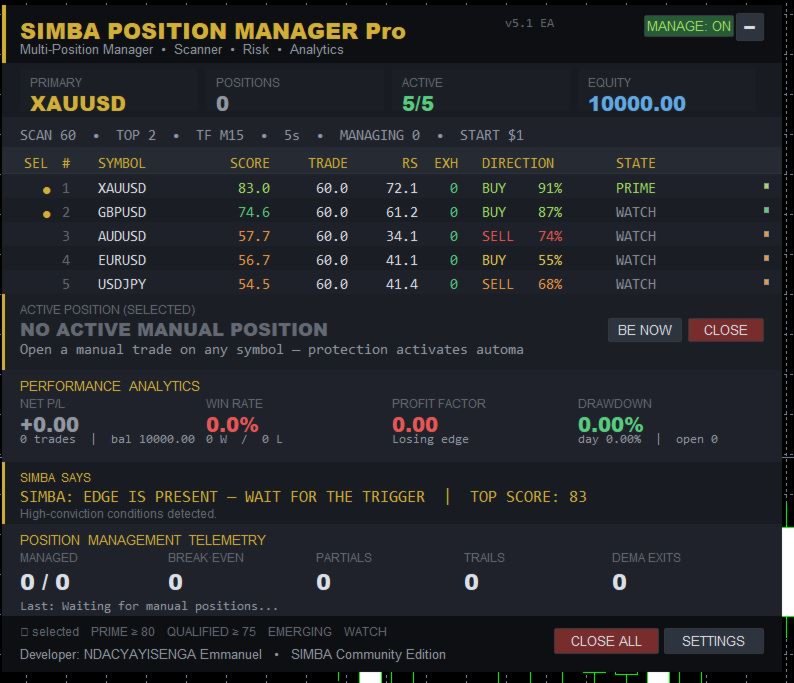
A Dashboard That Shows What's Happening

SIMBA is designed with transparency in mind.

The dashboard can provide information about your current trade-management environment, including:

Active Positions

  • Symbol

  • Direction

  • Current R

  • Position stage

  • Stop-loss

  • Take-profit

  • Profit/Loss

Performance

  • Net P/L

  • Win rate

  • Profit factor

  • Drawdown

  • Trade-management statistics

Management Telemetry

  • Break-even actions

  • Partial-profit actions

  • Trailing actions

  • Position closures

  • Current management state

You should be able to see what your management system is doing.

Designed to Reduce Emotional Interference

The market does not care whether you are tired.

It does not care whether you have just taken three losses.

It does not care whether your position suddenly reaches +3R.

Your management rules should not automatically change simply because your emotions changed.

That is one of the core ideas behind SIMBA.

When your rules say:

"Protect here."

SIMBA can protect according to your settings.

When your rules say:

"Take partial profit here."

SIMBA can manage the partial.

When your rules say:

"Let the runner continue."

SIMBA can continue managing the remaining position.

You remain the trader.

SIMBA helps enforce the process.

SIMBA Live Guidance

The dashboard can also display contextual messages designed to reinforce disciplined trading behavior.

Examples include:

"PATIENCE IS PART OF THE STRATEGY."

"STRUCTURE FIRST — ENTRY SECOND."

"PROTECT CAPITAL FIRST — PROFITS SECOND."

These messages are not trading signals.

They are reminders.

Because sometimes the best thing a trading assistant can tell you is:

Don't interfere with a plan that is already working.

Who Is SIMBA Manual Assistant Pro For?

Discretionary Traders

You already know how you want to enter.

SIMBA gives you a structured framework for managing the position afterward.

Manual Traders Managing Multiple Positions

If you trade several symbols simultaneously, SIMBA can help keep your trade-management process organized.

R-Based Traders

If you think in R-multiples rather than arbitrary profit targets, SIMBA's management framework can fit naturally into your trading approach.

Funded Account Traders

Consistent trade management can be useful when trading under externally defined risk rules.

Important: SIMBA does not guarantee that you will pass a prop-firm challenge or comply with every firm's rules. Always check the current rules of your specific provider.

Traders Improving Management Discipline

If your entries are reasonable but your exits and trade management are inconsistent, a predefined management framework can help reduce unnecessary decisions.

What SIMBA Does NOT Do

Let's be clear.

SIMBA is not magic.

It does not:

  • Guarantee profits

  • Predict the market

  • Turn a poor entry into a good one

  • Eliminate trading risk

  • Replace your trading strategy

  • Guarantee successful prop-firm challenges

  • Make every trade profitable

  • Remove your responsibility as a trader

SIMBA's job is trade management.

Your entry remains your responsibility.

Your strategy remains your responsibility.

Your risk remains your responsibility.

What You Get

With SIMBA Manual Assistant Pro, you receive:

  • MetaTrader 5 Expert Advisor

  • Automated management for eligible manually opened positions

  • Break-even management

  • Partial-profit management

  • Runner and trailing management

  • Position lifecycle tracking

  • Multi-position monitoring

  • Interactive management dashboard

  • Manual management controls

  • Performance and management statistics

  • Contextual discipline messages

  • Product documentation

  • Product updates according to published terms

  • MQL5 Market support

Simple Installation
  1. Install the EA in MetaTrader 5.

  2. Attach it to the appropriate chart.

  3. Configure your trade-management settings.

  4. Enable the required MT5 trading permissions.

  5. Keep MetaTrader 5 running whenever continuous management is required.

For continuous monitoring, a reliable VPS is recommended.

Manual Mode — By Design

SIMBA Manual Assistant Pro is a pure trade-management tool.

It does not open trades on its own.

No auto-entry.
No signal generation.
No hidden execution.

You enter using your own strategy.

SIMBA starts working from the moment your eligible position is live.

That makes it suitable for traders who want:

  • Full control over entries

  • Their existing strategy

  • Structured position management

  • Transparent trade-management rules

  • Less emotional interference

Want a Complete Trading System?

If you want an EA that finds, enters, and manages trades automatically, look for SIMBA Bot Scanner on the MQL5 Market.

The two products have different purposes:

Product Role
SIMBA Manual Assistant Pro You enter. SIMBA manages.
SIMBA Bot Scanner SIMBA finds, enters, and manages.

Choose the product that matches the way you trade.

The SIMBA Philosophy

Trading is not only about finding the right direction.

It is also about knowing what you will do after you're right — and what you will do when you're wrong.

A trading plan should not end when the order is executed.

That is where real trade management begins.

SIMBA Manual Assistant Pro was built for that part of the journey.

You find the opportunity.

You decide whether to enter.

SIMBA helps manage what happens next — according to your rules.

No promises of easy money.

No magic signals.

No pretending that losses disappear.

Just a structured approach to managing the position you chose to take.

Your Entry. Your Strategy. Your Rules.

Structured Trade Management With SIMBA.

You Already Know How to Enter. Now Manage the Trade With a Plan.

Risk Disclosure

Trading leveraged financial instruments involves substantial risk and may not be suitable for every trader.

Past performance does not guarantee future results.

SIMBA Manual Assistant Pro is a trade-management and analysis tool. It does not guarantee profits, trading success, or successful completion of any prop-firm challenge.

Users remain responsible for their trading decisions, risk management, broker conditions, platform settings, and compliance with applicable broker, prop-firm, and trading-provider rules.

Always test the EA under appropriate conditions before relying on it with live capital.

Never risk money you cannot afford to lose.

Developer: NDACYAYISENGA Emmanuel — SIMBA Community Edition

Prodotti consigliati
Prime Vortex Pro (MT5) — Multi-Layer Confluence Trend & Reversal Signal Indicator Built natively for MetaTrader 5. Fewer signals. Stronger confluence. Why Prime Vortex Pro Exists Most signal indicators fire on nearly every candle — dozens of arrows a day, most of them noise that pulls traders into weak, low-probability setups. Prime Vortex Pro flips that approach: silence is the default. A signal only appears when multiple, independent layers of market evidence — trend, trend strength, market st
Indicatore Crypto_Forex "WPR con 2 Medie Mobili" per MT5, senza ridisegno. - WPR è uno dei migliori oscillatori per lo scalping. - L'indicatore "WPR e 2 Medie Mobili" consente di visualizzare le medie mobili veloci e lente dell'oscillatore WPR. - L'indicatore offre l'opportunità di visualizzare le correzioni di prezzo molto presto. - È molto facile impostare questo indicatore tramite parametri e può essere utilizzato su qualsiasi timeframe. - È possibile visualizzare le condizioni di ingresso
Advanced Support and Resistance Support and resistance levels are widely used in trading. They are important as they show some key price levels. Before applying any strategy, one may consider it necessary to draw support and resistance. However, this process can take much time especially if one is to analyse a lot of currency pairs, commodities or indices. This Advanced Support and Resistance tool was designed for traders at any level, amateur to professional. It plots key support and resistance
CosmiCLab SMC FIBO CosmiCLab SMC FIBO is a professional trading indicator designed for traders who use Smart Money Concepts (SMC), market structure analysis and Fibonacci retracement levels. The indicator automatically detects market swings and builds Fibonacci levels based on the latest impulse movement. It also identifies market structure changes such as BOS (Break of Structure) and CHOCH (Change of Character), helping traders understand the current market direction. CosmiCLab SMC FIBO also pr
Divergent Stochastic Filter II Catch Reversals Early, Filter Noise, Trade with Confidence The Edge: Why This Stochastic is Different  Every trader knows the Stochastic oscillator. But knowing when to trust its signals, that's the real challenge. The Divergent Stochastic Filter II transforms this classic indicator into a precision reversal detection system by adding critical elements: divergence intelligence, signal filtering and exhaustion detection.  While standard Stochastic oscillators fire s
BerelzBridge
Barend Willem Van Den Berg
BerelzBridge Pro Bridge dati da MT5 a JSON per tutti i time frame con informazioni sul conto. Panoramica BerelzBridge Pro è un indicatore MT5 che esporta i dati di mercato in tempo reale in un file JSON su disco. Scrive prezzi bid e ask, spread, volume tick, statistiche giornaliere, informazioni sul conto e barre OHLCV per tutti i 9 time frame. Il file viene aggiornato a un intervallo configurabile con un default di 2 secondi. L'indicatore funziona insieme agli Expert Advisor sullo stesso grafi
BreakEven ProSync
Rosen Kanev Kanev
5 (1)
For DEMO - please contact me and I will send you demo version to test the product. BreakEven ProSync – Advanced Trade Management Tool for MetaTrader 5 Overview The  BreakEven ProSync  is a powerful utility designed to enhance trade management in   MetaTrader 5 . It provides   one-click break-even functionality ,   hotkey trading ,   position synchronization , and   visual SL/TP tracking —all in a single, user-friendly tool. Perfect for manual traders who want   faster execution   and   better r

Introducing   Order Blocks Breaker , a brand-new way to identify and leverage order blocks in your trading strategy. After developing multiple order block tools with unique concepts, I’m proud to present this tool that takes things to the next level. Unlike previous tools,   Order Blocks Breaker   not only identifies order blocks but also highlights   Breaker Order Blocks —key areas where the price is likely to retest after a breakout. MT4 -  https://www.mql5.com/en/market/product/124101/ This t
Multi-Timeframe S&R Multi-Timeframe S&R is a technical analysis indicator that detects pivot points across multiple timeframes and displays price levels where these points cluster on the chart. It integrates data from M15 up to Monthly timeframes for its analysis. Functional Overview Multi-Timeframe Clustering Aggregates pivot points from specified timeframes and merges them into a single level if they fall within a defined tolerance range. Magnet Function Automatically adjusts detected price l
FREE
Forget about enabling templates when you launch the window. Auto Template Master Service  is a professional utility tool that runs as a system service in MetaTrader 5, and it will do it for you. Unlike traditional indicators or expert advisors (EAs), the program runs in the background of the entire terminal and doesn't require you to add it to each window individually. As soon as you open a new chart of any instrument (Forex, Stocks, Crypto), the service immediately detects the new window and a
Atlas Trade Desk
Bernhard Wurzlbauer
Atlas Trade Desk MT5 Atlas Trade Desk MT5 is a visual trade panel, risk manager and lot calculator for manual MetaTrader 5 traders. Plan market and pending orders directly on the chart, calculate position size from your selected risk, adjust Entry, Stop Loss and Take Profit visually, and manage open positions from one clean dashboard. The tool is built for discretionary traders who want faster order preparation, clearer risk control and safer position management without switching between multipl
Supply and Demand indicator powered by advanced multi-timeframe fractal algorithms, Zone Merging technology, and full EA readiness. -  Finding the exact areas where institutional buying and selling occur is the key to successful trading. Advanced Supply & Demand Zones Simple  takes the guesswork out of chart analysis. By utilizing a dual-layered fractal calculation (Fast and Slow points) combined with dynamic ATR scaling, this indicator pinpoints high-probability reversal and continuation zones
FREE
Breakevan Utility
Jose Luis Thenier Villa
BreakEvan Utility  Is a simple tool in a panel with this utilities: This utility will draw a Golden Line in the chart applied showing the breakeven price, considering all the positions opened for that specific symbol. Also the information panel shows: Balance Breakeven Price for that chart Force Breakeven (for that symbol) as ON/OFF Force Breakeven Global (takes into account all trades opened) as ON/OFF Total Lots opened for Symbol Total Lots opened Global And two buttons: Force Breakeven: Whe
Protected profit
Vasiliy Pritchin
Protected profit это логическое продолжение проекта Equity monitor. Исправлены недочёты и внесены дополнительные моменты. В данном продукте разработан процентный  Traling stop, как на отдельную позицию, так и на дневную прибыль в целом. Есть возможность закрыть позицию по заданному проценту убытка, а так же можно закрыть все позиции по проценту дневной прибыли. Настройки просты и понятны.  Например: Риск на позицию 1% Позиция закроется если процент убытка превысит 1%. Traling 3% допустимое сниже
Crash5 EA ,I s a automatic robot that has the level of professional decision when to take a trade without any emotion. The bot will help in your scalping decision making with its own TP (take profit) and SL (stop loss) with the trail stop when in profit. This is a trend based spike catching ,looking on whats happening in real time charts no repainting of any signals. The robot helps in making decisions on the candle stick pattern opened and closed lat price with the help of RSI ,MACD and the EMA
RiskManagerCalc
Ramadhan Omurana
Use for risk management and opening positions as per the user settings. The user is allowed to set the stop loss and take profits in pips. The user can also choose the risk percentage per trade that he/she wants to use while opening the trade. The volume of the trade that the user wants to sent shall be calculator according to the stoploss and the risk percentage that the user has selected.
Auto Stop Loss MT5
Nabil Oukhouma
5 (1)
Il Gestore del Rischio "Set & Forget" per il Trading Multi-Asset ️ Mai lasciare un trade senza protezione. Auto Stop Loss (MT5 Manager) è l'utility di background definitiva per i trader che mettono la sicurezza al primo posto. A differenza dei pannelli standard, questo strumento lavora instancabilmente dietro le quinte per proteggere istantaneamente ogni operazione. Che tu apra trade manualmente o tramite un altro EA, questo manager assicura che ogni posizione abbia immediatamente un Stop Loss
Pattern Recognition EA
Claudiu-georgian Zavera
Pattern Recognition EA - From Learn to Earn. The market repeats itself. This EA finds every past repeat of the current candle sequence - and lets history vote the direction. ONE SHAPE. EVERY REPEAT IN HISTORY VOTES. The last N candles on your signal timeframe form a shape. The EA scans the history you choose - a fixed number of bars or everything your broker provides - for the SAME shape, and checks what happened next, every single time. Only when enough repeats exist AND a clear majority of t
Price Magnet — Price Density and Attraction Levels Indicator Price Magnet is a professional analytical tool designed to identify key support and resistance levels based on statistical Price Density. The indicator analyzes a specified historical period and detects price levels where the market spent the most time. These zones act as “magnets,” attracting price action or forming a structural base for potential reversals. Unlike traditional Volume Profile tools, Price Magnet focuses on price-time d
Synchronizer
PATRICK PAARSCH
This Expert Advisor monitors all open positions across all symbols in MetaTrader 5. Whenever a Stop Loss (SL) or Take Profit (TP) is manually set or adjusted on any position, the EA automatically applies that value to all other open positions , regardless of symbol or order type (Buy/Sell). This ensures consistent and synchronized SL and TP levels across your account. Perfect for mobile trading via tablet or smartphone!
Trailing Stop Manager MT5 Trailing Stop Manager MT5 is a flexible trade management utility for MetaTrader 5 that automatically moves the Stop Loss as price moves in your favor. It is designed for traders who want to protect profits and manage open positions automatically while keeping control over how and which positions are managed. The manager currently includes two trailing methods: • Standard Trailing Stop • Fractals Trailing Stop It also includes a compact trading panel for opening, managi
Dual Bollinger Session Channel
Danton Dos Santos Sardinha Junior
Dual Bollinger Session Channel Canali Bollinger a Sessione Fissa Professionali per MetaTrader 5 Progettato per l’analisi del price action, dei breakout e della struttura di mercato istituzionale utilizzando dati reali delle sessioni. Panoramica del Prodotto Il Dual Bollinger Session Channel è un indicatore tecnico professionale per MetaTrader 5 che costruisce canali statistici fissi basati su due calcoli indipendenti delle Bande di Bollinger derivati esclusivamente dalla precedente sessione re
RENDIQ Trade Manager is a professional manual-trading and risk-management assistant for MetaTrader 5. It streamlines order planning, position sizing, trade execution and ongoing position management. Users can place Buy, Sell, Buy Stop, Buy Limit, Sell Stop and Sell Limit orders directly from the chart. Explore the complete RENDIQ Trade Manager guide See detailed feature explanations, settings, screenshots and practical examples. VIEW THE FULL ILLUSTRATED GUIDE → Order planning and risk calcul
Risk Sentinel
R H Blantran De Rozari
ONE DRAG SETS THE LOT SIZE - RISK STAYS WITHIN YOUR LIMIT Risk-first position sizing for traders who protect their capital Introductory offer — first 30 copies at $35, then $45. Early buyers keep the lower price forever! Also available for MT4:  https://www.mql5.com/en/market/product/185979 New on version 2.1: RR box Transparency Slider Risk Sentinel is a risk-first position sizing and risk management tool for MT5, built for prop-firm evaluation and funded traders. Drag your stop-loss and t
HedgeSafe Trade Assistant Un pannello per il trading manuale su MetaTrader 5 orientato al controllo del rischio. HedgeSafe aiuta a preparare, verificare e gestire un'operazione direttamente sul grafico prima di premere BUY o SELL. HedgeSafe non è un servizio di segnali, uno strumento di previsione, un bot AI o una strategia automatica. Non sceglie la direzione e non promette profitti. Ogni decisione resta sotto il controllo del trader. Funzioni principali Calcolo del lotto da una percentuale del
TradeEasy Panel - Professional Trading Control Panel Overview TradeEasy Panel is a comprehensive, professional-grade trading control panel designed for MetaTrader 5. This powerful indicator provides traders with an all-in-one solution for executing trades, managing positions, and monitoring market activity directly from the chart window. With its intuitive interface and advanced features, it streamlines the trading process for both novice and experienced traders. Key Features  Real-Time Market M
Volatility Data
Makarii Gubaydullin
Volatilità assoluta per  ogni giorno delle ultime 4 settimane La mia utility multifunzionale #1 :  include 66+ funzionalità, tra cui questo indicatore  |   Contattami  se hai domande  |   Versione MT4 L'indicatore viene visualizzato in una finestra separata e può essere spostato in qualsiasi punto del grafico. Nelle impostazioni di input   puoi regolare : Tema dell'interfaccia : scuro / bianco; Metodo di calcolo :  prezzo, pip, punti, % di variazione; Dimensione del pannello Dimensione del cara
Apex Zone Reversal
Joseph Muguai Nguru
Apex Zone Reversal Panoramica del prodotto Apex Zone Reversal è un indicatore di analisi tecnica sviluppato per MetaTrader 5 (MT5). È progettato per assistere i trader nell'identificazione di zone di supporto, resistenza e inversione del mercato basate sul framework ZORRO e sulle inversioni della struttura di mercato. Caratteristiche principali Mappatura delle zone : Identifica automaticamente le zone di supporto, resistenza e inversione utilizzando una logica sistematica derivata dal framework
"Adjustable Fractals" - è una versione avanzata dell'indicatore frattale, uno strumento di trading molto utile! - Come sappiamo, l'indicatore MT5  Standard fractals non ha impostazioni, il che è molto scomodo per i trader. - Adjustable Fractals ha risolto questo problema, ha tutte le impostazioni necessarie: - Periodo regolabile dell'indicatore (valori consigliati: superiori a 7). - Distanza regolabile dai massimi/minimi del prezzo. - Design regolabile delle frecce frattali. - L'indicatore è do
Wait for structure. Keep control. Trading Lab Structure Navigator is a visual multi-timeframe market-structure and manual decision-support utility for MetaTrader 5. It helps discretionary traders organize chart analysis, recognize structural change and wait for clearer conditions. It never opens, modifies or closes orders. Do not chase every price movement The Navigator turns the chart into an organized decision workspace. It combines the broader market picture, local structure and execution-foc
Gli utenti di questo prodotto hanno anche acquistato
Trade Assistant MT5
Evgeniy Kravchenko
4.43 (216)
It helps to calculate the risk per trade, the easy installation of a new order, order management with partial closing functions, trailing stop of 7 types and other useful functions. Additional materials and instructions Installation instructions - Application instructions - Trial version of the application for a demo account Line function -   shows on the chart the Opening line, Stop Loss, Take Profit. With this function it is easy to set a new order and see its additional characteristics bef
Forex Trade Manager MT5
InvestSoft
4.98 (685)
Benvenuto a Trade Manager EA, lo strumento definitivo per la gestione del rischio , progettato per rendere il trading più intuitivo, preciso ed efficiente. Non è solo uno strumento per l'esecuzione degli ordini, ma una soluzione completa per la pianificazione delle operazioni, la gestione delle posizioni e il controllo del rischio. Che tu sia un principiante, un trader avanzato o uno scalper che necessita di esecuzioni rapide, Trade Manager EA si adatta alle tue esigenze, offrendo flessibilità s
Local Trade Copier EA MT5
Juvenille Emperor Limited
4.94 (149)
Local Trade Copier EA MT5 è un trade copier rapido e flessibile per copiare e gestire operazioni tra più conti MetaTrader 5 sullo stesso computer Windows o Windows VPS. Combina la sincronizzazione locale delle operazioni con controlli lato Receiver per dimensione del lotto, gestione del rischio, filtraggio delle operazioni, mappatura dei simboli, gestione delle operazioni e protezione del conto. Configura i terminali Transmitter e Receiver in circa 1 minuto e copia operazioni manuali o aperte d
================================================================================ POC BREAKOUT - V20.72. Full Professional Grade Toolkit ================================================================================ POC Breakout is a full MetaTrader 5 trading dashboard for discretionary traders who want breakout signals, Point of Control (POC) context, volume profiles, order flow, market structure, news, alerts, and advanced trade planning in one professional workspace. Attached directly to you
Telegram to MT5 MultiChannel Copier
Sergio Marquez Uroz
4.61 (18)
Telegram to MT5 Multi-Channel Copier   copia automaticamente i segnali di trading dai tuoi canali Telegram direttamente su MetaTrader 5. Niente bot, niente estensioni del browser, niente copia manuale. Il segnale arriva su Telegram e l'EA apre l'operazione nel tuo terminale in pochi secondi. E prima di copiare un canale, il backtester integrato ti mostra cosa avrebbe fatto quel canale sul tuo conto. Il prodotto include due componenti: un'applicazione Windows che ascolta i tuoi canali Telegram, e
TradePanel MT5
Alfiya Fazylova
4.88 (170)
Trade Panel è un assistente commerciale multifunzionale. L'applicazione contiene più di 50 funzioni di trading per il trading manuale e permette di automatizzare la maggior parte delle attività commerciali. Istruzioni per l'applicazione: https://www.mql5.com/it/blogs/post/762331 Versione di prova dell'applicazione per un conto demo: https://www.mql5.com/it/blogs/post/762419 Come installare l'applicazione: https://www.mql5.com/it/blogs/post/762362 Come testare l'applicazione in modalità visuale:
Copia i segnali Telegram con le tue regole di trading Telegram to MT5 Signal Trader copia automaticamente i segnali di trading testuali dai canali e gruppi Telegram pubblici e privati in MetaTrader 5. Gestisci più fornitori e conti MT5 da un'unica applicazione desktop, con impostazioni di rischio e di trading specifiche per ogni fornitore . Per copiare i segnali non servono bot Telegram né configurazioni API. Accedi semplicemente con il tuo account Telegram tramite numero di telefono o codice QR
Grid Manual MT5
Alfiya Fazylova
4.73 (22)
Grid Manual è un pannello di trading per lavorare con una griglia di ordini. L'utilità è universale, ha impostazioni flessibili e un'interfaccia intuitiva. Funziona con una griglia di ordini non solo nella direzione delle perdite, ma anche nella direzione dell'aumento dei profitti. Il trader non ha bisogno di creare e mantenere una griglia di ordini, lo farà l'utilità. È sufficiente aprire un ordine e il manuale di Grid creerà automaticamente una griglia di ordini per esso e lo accompagnerà fino
Power Candles Strategy Scanner - Strumento di ricerca configurazioni multi-simbolo con ottimizzazione automatica Power Candles Strategy Scanner utilizza lo stesso motore di auto-ottimizzazione che alimenta l'indicatore Power Candles, applicandolo a tutti i simboli presenti nel tuo Market Watch, uno accanto all'altro. Un unico pannello ti indica quali simboli sono statisticamente negoziabili in questo momento, quale strategia è vincente su ciascuno di essi, la coppia ottimale di Stop Loss / Take
Footprint Chart Pro — Professional OrderFlow EA for MetaTrader 5 Version 6.34 | Professional tool for real traders | Institutional-Grade Visualization DEMO USERS - PLEASE SELECT EVERY TICK / REAL TICK WHEN TESTING AND YOU HAVE DOWNLOADED HISTORICAL DATA. IF YOU SEE A WAITING SCREEN AND IT IS NOT DOWNLOADING, IT MEANS YOU HAVE LOW HISTORICAL DATA. TRY 1 MIN AND 5 MIN FIRST ON 1 DAY DATA. ONE DAY DATA SHOULD BE THE NEWEST AND MOST CURRENT DATE. PLEASE WAIT UNTIL THE MARKET HAS ROLLED OVER PERIOD.
Exp COPYLOT CLIENT for MT5
Vladislav Andruschenko
3.97 (35)
Copiatore professionale di trade per MetaTrader 5 Un copiatore di trade veloce, professionale e affidabile per MetaTrader . COPYLOT consente di copiare operazioni Forex tra terminali MT4 e MT5 con supporto per conti Hedge e Netting . La versione MT5 di COPYLOT supporta: - MT5 Hedge → MT5 Hedge - MT5 Hedge → MT5 Netting - MT5 Netting → MT5 Hedge - MT5 Netting → MT5 Netting - MT4 → MT5 Hedge - MT4 → MT5 Netting Versione MT4 Descrizione completa + DEMO + PDF Come acquistare Come installare Come ot
HINN MagicEntry Extra
ALGOFLOW OÜ
4.74 (19)
HINN MAGIC ENTRY – the ultimate tool for entry and position management! SIMPLE. FASTEST. INTUITIVE. MAX AUTOMATED. Place orders by selecting a level directly on the chart! full description   ::  demo-version  :: 60-sec-video-description Key features: - Market, limit, and pending orders - Automatic lot size calculation - Automatic spread and commission accounting - Unlimited partitial take-profits  - Breakeven and trailing stop-loss and take-profit  functions - Invalidation leves - Intuitive, a
Signal Trading View to MT5 Pro
Mirel Daniel Gheonu
4.5 (2)
Signal TradingView to MT5 Pro Automator Esecuzione professionale istantanea tra TradingView e MetaTrader 5 Automatizza la tua strategia di trading con il ponte di comunicazione più robusto tra gli alert di TradingView e l'esecuzione reale in MT5. Progettato per i trader che richiedono velocità, flessibilità e una gestione del rischio impeccabile, questo Expert Advisor trasforma qualsiasi messaggio di avviso in un preciso ordine a mercato o limite. PUNTI DI FORZA E VANTAGGI Motore di Parsing Univ
MT5 to Telegram Signal Provider è un'utilità facile da usare e completamente personalizzabile che consente l'invio di segnali specificati a una chat, canale o gruppo Telegram, rendendo il tuo account un fornitore di segnali. A differenza della maggior parte dei prodotti concorrenti, non utilizza importazioni DLL. [ Dimostrativo ] [ Manuale ] [ Versione MT4 ] [ Versione Discord ] [ Canale Telegram ]  New: [ Telegram To MT5 ] Configurazione Una guida utente passo-passo è disponibile. Nessuna cono
FarmedHedge Pair Trading Dashboard
Tanapisit Tepawarapruek
5 (5)
Farmed Hedge Yield Farming | All Markets (Manual - Hybrid - Semi/Automated EA) VERIFIED TRADING RESULTS - Farmed Hedge Yield Axi Copy:  https://www.mql5.com/en/signals/2356376 - Farmed Hedge Yield Exn Copy:   https://www.mql5.com/en/signals/2356404 - Farmed Hedge Yield V Copy:  https://www.mql5.com/en/signals/2357156 IMPORTANT NOTICE: FarmedHedge is a MANUAL-FOCUSED TRADING UTILITY ,not a fully automated EA. Results shown on this Signal include manual trades and overall strategic management.
Telegram To MT5 Ultra
Mirel Daniel Gheonu
5 (5)
Telegram To MT5 — Copiatore di segnali Trasforma le indicazioni di trading dei tuoi canali Telegram in veri ordini MT5 — automaticamente, su quanti account vuoi, con rischio e regole totalmente sotto il tuo controllo. Telegram To MT5 collega i canali VIP / di segnali che già segui su Telegram al tuo terminale MetaTrader 5. Un'app desktop companion gratuita legge i messaggi (anche dai canali che bloccano i bot), e questo Expert Advisor li esegue sul tuo conto — applicando le tue impostazioni di r
Copy your MT5 trades to Interactive Brokers You keep using MT5. Every order you open or close is sent to your IB account. In real time. No coding. No changes to your strategy or EA. Try it first Rent 1 month: $30. Test on a live or paper account. What it does Real-time copying: same direction, reverse, or one side only. Map any MT5 symbol to any IB symbol. Set a lot ratio for each. Forex, Futures, Stocks, CFDs, Metals and Crypto. Position sync: both accounts checked, any difference fixed. Optio
Trading Chaos Expert
Hennadii Stanilevych
5 (11)
This software has no equals in the world and represents a universal trade "console" covering trading signals, automated market entry, setting of Stop Loss and Take Profit, as well as Trailing Profit for multiple trades at the same time in a single open window. Intuitive control of the Expert Advisor in "three clicks" ensures a comprehensive use of all its functions on different computers, including tablets PCs. Interacting with additional signal indicators that mark the chart to give a real mark
Anchor Trade Manager
Kalinskie Gilliam
5 (9)
Your EAs cannot see each other, but Anchor can. Anchor gives you one place to coordinate your EAs, manage risk, and decide when trading is allowed. It works alongside the trading bots you already use without any changes to them. The Problem One EA opens a trade. Then another starts trading. The next thing you know, you wake up to multiple grids built across your account. Each EA may be doing exactly what it was designed to do, but together they can place far more risk on your account than you in
The News Filter MT5
Leolouiski Gan
4.78 (23)
Questo prodotto filtra tutti gli esperti consulenti e i grafici manuali durante il periodo delle notizie, così non dovrai preoccuparti di improvvisi picchi di prezzo che potrebbero distruggere le tue impostazioni di trading manuali o le negoziazioni effettuate da altri esperti consulenti. Questo prodotto viene fornito anche con un sistema completo di gestione degli ordini che può gestire le tue posizioni aperte e gli ordini in sospeso prima della pubblicazione di qualsiasi notizia. Una volta che
Continua a usare l'indicatore di cui ti fidi. Automatizza il lavoro che gli sta intorno. Hai già un indicatore MT5 di cui ti fidi, ma devi ancora controllare il grafico, attendere un segnale, calcolare i lotti, inviare l'ordine e gestire manualmente ogni posizione? Stratiora Signal Engine MT5 collega queste attività. Può trasformare i segnali Buy e Sell dei buffer compatibili in un flusso automatizzato completo: ingresso, calcolo del volume, Stop Loss, Take Profit, filtri, gestione delle posizi
Trade Copier Ultimate
Janitha Sandaruwan Amaradasa Wickramasingha Arachchilage
5 (5)
Trade Copier Ultimate - Telegram to MT5 Signal Copier Trade Copier Ultimate automatically copies Telegram trading signals into MetaTrader 5. The EA can read signal messages, detect the symbol, order type, entry price, Stop Loss, Take Profit levels and selected update commands, then execute or manage the trade in MT5 using your lot and risk settings. It is more than a basic Telegram to MT5 copier. TCU also supports Bot API and user-account Bridge workflows, Discord signal routing, local MT5 to MT
EA Overfitter
Stephen J Martret
5 (1)
That backtest looks great. But will it still be making money tomorrow, next week, next month? EA Overfitter re-runs your EA on 100 price histories it has never seen. One score tells you if the edge is real. A backtest tells you what an EA did on one price history — the one that happened to occur. What you cannot tell from it is how much of that result was the strategy and how much was the particular path. EA Overfitter answers that. It builds up to 100 synthetic price histories your EA has n
Trade Indicator Assistant   is a powerful MT5 utility designed to turn indicators into automated trading systems. Its main feature is the ability to automatically detect an indicator’s   BUY and SELL signal buffers , without requiring you to know the buffer numbers, search through indicator settings, or modify the indicator source code. Bonus Indicator:   After purchasing Trade Indicator Assistant, contact me to receive   Trade Signal Pro   completely free as a bonus indicator. [Download Demo V
Welcome to ENTRY IN THE ZONE AND SMC MULTI TIMEFRAME  SPECIAL BENEFIT / FOR OUR MQL5 CUSTOMERS FREE ACCESS TO THE NEW TOOL  — COMING SOON — Learn more on our official website  : https://www.fableedge.net Entry In The Zone and SMC Multi Timeframe is a real-time market analysis tool based on Smart Money Concepts (SMC), designed to analyze market structure, price direction, and key trading zones. It supports both Single-Timeframe Analysis and Multi-Timeframe Analysis, providing a clearer view of th
Quant Panel
Kevin Craig E Gittins
QUANT PANEL Independent per-algo analytics, protected MT5 history and professional PDF reporting Quant Panel is built for traders who run several Expert Advisors or strategies on one MT5 account and need to know how each algo is actually performing. Instead of treating the terminal as one combined portfolio, Quant Panel groups closed positions by EA comment or magic number and calculates every strategy independently. It gives you one clear dashboard for comparing algos, finding weak systems and
Trade Manager Panel Pro MT5
VividMind Digital Solutions
5 (6)
Scrivimi dopo l’acquisto per ricevere il kit completo del manuale + 3 giorni di prova dell’API OpenAI per testare le funzionalità AI + un altro regalo bonus Il prezzo attuale è uno sconto limitato per l’aggiornamento del rilancio di agosto — assicurati subito la tua edizione prima che il prezzo aumenti. Prossimo prezzo: $340 È completamente diverso da qualsiasi pannello di trading tu abbia mai provato o visto sul mercato. È uno dei pannelli di trading basati sull’IA più innovativi attualmente d
YuClusters
Yury Kulikov
4.93 (43)
Attention: You can view the program operation in the free version  YuClusters DEMO .  YuClusters is a professional market analysis system. The trader has unique opportunities to analyze the flow of orders, trade volumes, price movements using various charts, profiles, indicators, and graphical objects. YuClusters operates on data based on Time&Sales or ticks information, depending on what is available in the quotes of a financial instrument. YuClusters allows you to build graphs by combining da
Trade Dashboard MT5
Fatemeh Ameri
4.94 (135)
Trade Dashboard simplifies how you open, manage, and control your trades, with built-in lot size calculation. It allows you to execute trades, manage risk, and control positions directly on the chart, with tools such as partial close, breakeven, and trailing stop. Designed to reduce manual work and help you stay focused on your trading decisions. A demo version is available for testing. Detailed explanations of features are provided within the MQL5 platform. Installation instructions are include
Premium Trade Manager - Il pannello di trading con un coach integrato Premium Trade Manager porta un coach di trading direttamente nel tuo grafico, con un motore di esecuzione completo al di sotto. Imposta il trade come fai sempre, poi lascia che Max, il tuo coach di trading IA, legga esattamente quel setup rispetto al tuo conto live e ti dia un verdetto chiaro prima che tu confermi: lo stop rispetta un approccio disciplinato, il rischio è ragionevole, c'è un evento ad alto impatto tra pochi min
Altri dall’autore
Simba Gravity Signal
Emmanuel Ndacyayisenga
SIMBA GRAVITY SIGNAL Find Where Price Has Weight Every trader has experienced it. You open a chart and begin marking levels. Support. Resistance. Previous highs. Previous lows. VWAP. Higher timeframe structure. Before long, the chart is covered with lines. The real challenge is no longer finding information. The challenge is knowing which information actually matters. SIMBA GRAVITY SIGNAL was built to solve that problem. Instead of treating every level equally, SIMBA analyzes multiple layers of
FREE
Simba Market Picker
Emmanuel Ndacyayisenga
SIMBA MarketPicker SIMBA MarketPicker is a MetaTrader 5 indicator designed for market scanning, comparison, and market selection . It is provided free of charge and is intended to help traders organize multiple instruments in one view, compare their current technical conditions, and identify markets that may deserve further analysis. iInstead of examining every symbol individually, MarketPicker provides a structured view of configured markets and applies the same analytical framework across them
FREE
Simba Bot Scanner
Emmanuel Ndacyayisenga
SIMBA BOT SCANNER 2.77 Scan. Select. Execute. Protect. Manage. One MetaTrader 5 Expert Advisor. Multiple layers of trading intelligence. SIMBA Bot Scanner is a multi-market MT5 trading system designed to bring market scanning, setup evaluation, market selection, automated execution, trade management, risk control and manual-trading protection into one integrated environment. If you are looking for an MT5 Expert Advisor to support your prop-firm challenge, funded-account workflow, or personal tra
Simba Position Manager
Emmanuel Ndacyayisenga
SIMBA POSITION MANAGER Trade Your Setup. Understand Your Position. You found the setup. You opened the trade. Now what? This is where many traders struggle. Finding an entry is only one part of trading. Once a position is open, you still need to understand whether the trade is progressing, how much risk remains, when the position reaches important R-multiples, whether momentum is strengthening or weakening, and whether market conditions continue to support the trade. SIMBA Position Manager is de
Simba Price Navigator
Emmanuel Ndacyayisenga
SIMBA Price Navigator Stop asking “Buy or Sell?” — start asking “Where is price going, and what would prove me wrong?” You can have a great trading strategy and still struggle with one simple question: Where is price likely to go next? Your strategy may tell you when to enter. Your indicators may tell you the trend. Your Fibonacci levels may show important areas. But what about the destination ? That is where SIMBA Price Navigator comes in. SIMBA Price Navigator is an MT5 analysis indicator desi
Simba Prop Firm EA
Emmanuel Ndacyayisenga
SIMBA PROP FIRM EA v2.88 Built for Traders Who Are Tired of Paying for the Same Challenge Again and Again Life is a game. Knowing the game is one thing. Learning how to play it is another. And if you have ever tried to get funded by a prop firm, you already know that trading the market is only part of the challenge. The real challenge is surviving the rules. You may be given a $100,000 simulated account , but that does not mean you have $100,000 of freedom. If the firm's maximum drawdown is 8%,
Simba Position Manager Pro
Emmanuel Ndacyayisenga
SIMBA POSITION MANAGER PRO You already know how to enter. SIMBA helps you manage what happens next. After more than 5 years of trading, I have learned something that many traders discover the hard way: Finding an entry is not the hardest part of trading. Managing the position after you enter is. There is almost nothing more frustrating than closing a good trade too early... Only to watch price continue directly toward the take-profit you originally planned. And there is almost nothing worse than
Filtro:
Nessuna recensione
Rispondi alla recensione