TPanel
- Utilità
- Versione: 2.10
- Attivazioni: 7

Overview
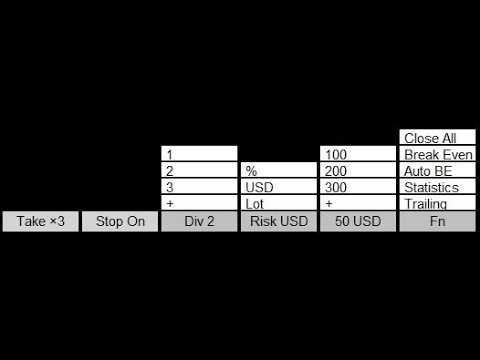
TPanel is a trading panel for fast manual trading with full keyboard control.
The panel lets you open market and pending orders without using the standard order window: all key actions are executed in one or two keystrokes.
How it works
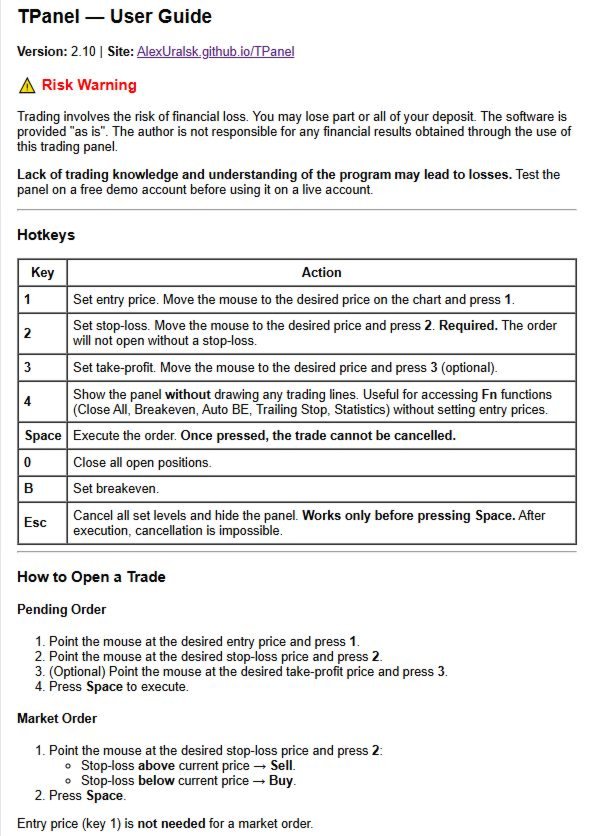
Placing an order consists of three steps:
-
Set the entry level (key 1 ).
-
Set the stop loss level (key 2 ).
-
Execute the trade (key Space ).
The order type (Buy Limit, Sell Limit, Buy Stop, Sell Stop) is determined automatically based on the position of the entry price and stop loss relative to the current market price.
Market orders can be opened even faster: you only need to specify the stop loss level.
Risk management
The panel supports three risk modes:
-
percentage of account balance;
-
fixed amount in USD;
-
fixed volume in lots.
Lot size is calculated automatically according to the selected risk mode and the distance to the stop loss.
The Div parameter allows you to split a position into 1, 2, 3 or more equal trades while keeping the total risk constant.
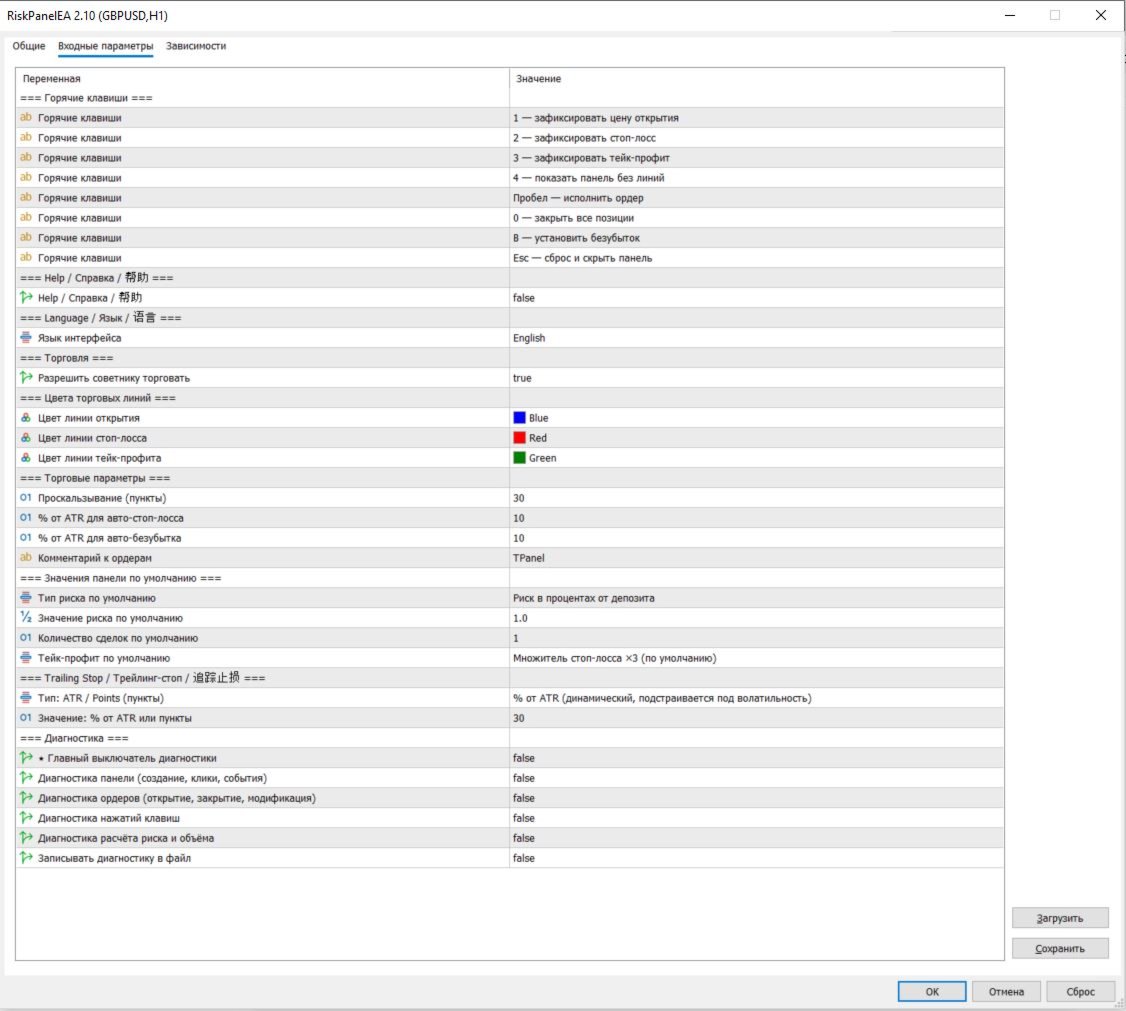
All default values — risk, volume and the maximum number of simultaneously open positions — can be configured in the expert’s input parameters so that the panel matches the trader’s personal style.
Supported order types
The panel works with all basic order types:
-
market orders: Buy, Sell;
-
pending orders: Buy Limit, Sell Limit, Buy Stop, Sell Stop.
The order type is determined automatically, and a stop loss is mandatory for every trade.
Take profit is optional and can be set as a multiple of the stop (2x, 3x, 4x) or as a fixed distance in points.
Position management
Built‑in management functions help automate handling of open trades:
-
Auto break‑even — moves the stop loss to the entry level when price reaches a specified fraction of the daily ATR.
-
Trailing stop — can be set in percent of the daily ATR or as a fixed number of points.
Trade statistics
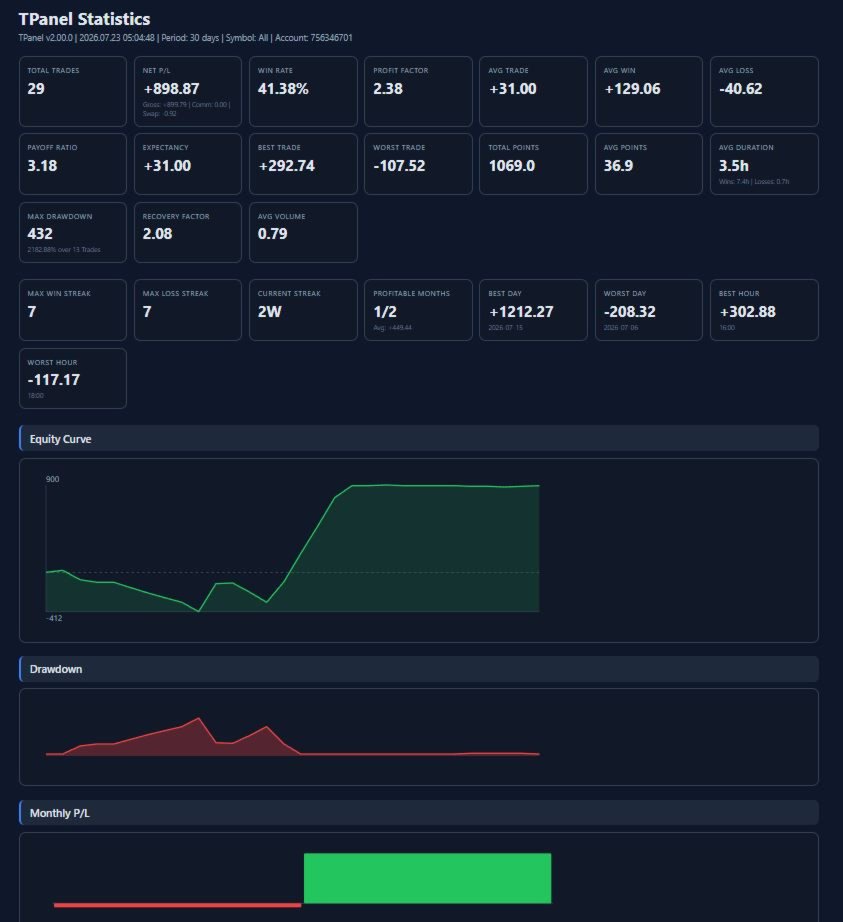
The panel records trade history and generates an HTML report with key metrics:
-
equity curve and drawdown;
-
profit and loss distribution;
-
breakdown of results by instruments, weekdays and hours.
This lets you not only trade, but also systematically analyze your strategy.
Built‑in help and languages
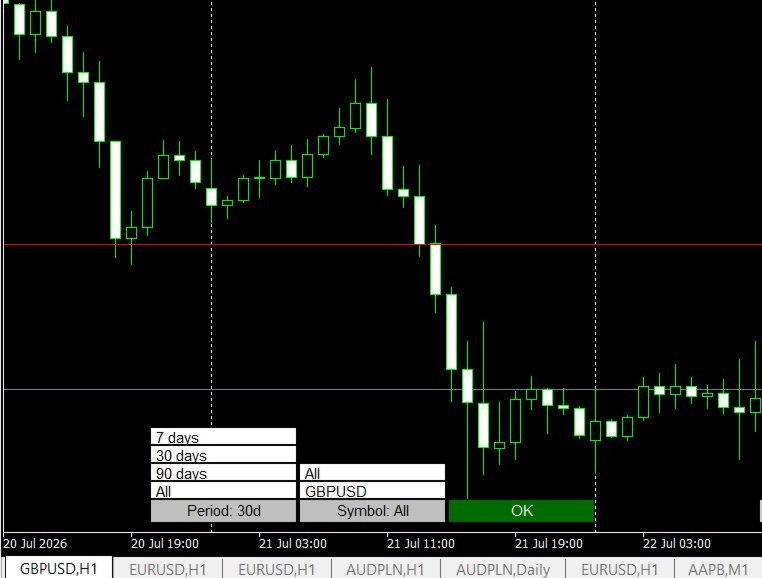
TPanel includes a detailed built‑in help system accessible directly from the expert’s settings — no need to search for documentation elsewhere.
The interface supports three languages:
-
Russian;
-
English;
-
Chinese.
Who TPanel is especially useful for
-
Scalpers and intraday traders who need to enter trades in seconds and don’t want to waste time choosing order type and calculating lot size manually. The panel automatically selects order type and volume based on the specified risk and stop.
-
Level‑based discretionary traders who draw entry and stop on the chart. Instead of manually calculating lot size, choosing Buy Limit / Sell Stop and filling in the order form, the trader simply places two lines and presses Space — the panel does the rest.
-
Traders who control risk in percent or in dollars but dislike counting points. The module automatically converts “I want to risk 1% / 50 USD” into the correct lot size, taking into account the stop loss and symbol specifications.
-
Traders who open several partial positions. The Div function lets you split the total risk into 2–3 or more trades without recalculating each leg separately, which is convenient for partial exits and scaling in.
-
Traders who want to see statistics of their trades without maintaining it manually. The HTML report with equity, drawdown and result distribution removes the need to collect data in Excel.
Where the panel has the biggest impact
TPanel makes opening trades significantly easier in situations when:
-
the market is moving fast and you need to enter in time without spending precious seconds on the order window;
-
the trader already knows how much they are willing to lose on a trade and wants the system to fit the lot size to that risk automatically;
-
the strategy involves many similar trades per day — the panel turns the routine “open order” process into a short mechanical sequence of three keystrokes.
It is also very helpful for beginners who are not yet familiar with all the specifics of order calculations and placement: the panel takes care of the technical part, so they can focus on the trading idea.