LMBF Order Manager EA
- Utilità
- Versione: 1.5

LMBF Order Manager Hub
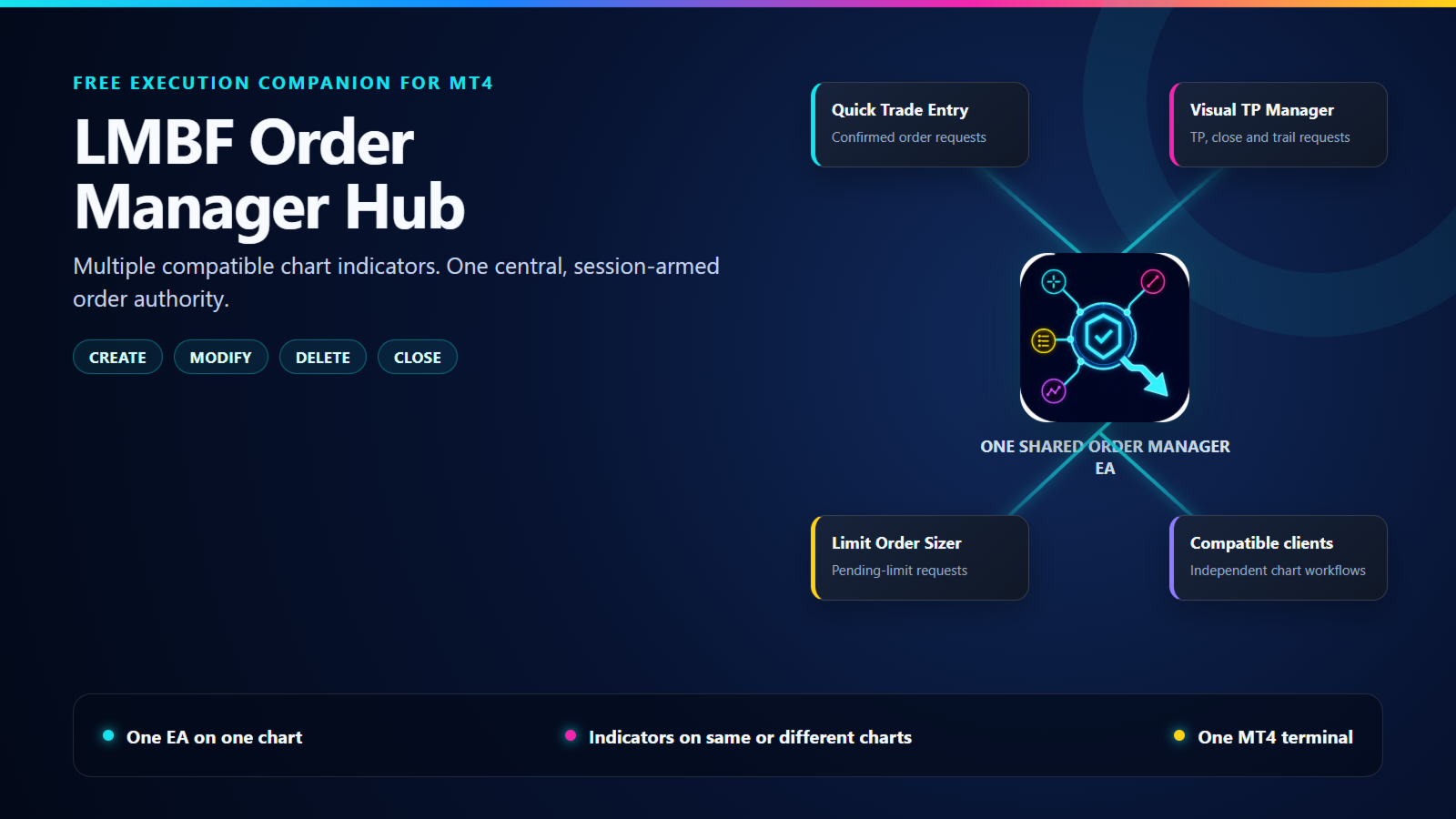
LMBF Order Manager Hub is the free execution companion for compatible LMBF trading indicators on MetaTrader 4.
MetaTrader 4 allows only one Expert Advisor on a chart, while a chart can host several indicators. This utility lets compatible LMBF indicators send confirmed order requests to one shared Expert Advisor. The manager can be attached to one chart while client indicators run on the same chart or on other open charts in the same MT4 terminal.
The manager is an execution bridge, not a trading strategy. It does not create signals, choose entries or make trading decisions. An order request is sent only when a compatible client tool asks for an action through its own workflow.
Designed for compatible LMBF tools
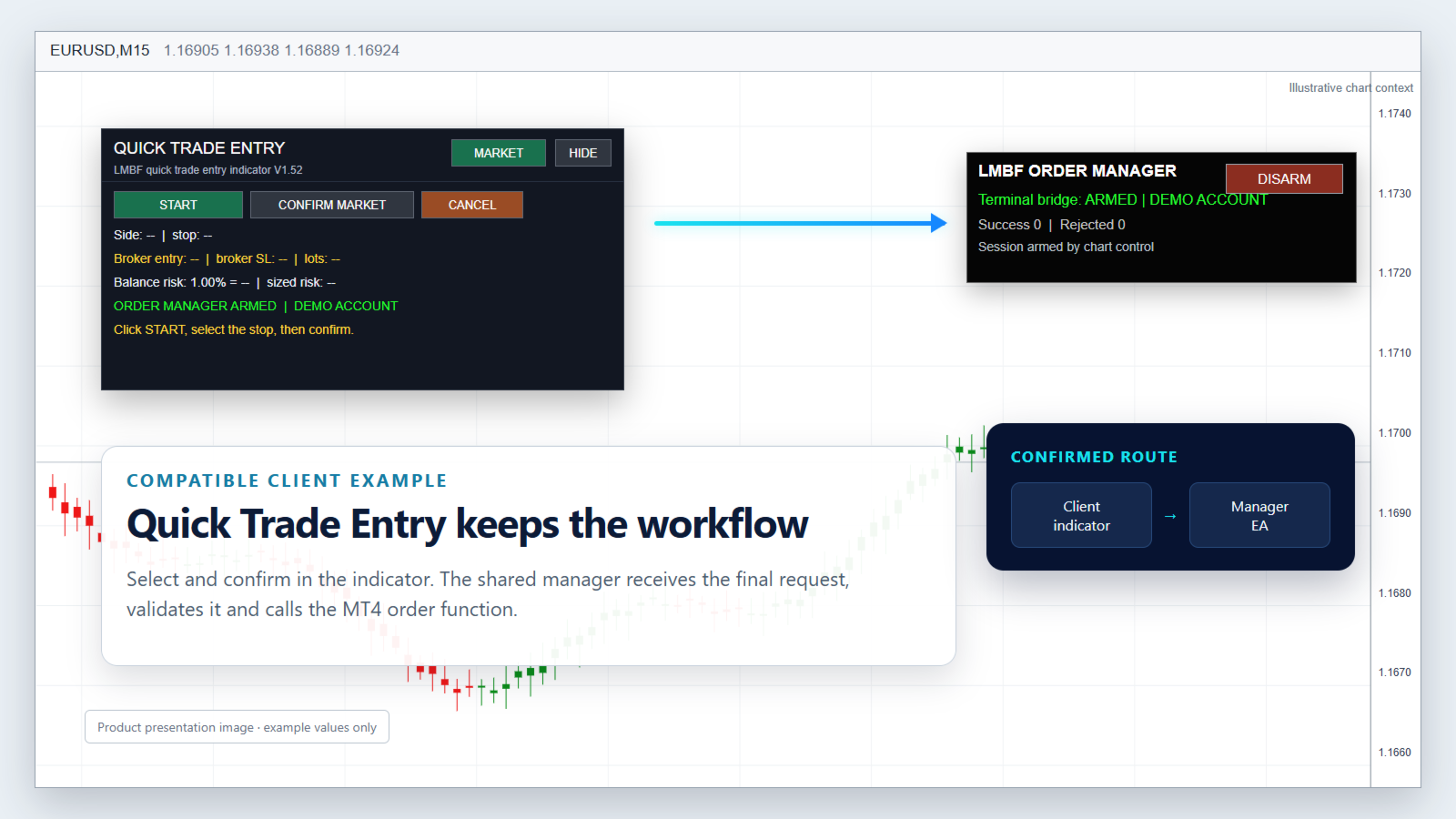
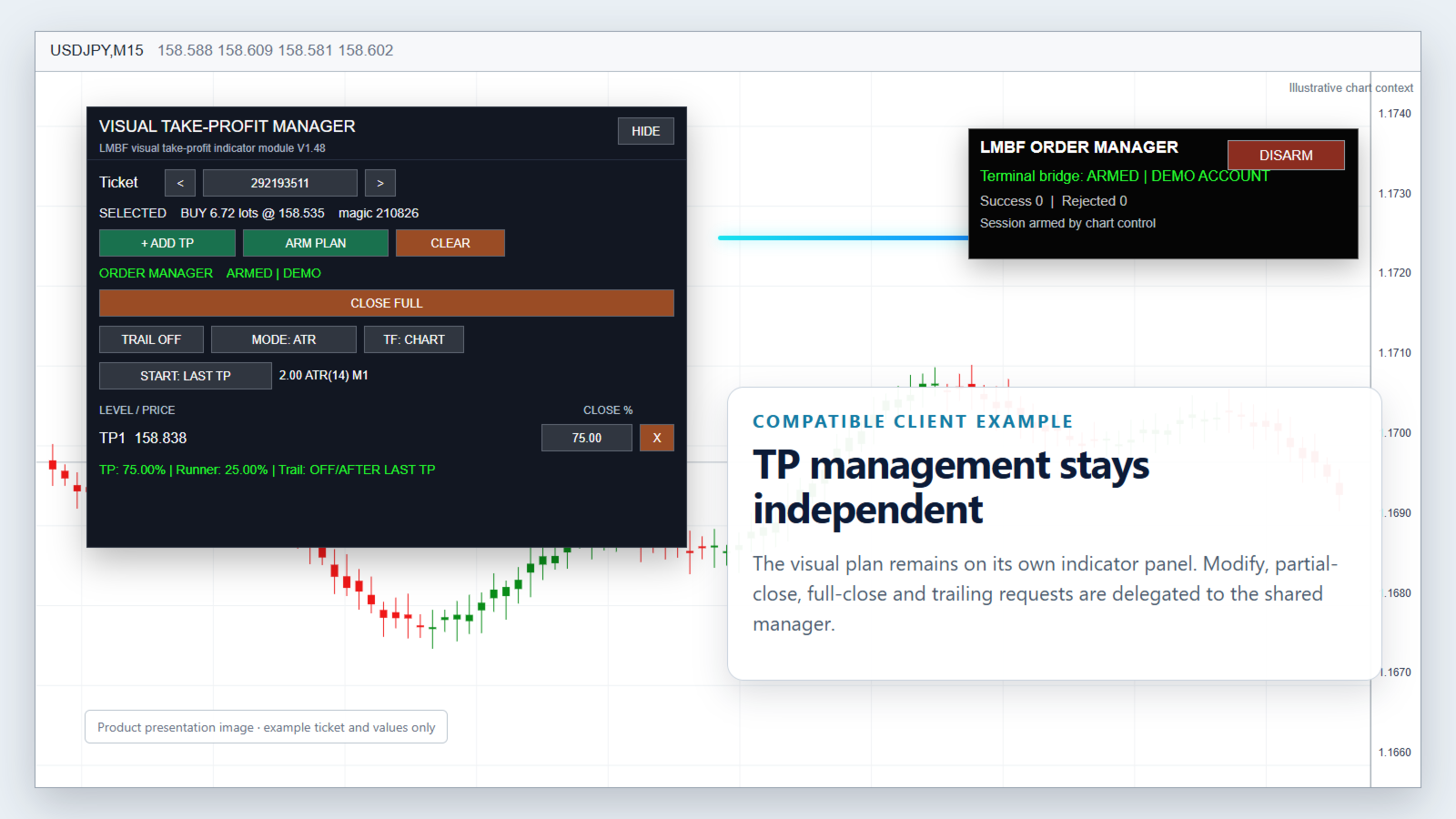
The shared manager is intended to work with compatible LMBF indicator products, including Quick Trade Entry and Visual Take-Profit Manager. This allows each task to remain a separate chart indicator while one central EA performs the requested MT4 order operation.
Only products built for the LMBF Order Manager protocol can communicate with this utility. It is not a general connector for unrelated indicators or Expert Advisors.
Supported order operations
- Create: market, limit and stop orders requested by a compatible client.
- Modify: permitted price, stop-loss, take-profit and expiration changes.
- Delete: pending-order deletion.
- Close: full or broker-valid partial closing of market orders.
One manager for the terminal
Client indicators communicate through MT4 terminal global variables, so no DLL, WebRequest or external service is required. Each client has an independent request mailbox. A terminal-wide ownership lease prevents two active manager copies from processing the same request stream.
Custom chart events provide a fast notification path and the manager timer supplies a reliable polling fallback. The chart containing the manager and the charts containing client indicators must remain open in the same MT4 terminal.
Session arming
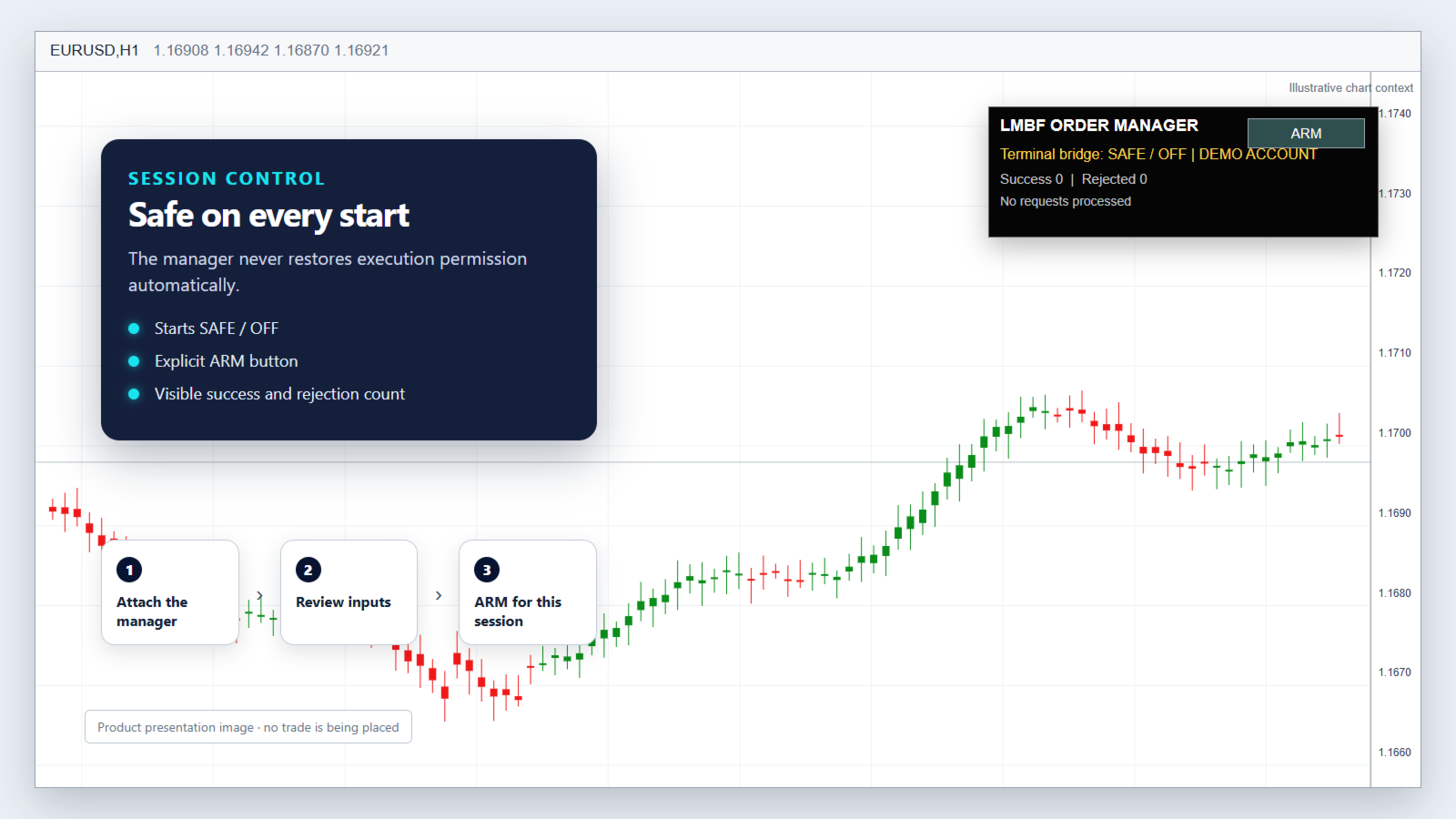
The manager starts in SAFE / OFF state whenever it is attached, recompiled, loaded by a template or restarted with the terminal. Click the on-chart ARM button when you are ready to permit compatible client requests. The permission is session-only and is never restored automatically.
The panel shows whether the bridge is armed, whether the current account is demo or live, the number of successful and rejected requests, and the most recent status message. The account type is informational and does not restrict operation.
Central validation
Every request is checked again by the manager before it reaches MT4. Depending on the operation and the selected inputs, checks include:
- connection, AutoTrading permission and trade-context availability;
- freshness and completeness of the client request;
- broker lot minimum, maximum and lot step;
- protective stop, stop distance and freeze-level validity;
- optional per-order risk, spread and managed-order limits;
- available margin;
- requesting-chart symbol and target-ticket symbol consistency.
New orders are sent with their requested protective stop in the same operation. There is no fallback that deliberately creates an unprotected order when the stop is rejected.
Setup
- Attach LMBF Order Manager Hub to one open MT4 chart.
- Enable AutoTrading and allow live trading for the EA in MT4.
- Review the manager inputs and broker-specific limits.
- Click ARM on the manager panel. The panel should show ARMED.
- Attach a compatible LMBF client indicator to the required chart or charts.
- Confirm that each client reports ORDER MANAGER ARMED before submitting an action.
For first use, test the complete workflow on a demo account with the smallest practical volume. Broker symbols, contract sizes, stop levels, freeze levels, margin rules and execution behaviour differ.
Input parameters
Order identity
- MagicNumber: default magic number used when a create request does not supply an alternative.
- OrderComment: default comment used for orders created through the manager.
Validation and limits
- RequireProtectiveStop: requires a protective stop on new orders and prevents its removal when enabled.
- MaximumRiskPercent: maximum estimated balance risk for one new order. Set to 0 to disable this manager-side cap.
- MaxManagedOrders: maximum number of open market and pending orders with the manager magic number. Set to 0 to disable.
- MaxManagedOrdersPerSymbol: maximum managed orders for one symbol. Set to 0 to disable.
- MaximumSpreadPoints: optional spread limit for create and close operations. Set to 0 to disable.
- DefaultSlippagePoints: slippage used when a client does not provide a value.
- MaximumSlippagePoints: upper limit applied to a requested slippage value.
- MaxRequestAgeSeconds: rejects stale client requests.
Manager operation and display
- PollIntervalMilliseconds: timer interval used to scan for client requests.
- ManagerLeaseTimeoutSeconds: timeout after which a stale manager ownership lease can be reclaimed.
- AlertOnSuccess: displays an MT4 alert after a successful request when enabled.
- AlertOnReject: displays an MT4 alert when a request is rejected.
- ShowManagerPanel: shows the on-chart state and ARM/DISARM panel.
- PanelCorner, PanelX, PanelY: initial panel corner and offsets.
Important
LMBF Order Manager Hub does not analyse the market, provide signals or guarantee that an order will be accepted or filled. It carries out supported requests from compatible LMBF client indicators after validation. The trader remains responsible for every order decision, client-tool setting and manager limit.
Always verify the symbol, direction, volume, entry, stop loss, take profit and account before confirmation. Test on a demo account before using any order-management software on a live account.