TradeHub Smart Order Manager MT5
- Utilità
-
Mykhailo Krygin
 Hello and welcome!
My name is Mykhailo Krygin. I'm a Trading Software Developer, founder of TradeHub, and an experienced Forex trader with 20+ years of hands-on experience in financial markets. - Versione: 1.0
- Attivazioni: 10
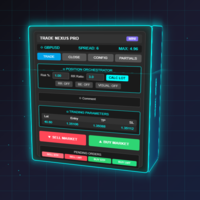
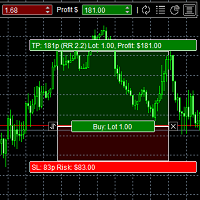
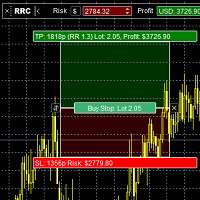
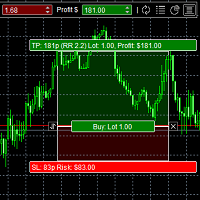
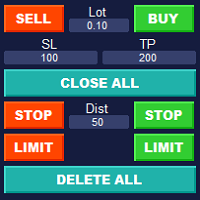
TradeHub Smart Order Manager is a professional order entry and risk management panel for MetaTrader 5.
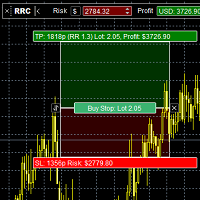
It helps you prepare and place trades directly from the chart, calculate position size based on account risk, and manage Stop Loss and Take Profit using several calculation methods.
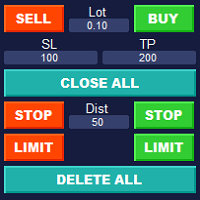
The panel supports Market, Limit and Stop orders for both Buy and Sell operations.
Video demonstration:
MAIN FEATURES
• Market, Limit and Stop orders
• Buy and Sell operations
• Manual or automatically calculated position size
• Risk calculation in money or percentage
• Stop Loss by Points, Price, Money or %
• Take Profit by Points, Price, Money or %
• Buy Limit and Sell Limit orders
• Buy Stop and Sell Stop orders
• Entry Price entered manually or calculated relative to the current Bid/Ask
• Automatic recalculation of Lots, Money Risk and % Risk
• Dark and Light interface themes
POSITION SIZE & RISK MANAGEMENT
When Stop Loss is enabled, Smart Order Manager provides three ways to work with trade volume:
• Lots — enter the trade volume manually
• $ Risk — specify the amount of money you are prepared to risk
• % Risk — specify the percentage of the account you are prepared to risk
When Money Risk or % Risk is selected, the panel automatically calculates the required trade volume according to the selected Stop Loss.
When Lots are entered manually, the corresponding Money Risk and % Risk are calculated automatically.
STOP LOSS
Stop Loss can be specified using:
• Points
• Price
• Money
• Percentage
Changing the Stop Loss recalculates the corresponding risk values while keeping the selected trade volume unchanged.
TAKE PROFIT
Take Profit can also be specified using:
• Points
• Price
• Money
• Percentage
The corresponding values are calculated automatically, making it easy to configure the desired trade target.
PENDING ORDERS
For Limit and Stop orders, the Entry Price can be entered manually or defined relative to the current Bid/Ask price.
Supported pending orders:
• Buy Limit
• Sell Limit
• Buy Stop
• Sell Stop
WORKFLOW
1. Select Market, Limit or Stop.
2. Select Buy or Sell.
3. Set the Entry Price when using a pending order.
4. Configure Volume and risk.
5. Enable and configure Stop Loss and/or Take Profit if required.
6. Review the calculated values.
7. Confirm the order using the main order button.
TradeHub Smart Order Manager is designed for traders who want faster order entry, convenient position sizing and consistent risk management without performing calculations manually.