Position Manager Panel MT5
- Utilità
- Versione: 3.50
- Aggiornato: 19 luglio 2026
- Attivazioni: 10

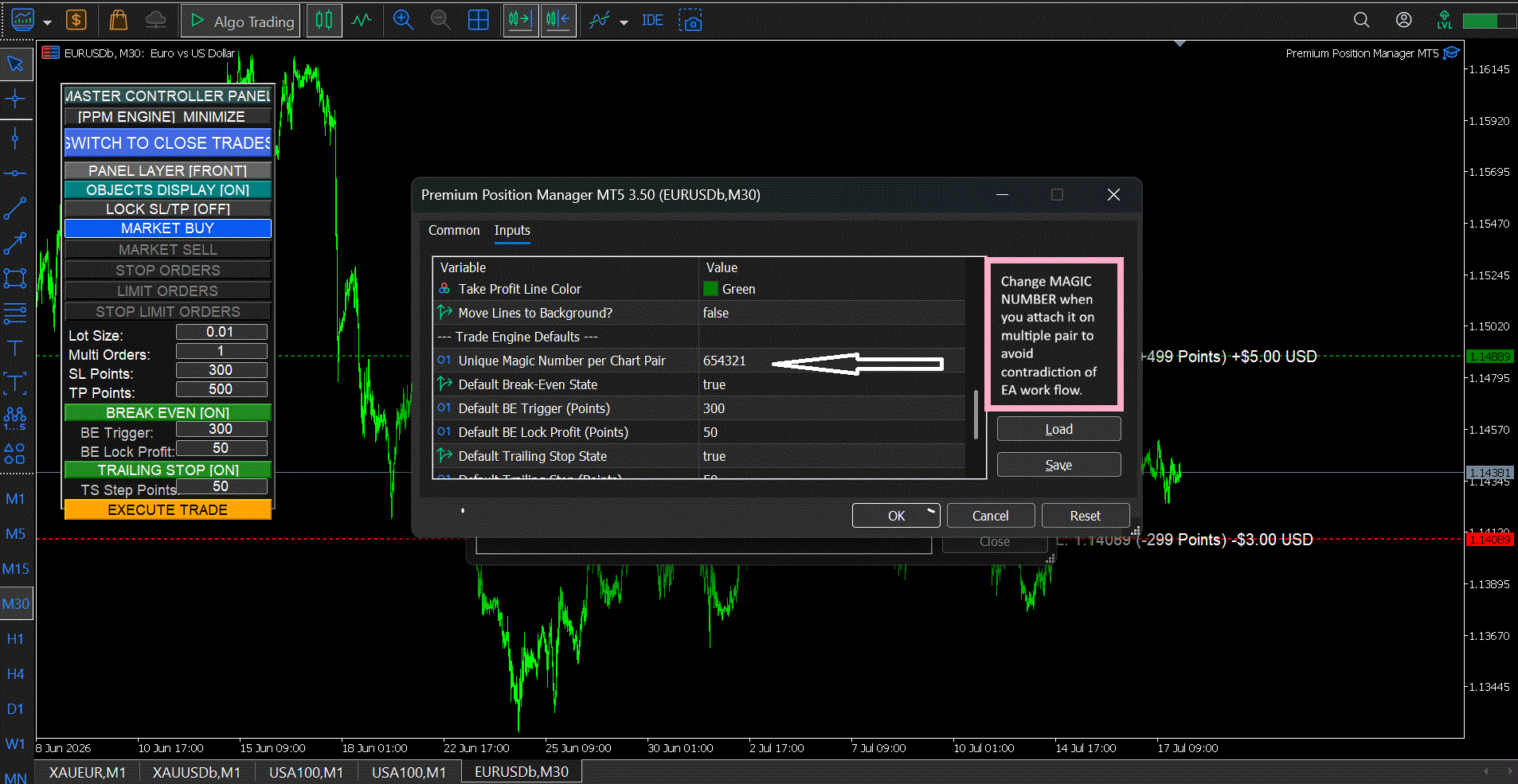
The Position Manager Panel is an all-in-one, high-performance visual trading assistant designed to streamline your order execution, risk management, and position tracking directly from your MetaTrader 5 chart. Built with an intuitive, ultra-responsive drag-and-drop HUD, this tool eliminates the need for manual calculations, letting you focus entirely on price action.
Whether you are a scalper requiring lightning-fast entries or a swing trader managing complex multi-order setups, this panel bridges the gap between precision math and rapid execution.
Key Advantages
-
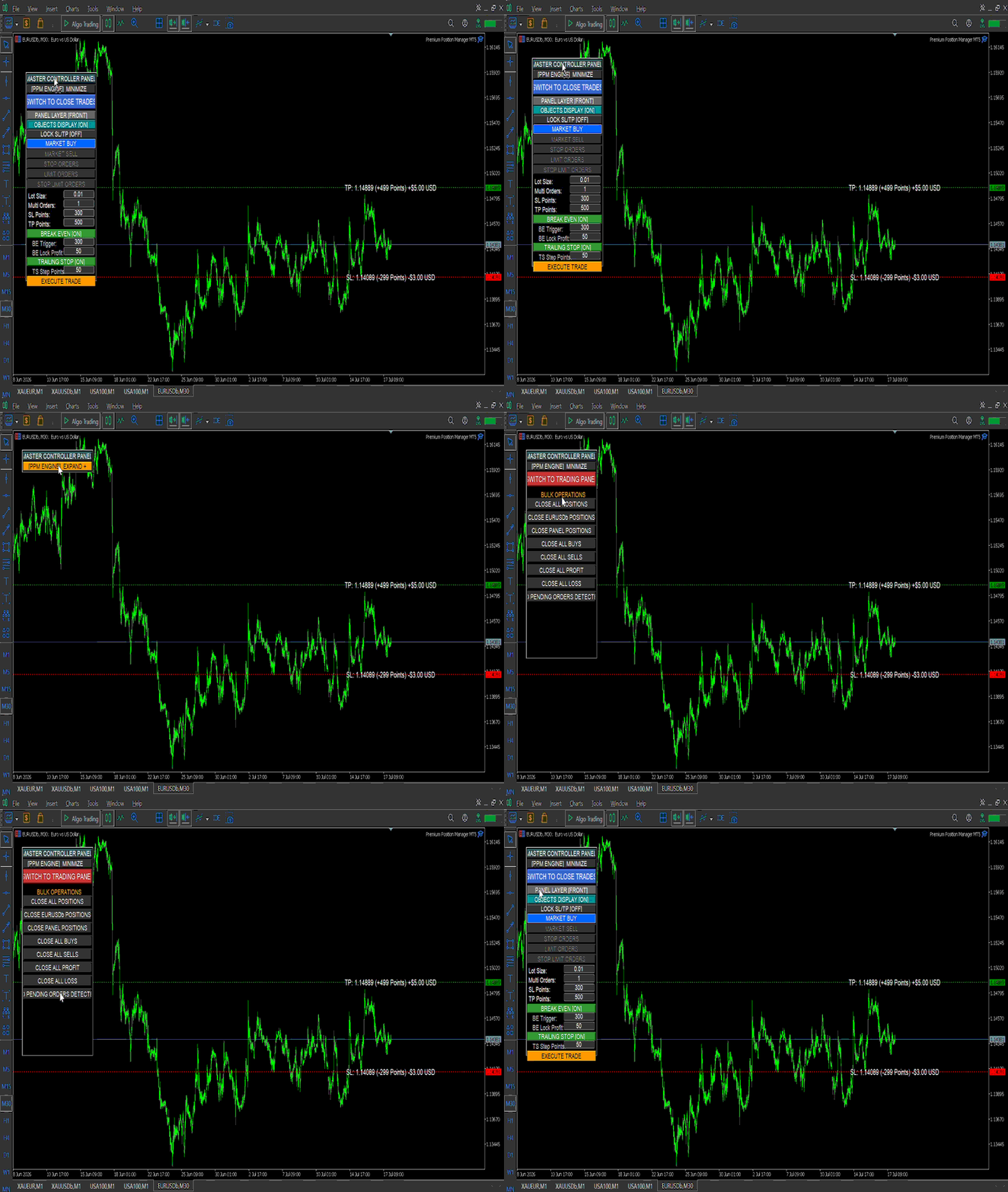
Perfect Chart Lock Dragging Engine: Move the panel anywhere on your chart seamlessly. The layout engine temporarily freezes background chart scrolling the exact moment you drag it, ensuring a fluid, glitch-free workspace.
-
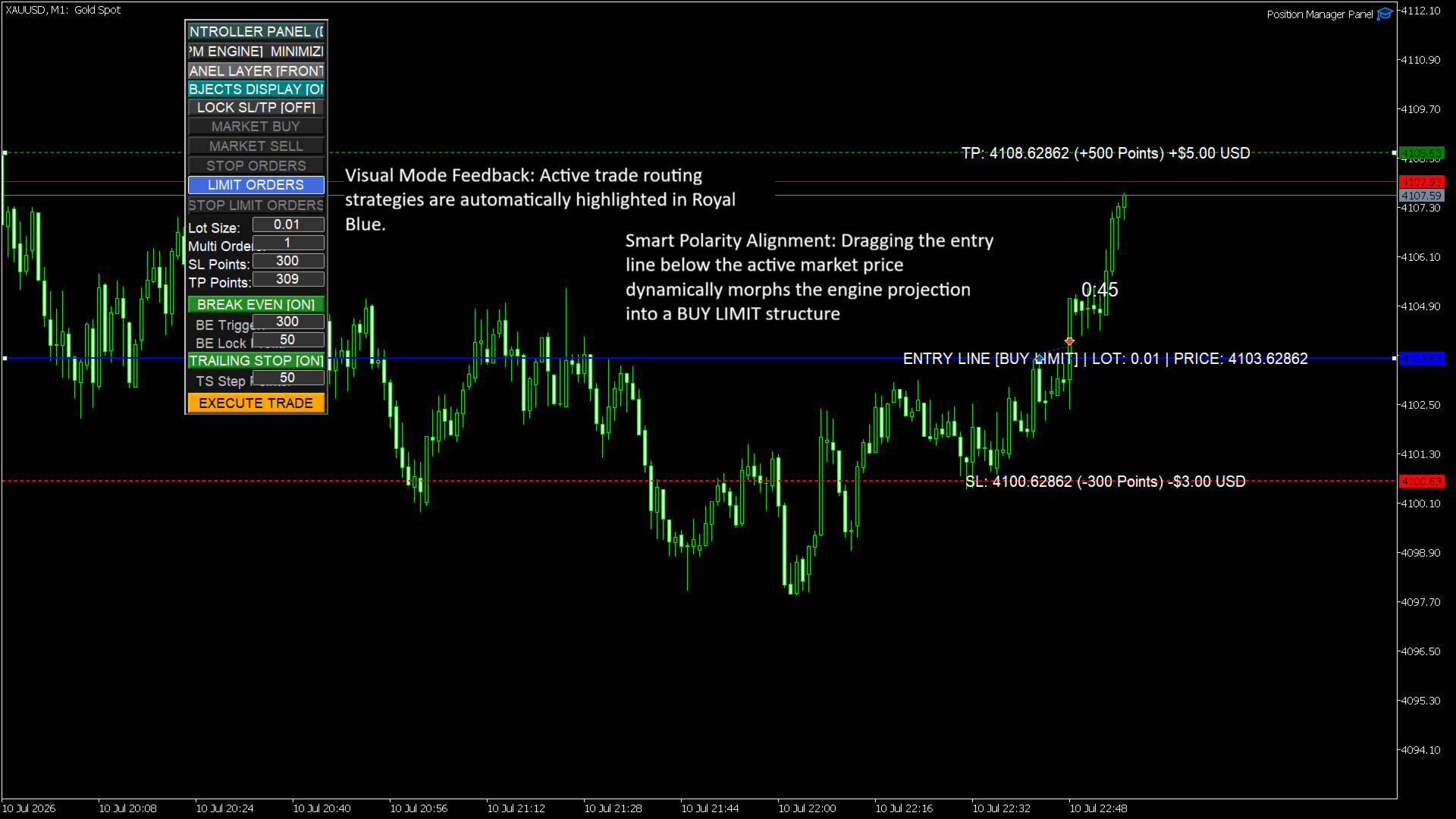
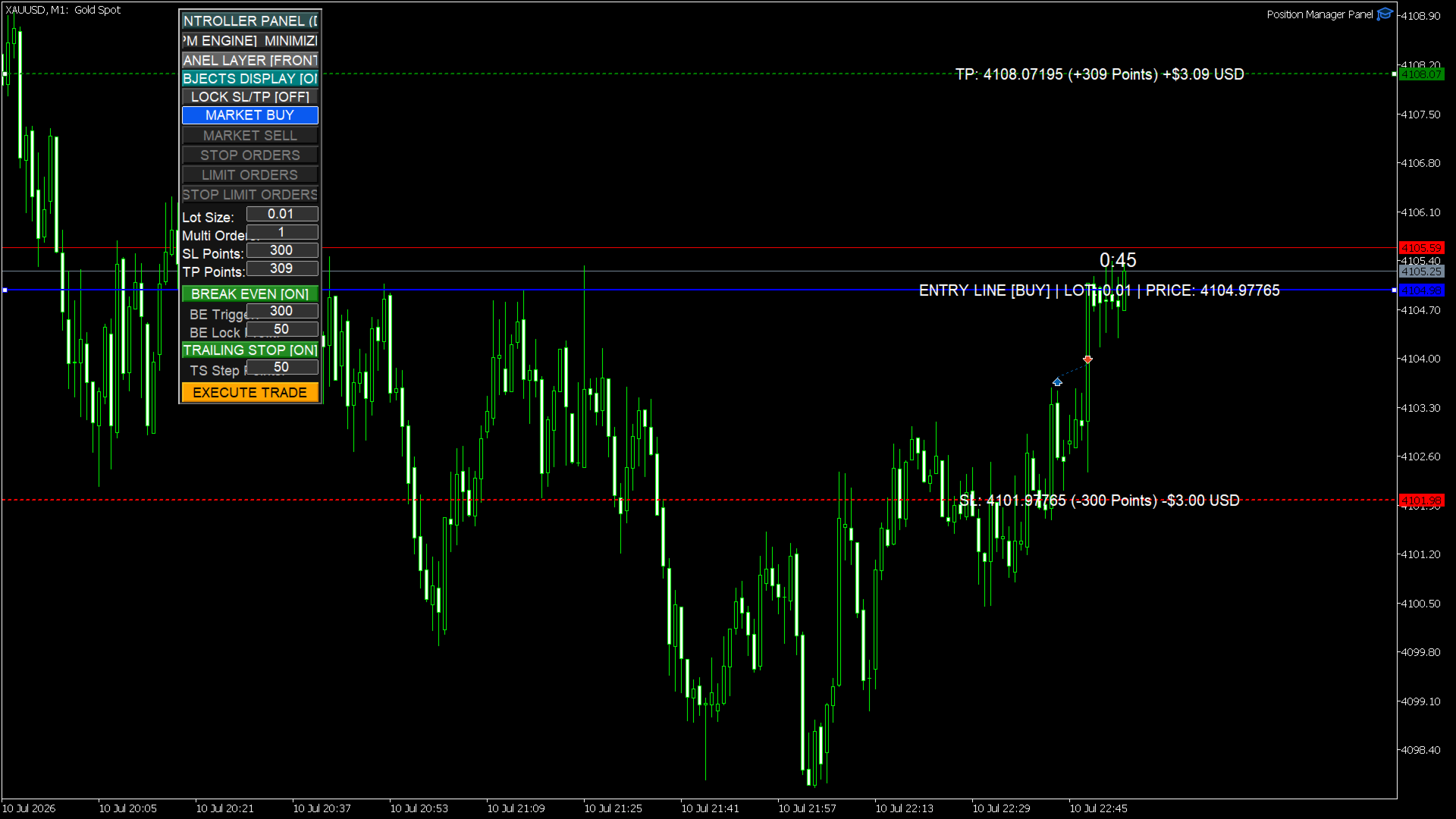
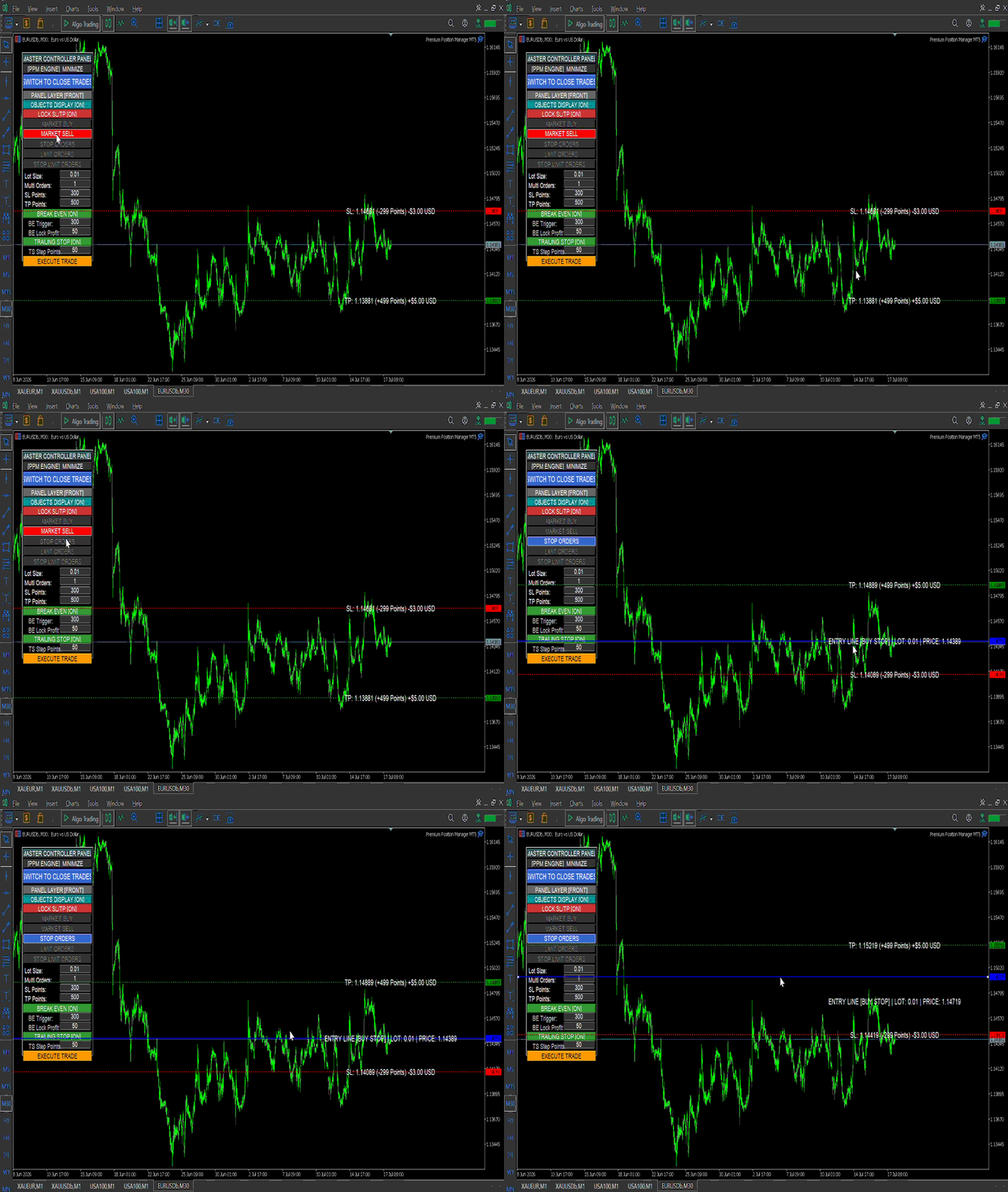
Instant Risk & Reward Visualization: Drag your Entry, Stop Loss, and Take Profit lines dynamically on the chart. The panel recalculates and displays your point distances, potential monetary risk, and projected profit in real-time USD before you even execute.
-
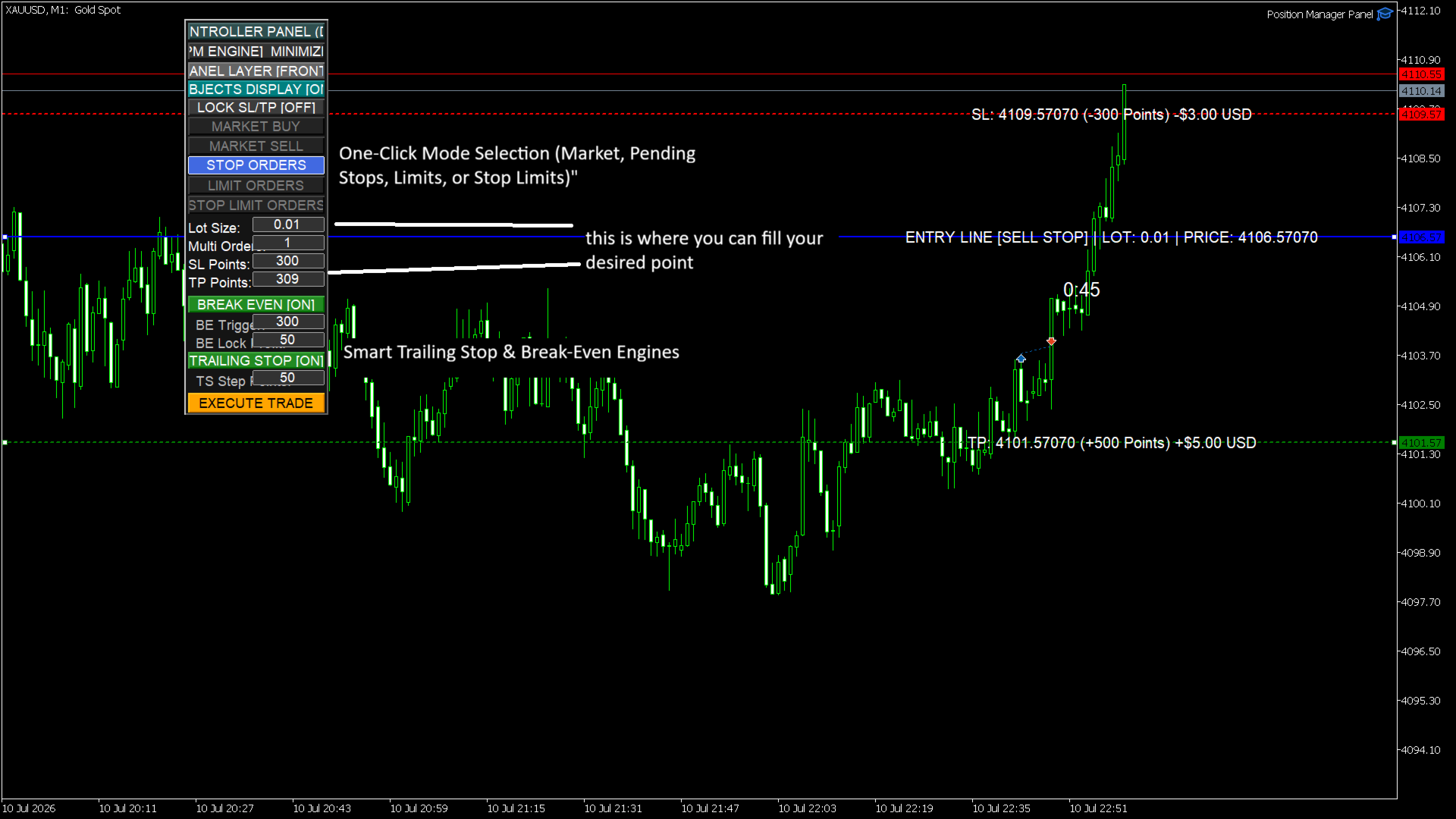
Automated Risk Management: Never worry about manually trailing your stop loss again. The built-in backend engine handles precise break-even tracking and multi-step trailing stops seamlessly.
Core Features
-
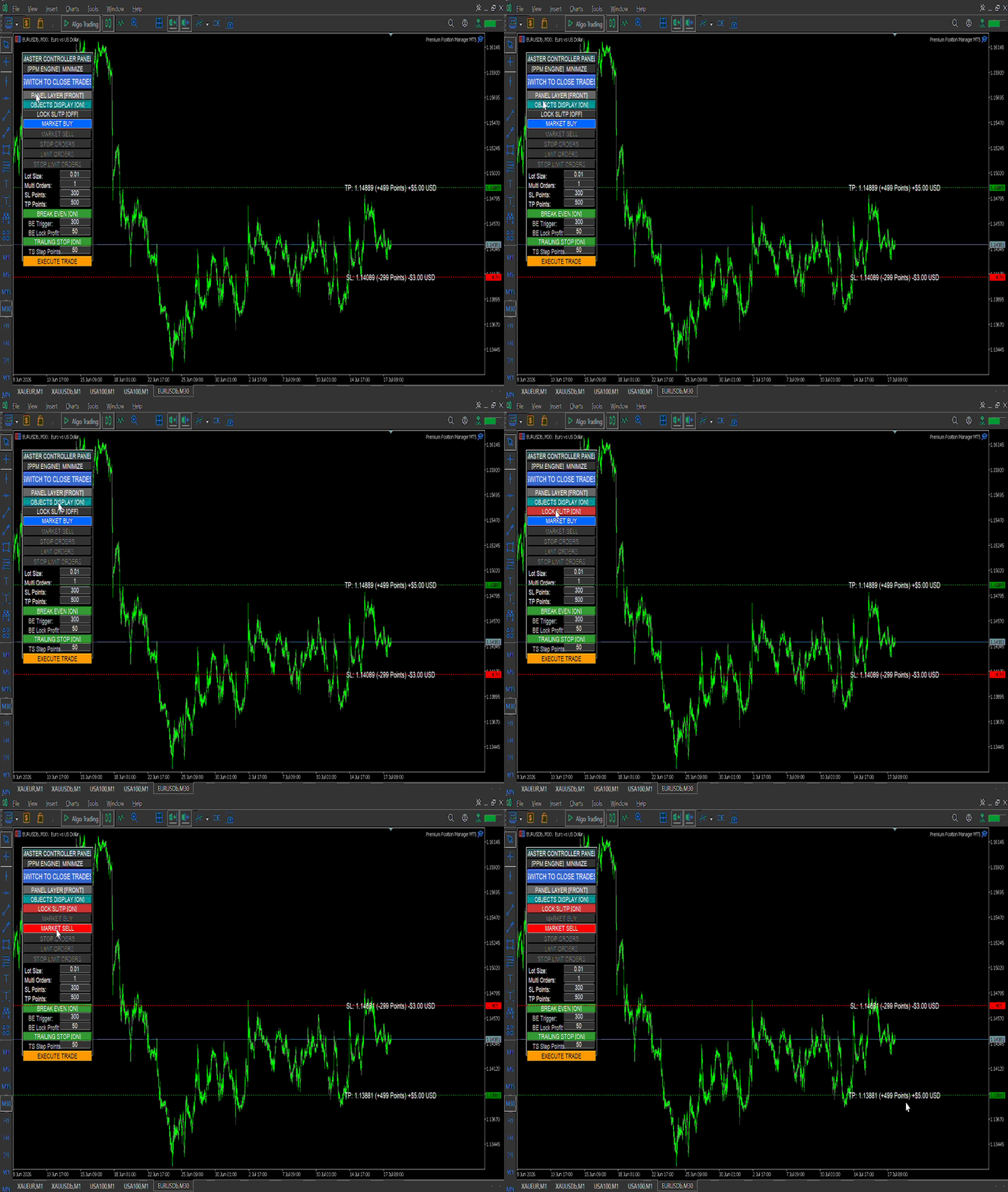
Multi-Mode Order Deployment: Easily switch between Market Buy/Sell, Stop Orders, Limit Orders, and Stop-Limit Orders with a single click.
-
One-Click Scaling (Multi-Orders): Define how many orders you want to scale into a position at once, allowing for advanced split-risk execution.
-
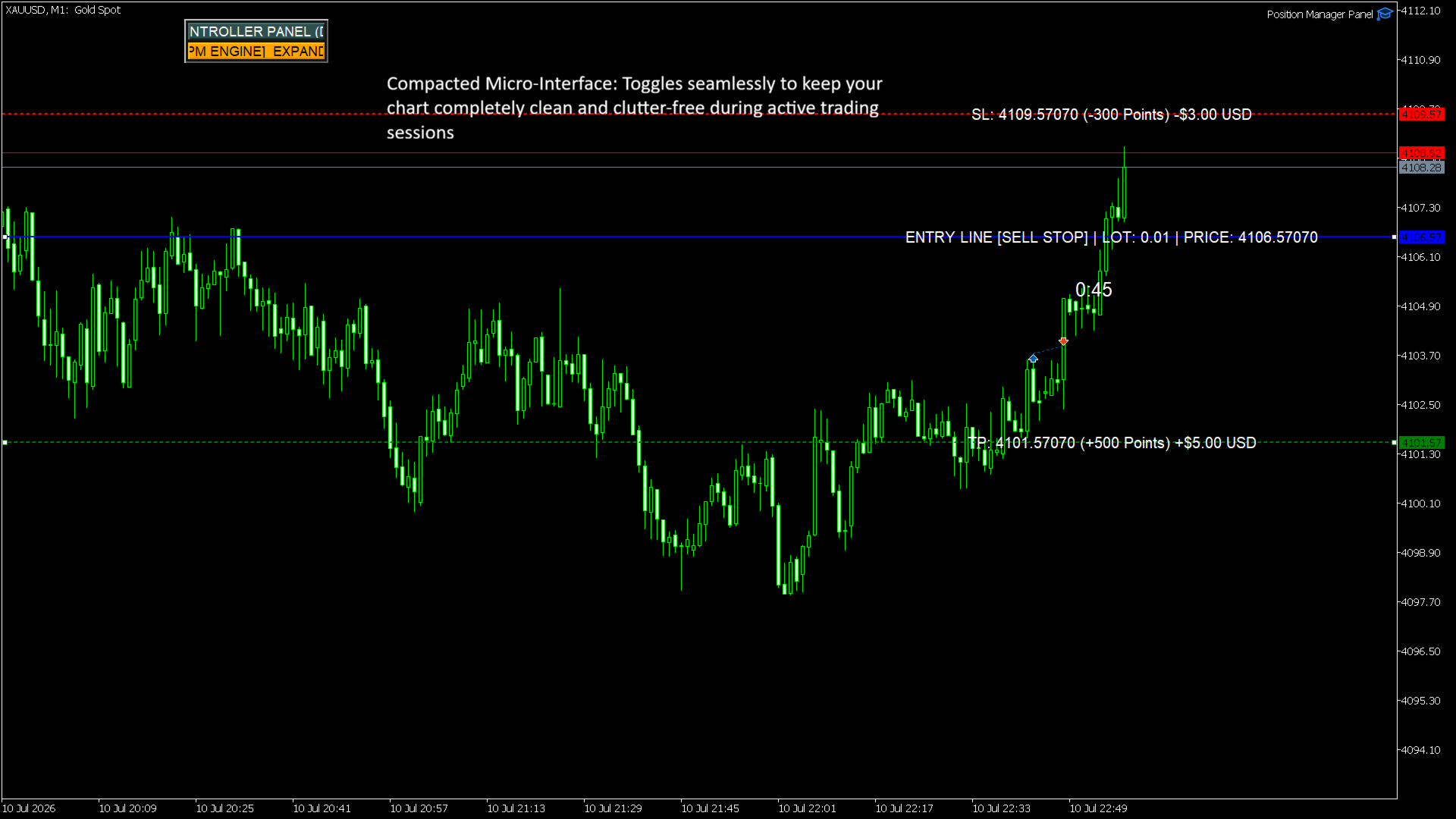
HUD Customization Toggle Switches: * Minimize: Collapse the entire panel instantly to keep your workspace clean.
-
Layer Toggle: Send the panel to the background or pull it to the front of your graphics.
-
Objects Display: Hide or show all trade overlay lines with one button.
-
Lock SL/TP: Lock your risk parameters to a fixed mathematical point offset relative to your entry line.
-
Input Parameters & Settings
--- Panel Layout Settings ---
-
InpPanelX (Default: 30 ): Initial horizontal X-axis starting position of the panel in pixels.
-
InpPanelY (Default: 50 ): Initial vertical Y-axis starting position of the panel in pixels.
-
InpEnableDrag (Default: true ): Enables the mouse-tracking drag-and-drop mechanism.
--- Typography & UI Customization ---
-
InpFontFamily (Default: "Arial" ): Font style used across all text labels and buttons.
-
InpPanelFontSize (Default: 9 ): Font size for internal panel buttons and inputs.
-
InpLabelFontSize (Default: 10 ): Font size for the floating price lines overlaid on the chart.
--- Custom UI Colors ---
-
InpPanelBgColor: The background color hex for the main panel frame.
-
InpLabelFontColor: Color of the floating text tags attached to your lines.
-
InpButtonBgColor: Base color for unselected layout buttons.
-
InpPanelFontColor: Text color for unselected layout buttons.
-
InpSelectedBgColor: Highlight color for active trading mode buttons.
-
InpSelectedFontColor: Text color for active trading mode buttons.
--- Line & Vector Colors ---
-
InpEntryLineColor: Color of the interactive Entry price line.
-
InpStopLossColor: Color of the interactive Stop Loss risk line.
-
InpTakeProfitColor: Color of the interactive Take Profit target line.
-
InpDrawLinesBackground (Default: false ): Move execution lines behind the chart candles if set to true.
--- Trade Engine Defaults ---
-
InpUseBreakEven (Default: true ): Enables or disables the automatic Break-Even feature globally upon launch.
-
InpBreakEvenPoints (Default: 300 ): Distance in points required for price to move in your favor before triggering break-even.
-
InpBreakEvenProfit (Default: 50 ): Amount of profit points secured/locked past the entry price when break-even activates.
-
InpUseTrailingStop (Default: true ): Enables or disables the progressive trailing stop engine.
-
InpTrailingStepPoints (Default: 50 ): Incremental point steps required before the trailing stop adjusts higher/lower.
-
InpMultiOrderFilling (Default: 1 ): Default batch size for placing simultaneous split positions.
-
InpLotSize (Default: 0.01 ): Initial starting transaction volume sizing.