MacroEdge Pro
- Utilità
- Versione: 4.0

Fundamental Bias Dashboard for MetaTrader 5
Overview
MacroEdge Pro is a comprehensive fundamental analysis panel that surfaces macro data, institutional positioning, and session timing in a single clean dashboard — directly on your chart. Designed for discretionary traders who need economic context without switching between tabs, terminals, or external tools.
Rather than displaying raw numbers, MacroEdge Pro interprets them: beats vs misses, consecutive streaks, COT trend direction, kill zone timing, and intermarket confirmation are all processed and colour-coded so you can read the tape at a glance.
Key Features
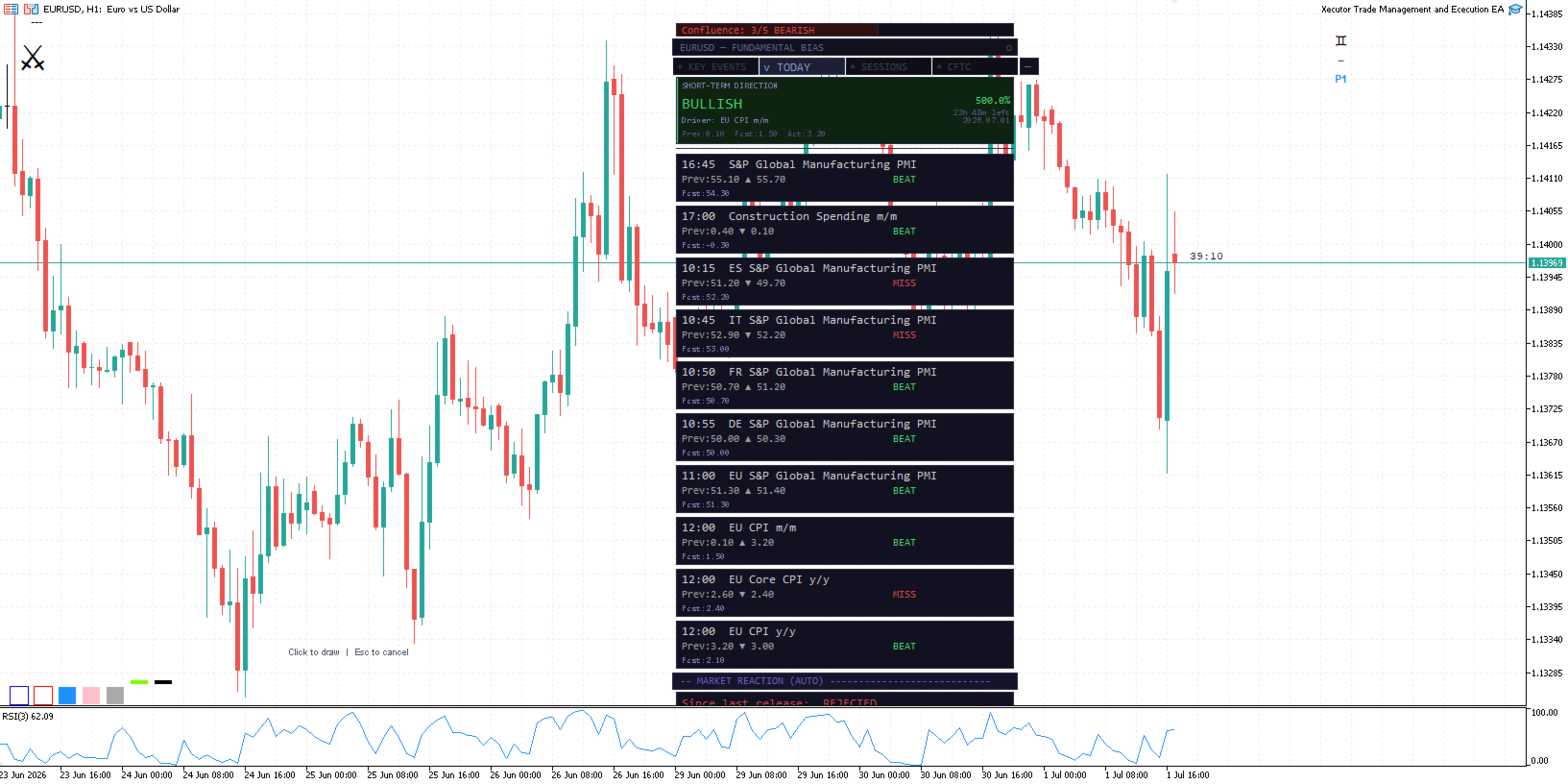
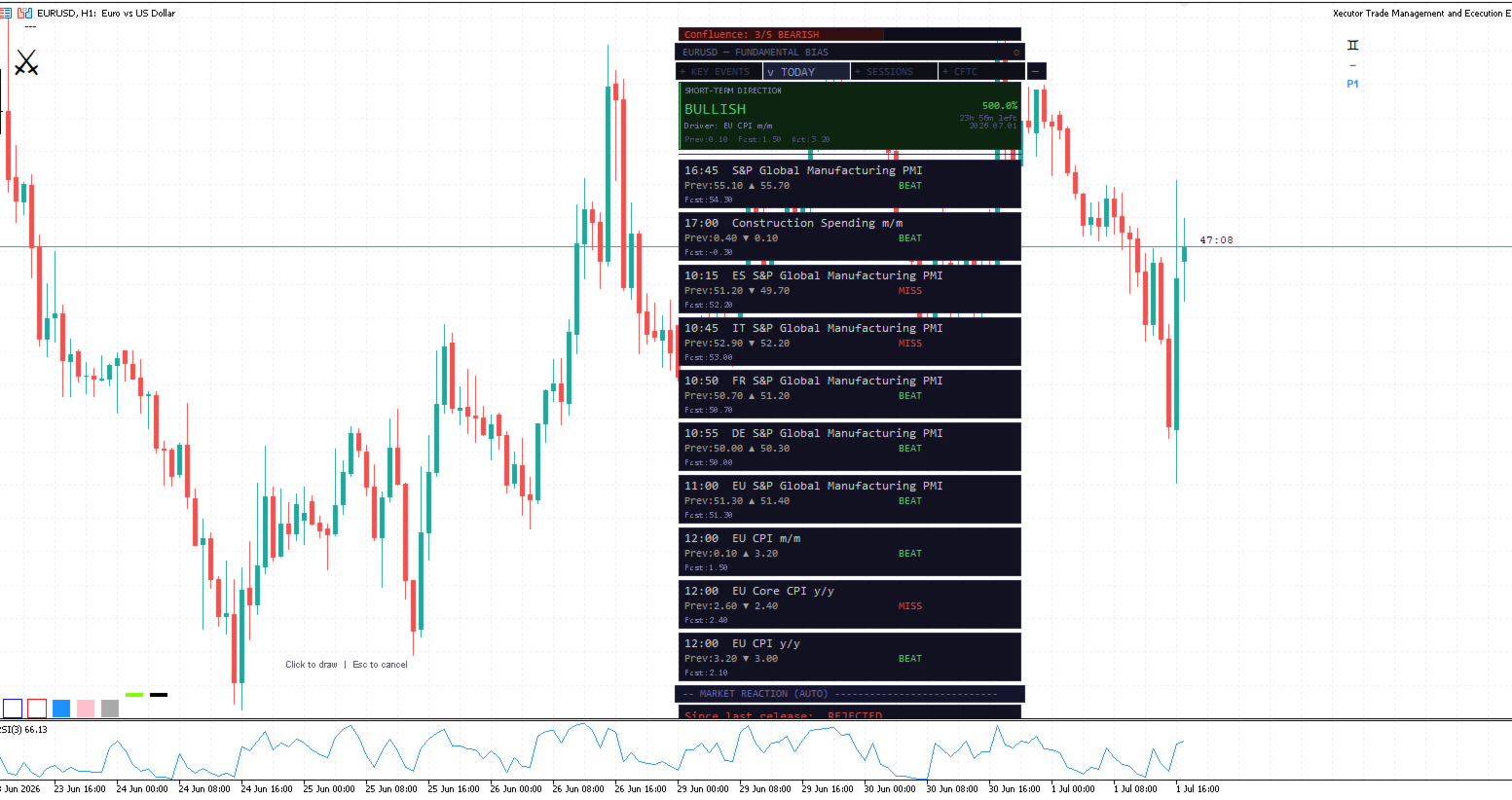
📅 Economic Calendar (TODAY tab)
- Today's high-impact releases filtered to the attached pair's currencies only
- Automatic skip of non-numeric events (speeches, surveys, auctions, reports with no forecast/previous)
- EIA energy releases gated to oil/gas charts — won't appear on EURUSD
- Beat/miss outcome per event with % change from prior reading
- Short-Term Direction signal driven by the release with the highest % deviation, persisting 24 hours or until displaced by a larger print
- Pre-release warning banner at 30 minutes, red alert at 5 minutes
- Signal history log showing last 5 signals with ACCEPTED / PARTIAL / DELAYED / REJECTED reaction outcomes
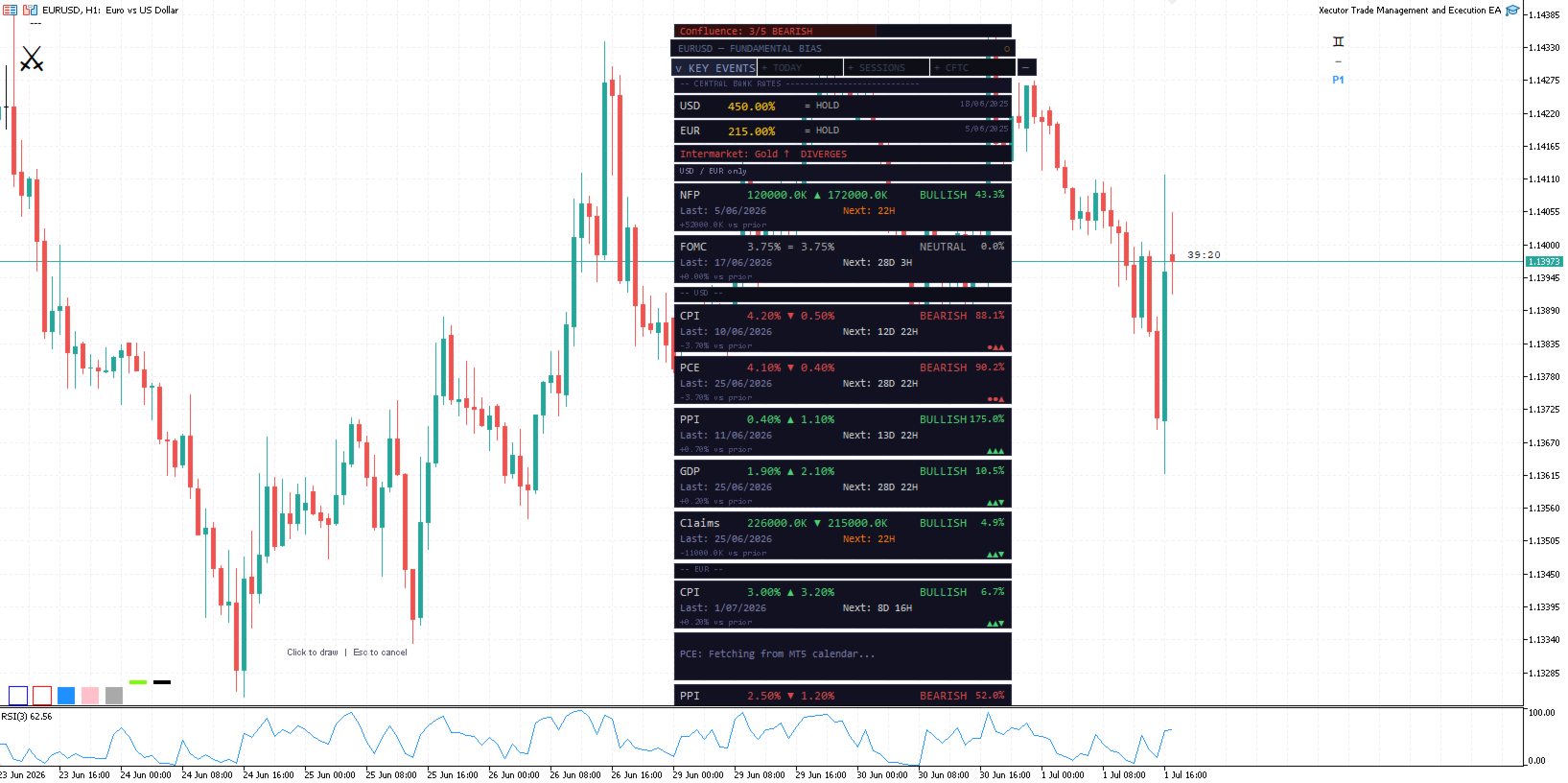
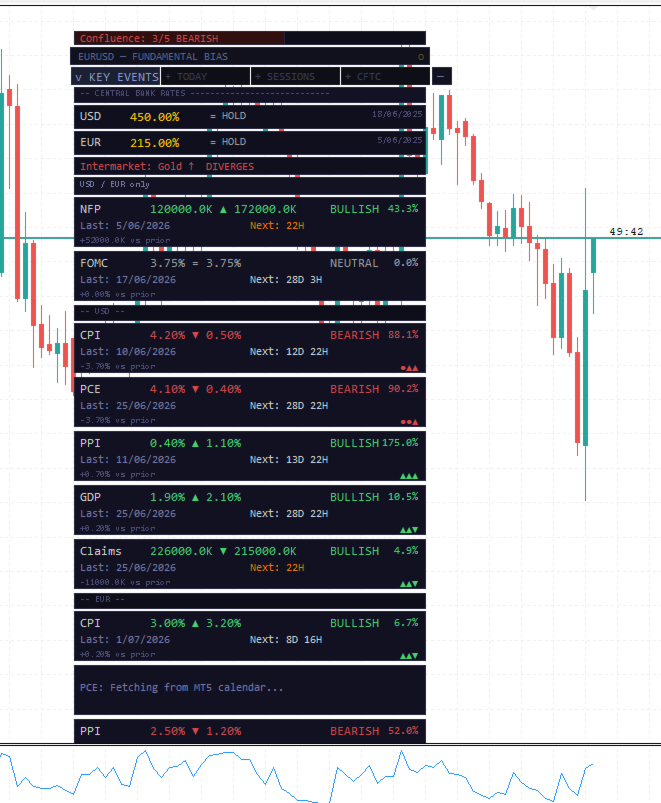
📊 Key Events (KEY EVENTS tab)
- NFP, FOMC, CPI, PCE, PPI, GDP and Initial Claims tracked per currency
- EUR events prefixed by country code (DE CPI, FR CPI, EU HICP) — no ambiguity across Eurozone releases
- Beat/miss streak for last 3 prints (▲▲▼)
- % change from prior reading on every row
- Central bank rates for both pair currencies with last move direction (HIKE / CUT / HOLD)
- Intermarket correlation confirmation (Gold vs EUR, Oil vs CAD, Bonds vs JPY, etc.)
- Confluence score bar: counts all active signals (ST direction, key events, DXY, yield, COT, CB rate differential, intermarket) into a single X/Y readout
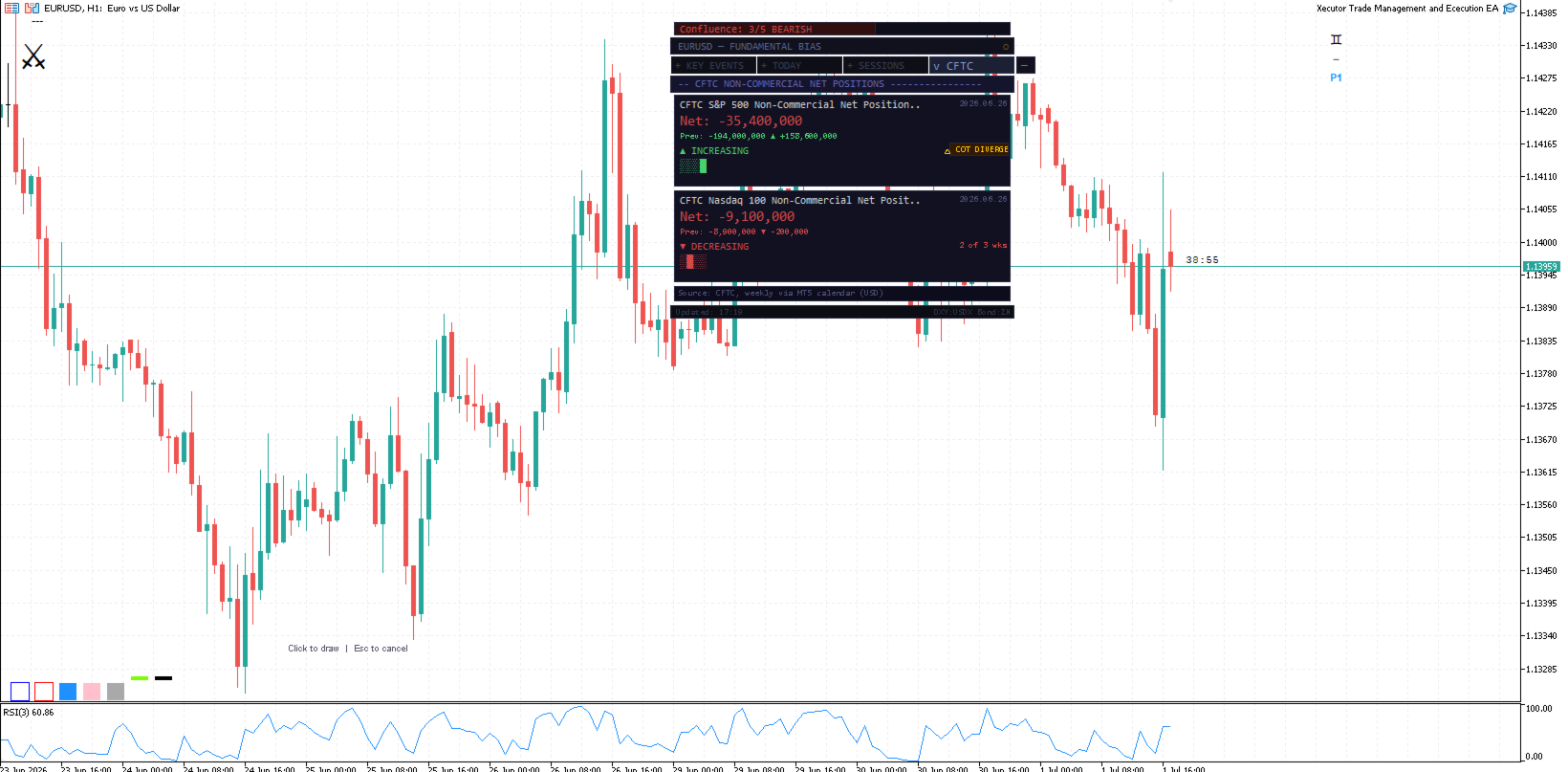
📈 CFTC COT Positioning (CFTC tab)
- Symbol-aware: Gold → CFTC Gold Net Positions, Oil → Crude Oil, currencies → S&P 500 + Nasdaq 100 risk proxy
- 4-week history with trend direction (▲ INCREASING — 3 of 3 wks)
- Text-based sparkline (oldest → newest)
- Smart Money divergence flag when COT trend contradicts price action
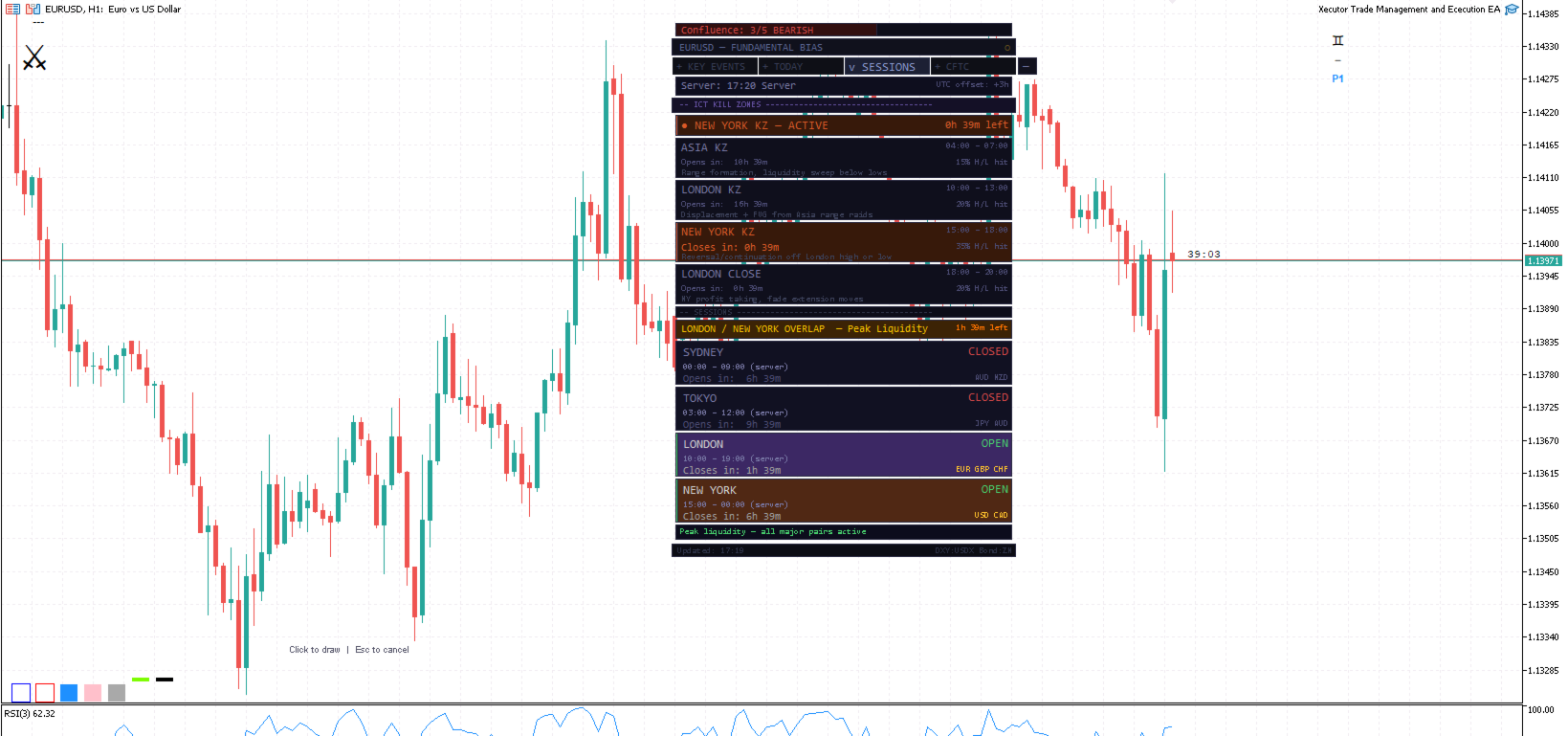
🕐 Sessions & ICT Kill Zones (SESSIONS tab)
- 4 ICT Kill Zones (Asia, London, New York, London Close) with live active/countdown timers
- Server-time conversion of all UTC windows — works on any broker offset
- Kill zone hit rate (% of last 20 sessions where day high or low formed in each window), calculated in background after first timer tick
- Standard session clock with Tokyo/London and London/NY overlap detection
- Liquidity summary footer
⚙️ Fully Configurable
- All event weights adjustable per input (NFP, FOMC, CPI, PCE, PPI, GDP, Claims, intraday)
- Bias multipliers per currency pair type (EUR, GBP, JPY, AUD, CAD, CHF)
- Intermarket symbol fields for broker-specific naming (XAGUSD, NGAS, USOIL)
- Section visibility toggles (CB rates, intermarket, confluence bar, history log)
- Panel position, width, font size
- High/Medium/Low importance filter
How to Use
- Attach to any chart — the panel auto-detects the pair and filters all data to the relevant currencies
- Open the TODAY tab during active sessions for short-term signal and upcoming release warnings
- Use the KEY EVENTS tab for the macro backdrop: trend of CPI/PCE/GDP, CB rate direction, streak of beats/misses
- Check the CFTC tab weekly (Friday release) for institutional positioning trend and divergence flags
- Use the SESSIONS tab to time entries within ICT Kill Zones — active zone shown at top with countdown
Requirements
- MetaTrader 5 build 2755+
- Economic calendar must be enabled in terminal (Tools → Options → Charts → Show news)
- DXY and Bond symbols configurable (defaults: USDX, ZN) — set to your broker's equivalents
- Allow WebRequest not required — uses native MT5 Calendar API only
Notes
Bias multipliers and event weights are heuristic starting points, not statistically derived coefficients. The confluence score is a signal count, not a probability. Both are intended as structured frameworks for your own discretionary analysis — not automated signals.