AURA Backtester Forex Simulator
- Utilità
- Versione: 1.0

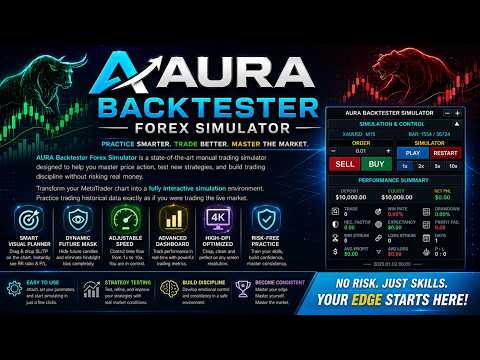
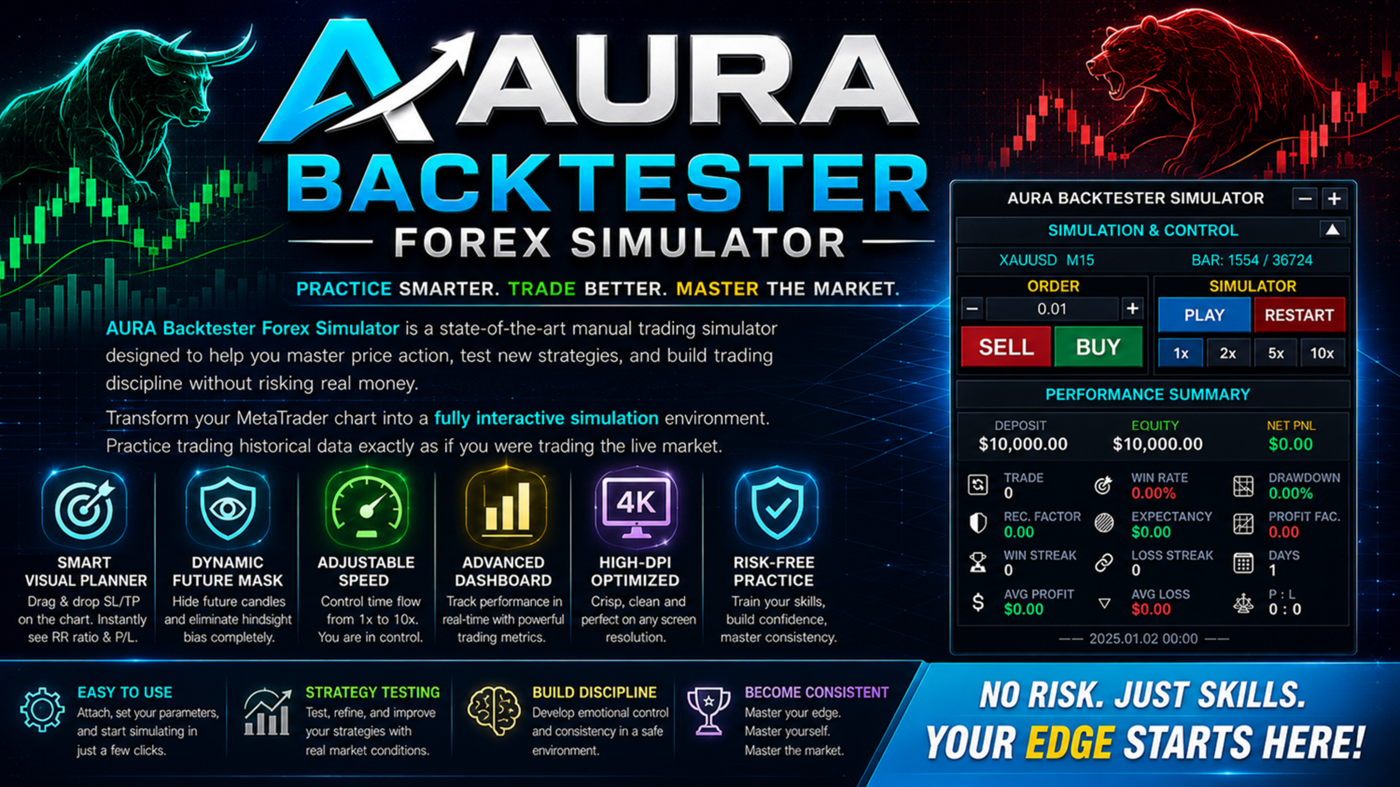
AURA Backtester Forex Simulator is a state-of-the-art manual trading simulator designed to help you master price action, test new strategies, and build trading discipline without risking real money.
Unlike traditional automated backtesters, AURA transforms your standard MetaTrader chart into a fully interactive simulation environment. Practice trading historical data exactly as if you were trading the live, breathing market. Whether you are a beginner trying to understand market structure or a professional forward-testing a new setup, AURA is your ultimate training ground.
"Simplify your trading, maximize your profits, and eliminate emotional errors by combining this tool with >> AURA Trade Assistant Pro <<"
🌟 Core Features
-
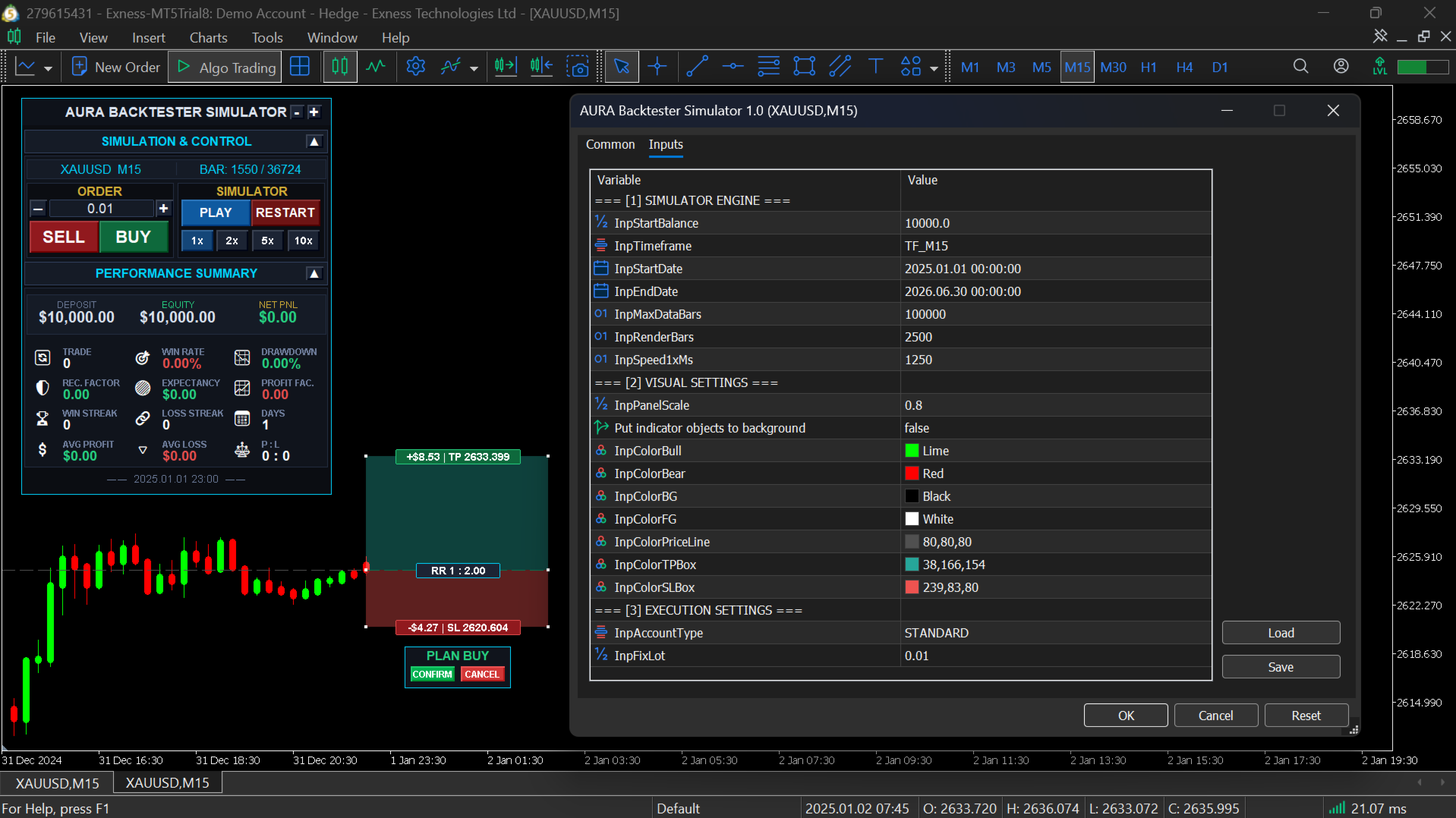
Smart Visual Planner: Plan your trades visually before executing. Drag and drop Stop Loss (SL) and Take Profit (TP) lines directly on the chart. The simulator instantly calculates your Risk-to-Reward (RR) ratio and potential Profit/Loss in monetary value.
-
Dynamic Future Mask: A built-in privacy shield completely hides future candles. This eliminates hindsight bias and forces you to make authentic, objective trading decisions based only on the available data.
-
Adjustable Playback Speed: Take full control of time. Speed up the market (up to 10x) during boring, ranging sessions, or slow it down to 1x during volatile breakouts to simulate real-time psychological pressure.
-
Advanced Performance Dashboard: Track your trading edge in real-time. The sleek panel automatically calculates your Total Trades, Win Rate, Max Drawdown, Expectancy, Profit Factor, and Profit/Loss Streaks.
-
High-DPI & 4K Optimized: Features live zoom and UI scaling. The modern control panel remains crisp, clean, and perfectly sized on any monitor resolution.
⚙️ How to Use
-
Open any empty chart and attach the AURA Simulator as an Expert Advisor (EA).
-
Set your preferred Start Date, End Date, Initial Balance, and base Lot Size in the input settings.
-
Click the PLAY button on the panel to start the historical simulation.
-
Click BUY or SELL to activate the Visual Planner, adjust your SL/TP on the chart, and hit CONFIRM to execute a virtual trade.
-
Monitor your real-time stats on the Performance Summary tab as you progress.
📊 Input Parameters
-
Simulation Engine: Define your starting capital, starting date, ending date, and playback speed intervals.
-
Visual Settings: Fully customize the colors of your simulator (Bull/Bear candles, Background, SL/TP execution zones). You can also toggle indicator objects to the background.
-
Execution Settings: Choose between Standard or Cent account calculations to match your real-world broker environment.
📌 Important Notes
-
This tool operates as an Expert Advisor on a live chart, not inside the default MetaTrader Strategy Tester window.
-
Please ensure you have downloaded sufficient historical data via MetaTrader's History Center (press F2) for your chosen symbol and timeframe before starting the simulation.
-
By default, the simulator uses a clean chart template. You can still apply your favorite custom indicators, and they will sync perfectly with the simulated price action.
🎁 COMPLETE YOUR TRADING TOOLS!
Thank you for checking out my product. If you want to take your trading to the next level, don't miss out on our other exclusive tools:
-
Download Our FREE Tools: Looking for more edge without extra cost? Visit my author profile to explore and download our collection of high-quality FREE indicators designed to complement your daily analysis.
-
Meet Your New Trading Assistant: Tired of calculating lots manually or managing open trades? Check out our EA Trading Assistant! It’s a powerful semi-automated tool that handles your risk management, automatic lot sizing, trailing stops, and breakeven functions effortlessly. Let the EA do the hard work while you focus on the strategy.
👉 Visit Our MQL5 Seller Profile Here >> https://www.mql5.com/en/users/golbagoltrade/seller <<