EA Copy Telegram Signal
- Experts
- Versione: 2.10
- Aggiornato: 1 luglio 2026

# CopyTele WebRequest EA - The Ultimate Telegram Signal Copier
Are you looking for a reliable, ultra-fast, and secure way to copy signals directly from Telegram to your MetaTrader 5 terminal without installing complex software, extensions, or risky external DLLs?
**CopyTele WebRequest EA** is a professional and fully automated utility that fetches trading signals from PUBLIC Telegram channels using standard HTTP requests (WebRequest) directly from t.me/s/ websites. It is engineered with robust risk management tools, consensus filters, and dynamic order execution models.
---
### Key Features
* **No External DLLs Required**: 100% safe, fast, and compliant with MQL5 security standards. Uses MetaTrader's native WebRequest.
* **Consensus Signal Aggregation**: Follow up to 10 Telegram channels simultaneously. The EA can require a custom consensus ratio (e.g., 60% agreement) before executing a trade, filtering out noise and low-probability signals.
* **Smart DCA (Dollar Cost Averaging)**: Manage trades that go against you with a customizable grid, lot multipliers, and automated Take Profit synchronization across the entire basket (crucial for hedging accounts).
* **Advanced Trailing Stop**: Protect your profits dynamically with trailing stops that activate based on entry price, TP1, or TP2 levels.
* **Broker Suffix Compatibility**: Automatically maps standard symbol names (like EURUSD, XAUUSD) to your broker's specific suffix (e.g., EURUSD.m, EURUSD+), requiring zero manual prefix/suffix setup.
* **Cross-Label Isolation & Precision**: State-of-the-art text parsing engine with integrated word-breakers prevents entry prices from being corrupted by adjacent SL/TP labels in compact signals.
* **Time Filtering**: Restrict trading hours to specific sessions, supporting overnight ranges (e.g., 22:00 to 02:00 next day).
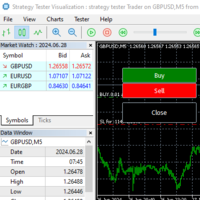
* **Strategy Tester Mock Generator**: Seamlessly passes MQL5 Market automatic validation and allows backtesting of the trailing stop/DCA logics in the Strategy Tester.
---
### How It Works (The WebRequest Method)
Unlike traditional copiers that run background scripts or require a Telegram API Bot token (which can be blocked or lag), CopyTele reads public channel pages directly.
1. The channel must be **PUBLIC** (e.g., `t.me/BoBotfx`).
2. Add `https://t.me` to the allowed URLs in MetaTrader 5: `Tools -> Options -> Expert Advisors -> Allow WebRequest for listed URL`.
3. Configure the labels your channel uses to identify entry, stop loss, and take profit (e.g., `ET:`, `SL:`, `TP:`).
4. The EA polls the channels every N seconds, parses the messages, and executes trades instantly.
---
### Parameters Guide
#### === Telegram Channels ===
* **InpChannel1 to 10**: The channel usernames to monitor (e.g., enter `BoBotfx` instead of `@BoBotfx` or full URL).
#### === Signal Identification ===
* **InpEntryLabel / InpSLLabel / InpTPLabel**: The prefix markers used by your signal providers (default: `ET:`, `SL:`, `TP:`).
* **InpSymbolsCopy**: Filter symbols to trade (e.g., `All` or `XAUUSD,EURUSD`).
#### === Signal Aggregation ===
* **InpMinRatio**: Minimum consensus percentage required to execute (0.0 = disable filter, enter immediately).
* **InpMinChannels**: Minimum channels that must publish the same signal to trigger trade.
#### === Order Management ===
* **InpMoneyRisk**: Percentage of account balance to risk per trade based on SL size (0.0 = use Fixed Lots).
* **InpFixLots**: Lot size if Money Risk is disabled (default: 0.01).
* **InpTPMode**: The target TP level to execute (TP1 / TP2 / TP3).
* **InpFixTPpips**: Set a fixed TP in pips instead of using the signal's TP.
* **InpAutoSL**: Enable to apply a fixed SL if the signal is missing an SL.
* **InpFixSLpips**: Fixed SL size in pips (default: 50.0).
#### === Trailing Stop ===
* **InpUseTrailing**: Enable/disable trailing.
* **InpTrailWhen**: Condition to activate trailing (OPEN = immediately, TP1 = once price hits TP1, TP2 = once price hits TP2).
* **InpTrailPips**: Trailing distance in pips.
* **InpTrailStep**: Minimum step size to modify SL.
#### === DCA (Dollar Cost Averaging) ===
* **InpUseDCA**: Enable grid cost averaging.
* **InpDCAMaxOrders**: Max additional layers to open (default: 2).
* **InpDCAStep**: Grid spacing in pips (default: 50.0).
* **InpDCAMulti**: Lot multiplier for next layer (default: 2.0).
* **InpDCATpPips**: Take Profit of the entire basket from the last DCA entry.
#### === Technical Settings ===
* **InpMagicNumber**: Unique ID for trades managed by this EA.
* **InpPollSeconds**: Scan frequency in seconds (default: 30s).
---
### Recommendations & Setup Tips
1. **VPS**: Run this EA on a VPS (Virtual Private Server) with low latency for continuous 24/7 scanning.
2. **Channel Structure**: Ensure the Telegram channels you monitor are public and copy-pasteable online.
3. **Testing**: Run the EA in a demo account first to calibrate labels (`ET:`, `SL:`, `TP:`) to match your provider's exact signal format.