Trade Pilot Pro
- Utilità
- Versione: 4.19
- Aggiornato: 15 giugno 2026
- Attivazioni: 10

TradePilot — Position Sizer, Multi-TP Execution Panel & Trade Management Cockpit for MT5
TradePilot is a professional trading cockpit for MetaTrader 5 that combines precision position sizing, multi-target execution, draggable chart lines, visual trade zones, a prop-firm risk dashboard, and automated trade management — all in one compact tabbed panel. Whether you're scalping, swing trading, running a funded account, or planning complex multi-TP setups, TradePilot keeps everything visible and executable in a single click.
Designed to do the heavy lifting so you can focus on the chart, not the math.
Multi-Target Execution with Automatic Partial Closes
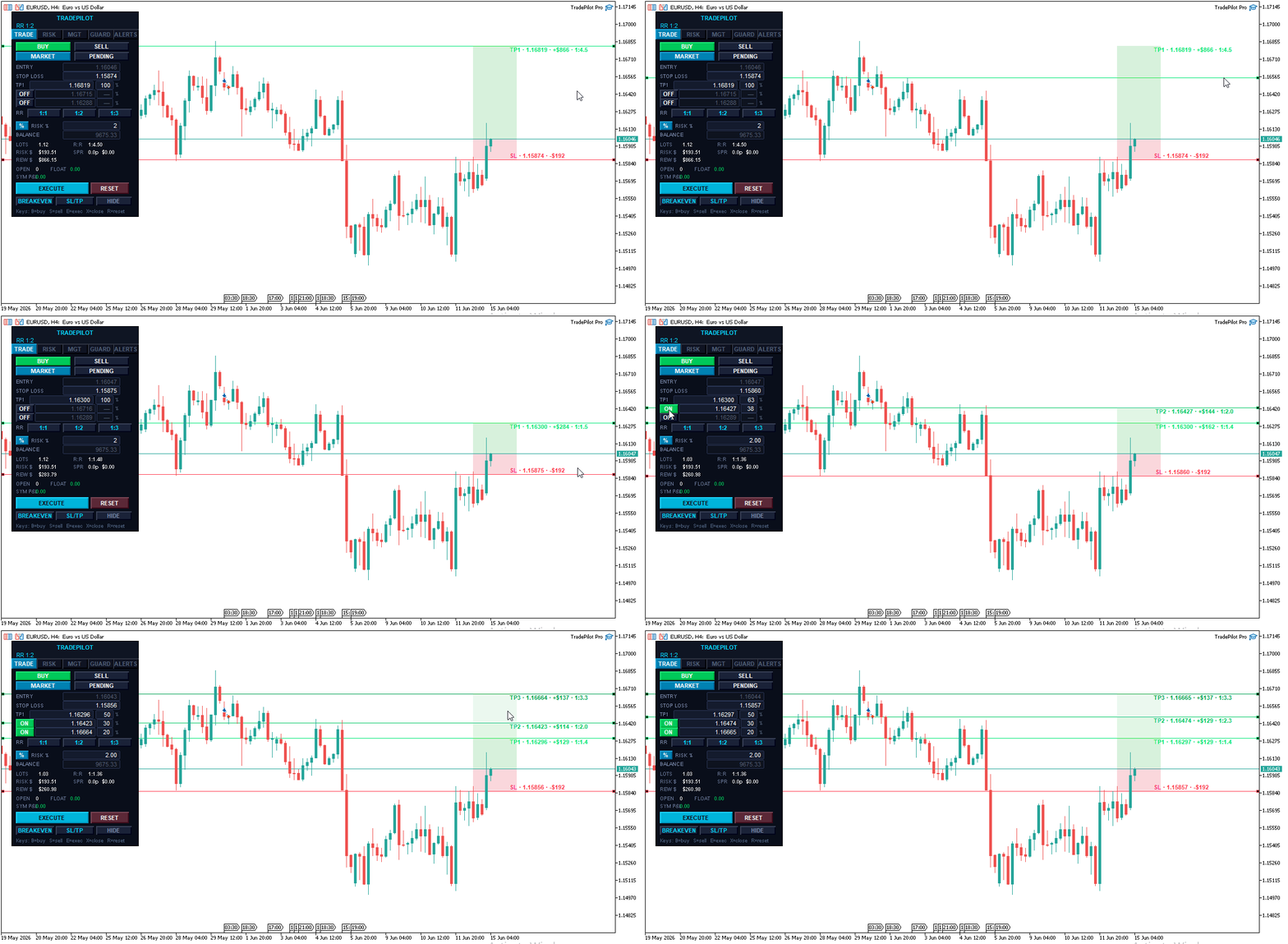
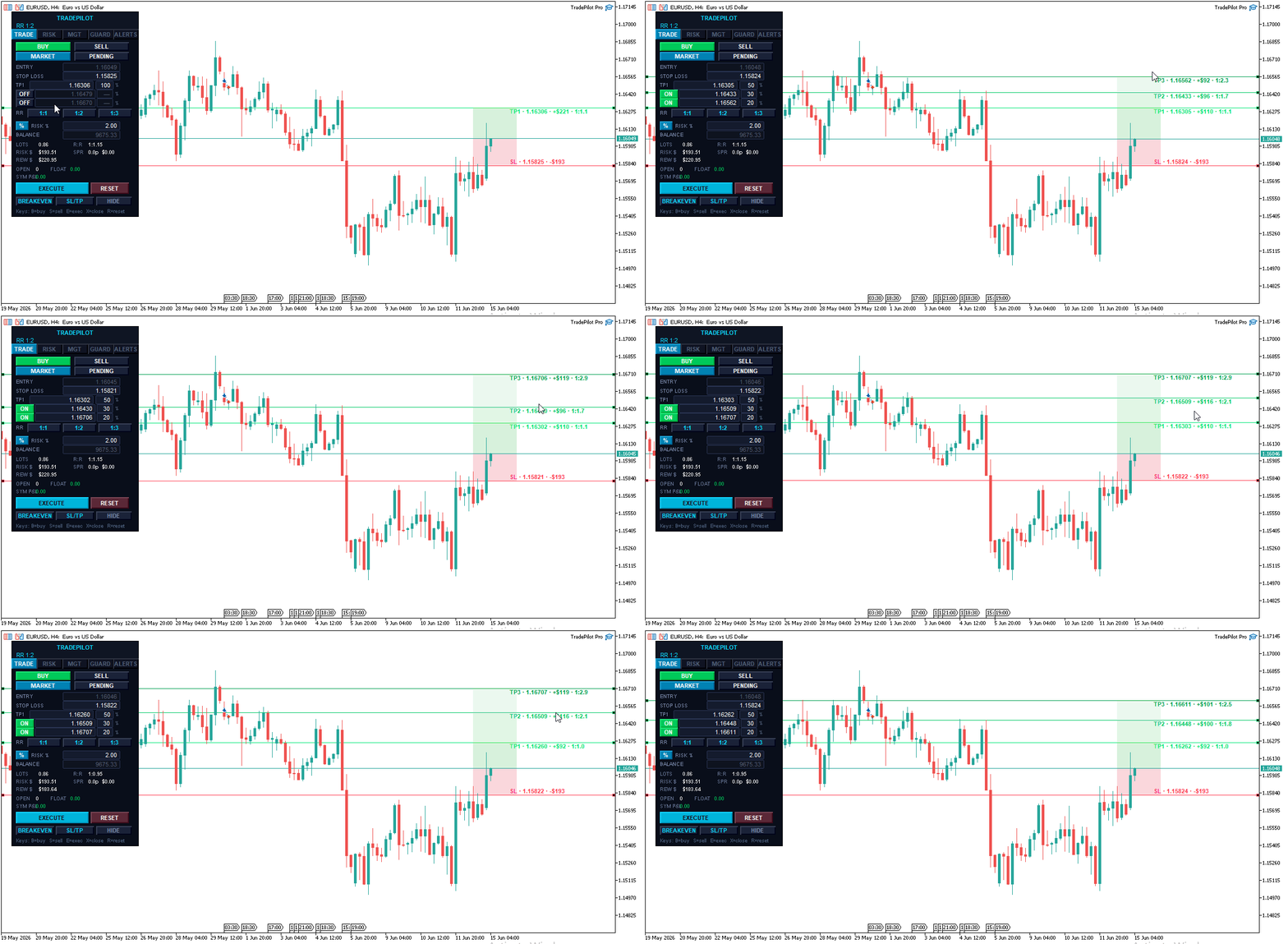
TradePilot is built around the way professional traders actually exit — in stages, not all at once. Set up to three independent take-profit levels, each with its own share of the position, and TradePilot manages the scale-out automatically.
- TP1, TP2, TP3 — enable or disable each level independently with a single button
- Set the exact percentage split between each target directly on the panel (for example 50% at TP1, 30% at TP2, 20% at TP3) — the percentage fields are fully editable
- When TP1 is hit, TradePilot automatically partial-closes the configured portion of your position
- When TP2 is hit, it partial-closes again — leaving the runner for TP3
- The broker take-profit is always set to your final active level, so the position has a hard safety net even if your terminal is offline
- After a trade is placed, each take-profit level is drawn on the chart as its own line — and you can drag any of them to modify the level on a live position
- If a partial close would fall below the broker's minimum lot, TradePilot holds the runner and marks the level done — no crashes, no ghost orders
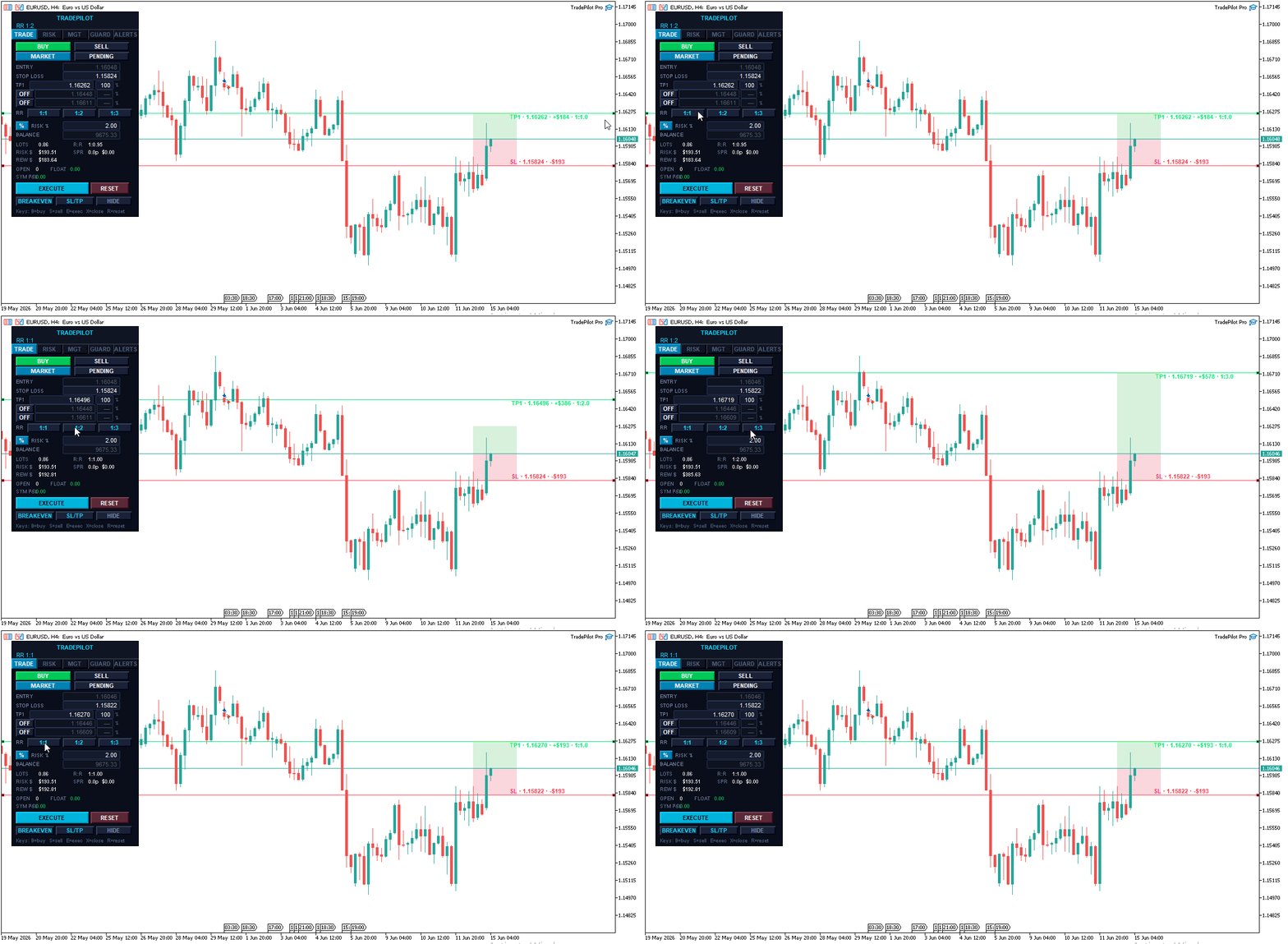
- Quick RR buttons (1:1, 1:2, 1:3) set your TP1 distance in one click based on your current stop
Prop Firm Risk Dashboard
Built for funded-account and challenge traders who have to respect strict daily and total drawdown limits.
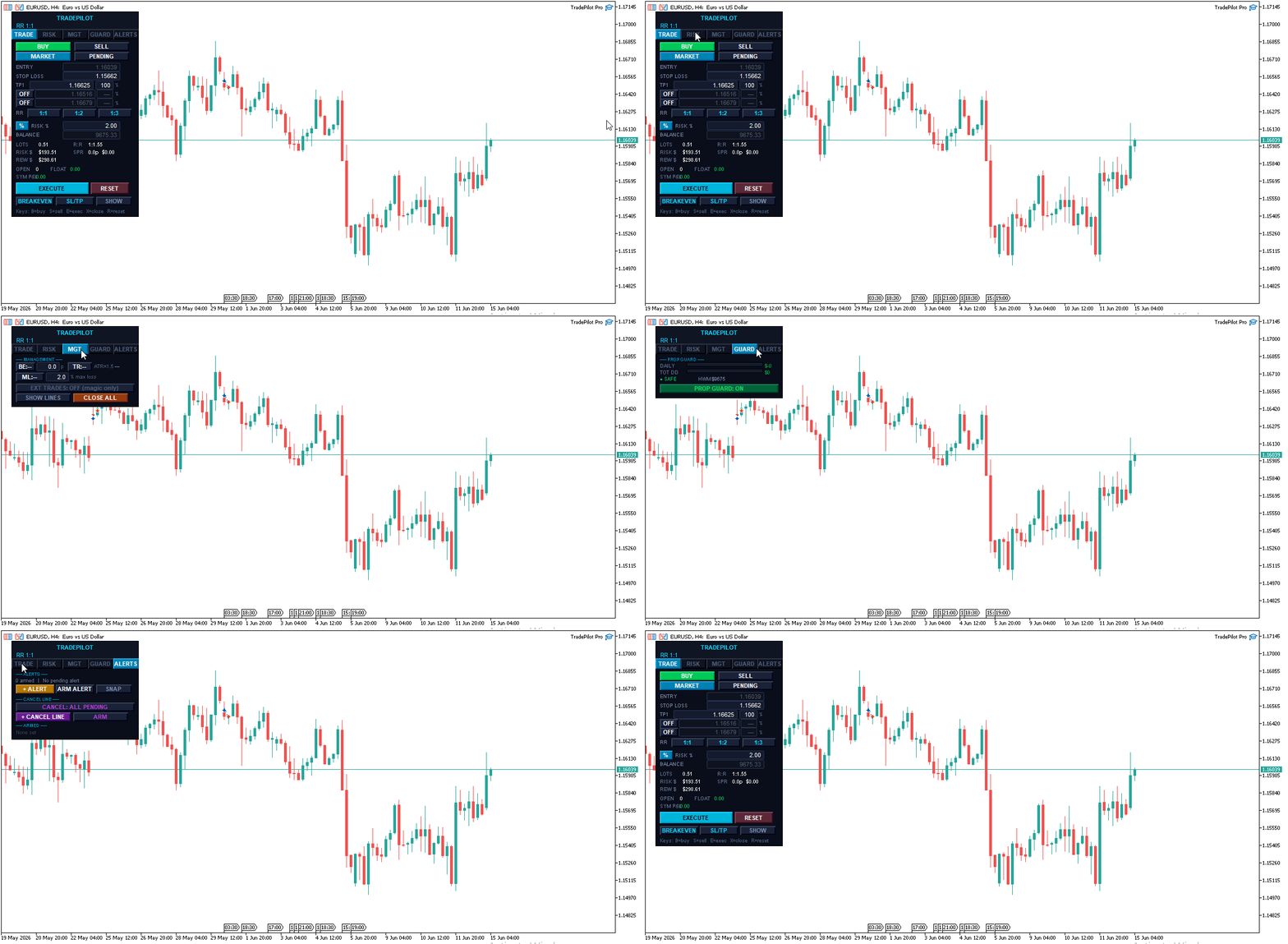
- Live graphical bars showing daily loss used and total drawdown used against your configured limits
- Color-coded status — SAFE, CAUTION, DANGER, LOCKED — so you always know where you stand at a glance
- High-water-mark tracking for accurate trailing-drawdown calculation, preserved across restarts
- Configurable early-warning threshold sends an alert before you approach the limit
- Automatic position close when the hard limit is reached, with a clear panel lock
- One-click UNLOCK / RESET to clear the lock and start a fresh trading session
Draggable Lines with Live Visual Zones
Every price level is a draggable horizontal line on the chart. Drag your SL, TP1, TP2, or TP3 to exactly where you want it — every calculation updates in real time.
- SL zone shaded between entry and stop — shows exactly how much price can move against you
- TP zones shaded between each target — an instant visual of your reward structure
- Five zone color schemes for any chart background: Pale Light, Muted Dark, Neon Dark, Monochrome Soft, and Classic
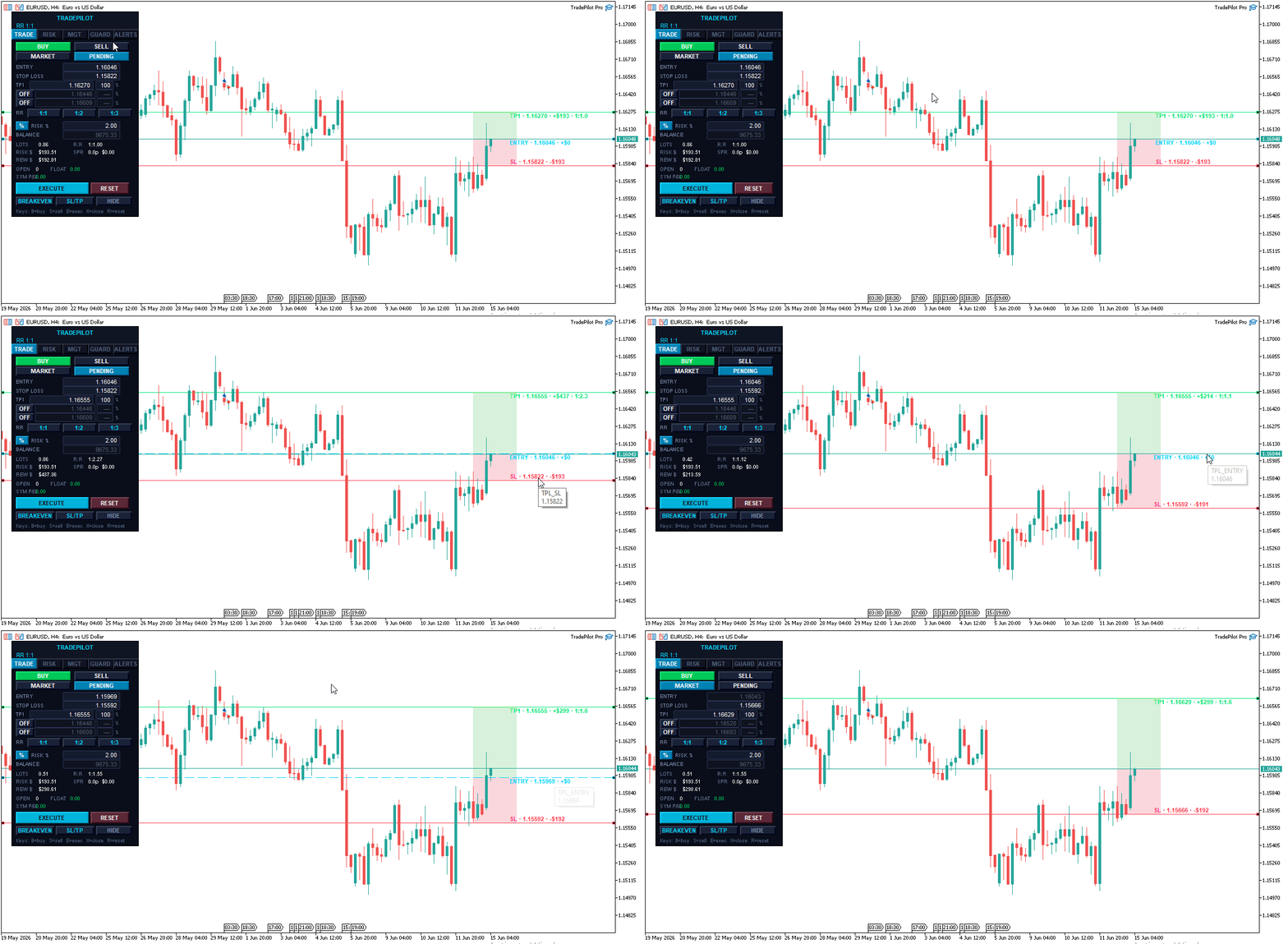
- In Market mode, lines glide with price automatically, preserving all distances and risk calculations
- In Pending mode, the Entry line is also draggable — place limits and stops at any level
- The SL line turns orange as a warning when the geometry is invalid — you see the problem before you can click Execute
- Show/Hide all lines with one button for a clean chart view
Risk Safety System
Automatic position sizing — Enter your risk as a percentage of balance or a fixed dollar amount. TradePilot calculates the exact lot size for every trade from your SL distance, tick value, and account balance. Switch between % and $ mode with one button.
Commission-aware sizing — TradePilot automatically detects your broker's per-lot commission from recent trade history and factors round-turn commission into the lot calculation, so your real risk matches your intended risk. No configuration needed — it just works, and falls back cleanly on spread-only accounts.
Margin pre-check — Before every execution, TradePilot confirms you have enough free margin. If the trade would exceed 95% of your available margin, it's blocked with a clear message before it ever reaches the broker.
Geometry validation — The Execute button turns red and displays the exact problem if your setup is invalid — SL on the wrong side, TP below entry, TP2 less than TP1, and so on. You cannot accidentally send a broken trade.
Daily loss kill switch — Set a maximum daily loss as a percentage of starting equity. When hit, TradePilot closes all positions and locks the panel until you manually reset.
Confirm-before-execute — Optional double-click confirmation on both Execute and Close All. Turn it on for fat-finger protection, or off for one-click speed — your choice via the inputs.
Trade Management Suite
- ATR-based trailing stop — the trail distance adapts to live volatility using ATR rather than a fixed pip value, so it breathes with the market. Multiplier and step are fully configurable.
- Auto Breakeven — automatically moves SL to entry (plus a configurable buffer) after TP1 is hit
- Manage external trades — optionally apply breakeven, trailing, and close-all to positions opened outside TradePilot, including trades from your phone, signals, or other EAs
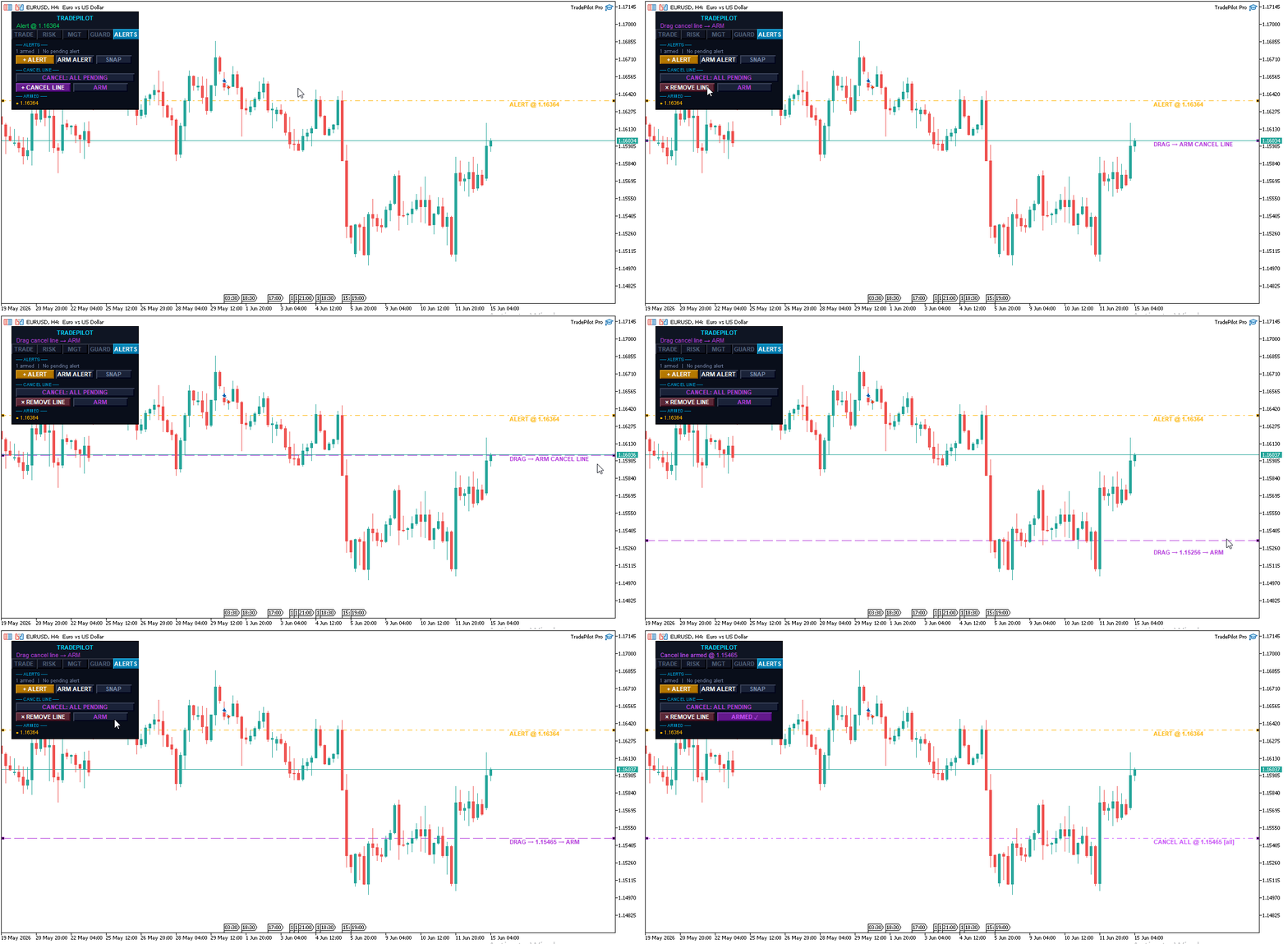
- Order cancellation line — drop a line on the chart; if price touches it, your pending orders are cancelled automatically. Choose to cancel all pending orders or only TradePilot's.
- Apply SL/TP — push updated SL and TP from the panel to open positions
- Breakeven button — move all positions to breakeven in one click
- Close All — close everything instantly with optional double-confirm
- Market and Pending modes — market orders, buy/sell limits, and buy/sell stops from the same panel
- Settings are automatically saved and restored between sessions — your setup survives a terminal restart
Keyboard Shortcuts — Trade Without Touching the Mouse
Every critical action has a dedicated hotkey. The whole shortcut system can be toggled off in the inputs if you prefer mouse-only.
| Key | Action |
|---|---|
| B | Switch to Buy setup — flips all lines to the long side |
| S | Switch to Sell setup — flips all lines to the short side |
| E | Execute trade |
| X | Close all positions |
| R | Reset the panel to ATR-based defaults |
When confirm-before-execute is on, E and X arm on the first press and fire on the second — you always get one last chance to cancel.
Draggable Price Alerts
A built-in alert system that needs no external service.
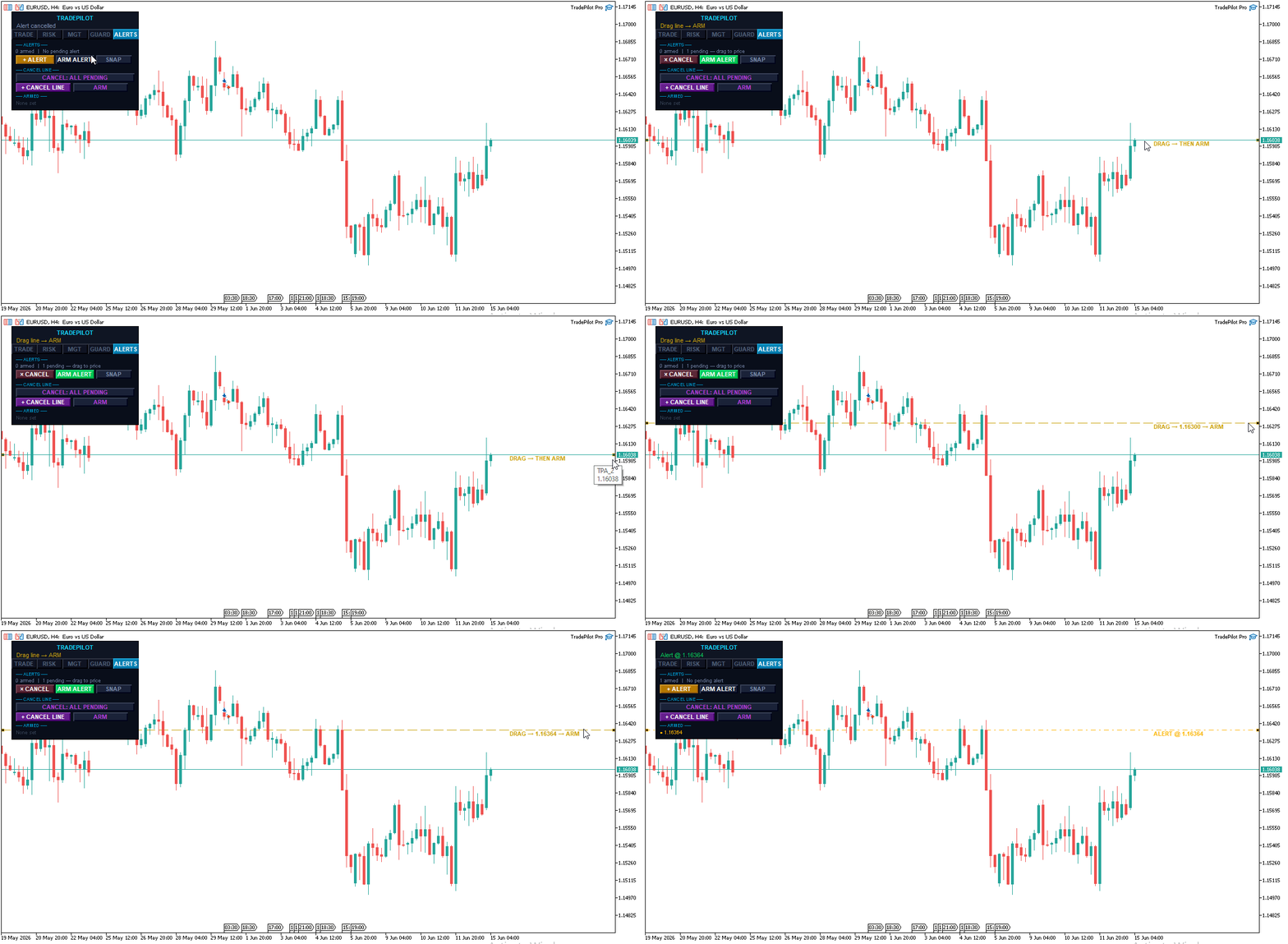
- Click + Alert to drop an alert line at the current price
- Drag it to any level you want to monitor
- Click ARM Alert to activate it — the line changes color to confirm it's live
- When price crosses the level, TradePilot fires a push notification and/or popup (configurable)
- Place as many alerts as you need — each is tracked independently
- Cancel a pending alert before arming with a second click
One-Click Chart Screenshot
A dedicated SNAP button saves a full 1920×1080 screenshot of your chart to the MT5 Files folder — perfect for journaling trades or sharing setups.
Tabbed Panel & Live Statistics
A clean five-tab layout keeps the panel compact while exposing everything you need: TRADE, RISK, MGT, GUARD, and ALERTS. The panel auto-calibrates to your screen DPI so it stays crisp on any monitor.
- Lots — exact calculated lot size for the current setup
- Risk $ — exact dollar risk for this trade
- Reward $ — projected profit at TP1
- R:R — live risk-to-reward ratio, updating as you drag
- Spread — current spread in pips plus its cost, with detected commission when available
- Open / Float — open position count and total floating P&L
- Symbol P&L — realized profit and loss for the current symbol today
Multi-Language Support
The full interface is available in five languages, switchable from the inputs:
| Language | Setting |
|---|---|
| English | LANG_EN |
| Spanish | LANG_ES |
| Portuguese | LANG_PT |
| French | LANG_FR |
| Chinese | LANG_ZH |
All buttons, status messages, and labels switch automatically.
Compatibility & Notes
Compatible with all MT5 brokers. Supports market, limit, and stop orders. Works on all symbols including forex, gold, indices, and crypto. Magic-number isolation lets you run multiple instances on different charts at once.
Please note: Multi-TP partial closes are managed by the EA on your running terminal. For the staged partial closes to execute, MT5 must remain open with TradePilot attached to the chart. A single broker-side stop loss and take profit are always placed as safety nets, so your position is never left fully unprotected if your terminal goes offline.
Have a feature request or found an issue? Leave a comment — TradePilot is actively developed and updated.