ProTraderManager
- Utilità
- Versione: 1.0

ProTradeManager is an all-in-one on-chart trade management utility that gives you everything you need to plan, execute, and protect trades with precision — from a clean visual panel directly on your chart. No scripting, no manual math. Just draw your lines, set your risk, and click.
Whether you are a discretionary trader, a funded-account challenger, or someone managing multiple symbols at once, ProTradeManager handles the heavy lifting so you can focus on your edge.
HOW IT WORKS
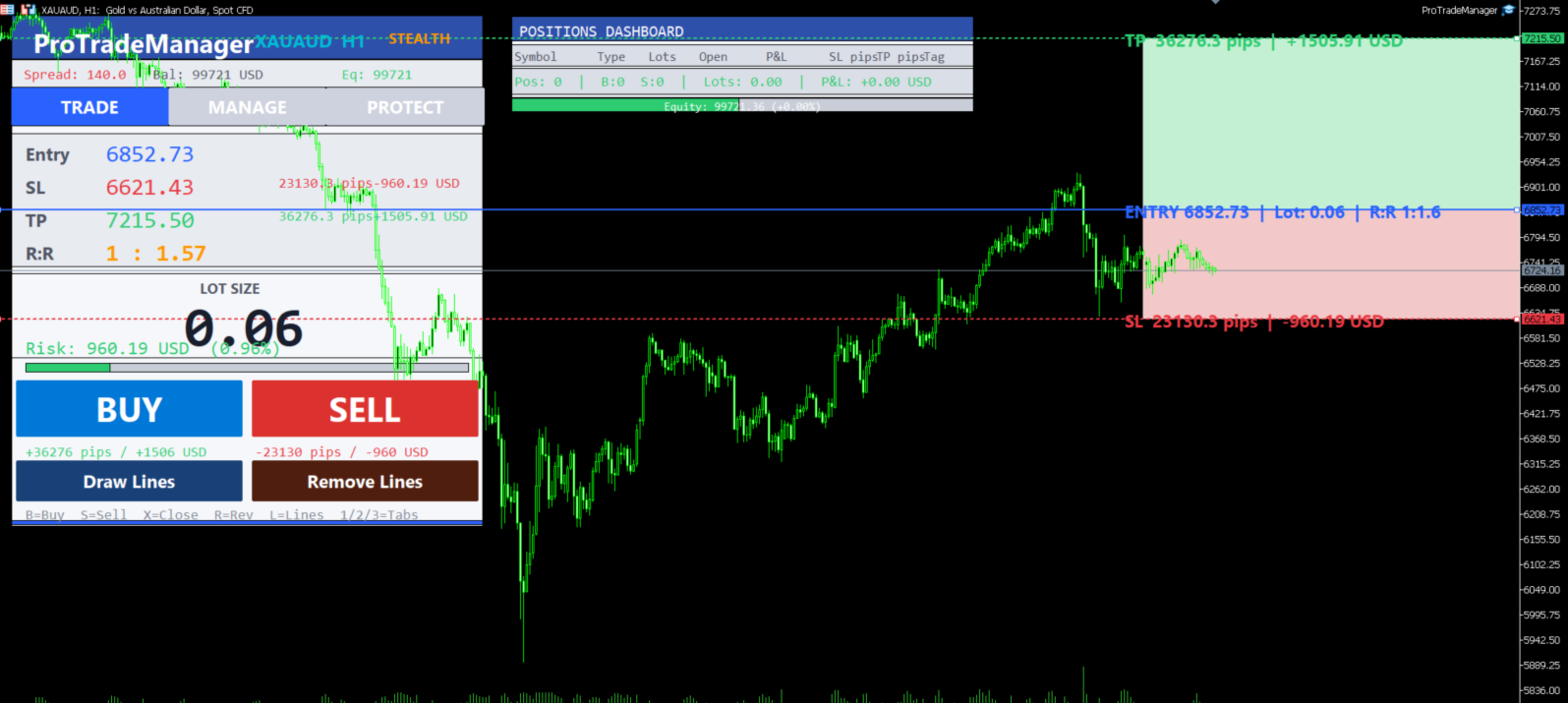
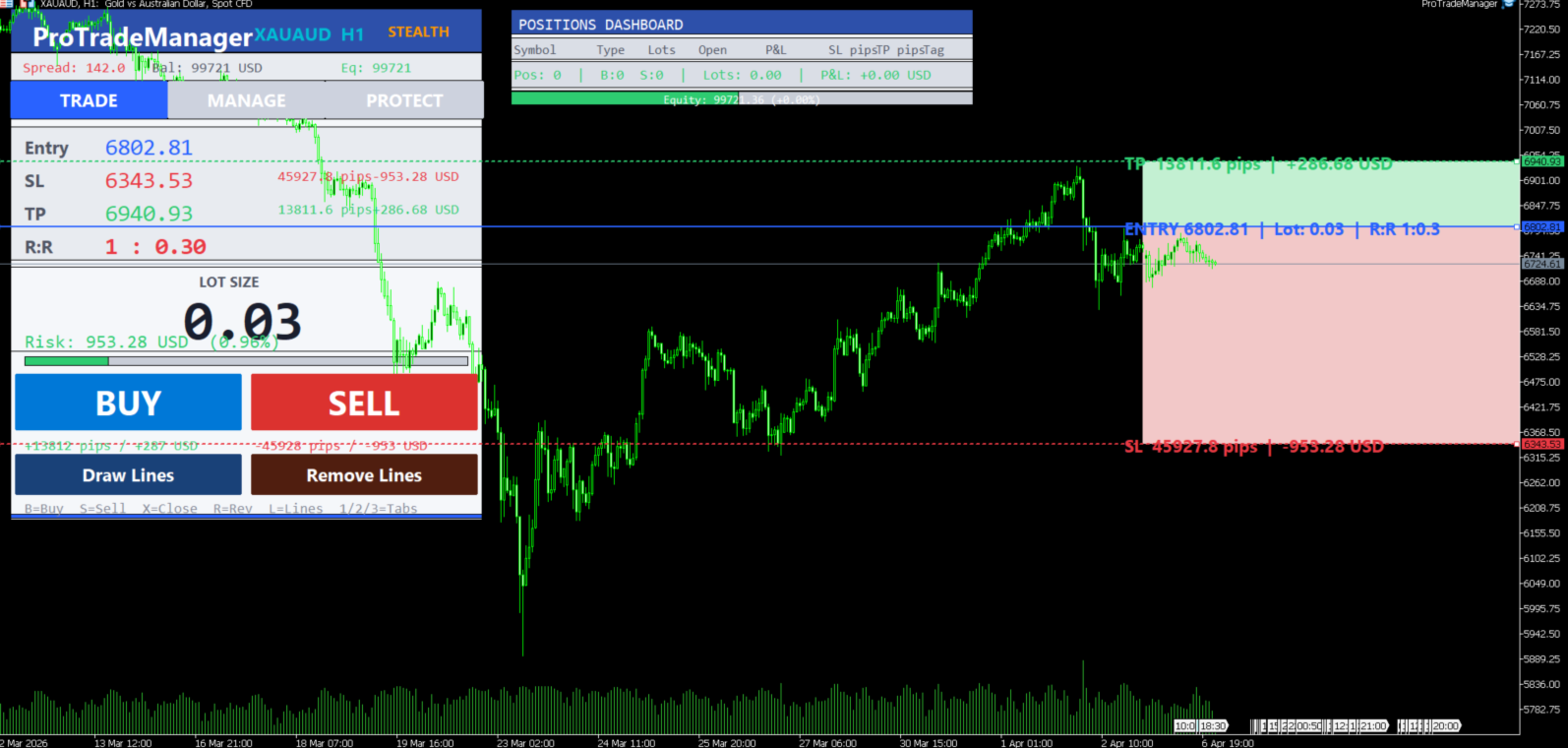
Attach the EA to any chart and a professional trading panel appears. Use the Draw Lines button to snap three draggable lines onto the chart — Entry, Stop Loss, and Take Profit. The EA instantly calculates your lot size, risk in money, pips, and R:R ratio. Press BUY or SELL and the correct order type is placed automatically: the EA detects whether your entry is at market or away from price and places a market order or a pending order accordingly, with the exact SL, TP, and lot size shown on screen.
CORE FEATURES
Visual On-Chart Panel
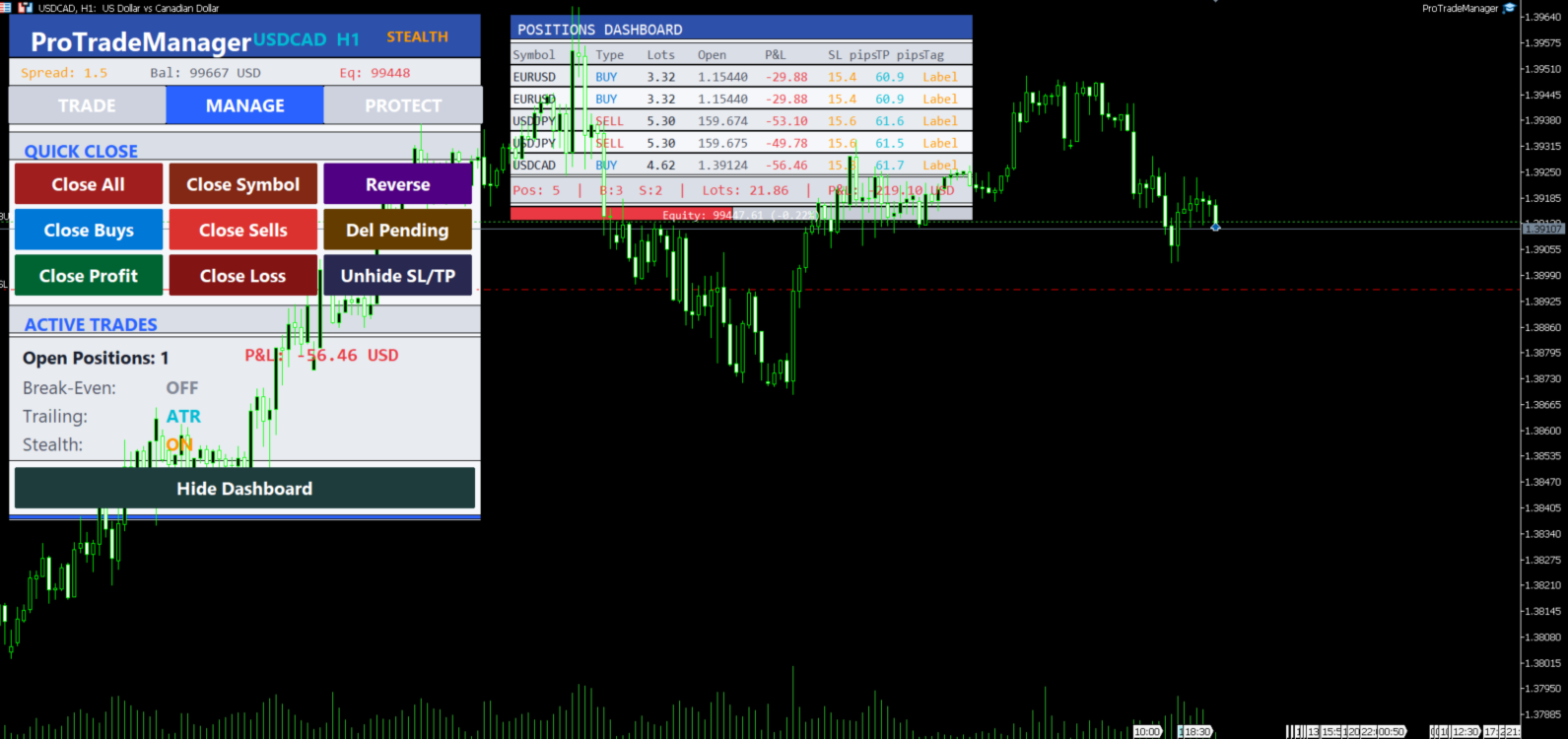
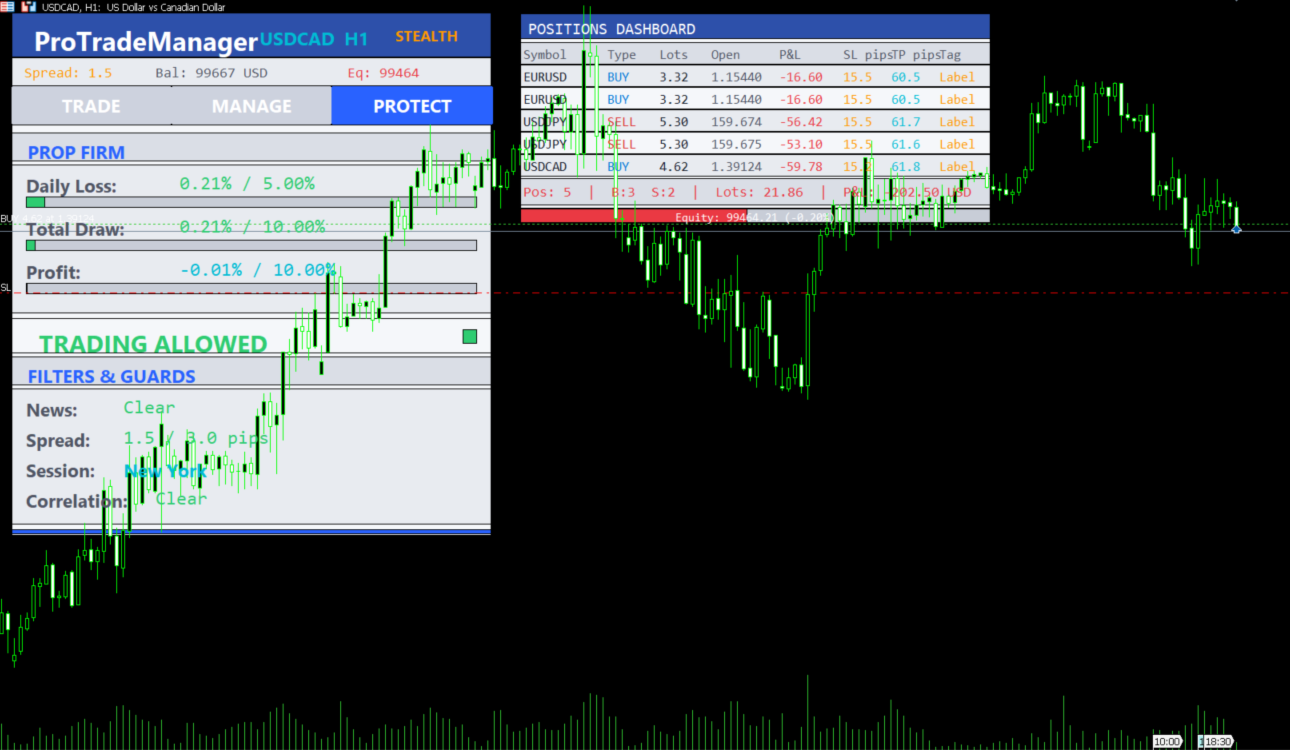
A large, clearly laid out panel with three tabs — Trade, Manage, and Protect. Supports Dark and Light themes to match your chart style. All data updates live every 250 ms.
Draggable Entry / SL / TP Lines
Draw three price lines with a single click. Drag them freely to adjust your setup. Shaded risk and reward zones update in real time. Labels on each line show pips, money at risk, lot size, and R:R.
Smart Position Sizing
Three sizing modes: Fixed Lot, Percentage of Balance, or Fixed Money. Lot size is always recalculated from the actual SL distance — what you see on screen is what gets placed.
Market or Pending Orders Automatically
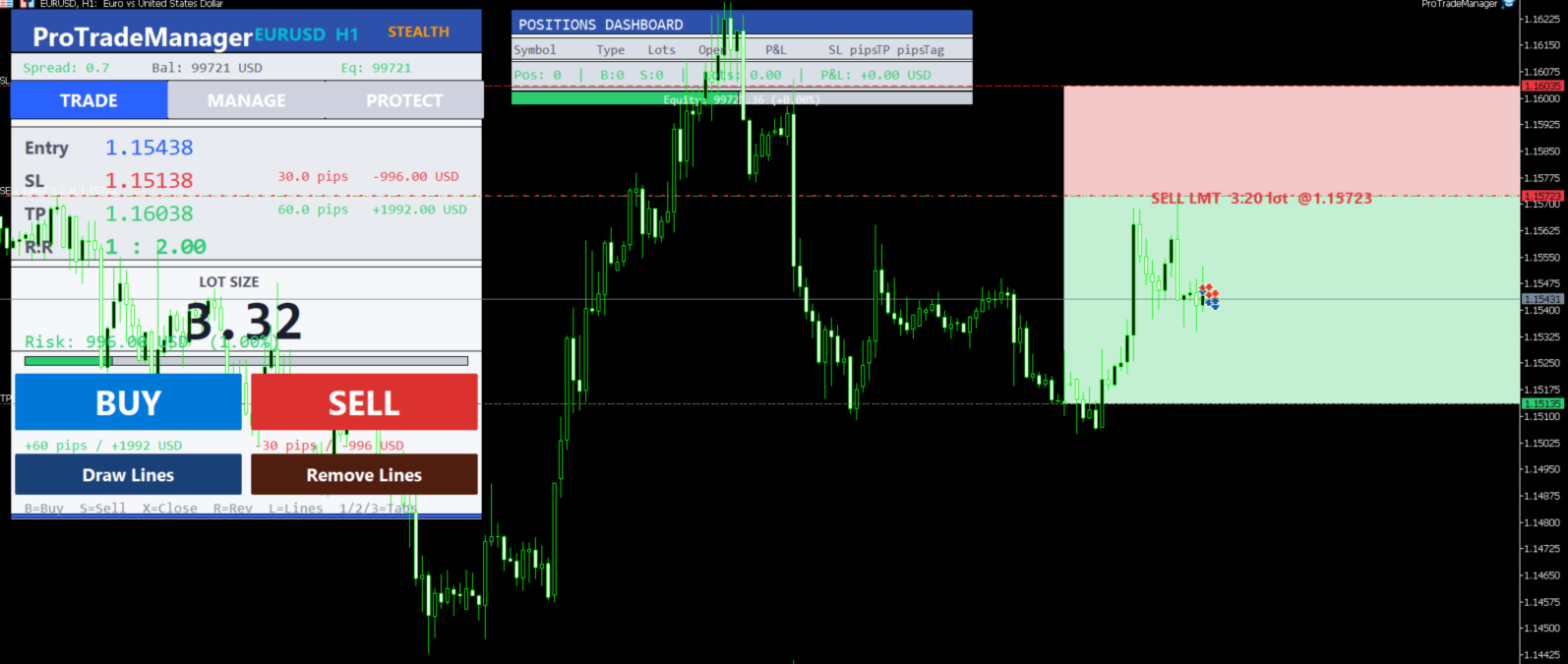
The EA compares your entry price to the current Ask/Bid. If your entry is more than a few points away, it places the appropriate pending order type (Buy Stop, Buy Limit, Sell Stop, Sell Limit) instead of a market order.
Multi-Symbol Positions Dashboard
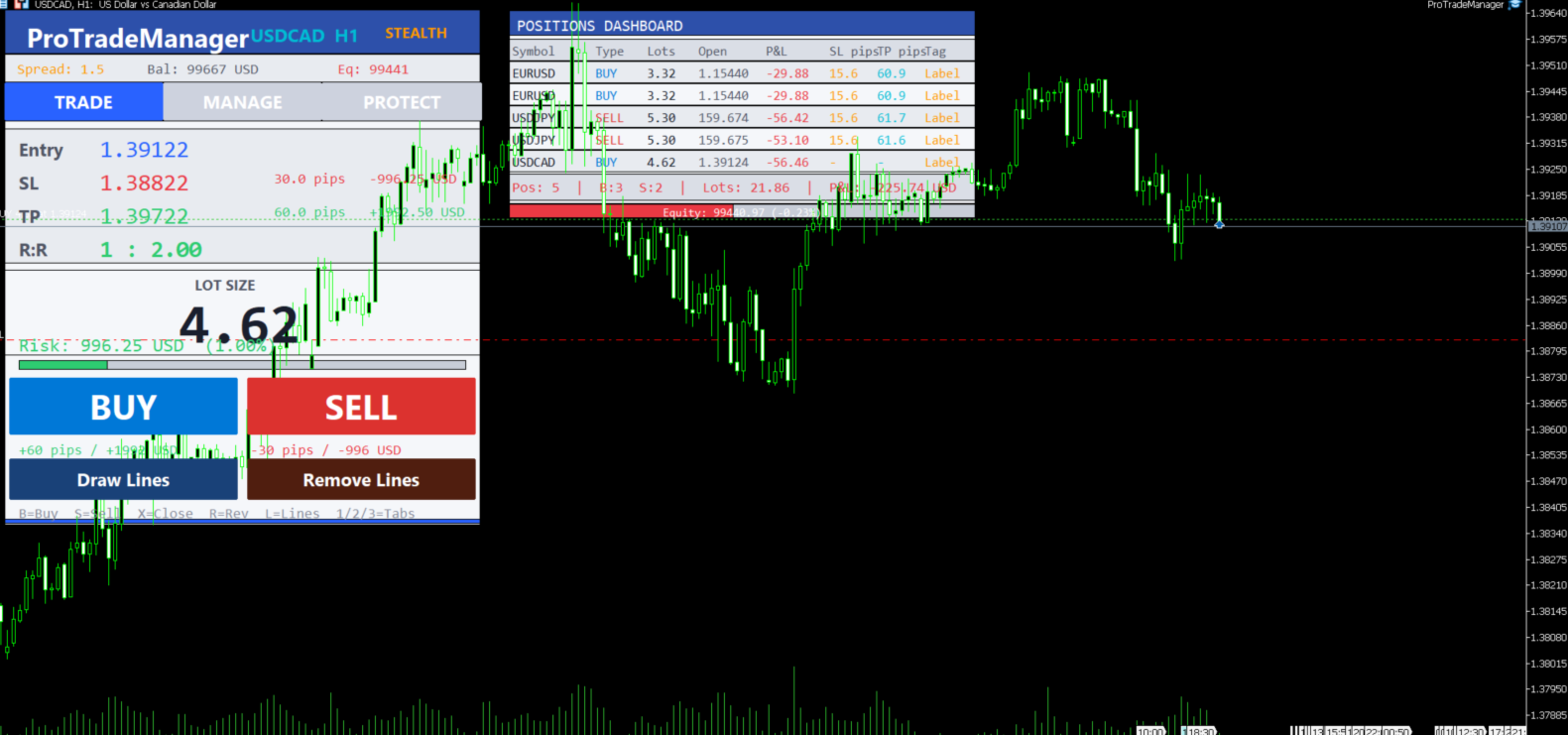
A separate floating dashboard shows all open positions across every symbol: type, lots, open price, live P&L, SL and TP in pips, and trade tag. Updates in place with no flickering.
Pending Order Visualisation
All active pending orders are shown on the chart with entry, SL, and TP lines plus shaded zones, so you always know exactly where your orders sit.
Stealth Mode
SL and TP levels are kept virtual (local only). The EA modifies them silently before price reaches each level, keeping your real intentions hidden from the broker.
One-Click Trade Actions
Close all trades, close only buys, close only sells, close profitable trades, close losing trades, or one-click reverse a position — all from the panel or keyboard hotkeys.
PROP FIRM COMPLIANCE
ProTradeManager includes a dedicated compliance module built for funded account rules. Select your firm from the built-in presets or enter custom limits manually.
Built-in Presets
- FTMO — 5% daily loss, 10% max drawdown, 10% profit target
- MyFundedFX — 5% daily loss, 12% max drawdown, 10% profit target
- The 5%ers — 4% daily loss, 5% max drawdown, 8% profit target
- Custom — set your own limits
What the compliance module does
- Tracks daily loss from day-open balance in real time
- Tracks total drawdown from session-start balance
- Shows profit progress toward your target
- Displays colour-coded status (green / orange / red) on the Protect tab
- Blocks new orders if a limit is breached and shows the reason on screen
- Optional equity protection: closes all positions if equity drops below a cash threshold
- Integrates with the news filter and spread guard to enforce firm rules automatically
AUTOMATION — SET AND FORGET
Break-Even (BE)
- Basic — move SL to entry when profit reaches a trigger pip level
- Multi-level — up to 4 independent BE trigger/lock pairs, activated in sequence
Trailing Stop — 6 Methods
- Fixed — trail by a fixed pip distance
- Step-based — up to 4 activation levels, each with its own trail distance
- ATR-based — trail distance scales with market volatility
- Moving-Average — SL follows a configurable MA (SMA / EMA / SMMA / LWMA)
- Highs & Lows — SL locks to the most recent swing high/low
- Partial-close trail — closes a slice and tightens the trail each time a level is hit
Partial Close Ladder
Up to 4 levels. At each profit target the EA closes a percentage of the position and continues managing the rest. Fully configurable pip triggers and close percentages.
OCO (One Cancels Other)
Pair two pending orders together. When one fills, the other is automatically cancelled.
Limit Pullback Orders (LPO)
After a stop entry fills, the EA automatically places a limit order at a configurable pullback distance to add a better-priced second entry.
Trailing Pending Orders
Pending orders trail price by a fixed pip distance so your entry stays relevant as the market moves.
External Order Sync
Automatically applies your default SL and TP to any manually opened or externally placed orders that are missing them, filtered by magic number.
PROTECTION FILTERS
News Filter
Uses the MT5 built-in economic calendar to detect high-impact events for the traded symbol's currencies. Blocks new orders within a configurable buffer window (minutes before and after the event). Displays the next blocking event on screen.
Spread Guard
Blocks new orders when the live spread exceeds your maximum allowed value in pips.
Session Filter
Restrict trading to specific market sessions — Asian, London, New York, London–New York Overlap, or a fully custom GMT time window.
Correlation Guard
Warns when you are about to open a position in a symbol that moves closely with another position already open, helping avoid double exposure.
ALERTS
- Native MT5 push notifications to the MetaTrader mobile app
- Telegram alerts via your own bot token — fires the same messages to any phone, tablet, or desktop with Telegram
- Individual on/off switches for: trade opened, trade closed, BE hit, trail movement, drawdown warning, equity protect trigger, news block, spread block
TRADE JOURNAL
Every trade is written to a CSV file with full details: date, time, action, ticket, symbol, lots, open price, SL, TP, profit, tag, and notes. Open it in Excel or any spreadsheet tool for full post-session review.
INPUT PARAMETERS
General Settings
- Magic Number — unique identifier for EA-managed orders
- Trade Comment — text attached to every order
Risk Management
- Risk Mode — Fixed Lot / % of Balance / Fixed Money
- Risk Value — lot size, percentage, or cash amount depending on mode
- Default SL Distance (pips) — used when no lines are drawn
- Default TP Distance (pips) — used when no lines are drawn
- Max Lot Per Slice — limits individual order size for large positions
Prop Firm Compliance
- Prop Firm Preset — FTMO / MyFundedFX / The 5%ers / Custom / None
- Custom Max Daily Loss %
- Custom Max Total Drawdown %
- Custom Profit Target %
- Equity Protect ($) — closes all trades if equity drops below this value (0 = disabled)
News Filter
- Enable News Filter
- Buffer Minutes — minutes before and after event to block trading
Spread Guard
- Enable Spread Guard
- Max Allowed Spread (pips)
Session Filter
- Allowed Sessions — All / Asian / London / New York / Overlap / Custom
- Custom Start Hour (GMT)
- Custom End Hour (GMT)
Break-Even
- Break-Even Method — None / Basic / Multi-level
- Levels 1–4: Trigger Pips, Lock Pips (pips above entry to lock SL to)
Trailing Stop
- Trailing Method — None / Fixed / Step / ATR / MA / Highs-Lows / Partial
- Trailing Timeframe
- ATR Period / ATR Multiplier
- MA Period / MA Method
- Step Levels 1–4: Activate At (pips), Trail Distance (pips)
Partial Close Ladder
- Levels 1–4: Profit Trigger (pips), Close Percentage (%)
Stealth Mode
- Enable Stealth SL/TP — virtual levels kept locally, never sent to broker
Limit Pullback Orders
- Enable LPO
- Pullback Distance (pips)
OCO Orders
- Enable OCO Tracking
Trailing Pending Orders
- Trail Pending Orders
- Trailing Distance (pips)
External Order Protection
- Apply Default SL/TP to External Orders
- Magic to Sync (0 = all externally opened orders)
Correlation Guard
- Enable Correlation Warning
Trade Journal
- Enable CSV Journal
- Journal Filename
Notifications
- Telegram Bot Token
- Telegram Chat ID
- Notify on: Trade Open / Trade Close / Break-Even / Trail Move / DD Warning / Equity Protect / News Block / Spread Block
Display
- Theme — Dark / Light
- Show Panel
- Show Dashboard
- Show Hotkey Hints
REQUIREMENTS
- MetaTrader 5 build 2361 or later
- Works on any Forex pair, index, commodity, or crypto symbol
- For Telegram alerts: enable Allow WebRequest in MT5 options and add api.telegram.org to the allowed URL list