Sarah blue

EA Name: Sarah blue

General Description
This Expert Advisor (EA) is designed to automate trading decisions on the chart it is attached to. It includes an interactive graphical panel called SARAH BLUE that allows the user to adjust key trade parameters in real time without stopping or recompiling the EA.

Key Features

  1. Interactive Control Panel

    • Displays current symbol, position status (open/none), lot size, trailing stop value, and Magic Number.

    • Provides buttons to increase or decrease the lot size and trailing stop distance directly from the chart.

    • Includes a dedicated On/Off toggle for the trailing stop feature.

    • All adjustments are applied immediately to new trades and to active trailing stop management.

  2. Lot Size Management

    • Users can set any valid lot size using the “+” and “–” buttons next to the “Lot Size” field.

    • The EA automatically respects the symbol’s minimum, maximum, and step lot size constraints.

  3. Trailing Stop Control

    • The trailing stop distance (in points) can be increased or decreased with “+” and “–” buttons.

    • The “On/Off” button instantly enables or disables trailing stop without losing the previously set distance.

    • When trailing stop is active, it updates the stop loss of an open position as the market moves in a favorable direction.

  4. Fixed Stop Loss

    • A stop loss is placed on every trade at a fixed distance set in the EA’s input parameters (StopLoss in points).

    • This stop loss remains active regardless of whether trailing stop is enabled.

  5. Magic Number

    • Every trade opened by the EA is tagged with a unique Magic Number (set in inputs). This ensures that the EA only manages its own positions and ignores those opened manually or by other EAs.

  6. Single Position Management

    • The EA allows only one position per symbol at a time. It will not open a new trade while a position with the same Magic Number is already open.

  7. Logging

    • All trade actions and parameter changes are printed to the Experts journal for review.

Input Parameters

  • StopLoss – Fixed stop loss distance in points for every trade.

  • MagicNumber – Unique identifier to manage its own positions.

Altri dall’autore
Smart Candle Analyzer (MQL5 Indicator) The Smart Candle Analyzer is a powerful trading tool designed to analyze and interpret candlestick behavior in real time. Unlike traditional indicators that only display price, this indicator decodes the underlying market momentum and buyer/seller pressure behind each candle. Key Features: Bullish & Bearish Strength Detection: Highlights strong buying or selling candles with clear arrows on the chart. Momentum Analysis: Measures the expansion or contraction
FREE
Kill sessions
Thabang John Wotsa
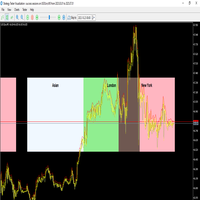
The Sessions Indicator visually highlights the major trading sessions (Asian, London, and New York) directly on the chart by drawing shaded rectangles. It helps traders quickly identify market activity zones, overlaps, and session-specific behaviors. Key Features:- Session Highlighting: Asian, London, and New York sessions are displayed using shaded rectangles with customizable colors.- Custom Session Times: Start and end times for each session can be adjusted to match broker server time.- Sessi
Smart Arrows
Thabang John Wotsa
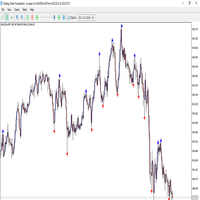
Overview The Reverse No Repair indicator is a trend-reversal detection tool that identifies potential turning points in the market with high accuracy. It is designed to provide non-repainting BUY/SELL signals based on candle body strength, volatility filtering, and future confirmation logic. The indicator marks reversal points on the chart using arrows: Red arrow (Down Signal) – Possible bearish reversal (sell opportunity). - Blue arrow (Up Signal) – Possible bullish reversal (buy opportunity).
Entry Pointz Pro
Thabang John Wotsa
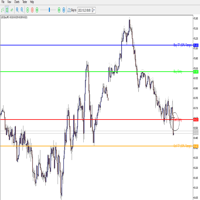
This custom MT5 indicator automatically draws trading levels based on the previous H4 candlestick. It is designed to help traders quickly identify potential entry and take profit (TP) points according to a simple breakout strategy. What it does:- Draws Buy Entry line at the previous H4 High.- Draws Sell Entry line at the previous H4 Low.- Calculates the 50% range of the previous H4 candle and plots: • Buy TP line above the High. • Sell TP line below the Low.- Adds text labels directly on the cha
TradeEasy Panel - Professional Trading Control Panel Overview TradeEasy Panel is a comprehensive, professional-grade trading control panel designed for MetaTrader 5. This powerful indicator provides traders with an all-in-one solution for executing trades, managing positions, and monitoring market activity directly from the chart window. With its intuitive interface and advanced features, it streamlines the trading process for both novice and experienced traders. Key Features  Real-Time Market M
Sarah White
Thabang John Wotsa
Professional Trading Assistant for MetaTrader 5 The   Sarah White EA   is a professional automated trading system designed for active traders and investors seeking consistent market performance. This advanced Expert Advisor operates seamlessly in the MetaTrader 5 platform, offering sophisticated trade execution coupled with comprehensive risk management protocols. Optimal Performance Configuration Primary Timeframe:   M5 (5-Minute Charts) Recommended Pair:   EURUSD Account Type:   Netting Acc
Signal panel
Thabang John Wotsa
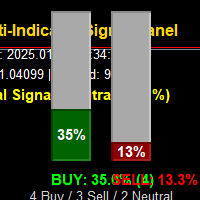
Overview The   Multi-Indicator Signal Panel   is a comprehensive technical analysis tool for MetaTrader 5 that combines signals from   9 different technical indicators   into a single, easy-to-read visual interface. Instead of cluttering your chart with multiple indicators, this tool analyzes them all and presents the combined results through intuitive   vertical bar graphs   and clear recommendations. Visual Interface: Two Vertical Bar Graphs   (Green = Buy, Red = Sell) Real-time signal str
Volume contour
Thabang John Wotsa
Overview This is a   Volume Profile   indicator for MetaTrader 5 that displays volume distribution across price levels in a   vertical panel on the left side   of the chart window. It provides a comprehensive view of where trading activity has occurred over a specified period, helping traders identify significant price levels, support/resistance zones, and market sentiment. Key Features 1. Vertical Panel Layout Left-side positioning   - Occupies the full left side of the chart window Vertical or
Buyers and sellers
Thabang John Wotsa
Overview Advanced Pressure Pro is a professional-grade MQL5 indicator that visually displays real-time market sentiment by showing the number of active buyers and sellers in the market. It uses sophisticated algorithms to analyze price action, volume, and market dynamics to estimate trader participation on both sides of the market. Core Concept The indicator converts market activity into simulated trader counts, showing how many traders are currently active in buying versus selling positions. It
Sarah black
Thabang John Wotsa
This Expert Advisor, named "Sarah Black," is a sophisticated automated trading system designed for the MetaTrader 5 platform. It is a comprehensive, multi-featured trading robot that manages all aspects of trade execution automatically. The EA is built around a structured approach to market analysis and trade management. It incorporates a visual control panel directly on the chart, providing real-time monitoring of its status, account statistics, and key metrics. This panel includes interactive
Sarah green
Thabang John Wotsa
Sarah Green EA v3.5 - Technical Specifications General Information EA Name:   Sarah Green EA Version:   3.5 Platform:   MetaTrader 5 (MQL5) Trading Mode:   Fully automated Symbol Compatibility:   Any forex pair (configurable) Timeframes:   Configurable via input parameter Risk Management Features Position Sizing: Multiple risk level presets (20%, 40%, 60%, 80%, 100%) Dynamic lot calculation based on account balance Broker lot size normalization and validation Margin requirement checking Loss Pro
Auto Fab
Thabang John Wotsa
Indicator Overview AUTO FAB   is a professional, fully-automated Fibonacci retracement indicator for MetaTrader 5 that combines advanced technical analysis with an intuitive control panel. It automatically detects significant swing points and draws Fibonacci retracement levels in real-time, giving traders a powerful tool for identifying potential support/resistance levels and market reversal points.   Core Features 1.   AUTOMATIC SWING POINT DETECTION Smart Algorithm : Automatically identifies s
Indicator Description: Support & Resistance Rectangles This custom indicator for   MetaTrader 5   automatically draws   support and resistance zones   on your chart. It does not use buffers or plots; instead, it creates filled rectangle objects to visually highlight price areas where the market has previously reversed or stalled. How It Works The indicator divides the chart history into consecutive blocks of   Lookback   bars. For each block, it: Finds the   lowest low   and   highest high   wit
Filtro:
Nessuna recensione
Rispondi alla recensione