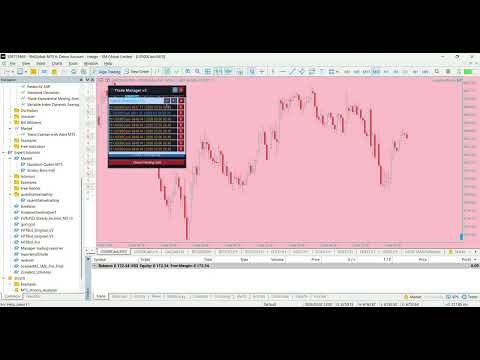
Manager trading reporter
- Utilità
- Quoc Huy Do
- Versione: 3.0
- Attivazioni: 8
Trading Performance Analyzer v3 is a comprehensive MetaTrader 5 tool that combines professional-grade performance analytics with powerful trade management capabilities in a beautifully designed, fully customizable interface.
✨ KEY FEATURES
📊 Advanced Analytics Dashboard
- Real-time Performance Metrics: Profit, win rate, profit factor, expectancy, streaks
- Equity Curve Visualization: Dual-tone area chart with smooth gradients
- Period Statistics: Automatic breakdown by Week/Month/Year
- Daily P/L Tracker: Visual bars showing last 7 days performance
- Hourly Heatmap: Identify your best/worst trading hours (3 modes: Trades/Win%/Profit)
- Trade Log: Scrollable history with symbols, P/L, RR, and custom notes
🎯 Professional Trade Manager
- Position Calculator: Auto-calculate lot sizes based on risk % or fixed amount
- RR Quick Presets: One-click 1:1:1, 1:2:3, 2:3:4 ratios
- Multiple TP Levels: Up to 3 take-profit targets with individual RR settings
- On-Chart Visualization: Interactive draggable Entry/SL/TP lines with zones
- Pinned Setups: Save up to 10 trade setups for quick execution
- Instant Execution: Market Buy/Sell with spread filter
- Pending Orders: Buy/Sell Limit & Stop with visual entry price
⚙️ Advanced Trade Management
- Position Closing: By type (All/Profit/Loss/Buy/Sell/Pending)
- Partial Close: Close X% of all positions
- Grid Orders: Automated grid placement (Limit/Stop, customizable spacing)
- Break-Even Tool: Move all SL to entry price
- Position Reversal: Flip Buy→Sell or Sell→Buy
- Position Locking: Hedge imbalance automatically
🛡️ Risk Management
- DD Alert System: Visual + audio alerts when drawdown exceeds threshold
- Position Lock: Automatically disable trading on DD trigger
- Max Spread Filter: Block trades during high-spread conditions
- Real-time Risk Display: Live % risk calculation for each setup
- Screenshot Auto-Save: Capture trading sessions instantly (PNG to Files folder)
- Push Notifications: Get DD alerts & trade close notifications on mobile
🎨 Customization & Themes
- 3 Beautiful Themes: Dark, Light, Blue — each with optimized color schemes
- 3 Panel Sizes: S/M/L — clean scaling from compact to detailed
- Custom Accent Color: Personalize borders, buttons, and highlights
- Font Size Control: Small/Normal/Large for better readability
- Draggable Panels: Position dashboard, log, and calculator anywhere
- Persistent State: All settings, positions, notes auto-save
📈 Data Management
- Data Reset: Start fresh performance tracking from current time
- Auto-Restore: Configure to load last X months automatically (via input parameter)
- Trade Notes: Add custom notes to each trade in the log
- Dashboard Notes: Two general memo fields for session tracking
- CSV Export: Export full trade history for external analysis
- Symbol Filtering: View ALL symbols or filter to current chart
🚀 NEW IN VERSION 3.0
✅ Screenshot Feature: One-click capture of entire chart & panels
✅ Push Notifications: DD alerts & trade close events to MT5 mobile
✅ Data Reset/Restore: Flexible historical data management
✅ Custom Accent Color: Personalize your interface colors
✅ Dynamic Font Sizing: Adjustable text size (S/M/L)
✅ Optimized TV Lines: Cleaner chart with zone-limited lines
✅ Silent Order Execution: No popup interruptions, errors logged
✅ Polished UI: Redesigned menu bar & calculator tabs
🎓 WHO IS THIS FOR?
✔️ Active Day Traders: Need comprehensive analytics + fast execution
✔️ Performance Analysts: Want detailed metrics & visual insights
✔️ Risk Managers: Require strict DD monitoring & alerts
✔️ Scalpers: Benefit from quick position management & spread filters
✔️ Grid Traders: Automate grid placement with visual feedback
✔️ Prop Firm Traders: Track performance + stay within DD limits
📋 INPUT PARAMETERS
💡 USAGE TIPS
First Launch:
- Drag panels to preferred positions (auto-saved)
- Choose theme & size (buttons in menu bar)
- Set DD alert threshold in input or on-panel field
- Toggle calculator & log panels via menu buttons
Setting Up Trades:
- Click ⟳ (Refresh) to snap to current price
- Adjust Entry/SL by dragging on-chart lines OR editing values
- Set TP via RR ratios or manual prices
- Choose lot calculation mode (Fixed/Balance/Equity/Free Margin)
- Click Buy or Sell price button to execute
Managing Positions:
- Switch to Close tab for bulk actions
- Use Grid tab for automated grid placement
- Pin frequently used setups via 📌 Pin button
- Check Info tab for account & symbol details
Data Management:
- Reset button: Clear data, start from now
- Change InpRestoreMonths → restart EA to load X months
- Set to 0 to use full history from InpStartDate
⚡ TECHNICAL HIGHLIGHTS
- Zero Lag: Efficient redraw only on state changes
- Smart Caching: Equity curve & heatmap data optimized
- Proper Normalization: All price/lot values validated
- Stops Level Compliant: Checks minimum distance for SL/TP
- Error Handling: Detailed logging, no crashes
- Persistence: GlobalVariables + file I/O for settings/notes
- Event-Driven: Clean OnChartEvent handlers for all interactions
- MT5 Best Practices: Uses CTrade class, proper order handling
📸 SCREENSHOTS
(Upload these to MQL5 Market)
- Main Dashboard: Full panel showing equity curve, stats, heatmap
- Calculator Widget: Trade Manager with all tabs visible
- On-Chart Lines: Entry/SL/TP visualization with zones
- Theme Variations: Dark, Light, Blue themes side-by-side
- Log Panel: Trade history with notes and scrolling
- Size Comparison: S/M/L panel sizes
🔧 REQUIREMENTS
- MetaTrader 5 build 3661+
- Windows/Mac/Linux compatible
- Works on all symbols and timeframes
- No DLL dependencies
- Single chart instance recommended