Supreme Precision Traders Indicator
- Indicatori
- Versione: 2.70
- Attivazioni: 20

N/B: All our product purchase comes with our free ‘’DAILY SCALPER EA’’ - bit.ly/4qlFLNh
Whatsapp Developer for yours after successful purchase
SUPREME PRECISION TRADER SCANNER
Your All-in-One Market Scanner for High-Probability Trades Across All Timeframes (M5–H4)
---
WHY THIS SCANNER IS A GAME-CHANGER
Most traders spend hours analyzing charts, hunting for setups, and still miss high-probability trades.
The Supreme Precision Trader Scanner does all the heavy lifting for you — scanning every symbol in your Market Watch across 5 timeframes (M5, M15, M30, H1, H4) — and delivers the top 5 strongest signals directly to your chart.
No more guesswork. No more FOMO. Just clear, ranked trading opportunities updated every 5 minutes.
---
KEY FEATURES
1. Multi-Timeframe Scanning
· Analyzes M5, M15, M30, H1, H4 for convergence.
· Finds trades where short-term and medium-term trends align.
2. Smart Signal Ranking
· Ranks signals by strength (0–100%) based on:
· Volume confirmation
· Trend alignment
· Order block detection
· Daily bias
· ArrZZ oscillator extremes
3. Visual Dashboard
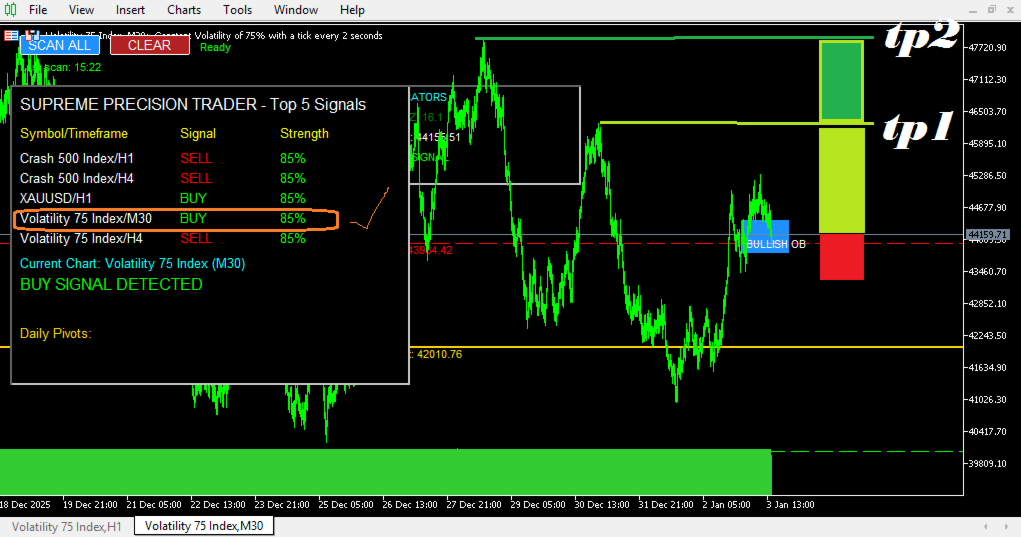
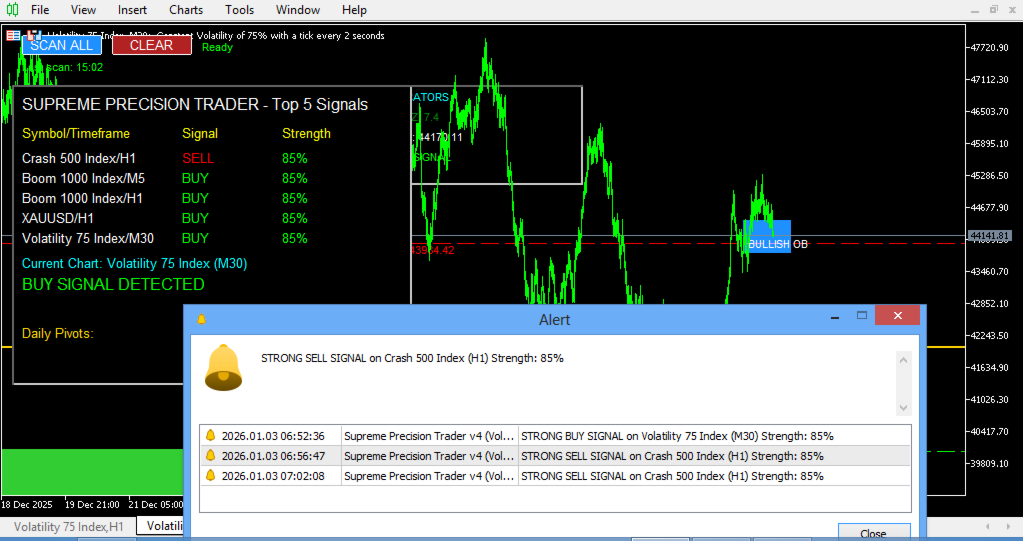
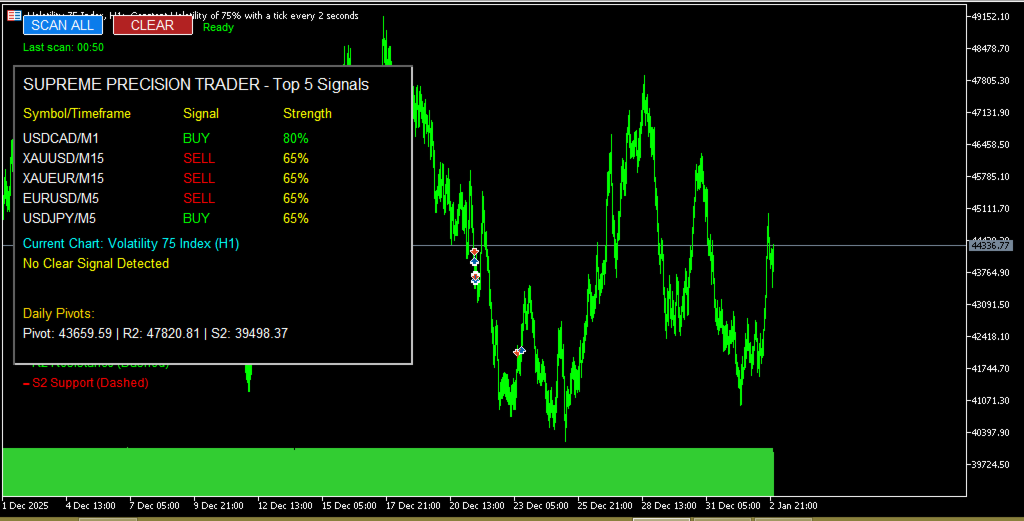
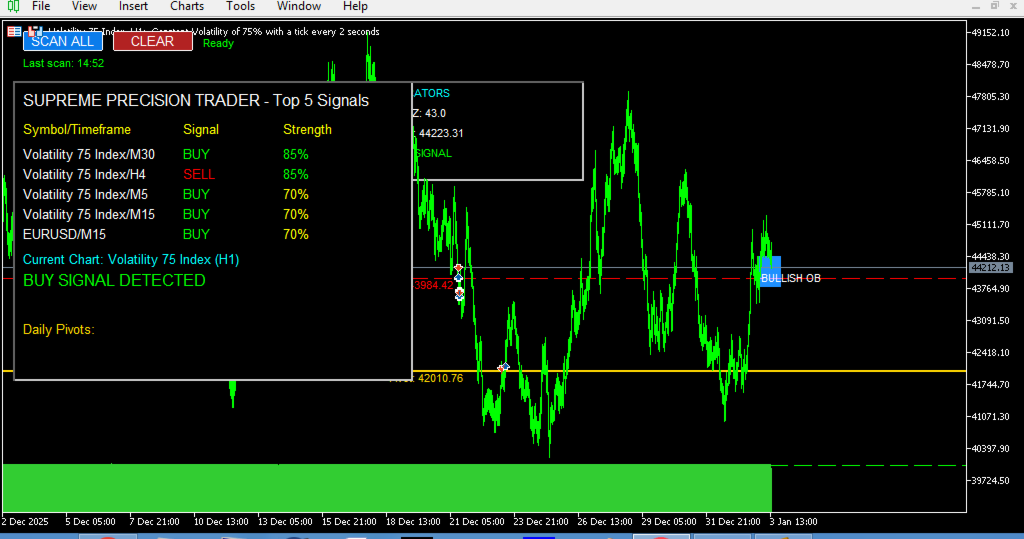
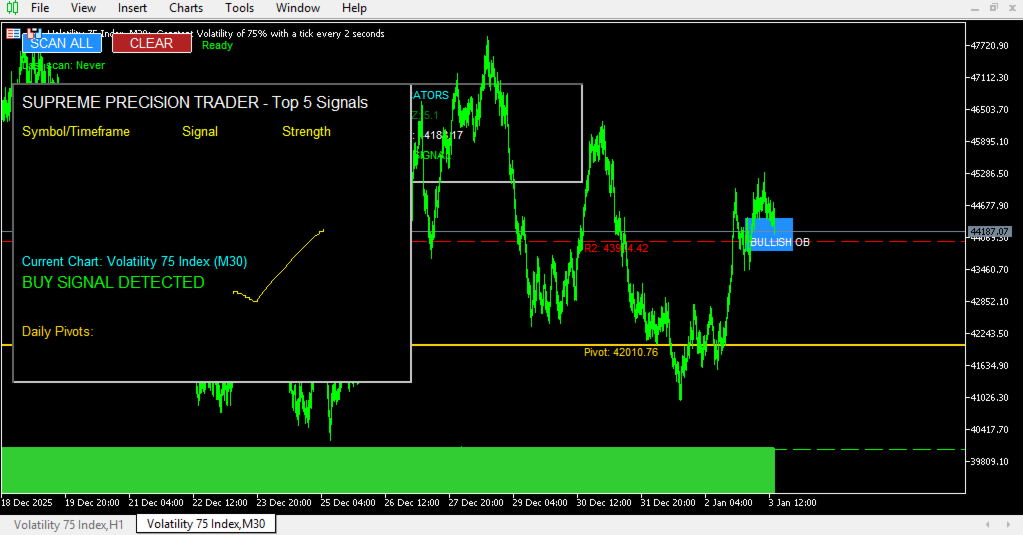
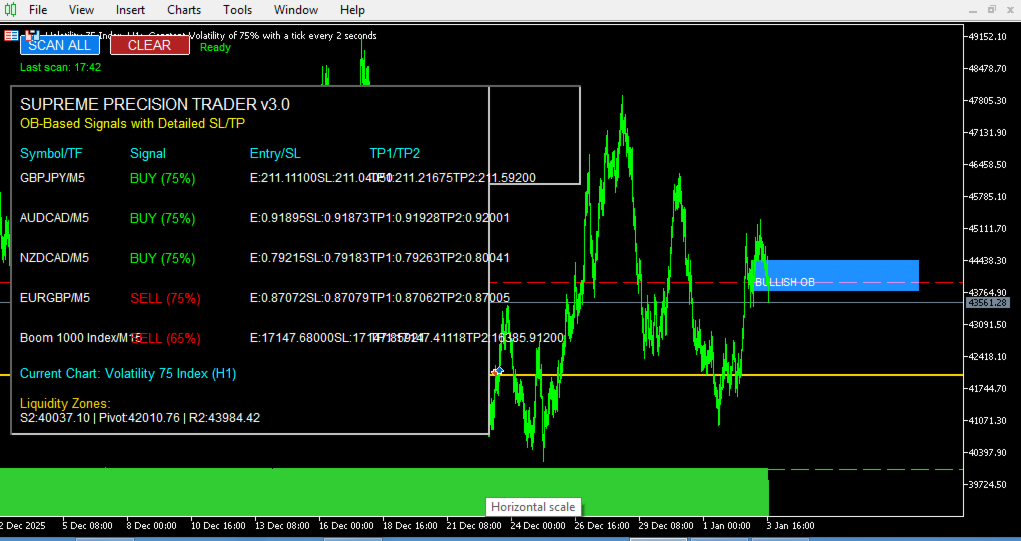
· Displays top 5 signals in a clean panel.
· Shows entry, SL, TP1, TP2 levels directly on chart.
· Color-coded for quick recognition (green = buy, red = sell).
4. Always-On Chart Tools
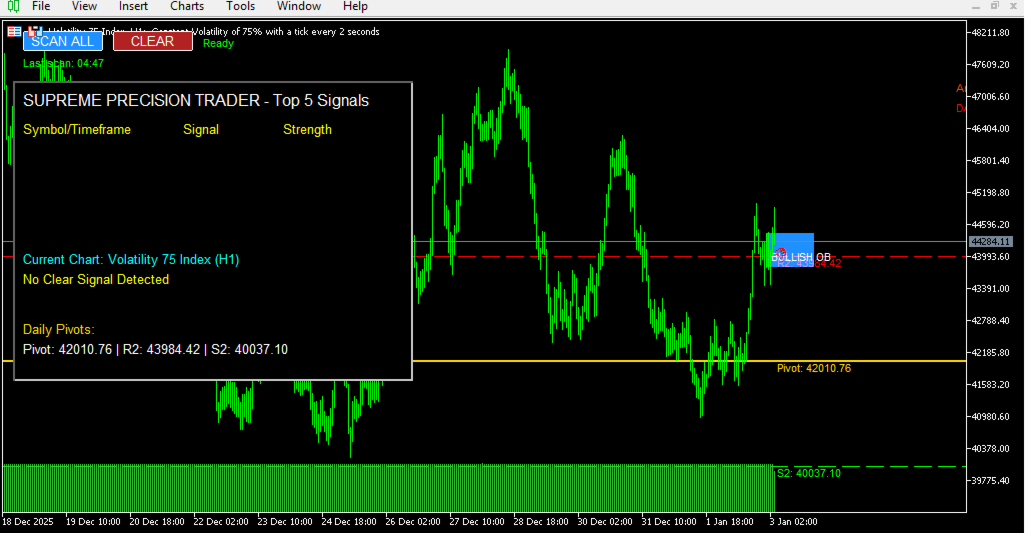
· Daily pivot levels (Pivot, R2, S2).
· Order block highlights (H1).
· 3-Level Semafor (fast/medium/slow EMAs).
· ArrZZ overbought/oversold arrows.
· Real-time bias indicator.
5. One-Click Scanning
· Press "SCAN ALL" to refresh signals anytime.
· Automatic scans every 5 minutes.
· Progress bar shows scanning status.
---
HOW TO USE IT PROFITABLY — STEP BY STEP
STEP 1: SETUP (ONCE)
1. Attach indicator to any chart (preferably H1 or H4 for overview).
2. Adjust inputs if needed:
· TopSignalsCount = 5 (recommended).
· ScanAllSymbols = true (for full market scan).
· ShowChartObjects = true (to see drawings).
· EnableAlerts = true (for popup notifications).
3. Let it run. The scanner will:
· Load all Market Watch symbols.
· Calculate daily pivots.
· Start the first scan automatically.
---
STEP 2: READING THE DASHBOARD
After each scan, the dashboard (top-left) shows:
Symbol/Timeframe Signal Strength
EURUSD/H1 BUY 85%
GBPUSD/M15 SELL 78%
XAUUSD/H4 BUY 92%
Rule: Focus on signals with strength > 70%. Higher strength = higher probability.
---
STEP 3: ANALYZING THE TOP SIGNAL
Click on the symbol in the dashboard to open its chart.
The indicator will display on that chart:
· Green arrow = Buy signal.
· Red arrow = Sell signal.
· Entry level (price where signal triggered).
· Stop Loss (red dashed line).
· Take Profit 1 & 2 (blue & green dashed lines).
· Daily Pivot & Order Block zones.
Confirm with:
· Is price above/below daily pivot?
· Is there an order block nearby?
· Is ArrZZ below 30 (buy) or above 70 (sell)?
· Are Semafor levels aligned (L1 > L2 > L3 for buys)?
---
STEP 4: EXECUTING THE TRADE
For BUY signals:
· Enter at or near the entry price.
· Stop Loss below the order block low or at indicated SL.
· Take Profit 1 at daily pivot.
· Take Profit 2 at R2.
For SELL signals:
· Enter at or near the entry price.
· Stop Loss above the order block high or at indicated SL.
· Take Profit 1 at daily pivot.
· Take Profit 2 at S2.
Risk Management:
· Never risk more than 1–2% per trade.
· Use the SL/TP levels provided as guidance — adjust based on your strategy.
---
STEP 5: MANAGING THE TRADE
· If price hits TP1, move SL to breakeven.
· Let partial runner go to TP2 if trend is strong.
· If a new opposite signal appears on lower timeframe (e.g., M5), consider closing early.
---
PRO TIPS FOR MAXIMUM PROFIT
1. Combine Timeframes
· If H4 signal is BUY and H1 signal is also BUY, probability is higher.
· Use M5 for precise entry timing.
2. Watch Order Blocks
· Order blocks are support/resistance zones.
· If signal aligns with an untouched order block, success rate increases.
3. Use Daily Bias Filter
· In dashboard, see “DAILY BIAS” on chart.
· Prefer signals in direction of daily bias for higher win rate.
4. Volume Confirmation
· Strong signals often come with above-average volume.
· Check volume spike at signal candle.
5. Avoid Choppy Markets
· If ArrZZ is near 50 and Semafor lines are tangled, market may be ranging.
· Wait for clearer signals.
---
RISK WARNINGS
· No indicator is 100% accurate. Always use stop loss.
· Test scanner on demo first for at least 2 weeks.
· Avoid trading during high-impact news (NFP, CPI, central banks).
· Do not overtrade — wait for high-strength (>70%) signals only.
---
EXPECTED RESULTS (WITH PROPER RISK MANAGEMENT)
· Win Rate: 65–75% on high-strength signals.
· Risk/Reward: 1:1.5 to 1:3 achievable.
· Scan Frequency: Every 5 minutes ensures fresh opportunities.
· Coverage: All Forex majors, minors, gold, indices, crypto (if in Market Watch).
---
START TODAY
1. Load the indicator.
2. Let it scan and populate top signals.
3. Pick the strongest signal (highest %).
4. Confirm with chart objects (pivots, order blocks, ArrZZ).
5. Enter with strict risk management.
Stop searching — start trading with precision.
---
Final Note:
This scanner is a tool, not a holy grail. Your discipline, risk management, and patience will determine your success. Use it to find opportunities, but always apply your own judgment before entering a trade.
Happy Trading!
— Supreme Precision Trader System