Copium
- Utilità
- Versione: 1.10
- Aggiornato: 1 gennaio 2026
- Attivazioni: 6

Professional Local Trade Copier. Supports MT4 & MT5 cross-copying, Auto-Suffix detection for Prop Firms, and lightning-fast execution via local files.
Copium is the ultimate solution for copying trades between multiple MetaTrader accounts on the same PC or VPS. Designed to be incredibly simple to use yet powerful in execution, it eliminates the complexity of setting up servers or complicated networks.
Its technology, based on shared local files, ensures millisecond execution speed, guaranteeing you never miss a pip due to latency.
🚀 WHY COPIUM?
Most copiers fail when trying to communicate MT4 with MT5 or get confused by weird broker symbol names (e.g., EURUSD.vip vs EURUSD ). Copium solves this automatically.
🔄 UNIVERSAL: CROSS-PLATFORM COMPATIBILITY
It doesn't matter which platform your Master or Client account uses. Copium breaks the barriers:
-
✅ Copy from MT4 to MT4
-
✅ Copy from MT5 to MT5
-
✅ Copy from MT4 to MT5 (Highly requested)
-
✅ Copy from MT5 to MT4
Note: To copy between different platforms, you simply need to install the MT4 version on your MT4 terminals and the MT5 version on your MT5 terminals.
🏆 PERFECT FOR PROP FIRMS (FUNDING ACCOUNTS)
Does your Master account trade clean symbols like EURUSD , but your Prop Firm account uses EURUSD.pro or EURUSD-vip ? Our intelligent Suffix Management System allows you to clean and adapt symbol names automatically. You will never see a "Symbol not found" error again.
⭐ KEY FEATURES
-
Zero Latency: By copying locally within your computer/VPS, execution is instant.
-
Multi-Channel Support: Run multiple strategies simultaneously. Simply assign a different channel name (e.g., "Scalping_Channel", "Swing_Channel").
-
Advanced Risk Management: Choose between copying the Exact Lot Size or using a Multiplier (e.g., x0.5 for half risk, x2.0 for double risk).
-
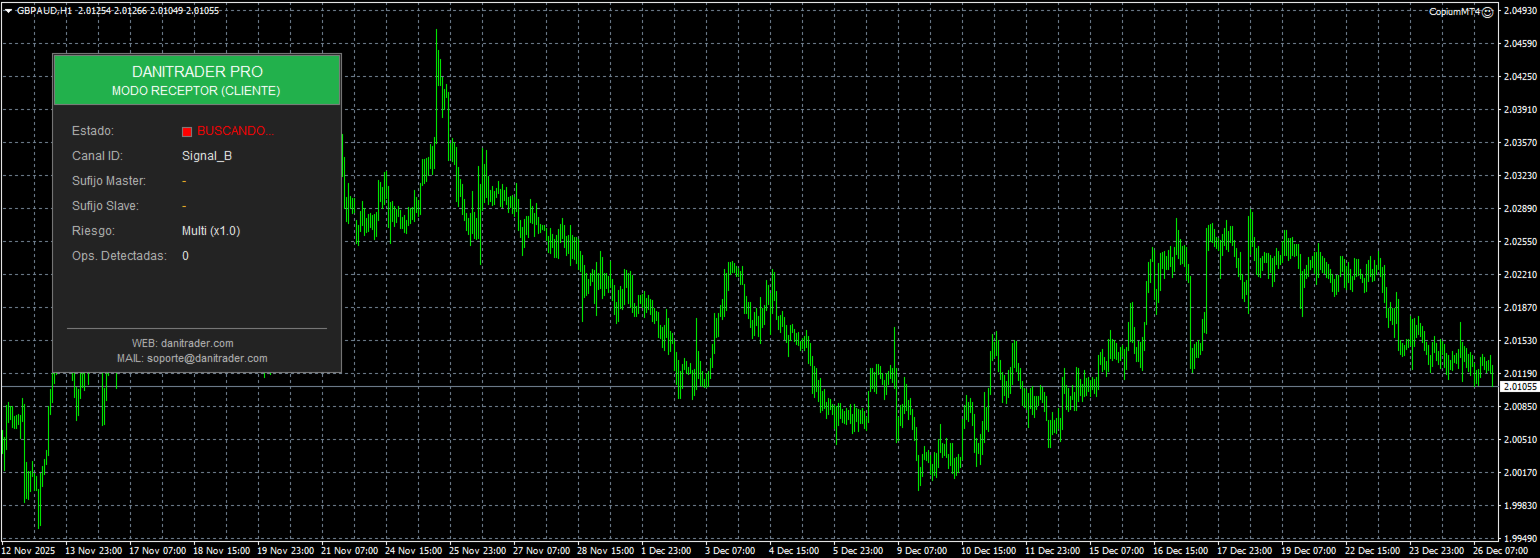
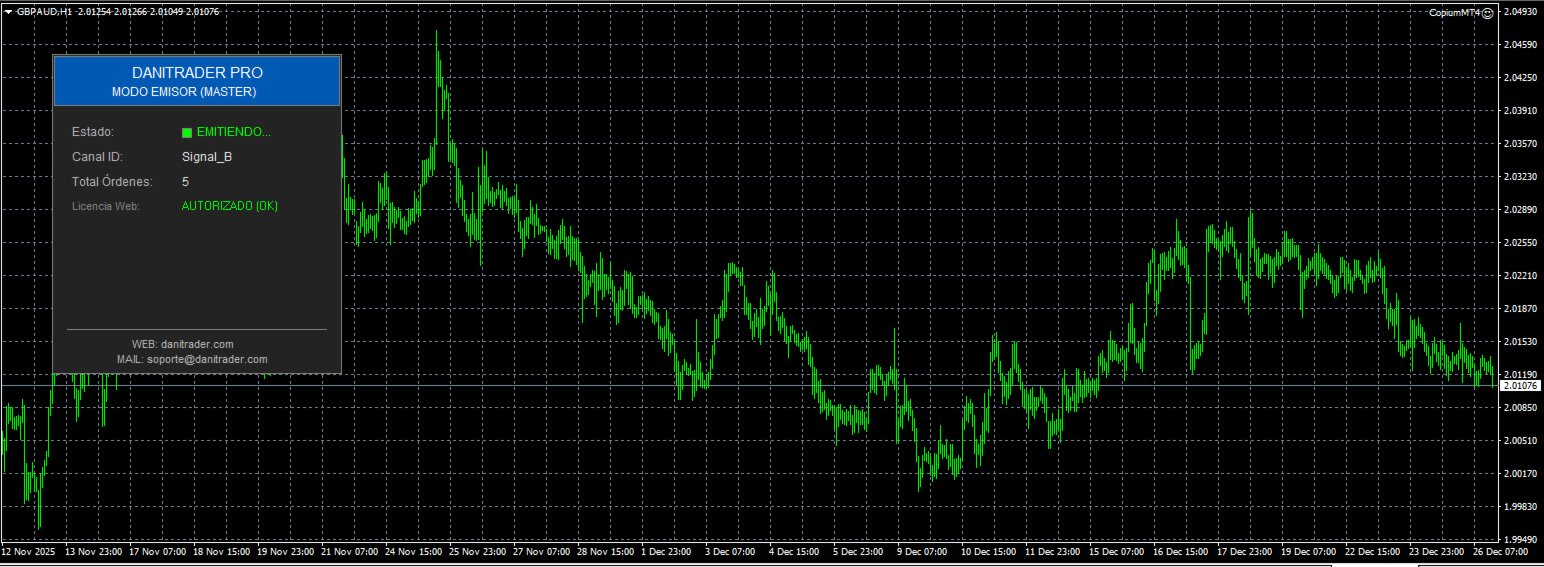
Professional Dashboard: Monitor connection status, active channel, and detected signals at a glance with our sleek blue panel.
-
Safety First: Automatically filters out incompatible pending orders and prevents duplication.
⚙️ INPUT PARAMETERS
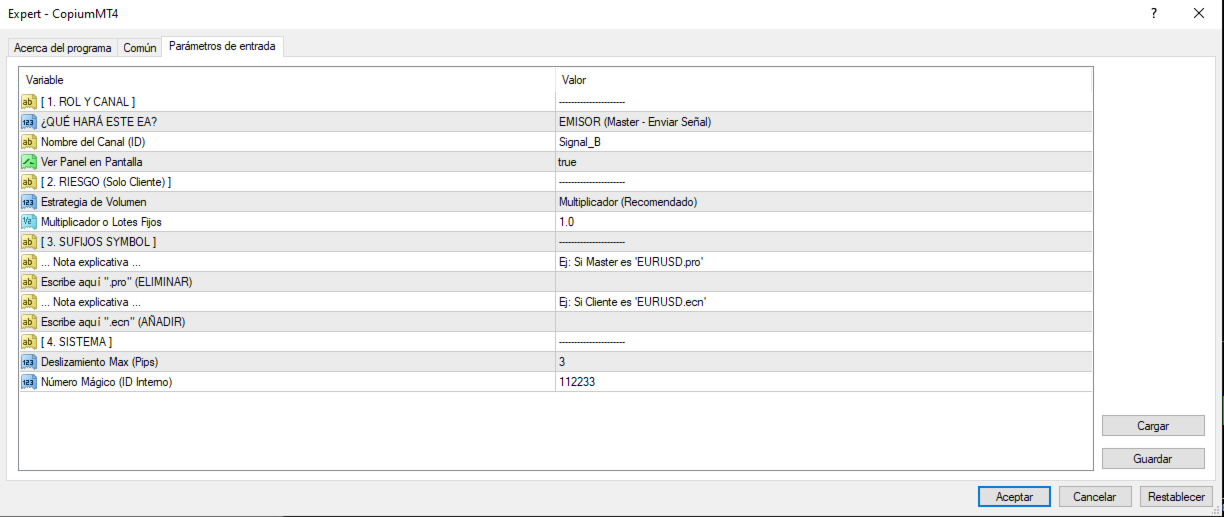
1. CONNECTION
-
InpChannelID: The Channel Name. This must be IDENTICAL on both the Master and the Copier for them to communicate.
2. RISK MANAGEMENT
-
InpLotMode:
-
MODE_MULTIPLIER : Multiplies the Master's lot size (Recommended).
-
MODE_EXACT_LOTS : Copies the exact same lot size.
-
-
InpLotFactor: The multiplication factor. Example: 1.0 = Same risk, 2.0 = Double risk.
3. BROKER & SYMBOLS (Vital for Prop Firms)
-
InpMasterSuffix: (Suffix to REMOVE). If your Master trades EURUSD-vip , type -vip here. The EA will strip this part to find the clean symbol.
-
InpSuffix: (Suffix to ADD). If your Client account requires a specific suffix like .ecn , type it here.
4. SETTINGS
-
InpSlippage: Maximum allowed slippage in pips.
-
InpMagic: Magic number to identify the copier's trades.
📋 QUICK INSTALLATION GUIDE
-
Open your Master terminal (the sender). Attach the Copium EA to any chart. Choose a Channel ID (e.g., "Signal_A").
-
Open your Client terminal (the receiver). Attach the Copium EA to one single chart (any pair).
-
In the Client settings, enter the same Channel ID ("Signal_A").
-
Done! You will see the panel turn GREEN displaying "CONNECTED".
Developed by DaniTraderPro - Taking your trading to the professional level.