True Liquidity Levels
- Indicatori
- Versione: 1.0
- Attivazioni: 5

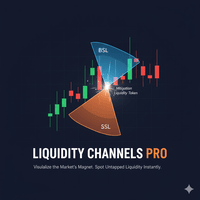
Liquidity Channels Pro MT4 HERE is a sophisticated Smart Money Concepts (SMC) tool designed to automate the identification of Buy Side Liquidity (BSL) and Sell Side Liquidity (SSL).
Unlike standard support and resistance indicators, this tool doesn't just draw lines; it projects dynamic expanding channels based on volatility (ATR) from key pivot points. Crucially, it follows the "Mitigation" logic used by institutional traders: once liquidity is taken (price touches the level), the level is automatically removed from the chart.
This keeps your workspace clean, focused, and free of "dead" levels, allowing you to focus purely on untapped liquidity pools that are likely to act as magnets for future price action.
Key Features
1. Automated Pivot Detection (BSL & SSL)
-
Buy Side Liquidity (BSL): Automatically marks significant Swing Highs where stop-losses and breakout orders are resting.
-
Sell Side Liquidity (SSL): Automatically marks significant Swing Lows.
-
Pivot Strength: Fully customizable sensitivity. You decide if you want to see minor scalping liquidity (lower strength) or major structural swing points (higher strength).
2. "Untapped" Liquidity Only (Auto-Cleanup)
-
The indicator monitors price in real-time.
-
Mitigation Logic: As soon as price trades through a High or Low, that Liquidity Channel is considered "swept" and is instantly deleted from the chart.
-
Result: You never trade off old, invalid levels. If you see a line on the chart, it means the liquidity is still there.
3. Volatility-Based Expanding Channels
-
Instead of a simple flat line, the indicator draws an expanding "Cone" or Channel.
-
The Logic: The longer a High or Low remains untouched, the more "pressure" builds up behind it. The expanding channel (calculated using ATR) helps visualize the growing significance of that level over time.
4. Fully Customizable Visuals
-
Colors: Distinct colors for BSL (Bulls/Highs) and SSL (Bears/Lows).
-
Styles: Choose between Solid, Dashed, or Dotted lines.
-
Toggle: Option to hide the expanding channel and only show the horizontal price levels if you prefer a minimalist look.
Settings & Inputs Explained
Visuals
-
BSL Color / SSL Color: Set your preferred colors for Highs and Lows.
-
Line Style/Width: Adjust thickness and style for visibility.
-
Hide Expanding Channels: Set to true if you only want horizontal lines without the shaded diagonal background.
Settings (The Core Logic)
-
Liquidity Strength (Bars): This determines how "strong" a High/Low must be to be drawn.
-
Example: 25 means the indicator looks for a High that is higher than the previous 25 candles and the next 25 candles. Higher numbers = fewer, more major levels.
-
-
Channel Growth Factor: Controls how wide the diagonal channel expands. Higher numbers make the cone open up wider/faster.
Cleanup
-
Delete Untouched Levels: true (Recommended). Deletes lines once price hits them.
-
Delete After (Bars): A safety limit. If a level is 1000 bars old and still hasn't been hit, it is removed to save memory and keep the chart relevant.
How to Use & Trading Strategy
This indicator is best used for Liquidity Sweep and Targeting strategies.
Strategy 1: The Liquidity Sweep Reversal (Turtle Soup)
-
Identify: Wait for price to approach an existing Liquidity Channel.
-
The Sweep: Watch for price to pierce the level (the line will disappear/delete on the sweep).
-
The Trigger: Do not enter immediately. Wait for a rejection wick or a "Change of Character" (Trend shift) on a lower timeframe immediately after the sweep.
-
Trade: Enter in the opposite direction, anticipating that institutions have grabbed the liquidity they needed to reverse the market.
Strategy 2: Targeting (Take Profit)
-
Entry: Enter a trade based on your standard strategy (Trend following, Breakout, etc.).
-
Target: Look for the nearest opposing Liquidity Channel.
-
Logic: Price acts as a magnet. Since that BSL/SSL line is still on the chart, it means there are resting orders there. Place your Take Profit (TP) just at or slightly before that line.
Strategy 3: Inducement
-
If you see a Liquidity Channel forming near a Point of Interest (like an Order Block), view that channel as Inducement.
-
Expect price to run through that channel before tapping into your Order Block and reversing.