
Multi Timeframe Trend Agreement Arrow
- Indicatori
-
Loemiro Boholts Busis
 Dedicated QA Analyst/Tester with over 5 years of experience ensuring software reliability, now specializing in MQL5 development for MetaTrader 5. Proficient in creating custom Expert Advisors (EAs) and indicators based on specific trading strategies.
 - Versione: 1.4
- Aggiornato: 17 novembre 2025
- Attivazioni: 5
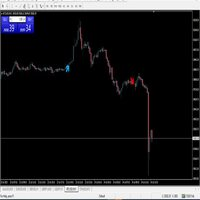
The ultimate signal filter. Get clear, non-repainting arrows only when the trend on M1, M5, M15, and H1 timeframes are fully aligned, confirming strong momentum for scalping or short-term trades.
📜 Full Product Description
-
Non-Repainting Arrows: Built using precise closing price data ( rates_total - 1 and iBarShift ), ensuring signals are final and never shift or disappear after the bar closes. What you see is what you get.
-
High-Confidence Signals: Filters out noise by requiring agreement across up to four higher timeframes simultaneously, resulting in higher-probability entries.
-
Ideal for Scalpers & Day Traders: Designed specifically to run on the M1 timeframe, giving instant, aligned signals for rapid execution.
-
Simple Visual Confirmation: Easy-to-read green (bullish) and red (bearish) arrows provide immediate visual trade setup confirmation.
How the Indicator Works (Functionality)
The MTA Arrow works as a powerful trend filter. For every closed M1 candle, the indicator checks the exact corresponding candle on all higher timeframes selected in its settings (default: M5, M15, M30, H1).
-
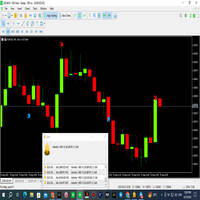
Bullish Signal (Green Arrow ⬆️): An arrow appears when the M1 candle closes and every single checked higher timeframe candle is also a bullish (close $>$ open) candle.
-
Bearish Signal (Red Arrow ⬇️): An arrow appears when the M1 candle closes and every single checked higher timeframe candle is also a bearish (close $<$ open) candle.
If any higher timeframe candle is neutral or opposite, no signal is generated, keeping you out of choppy market conditions.
⚙️ Input Parameters
| Parameter Name | Default Value | Description |
|---|---|---|
| BarsToCalculate | 2000 | The number of historical bars the indicator will analyze upon loading. (Set to 0 for maximum history load). |
| timeframesToCheck | M5, M15, M30, H1 | (Note: This array is internal, but you should mention which TFs you use by default). The higher timeframes that must agree to generate a signal. |
Important Notes
-
Timeframe Requirement: This indicator is specifically coded to operate only on the M1 chart (as per the if(Period() != PERIOD_M1) check). Attempting to use it on any other timeframe will result in an INIT_FAILED error.
-
Candle Shift Logic: The use of the iBarShift function tied to the M1 candle's close time is the core logic that ensures the indicator is 100% non-repainting.
-
Spread Placement: Arrows are placed slightly above the high or below the low, adjusting for the current symbol spread ( SYMBOL_SPREAD * _Point ) to ensure maximum visibility without obscuring the price action.





























L'utente non ha lasciato alcun commento sulla valutazione.