Visual Panther Indicator
- Indicatori
-
AL MOOSAWI ABDULLAH JAFFER BAQER
 To trade successfully we need to go through the proven path that others had gone and reached!
Here are 17 quotes from such successful investors:
1- Limit your size in any position so that fear does not become the prevailing instinct guiding your judgment.
Joe Vidich - Versione: 4.0
- Aggiornato: 12 ottobre 2026
- Attivazioni: 5
| • Please test the product in the Strategy Tester before purchasing to understand how it works. • If you face any issues, contact me via private message—I’m always available to help. • After purchase, send me a screenshot of your order to receive a FREE EA as a gift. |
|---|
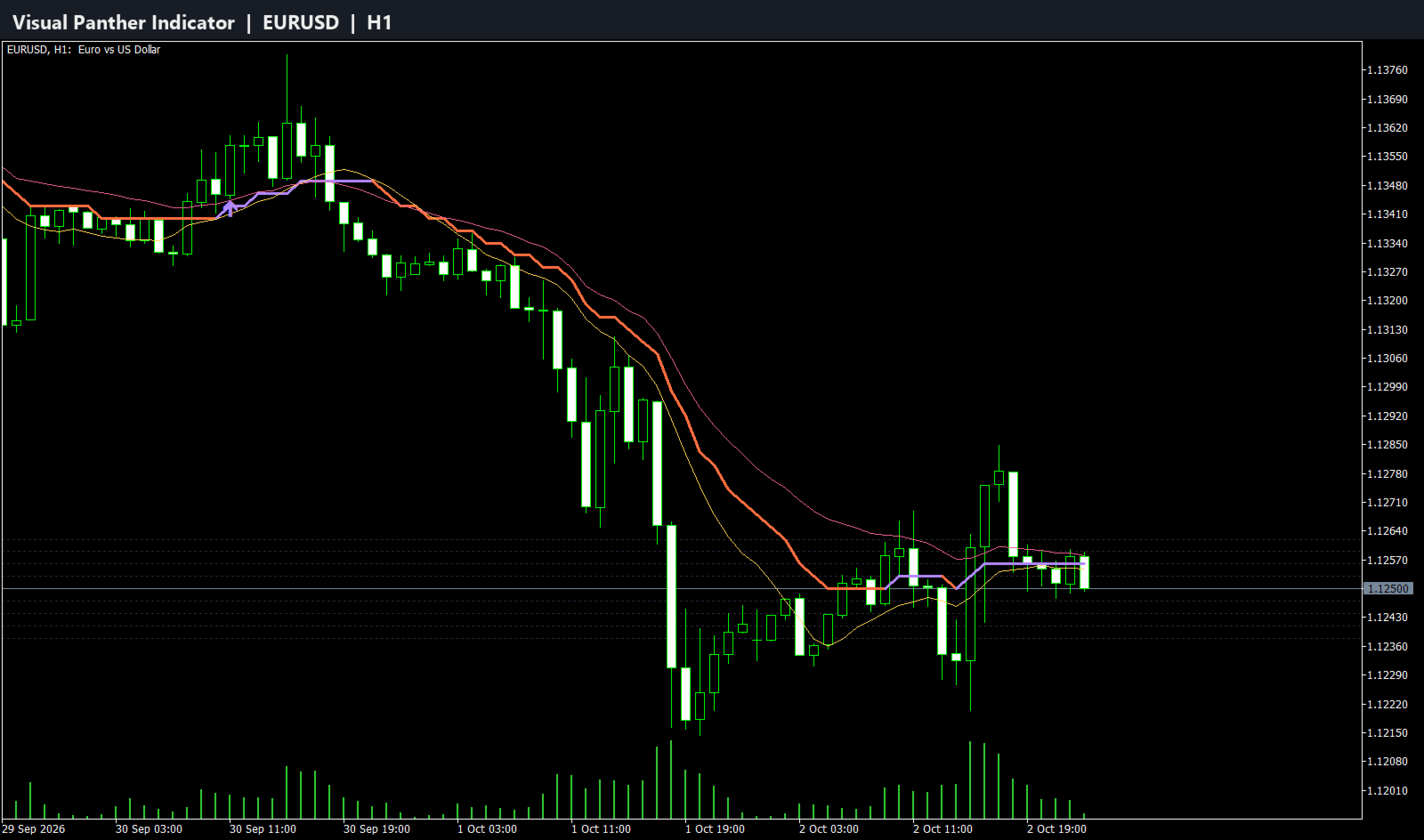
Visual Panther: Your Ultimate Trend Trading Companion
Unlock the full potential of your trading with the Visual Panther, a meticulously engineered trend-following indicator for MetaTrader 5. Designed for traders who demand clarity, precision, and control, this tool eliminates guesswork by providing clear, non-repainting signals to help you capture and ride market trends effectively. For just $57, gain a professional-grade tool that could redefine your trading strategy.
The Logic Behind the Panther: A Triple-Filtered Approach
The Visual Panther isn't just another moving average crossover system. Its power lies in a sophisticated, multi-layered algorithm designed to identify strong trends and filter out market noise.
-
The Dual Moving Average Core: At its heart, the indicator establishes a stable market baseline by calculating the average of two distinct moving averages—a fast MA and a slow MA. Unlike indicators that rely on a single, often erratic MA, this dual-MA core creates a smoothed and more reliable "center of gravity" for the price. This unique approach significantly reduces false signals and whipsaws commonly seen in choppy markets.
-
The Dynamic Trailing Engine: The core of the signal generation comes from a powerful trailing reverse calculation. Think of this dynamic line as an intelligent, adaptive trailing stop.
-
In an uptrend, the line trails below the price, acting as a dynamic support level. As long as the price remains above this line, the uptrend is considered intact.
-
In a downtrend, the line trails above the price, acting as a dynamic resistance level. The trend is considered bearish as long as the price stays below it.
-
-
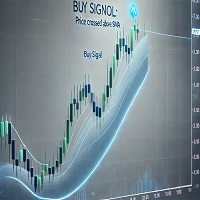
The Trend Reversal Signal: A signal is generated only when a true trend reversal is detected. This happens when the price makes a decisive move that breaches the trailing line by a specific amount (controlled by the "Max Deviation" setting). This powerful confirmation mechanism ensures that the indicator reacts to significant shifts in market momentum, not just minor fluctuations. When the trend flips from down to up, a clear Buy arrow is plotted. When it flips from up to down, a Sell arrow appears.
Key Features and Benefits
-
Clear and Accurate Signals: Receive unambiguous Buy (lime) and Sell (red) arrows directly on your chart. These signals are non-repainting, giving you the confidence to act on them.
-
Built-in Signal Filter: Avoid over-trading in volatile conditions. The unique "Bars Delay" feature allows you to set a minimum number of bars that must pass before a new signal can appear, ensuring you only take entries on more established trends.
-
Automatic Support and Resistance Levels: When a new trend begins, the indicator automatically plots the previous trend's level as a key support or resistance line. This is invaluable for setting stop-losses or identifying potential breakout or retest zones.
-
Fully Customizable to Your Style: Tailor every aspect of the indicator to fit any market (Forex, stocks, indices, crypto) and any timeframe. Adjust moving average types, periods, signal sensitivity, and visual elements to match your personal trading strategy perfectly.
-
Clean and Professional Interface: Choose exactly what you want to see. With options to toggle the visibility of the moving averages and support/resistance lines, you can maintain a clean chart focused only on the signals.
Who is this for?
The Visual Panther is perfect for:
-
Trend Traders: The core design is built to identify and follow trends for maximum profit.
-
Swing Traders: Ideal for capturing medium-term market movements with reliable entry points.
-
Beginners: The clear, visual signals make it easy to understand market direction.
-
Experienced Traders: The deep level of customization allows advanced users to fine-tune the indicator into a powerful component of their existing system.
Invest in your trading success. Add the Visual Panther to your toolkit today and start trading with more confidence and precision.
Indicator Parameters
-
Primary Moving Average Settings: Customize the Fast and Slow MA Method, Period, and Phase.
-
Signal Engine Settings: Control the Applied Price, the Flat Oscillations Size (sensitivity), and the Max Deviation from the MA to trigger a signal.
-
Signal Settings: Enable or disable the signal delay filter and configure the number of bars to wait between signals. Set the visual offset for the signal arrows.
-
Visual Settings: Show or hide the Fast MA, Slow MA, and Support/Resistance lines. Adjust the size of the signal arrows.
-
Logging Settings: Enable detailed logs for in-depth analysis and debugging.