RSI Divergence Printer MT5
- Indicatori
- Versione: 1.0
- Attivazioni: 5

## RSI Divergence Printer Indicator MT5
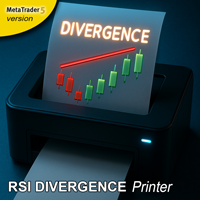
This MetaTrader 5 (MT5) non repainting indicator automatically identifies and prints RSI divergences directly onto your price chart. This indicator can be used at any timeframes and is suitable for scalping, daytrading and swingtrading.
In short, it looks for moments when the price is moving in one direction, but the underlying momentum is moving in the opposite direction, signaling a potential trend reversal.
## Explanation of the Indicator
This tool, the "RSI Divergence Printer," scans the chart to find specific patterns of divergence. Divergence occurs when the price of an asset makes a new high or low, but a technical indicator (in this case, a combination of the RSI and Momentum indicators) does not confirm it.
The code defines two types of divergence:
-
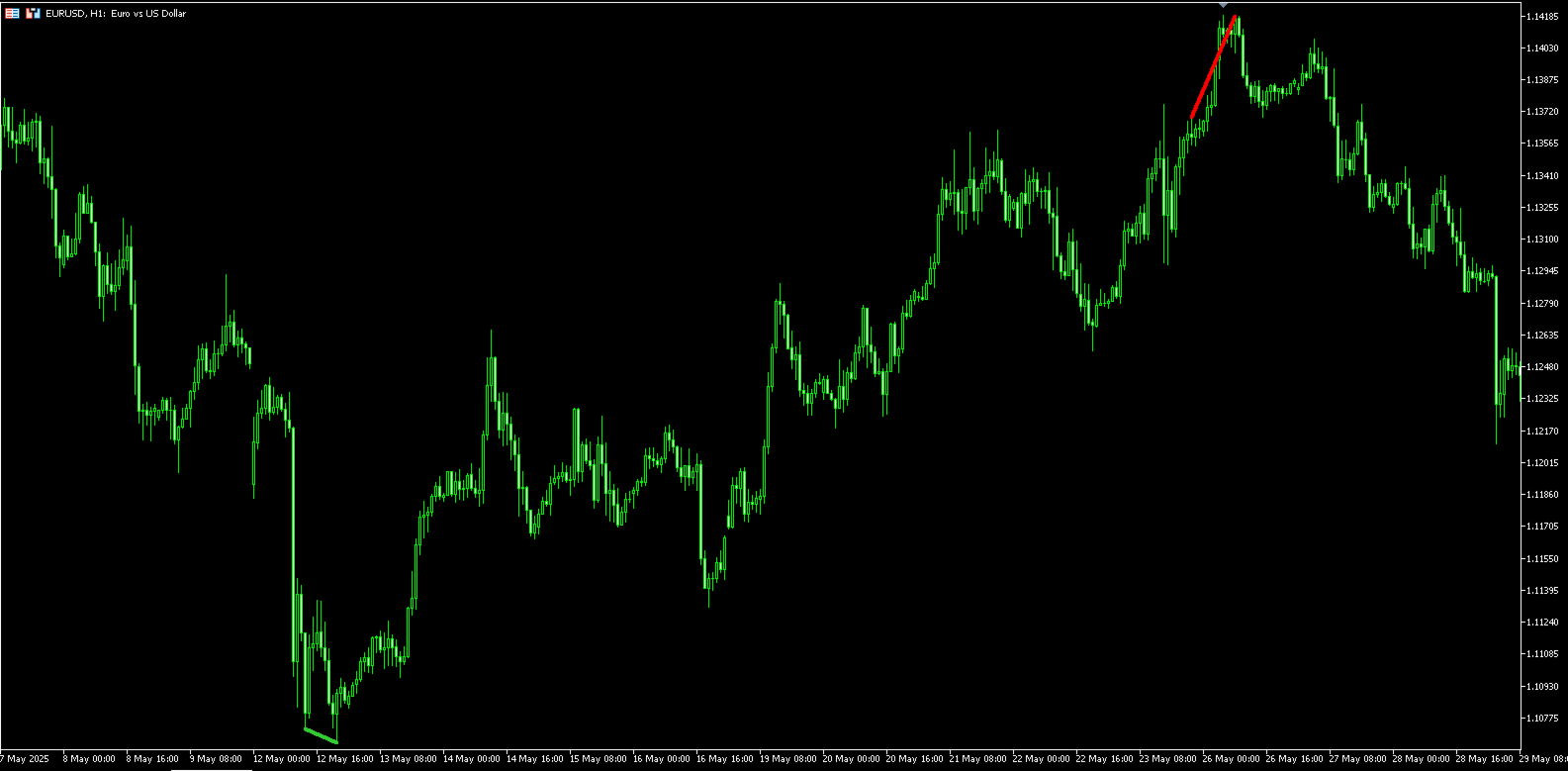
Bullish Divergence (potential buy signal bullish) 🟢: This happens when the price makes a lower low, but the momentum indicator makes a higher low. This suggests that despite the lower price, the downward selling pressure is weakening, and a reversal to the upside could be coming. The indicator draws a lime green line connecting the price lows for this signal.
-
Bearish Divergence (potential sell signal bearish) 🔴: This happens when the price makes a higher high, but the momentum indicator makes a lower high. This suggests that even though the price is pushing higher, the upward buying pressure is fading, and a reversal to the downside may be imminent. The indicator draws a red line connecting the price highs for this signal.
To filter for stronger signals, the code also checks if the RSI was in an overbought (>70) or oversold (<30) condition between the two points of the divergence.
## Benefits
-
Automation & Time-Saving ⏳: Manually identifying divergences is subjective and time-consuming. This indicator does the hard work for you, automatically scanning for and highlighting these patterns 24/7.
-
Clarity ✨: By drawing the divergence lines directly on the main price chart (instead of in a separate indicator window), it makes the signals incredibly easy to spot and interpret in the context of price action.
-
Objectivity 🎯: The indicator uses a pre-defined set of rules (RSIPeriod, MomentumPeriod, etc.) to find signals.
-
Built-in Filtering: It doesn't just look for any divergence. It specifically requires the RSI to have been in an overbought/oversold zone, which can help filter out weaker, less significant signals.
## How to Use It
Using the indicator is straightforward. Once applied to a chart, it will automatically start printing lines when it finds a valid signal.
-
Look for a Bullish Signal (Green Line): When a green line appears connecting two descending lows on your chart, it's a potential buy signal. It indicates that the current downtrend may be losing its steam. Traders might consider this a good time to look for an entry to go long or to close an existing short position.
-
Look for a Bearish Signal (Red Line): When a red line appears connecting two ascending highs on your chart, it's a potential sell signal. It indicates that the current uptrend is weakening. Traders might see this as an opportunity to look for an entry to go short or to exit an existing long position.
Important Note: Divergence is a powerful concept, but it's an indicator of weakening momentum, not a guarantee of a reversal. It's most effective when used as a confirmation tool alongside other forms of analysis, such as:
-
Support and resistance levels
-
Candlestick patterns (e.g., engulfing bars, dojis)
-
The overall market trend on a higher timeframe.
—-----------------------------
## Explanation of the Indicator Settings
These settings allow you to customize how the indicator identifies and displays divergence signals.
-
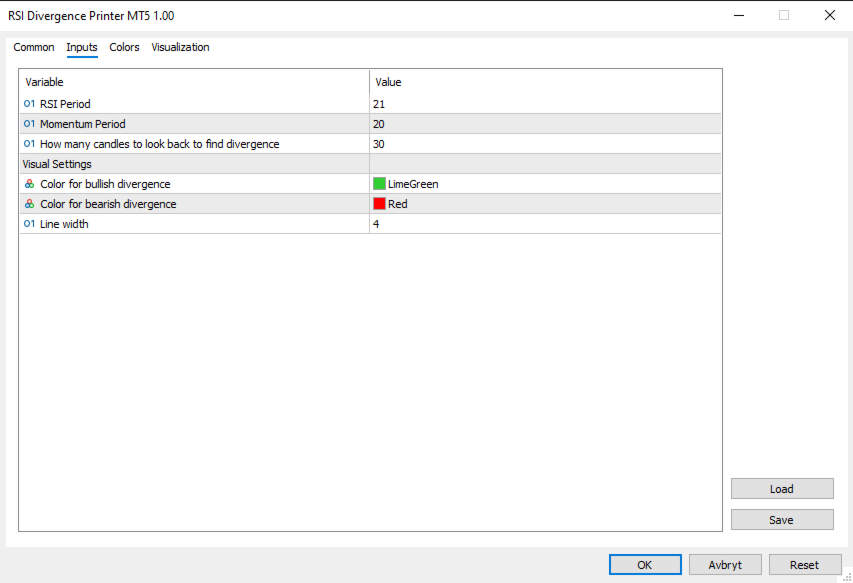
RSI Period = 21 This sets the lookback period for the Relative Strength Index (RSI). The indicator uses the RSI value as a filter—for example, it requires the RSI to be in an overbought or oversold zone for a signal to be valid.
-
A lower value (e.g., 14) will make the RSI more sensitive and may result in more signals.
-
A higher value (e.g., 25) will make the RSI smoother and may result in fewer, potentially stronger, signals.
-
Momentum Period = 20 This is the lookback period for the Momentum indicator. This is the primary indicator the code uses to actually measure the divergence against the price.
-
A lower value will make it more reactive to recent price changes.
-
A higher value will make it smoother and focus on longer-term momentum shifts.
-
How many candles to Look back to find divergence = 30 This setting defines the maximum number of candles the indicator will look back in time to find the first point of a divergence.
-
Setting it to a smaller number (e.g., 20) will only find short-term divergences.
-
Setting it to a larger number (e.g., 60) will allow the indicator to find divergences that have formed over a much longer period.
-
Color for bullish & bearish divergence These settings simply let you choose the color for the lines drawn on the chart. By default, bullish (buy) signals are lime green, and bearish (sell) signals are red.
-
Line width This controls the thickness of the divergence lines drawn on the chart. You can increase the number to make the lines thicker and easier to see.