Backtest Replay Simulator
- Utilitaires
- Version: 1.0

Backtest Replay Simulator For Metatrader 5
Practice and backtest your trading strategy manually, candle by candle.
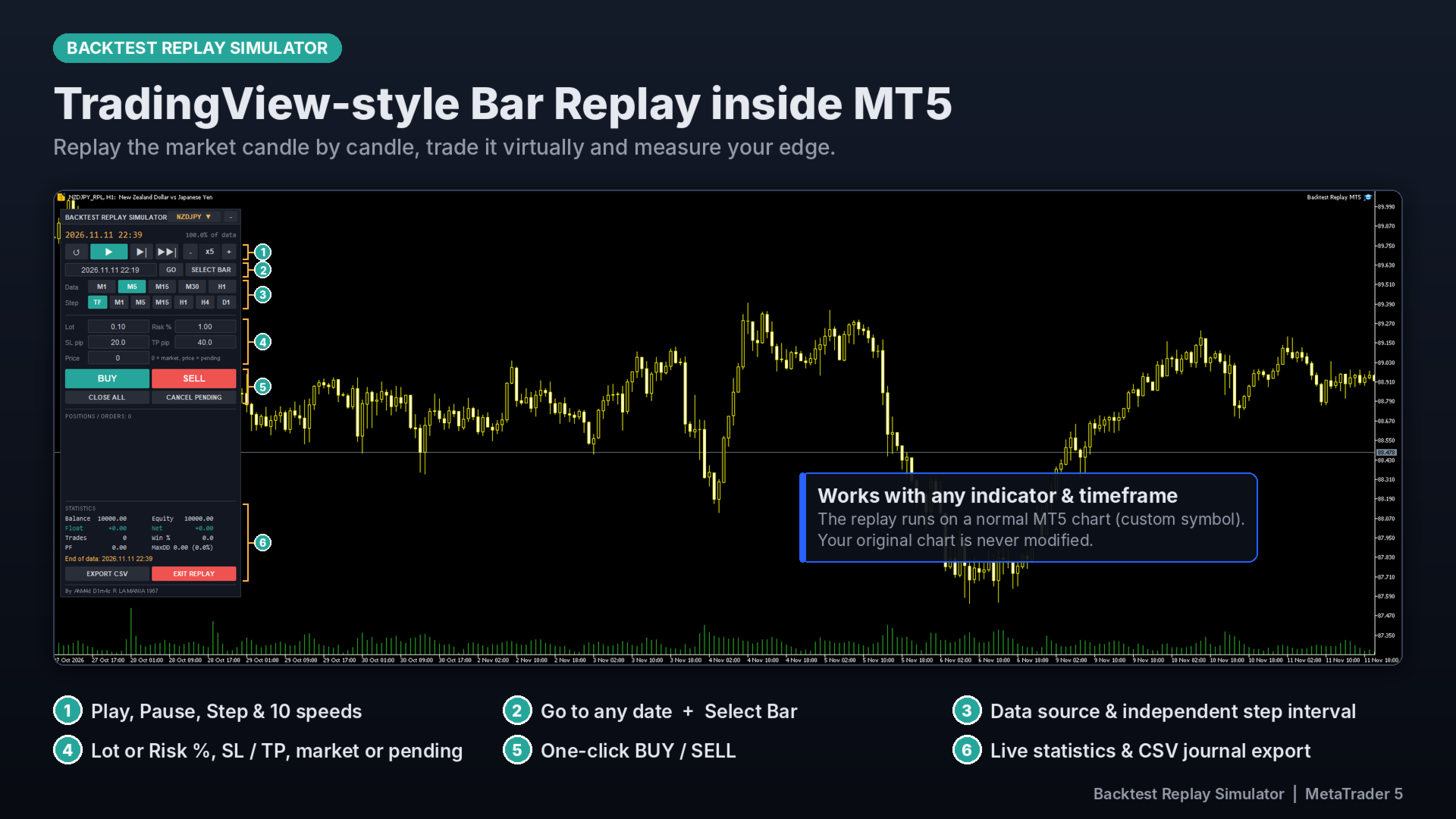
Backtest Replay Simulator turns any chart into a replay chart. Future candles are hidden, so you can analyze the market, place trades and manage them as if the market were live. It’s built for discretionary traders, price action, SMC/ICT and supply & demand traders who want to train their eye and test their edge without waiting for the live market.
HOW IT WORKS
The utility creates a custom symbol (e.g. EURUSD_RPL) from your broker’s history and feeds it candle by candle. Your original chart is not modified. Because the replay runs on a normal MT5 chart, you can switch timeframes freely and attach any indicator you already use.
REPLAY CONTROLS
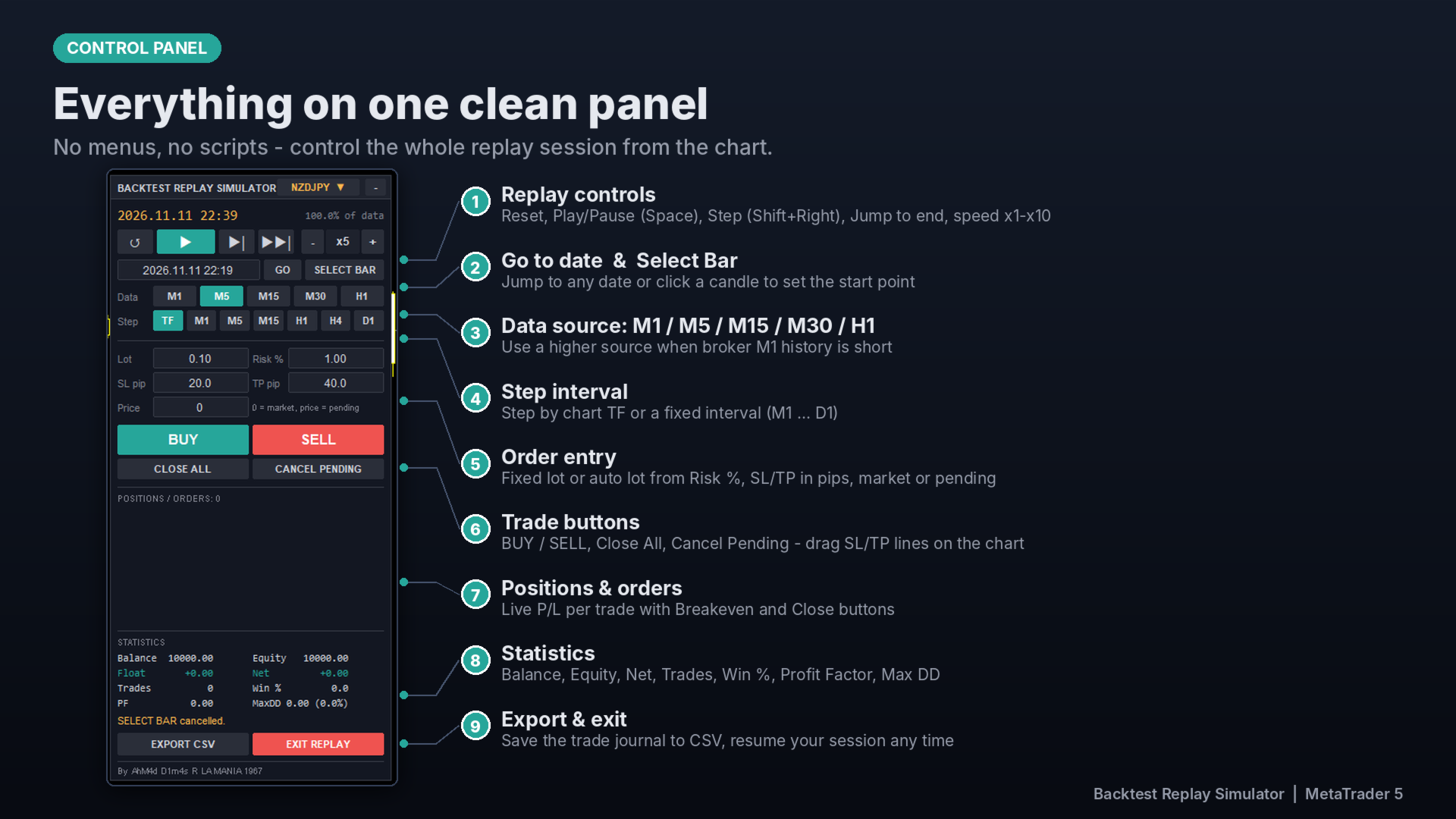
- Play / Pause (Space key), Step forward (Shift + Right Arrow), Jump to end of data
- 10 replay speeds, with smooth intra-candle price movement (Open → High/Low → Close)
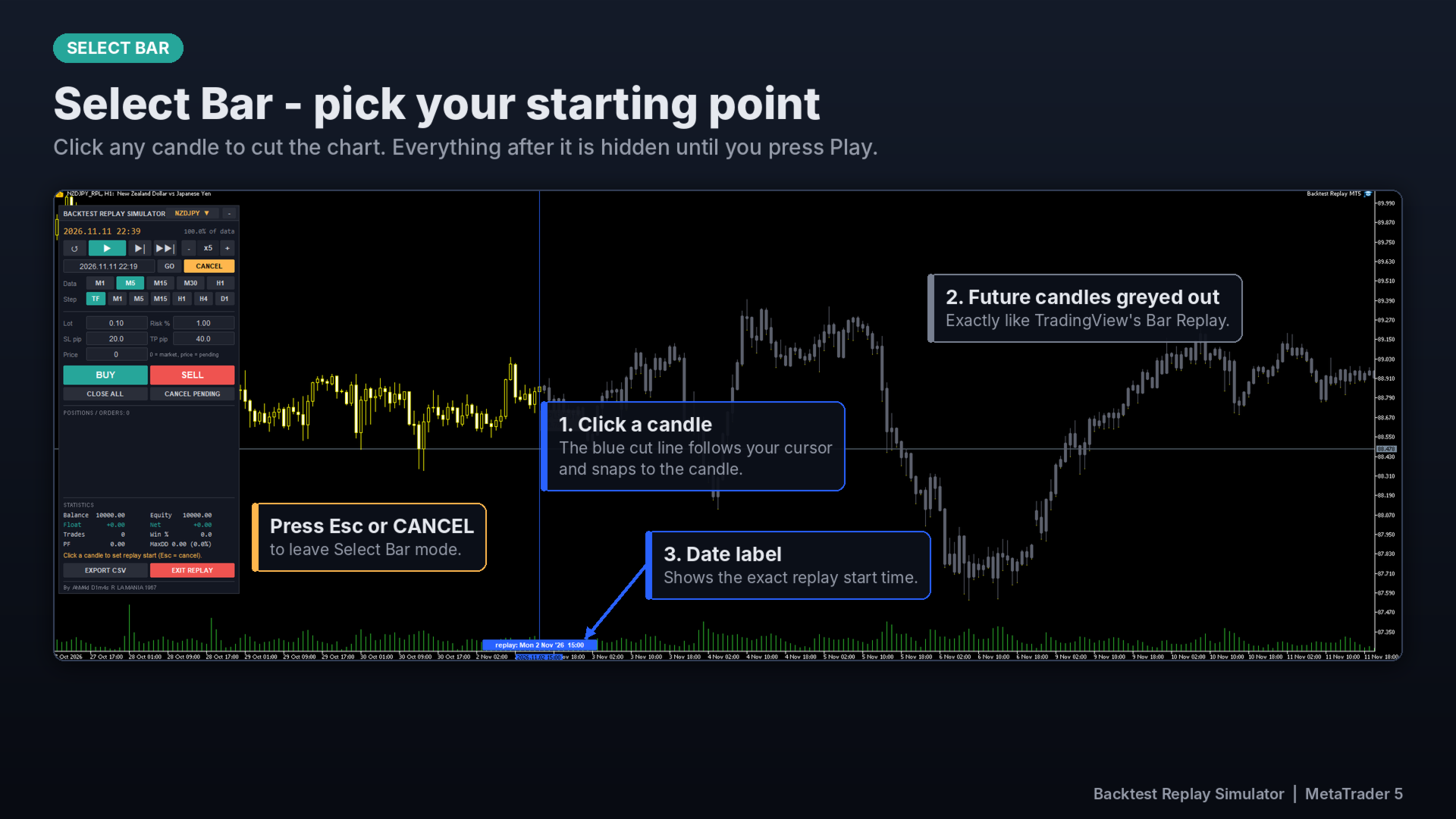
- Select Bar: click any candle to set the replay start point. Future candles are shown in grey while selecting.
- Go to any date and time instantly
- Independent step interval: TF, M1, M5, M15, H1, H4, D1 (e.g. view M5 while stepping every 1 hour)
- Data source selectable from the panel: M1, M5, M15, M30, H1
VIRTUAL TRADING
- Market orders and pending orders (limit/stop detected automatically)
- SL/TP in pips, with lot size fixed or calculated from risk %
- Drag Entry, SL and TP lines directly on the chart, or delete them with the Delete key
- Breakeven and close buttons for each position, plus Close All and Cancel Pending
- Spread (historical or fixed) and commission per lot are simulated
- Closed trades are drawn on the chart with entry/exit arrows
STATISTICS & JOURNAL
- Balance, Equity, Floating P/L, Net result
- Number of trades, Win rate, Profit Factor, Max Drawdown, Expectancy
- Export the full trade journal to CSV for further analysis
MARKET SWITCHER
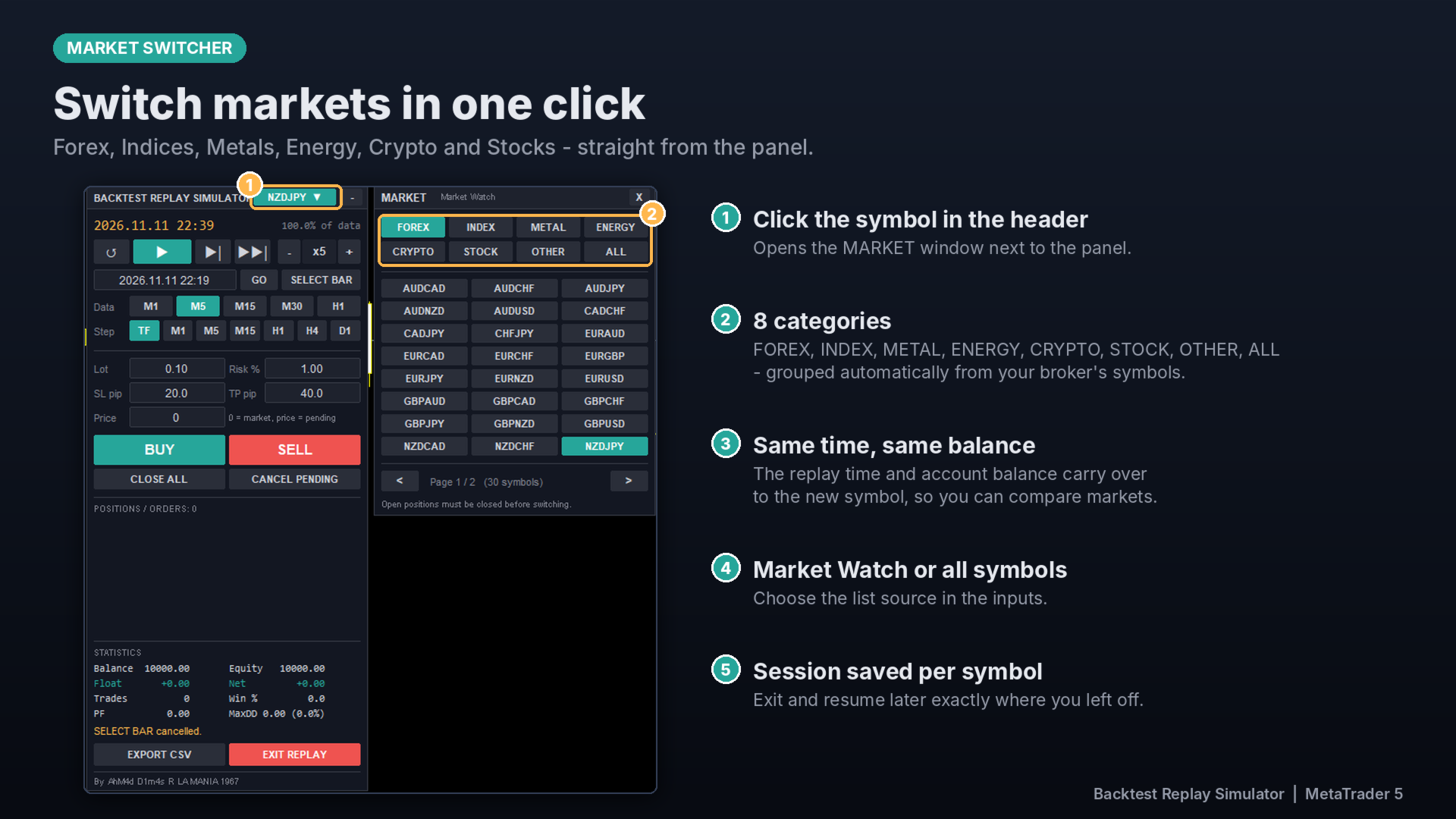
Switch quickly between Forex, Indices, Metals, Energy (Oil), Crypto and Stocks from the panel. The replay time and account balance carry over to the new symbol.
SESSION SAVING
Your session (replay position, open trades, history and statistics) is saved automatically. Exit and resume later exactly where you left off.
INPUTS
- Replay start date / data end date
- Data source and history shown before the start date
- Initial balance, commission, spread, points per pip
- Default lot, risk %, SL and TP
- Panel position, control button style, market switcher list
NOTES
- This is a manual trading simulator. All trades are virtual; no real orders are sent to your broker.
- Replay depth depends on the history your broker provides. Use M5/M15/H1 as the data source if your broker’s M1 history is short.
- Works on live/demo charts only. It is not designed to run in the Strategy Tester.
- Recommended: set Tools → Options → Charts → Max bars in chart to “Unlimited”.