Turnaround Tuesday Multi Symbol Reversion Pro
- Experts
- Version: 1.10
- Mise à jour: 27 mai 2026
- Activations: 5

# Turnaround Tuesday Multi Symbol Reversion Pro - Handbook
## 1. Purpose of the Expert Advisor
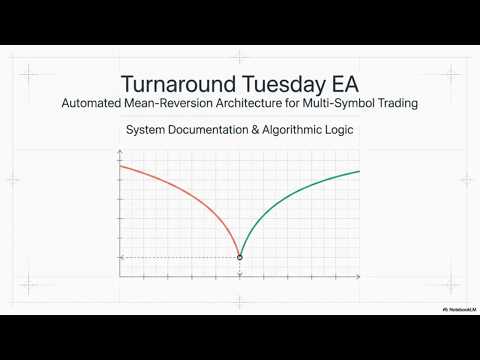
Turnaround Tuesday is a rule-based long-only strategy for trading multiple symbols at the same time. The core idea is a weekly mean-reversion pattern after a weak Monday: the EA looks for entries on Monday at a fixed broker time, opens only buy positions, and closes them again on Tuesday or Wednesday at a predefined time.
The EA is symbol-driven, manages each position with the same Magic Number, and displays the most important metrics directly on the chart.
## 2. Strategy Overview
1. On Monday, the EA checks each symbol from the configured symbol list at the selected time.
2. An entry is allowed only if there is no open position for that symbol and no entry has already been recorded for the same week.
3. An optional D1 SMA filter can be enabled.
4. An optional bearish Monday candle filter can also be required.
5. If all conditions are met, the EA opens a buy position.
6. On the selected exit day, the EA closes all open positions for the managed symbols.
## 3. Trading Logic
### 3.1 Entry
The entry is executed only on Monday at the configured broker time.
Default inputs:
- Entry Hour: 22
- Entry Minute: 55
Before opening a trade, the EA checks:
- whether the symbol is included in the symbol list and available,
- whether an open position already exists for that symbol with the EA Magic Number,
- whether an entry for that symbol has already happened during the current week,
- whether the optional MA filter is satisfied,
- whether the optional bearish Monday filter is satisfied.
### 3.2 Exit
The exit happens on Tuesday or Wednesday, depending on the selected setting, also at a fixed broker time.
Default inputs:
- Exit Hour: 22
- Exit Minute: 55
- Exit Day: Tuesday or Wednesday
At that moment, the EA closes all open positions for its managed symbols, provided they carry the EA Magic Number.
## 4. Symbol Management
The EA can trade several markets in parallel. The symbol list is maintained as a CSV string.
Example:
```text
USTEC,US500,US2000,UK100,DE40
```
Notes:
- Spaces are ignored.
- Semicolons are automatically converted to commas.
- Unavailable symbols are skipped and reported in the journal.
- If no valid symbols are found, the current chart symbol is used.
## 5. Filters
### 5.1 Daily SMA Filter
The EA can use a simple moving average on the D1 chart.
Settings:
- Use MA Filter: on or off
- MA SMA Period D1: default 20
- MA Filter Mode: Below or Above
Logic:
- Below: entry only if the current Bid is below the SMA.
- Above: entry only if the current Bid is above the SMA.
### 5.2 Bearish Monday Filter
When enabled, the EA only enters if the current D1 candle is bearish.
Condition:
- Close < Open
This is an additional quality filter for the Monday signal.
## 6. Risk Management
The EA calculates position size dynamically based on a defined risk amount.
### 6.1 Important Inputs
- StopLoss Pct: percentage stop loss relative to the entry price
- Risk Per Trade Pct: risk per trade in percent
- Risk Base Balance: optional fixed base for the risk calculation
- Use StopLoss: enable or disable the stop loss
### 6.2 Calculation
If a stop loss is active, the position size is calculated so that the possible loss per trade matches the configured risk. If a fixed Risk Base Balance is set, the EA uses that as the calculation base. Otherwise, it uses the current account balance.
If no valid stop loss or no valid risk base can be determined, the EA will not open a trade.
### 6.3 Stop Loss
If enabled, the EA places a percentage-based stop loss below the entry price.
Example:
- Entry at 100.00
- StopLoss Pct = 5.0
- SL at 95.00
## 7. Positions and Trading Rules
The EA follows these rules:
- only long positions are opened,
- each symbol can be opened only once per week,
- only positions with the configured Magic Number are managed,
- positions from other strategies remain untouched.
Management is handled through position and history checks, so the EA does not reopen symbols that have already been traded during the week.
## 8. On-Chart Dashboard
If the dashboard is enabled, the EA shows the most important information directly on the chart:
- current status,
- current weekday,
- entry and exit time,
- active filter mode,
- number of monitored symbols,
- risk per trade,
- balance and equity,
- cumulative profit/loss,
- weekly performance,
- symbol-specific weekly and total values.
The dashboard is refreshed on every new M1 tick.
## 9. Journal Logging
If logging is enabled, the EA writes events to the terminal journal, such as:
- initialization,
- symbol list loading,
- successful entries,
- exit information,
- rejections caused by filter conditions,
- technical order submission errors.
This is useful for troubleshooting and for reviewing trading behavior.
## 10. Runtime Flow
### Start
When the EA is loaded, it:
- sets the Magic Number,
- loads symbols from the list,
- calculates statistics from history,
- writes an init log entry.
### During Operation
On every new M1 bar update, the EA:
- recalculates statistics,
- checks whether an entry time has been reached,
- checks whether an exit time has been reached,
- updates the dashboard.
### Shutdown
When the EA is removed, dashboard objects are deleted and a deinit log entry is written.
## 11. Practical Notes
- The EA uses broker time, not local PC time.
- Entry and exit times must therefore match the broker server time.
- The symbols must be available at the broker and selectable in Market Watch.
- In the Strategy Tester, the selected symbols and time ranges should match the configured settings.
- The EA only opens positions when the conditions are met within the exact time window.
## 12. Intended Use Case
The EA is intended for markets that often show short-term weakness on Monday and then mean-revert into Tuesday or Wednesday. Typical candidates are broad index markets and other liquid CFD instruments.
## 13. Summary
Turnaround Tuesday is a clearly rule-based multi-symbol EA with:
- Monday as the entry day,
- Tuesday or Wednesday as the exit day,
- an optional SMA filter,
- an optional bearish Monday filter,
- dynamic risk and lot sizing,
- a dashboard and journal logging.
The strategy is intentionally simple and relies on consistent time rules instead of many complex signals.