GridRepeaTrain
- Utilitaires
-
Hajime Tsuro
 Over 12 year of experiences in forex programming and over many more years for software development.
We're serious and efficient. Many thanks. - Version: 1.5
- Activations: 7
🎯 Meet GridRepeaTrain — Your Pending Orders Wingman!
This EA’s here to back up your trading game with smart, repeatable pending orders.
It’s got two modes:
---------------------------------------------------------------------
[1] Single Mode and [2] Double Mode.
Think of it like this:
· Single Mode = only LONG or only SHORT pending orders (pick one and repeat it).
· Double Mode = LIMIT or STOP pending orders (working both sides of the range).
[1] Single Mode – The One-Sided Sniper 🎯
Perfect when you just want to keep stacking only LONGs or only SHORTs.
Example time:
You’ve got $10,000 in your account. You’re trading EURUSD. Price is sitting at 1.160, and you expect it could drop to 1.100.
So… you open a SHORT at 1.160, lot size 0.10.
Now, price might head to 1.100 eventually, but markets rarely go straight in one direction. They move in ranges — down, up, down, down, up, down, up… you get the idea.
While holding your SHORT with TP at 1.180, you might want to sneak in some quick LONG trades during those small pullbacks — tight TP, maybe a trailing stop, kind of like scalping inside the bigger move.
That’s where Single Mode shines — it automates that one-sided repeat order setup for you.
---------------------------------------------------------------------
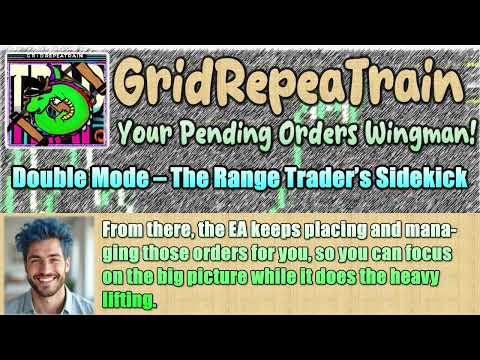
[2] Double Mode – The Range Trader’s Sidekick 📏
This one’s built for range-bound strategies using LIMIT or STOP orders over and over.
Let’s say you believe WTI is bouncing between $50 and $80.
Your plan:
· Above $70 → Open SHORTs.
· Below $60 → Open LONGs.
With Double Mode set to LIMIT, you can pick a middle price — say $66 — and tell the EA how far each pending order should be from that middle.
From there, the EA keeps placing and managing those orders for you, so you can focus on the big picture while it does the heavy lifting.
---------------------------------------------------------------------
🔥 Whether you’re sniping one direction with Single Mode or working both ends of the range with Double Mode, GridRepeaTrain keeps your pending order game smooth, steady, and stress-free.
Below you’ll find all the configuration parameter explanations so you can set up GridRepeaTrain exactly the way you want.
And hey — I’ve also put together a YouTube how-to video showing the setup in action, so you can see everything step-by-step. Go check it out! 🎥✨
Parameter Settings
- OperationMode: Select the operation mode. Choose one of SingleMode or DoubleMode. Default is SingleMode.
- UseRepeatMode: Enable or disable Repeat Mode.
o In Repeat Mode, when the price reaches a limit (or stop) order and a position is opened, after that position is closed, the same limit (or stop) order will be placed again.
o This repeats indefinitely.
o Set to true to enable Repeat Mode. Default is false.
- NumberOfOrders: Number of limit (or stop) orders to place. Default: 10.
- IntervalFactor: Interval between limit (or stop) orders.
o 1.0= equal spacing.
o Value > 1.0 (e.g. 1.5) → spacing gets narrower the further away from the current price.
o Value < 1.0 (e.g. 0.5) → spacing gets narrower closer to the current price.
o Default: 1.0. - Lots: Order lot size. Default: 0.01.
- MagicNumber: Magic number to assign to orders. If other EAs are running, make sure numbers do not overlap. If no other EAs are running, you can leave the default. Default: 880154.
- StopLoss: Stop loss in points (*1). 0 disables Stop Loss. Default: 0.
- TakeProfit: Take profit in points (*1). 0disables Take Profit. Default: 100.
- UseTrailing: Enable/disable trailing stop. Set true to enable. Default: false.
- TrailingStop: Starting point for trailing stop in points (*1).
o For buy positions: starts when price exceeds the input value above entry price.
o For sell positions: starts when price falls the input value below entry price.
o Default: 50. - TrailingDistance: Distance of stop loss from price when trailing starts, in points (*1).
o For buy: SL is set this many points below trailing start.
o For sell: SL is set this many points above trailing start.
o Default: 10. - TrailingStep: Sensitivity of trailing stop movement.
o Normally, you don't need to change this.
o If your broker warns you for too many modification requests, increase this value.
o Default: 1point. - UseBreakEven: Enable/disable break-even. Default: false.
- BreakEven: Break-even trigger level in points (*1).
o For buy: starts when price exceeds the entry price by the set value.
o For sell: starts when price falls the set value below entry price.
o Default: 30. - BreakEvenProfit: Profit to lock in when break-even triggers, in points (*1).
o Default: 10 (spread not included; use a value larger than the spread).
Single Mode Settings (Used only in Single Mode)
- OrderTypeMode: Direction of orders.
o BuyOnly→ buy orders only
o SellOnly→ sell orders only
o Default: BuyOnly.
Double Mode Settings (Used only in Double Mode)
- OrderMode: Order type.
o LimitOrder→ limit orders
o StopOrder→ stop orders
o Default: LimitOrder.