MyGridBasket

Read-only basket analytics library for grid and averaging EAs. Real breakeven, what-if, stress test and stop-out distance. Sends no orders.

What it is
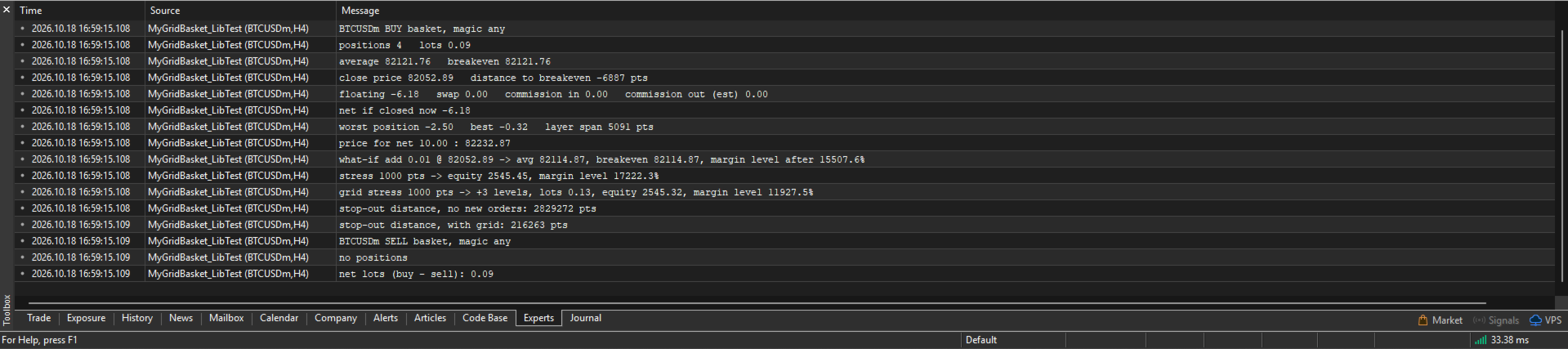
A library that reads your open positions and tells you the real state of a grid or averaging basket.
It does not trade. It sends no orders. It has no entry logic.
You call it from your own EA.

What it tells you
- Breakeven of the basket, with swap and commission counted
- The price where the basket nets a money amount you choose
- Where the average and the breakeven move if you add one more level
- How many lots bring the average to a price you choose
- Equity and margin level if price moves against the basket
- The same, with a grid that keeps adding levels
- How many points are left until stop-out

How to use
1. Put MyGridBasket.ex5 in MQL5/Libraries.
2. Add the import block below to your EA.
3. Create a basket handle, refresh it, read the numbers.
4. Destroy the handle in OnDeinit.

Example

int hBuy=-1;

int OnInit()
  {
   hBuy=MyGB_Create(_Symbol,MagicNumber,MYGB_BUY);   // magic -1 = every magic
   return (hBuy>=0) ? INIT_SUCCEEDED : INIT_FAILED;
  }

void OnDeinit(const int reason)
  {
   MyGB_Destroy(hBuy);
  }

void OnTick()
  {
   MyGB_Refresh(hBuy);
   double be = MyGB_Breakeven(hBuy);
   double tp = MyGB_TargetPrice(hBuy,50.0);     // net +50 in account currency
   double so = MyGB_StopOutDistance(hBuy);      // points to stop-out
  }

Conventions
Invalid handle or failed calculation: double returns EMPTY_VALUE, int returns -2, bool returns false.
Margin level is in percent. -1 means no margin is used.
Stop-out distance is in points. -1 means not reached in range, -2 means unknown.

Import block

#define MYGB_BUY  0
#define MYGB_SELL 1

#import "MyGridBasket.ex5"
int MyGB_Create(string symbol,long magic,int side);
void MyGB_Destroy(int h);
bool MyGB_Refresh(int h);
string MyGB_Version();
bool MyGB_IsHedging(int h);
string MyGB_Warning(int h);
string MyGB_Summary(int h);
int MyGB_Positions(int h);
double MyGB_Lots(int h);
double MyGB_AvgPrice(int h);
double MyGB_Breakeven(int h);
double MyGB_ClosePrice(int h);
double MyGB_DistToBreakevenPoints(int h);
double MyGB_Floating(int h);
double MyGB_Swap(int h);
double MyGB_EntryCommission(int h);
double MyGB_ExitCommission(int h);
bool MyGB_ExitCommissionKnown(int h);
double MyGB_NetResult(int h);
double MyGB_WorstPositionProfit(int h);
double MyGB_BestPositionProfit(int h);
double MyGB_LayerSpanPoints(int h);
void MyGB_SetExitCommissionPerLot(int h,double rate_per_lot);
void MyGB_ClearExitCommissionOverride(int h);
double MyGB_TargetPrice(int h,double target_money);
double MyGB_MoneyAtPrice(int h,double price);
double MyGB_LotsForTargetAverage(int h,double price,double target_avg);
double MyGB_WhatIfNewAverage(int h,double lot,double price);
double MyGB_WhatIfNewBreakeven(int h,double lot,double price);
double MyGB_WhatIfMarginLevel(int h,double lot,double price);
double MyGB_StressEquity(int h,double adverse_points);
double MyGB_StressMarginLevel(int h,double adverse_points);
int MyGB_StressStopOut(int h,double adverse_points);
double MyGB_GridStressEquity(int h,double adverse_points,double step_points,double first_lot,double lot_mult,double step_mult,int max_levels);
double MyGB_GridStressMarginLevel(int h,double adverse_points,double step_points,double first_lot,double lot_mult,double step_mult,int max_levels);
double MyGB_GridStressLots(int h,double adverse_points,double step_points,double first_lot,double lot_mult,double step_mult,int max_levels);
int MyGB_GridStressLevels(int h,double adverse_points,double step_points,double first_lot,double lot_mult,double step_mult,int max_levels);
int MyGB_GridStressStopOut(int h,double adverse_points,double step_points,double first_lot,double lot_mult,double step_mult,int max_levels);
double MyGB_StopOutDistance(int h);
double MyGB_StopOutDistanceGrid(int h,double step_points,double first_lot,double lot_mult,double step_mult,int max_levels);
double MyGB_NetLots(string symbol,long magic);
#import

Know the limits
- Made for hedging accounts. On netting accounts there is one position per symbol, so the basket is that position. A warning is set.
- Stop-out is evaluated only when your broker uses stop-out in percent. In money mode the result is unknown.
- Margin of simulated levels does not credit hedge offset between opposite positions. This errs on the safe side.
- Simulated levels fill exactly at their price. Spread, slippage and execution delay are not modelled.
- Exit commission is estimated from your own past closing deals on the symbol. If there are none it is counted as 0 and the library tells you.
- Other positions on the account are assumed unchanged during a stress test.
- A stress test is arithmetic. It is not a forecast. Real fills in a fast market are worse.
- Test it on a demo account with your broker's symbols before you rely on it.

Free. No account or symbol restrictions. No warranty.
Version 1.00 is the first release.
More from author
My Grid Scalper
Ahmad Aan Isnain Shofwan
3 (2)
MyGrid Scalper You either lead it — or it leads you. I am releasing an MT5 version based on the MT4 version—which has been downloaded over 30,000 times since 2022—without hype, fanfare, or discounts. This EA is free and will remain free forever. I dedicate the spiritual rewards from the good and benefits it provides to my late mother in the hereafter . Just consistent execution in the hands of those who understand Basic Info Symbol: Any (default optimized: XAUUSD) Timeframe: Any (default optim
FREE
MyVolume Profile Scalper FV
Ahmad Aan Isnain Shofwan
4 (7)
FREE Version of  MyVolume Profile Scalper EA  https://www.mql5.com/en/market/product/113661 Recommended currency pairs: ETHUSD GOLD/XAUUSD AUDCAD AUDCHF AUDJPY AUDNZD AUDUSD CADCHF CADJPY CHFJPY EURAUD EURCAD EURCHF EURGBP EURJPY EURNZD EURUSD GBPAUD GBPCAD GBPCHF GBPJPY GBPNZD GBPUSD NZDCAD NZDCHF NZDJPY NZDUSD USDCAD USDCHF USDJPY ETHUSD BTCUSD US30 CASH Timeframe :   working for all time frames ------------------------------------------------------------------------------------------ --> P
FREE
My Support and Resistance Zone  — Supply & Demand Zones for MT5 Most supply-demand indicators clutter your chart and then pretend that’s “analysis.” This one doesn’t. My Support and Reistance Zone maps supply and demand zones automatically, then ranks them by actual market behavior — not by how pretty the rectangle looks. What you get Weak Zone New Zone (untested) Confirmed Zone Proven Zone Turncoat / broken zone (optional) Each zone is labeled clearly: Confirmed Zone To Sell, Retests=2 New Zon
FREE
My Btcusd Grid
Ahmad Aan Isnain Shofwan
4.25 (16)
MyBTCUSD GRID EA is FREE Version of  BTCUSD GRID EA  https://www.mql5.com/en/market/product/99513 MyBTCUSD GRID EA is an automated program designed to use the grid trading strategy (as of July 21, 2025, 10,000+ downloads since released) MyBTCUSD GRID EA is highly useful for beginners and experienced traders alike. While there are other types of trading bots you can use, the logical nature of the grid trading strategy makes it easy for crypto grid trading bots to perform automated trading withou
FREE
Velora MT5
Ahmad Aan Isnain Shofwan
The Intelligent Grid EA — A Team of Smart Modules Following the 5-star success of its MT4 predecessor, Velora has been completely rebuilt for MT5 with a fundamental shift in design. Most grid EAs are one engine doing many jobs. Velora is different. Inside Velora, there is a team. Four smart modules, each with one specialty, working together so the system stays adaptive at every stage of a trade — from the moment of entry, to scaling decisions, to the exit. Meet the team: VSE — Velora Smart Entr
MyGrid Scalper
Ahmad Aan Isnain Shofwan
3.94 (52)
MyGrid Scalper You either lead it — or it leads you. 30,000+ downloads since 2022 — no hype, no noise, no discounts. Just consistent execution in the hands of those who understand Basic Info Symbol: Any (default optimized: XAUUSD) Timeframe: Any (default optimized: M5 ) Type: Grid-based EA with soft martingale (default 1.5) Lot control: Set multiplier to 1.0 for fixed lots Account type: ECN recommended but not required Broker: Any broker, low spread preferred Live & demo ready: Backtested, for
FREE
AanIsnaini Signal Matrix MT5
Ahmad Aan Isnain Shofwan
5 (1)
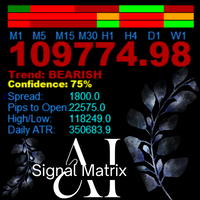
AanIsnaini Signal Matrix MT5 Multi-Timeframe Confidence Signal Dashboard The Free Version of AanIsnaini Signal Matrix MT5 Pro AanIsnaini Signal Matrix  MT5 is a powerful all-in-one indicator that analyzes market direction and confidence levels across multiple timeframes — allowing traders to see the overall bias of the market at a single glance. It combines signals from Price Action , Support–Resistance , and several proven technical tools (MACD, ADX, RSI, MA slope, ATR, and Volume Ratio), then
FREE
My Risk Management MT5
Ahmad Aan Isnain Shofwan
5 (1)
My Risk Management The Risk Management Dashboard is a visual tool designed to help traders monitor risk exposure in real time. With a clear and compact layout, it provides an instant overview of trading activity, enabling more disciplined and informed decision-making. Key Features Active Symbol Summary Displays all traded symbols with the number of trades, total buy/sell lots, and current profit/loss. Per-Symbol Risk Analysis Calculates and shows the risk percentage of each symbol relative to
FREE
Velora Equity Monitor
Ahmad Aan Isnain Shofwan
5 (1)
Velora Equity Monitor Free — No strings attached. Except one. I built this for myself. After running multiple EAs simultaneously on the same terminal, I kept asking the same question: which one is actually making money? The default MT5 account history mixes everything together. You get a number. You don't get clarity. So I built Velora Equity Monitor. Attached it. Left it running. Forgot it was there — until I needed it. That's the best compliment I can give my own tool. What it does Velora Equi
FREE
My Fibonacci MT5
Ahmad Aan Isnain Shofwan
My Fibonacci MT5 An automated Fibonacci indicator for MetaTrader 5 that combines ZigZag swing detection with comprehensive Expert Advisor integration through a 20-buffer system. More details about data specification and EA integration: https://www.mql5.com/en/blogs/post/764114 Core Features Automated Fibonacci Detection The indicator identifies swing points using configurable ZigZag parameters and draws Fibonacci retracements and extensions automatically. It updates levels as new swing formatio
FREE
MyCandleTime MT5
Ahmad Aan Isnain Shofwan
My CandleTime This indicator displays the remaining time until the current candle closes directly on the chart. It is designed to help traders keep track of candle formation without constantly checking the platform’s status bar. Main Features Shows countdown timer for the active candle. Works on any symbol and timeframe. Lightweight, does not overload the terminal. Adjustable font size and name. How to Use Simply attach the indicator to a chart. You can customize font size, color, and font to
FREE
My Risk Management
Ahmad Aan Isnain Shofwan
5 (1)
My Risk Management The Risk Management Dashboard is a visual tool designed to help traders monitor risk exposure in real time. With a clear and compact layout, it provides an instant overview of trading activity, enabling more disciplined and informed decision-making. Key Features Active Symbol Summary Displays all traded symbols with the number of trades, total buy/sell lots, and current profit/loss. Per-Symbol Risk Analysis Calculates and shows the risk percentage of each symbol relative to
FREE
AanIsnaini Signal Matrix
Ahmad Aan Isnain Shofwan
AanIsnaini Signal Matrix Multi-Timeframe Confidence Signal Dashboard AanIsnaini Signal Matrix  is a powerful all-in-one indicator that analyzes market direction and confidence levels across multiple timeframes — allowing traders to see the overall bias of the market at a single glance. It combines signals from   Price Action ,   Support–Resistance , and several proven technical tools (MACD, ADX, RSI, MA slope, ATR, and Volume Ratio), then calculates a   confidence score   showing how strongly th
FREE
My Fibonacci
Ahmad Aan Isnain Shofwan
My Fibonacci An automated Fibonacci indicator that combines ZigZag swing detection with comprehensive Expert Advisor integration through a 20-buffer system. More details about data specification and EA integration: https://www.mql5.com/en/blogs/post/764109 Core Features Automated Fibonacci Detection The indicator identifies swing points using configurable ZigZag parameters and draws Fibonacci retracements and extensions automatically. It updates levels as new swing formations develop. Market Ad
FREE
TAwES
Ahmad Aan Isnain Shofwan
Trading Assistant with Equity Security (TAwES) This EA for helping manual trading (the EA will be activated when manual trade opened - Semi Auto) - This EA will be triggered by manual trading/first OPEN TRADE - If some manual trades have been opened and EA activated then all manual trades will be take over by EA separately. - This EA feature can be a martingale with multiplier, max order, and the distance can be adjusted - This EA will secure your Equity by max/loss Equity Setup.
FREE
Buas
Ahmad Aan Isnain Shofwan
BUAS EA is a hybrid grid breakout system engineered for traders who prefer execution logic over prediction. It deploys pending Buy Stop and Sell Stop orders as a symmetrical trap and follows whichever side is triggered first. The latest version introduces Adaptive Asymmetric Grid (AAG) logic and Dual Adaptive Trailing (equity-based + ATR-based), delivering both dynamic protection and refined risk adaptation. Designed for professional and advanced traders who demand full automation with on-chart
MyGrid Scalper Ultimate
Ahmad Aan Isnain Shofwan
MyGrid Scalper Ultimate Structured Execution for Confident Traders MyGrid Scalper Ultimate is a auto and manual-entry grid manager designed for experienced traders who already have their own entry strategy. It is the paid and extended version of MyGrid Scalper Free , one of the most downloaded free EAs on the MQL5 Market (28,000+ times). If you're looking for a fully automatic EA, this may not be the right tool. But if you want a system to handle lot scaling, exit logic, and risk structure a
Black Bird
Ahmad Aan Isnain Shofwan
Only for those who know the character of Martingale (Martingale Lover). This EA is very good for those who are concerned about  REBATE generators . Black Bird EA is based on Hedging Strategy proceeds  an advanced algorithm. Black Bird   EA   is an advanced Scalp trading system that uses smart algorithms to make the quickest entry into market. It uses fixed/dynamic take-profit based on the market state at the time of entry, and has a variety of exit modes. The EA will manage the trades based
Btcusd Grid
Ahmad Aan Isnain Shofwan
1 (1)
BTCUSD GRID EA An Adaptive Grid Trading System Designed Specifically for BTC/USD BTCUSD GRID EA is a premium Expert Advisor (EA) based on a structured grid strategy, developed exclusively for the BTC/USD pair on the MetaTrader 4 platform. Designed for serious traders, it turns price volatility into structured opportunity — without relying on prediction, only logic and control. Key Features Tailored for BTC/USD — Not a Multi-Pair EA Every algorithm is optimized for the unique behavi
Three Little Birds
Ahmad Aan Isnain Shofwan
THREE LITTLE BIRDS EA Forged from loss. Perfected with pain. Released with purpose. Before you buy or rent, read my notes on what 3LB costs you and how to test it yourself in my blog post. Tip: If you want to understand how the EA works in detail during testing, look for the parameter “Debug” in the input settings. By default, it is False. Set it to True to see detailed messages in the Experts tab while running backtest or live test. Auto Time Frame: H4. The default settings are for: Metals: X
MyVolume Profile Scalper
Ahmad Aan Isnain Shofwan
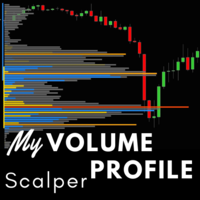
MyVolume Profile Scalper EA is an advanced and  automated program designed to use the Volume Profile which is takes the total volume traded at a specific price level during the specified time period and divides the total volume into either up volume (trades that moved the price up) or down volume (trades that moved the price down) and then makes open order. The core engine of this EA is using indicator Volume, Heiken Ashi, and ADX. Additional filter using a customizable the Moving Average to ma
Miliarto Ultimate
Ahmad Aan Isnain Shofwan
an EA that use 3 Moving Average or Bollinger Bands indicators. You can choose one and setup the indicator selected as you wish.  Moving averages and Bollinger bands is one of powerful indicator. The recommendation to uses the main trend to enter the market, H1 or H4 timeframe for identifying the trend. and you can uses a short timeframe to enter the market and setup how the EA allowed trade direction  (Buy only, Sell only, or both) within short time frame. The EA have : - Take Profit and Stop Lo
Velora
Ahmad Aan Isnain Shofwan
5 (4)
Velora EA – Grid & Adaptive Trailing Breakout System Velora is a high-quality Expert Advisor engineered from the core of Instant Volatility Breakout (IVB), with an adaptive Grid Engine, dynamic trailing logic, partial close mechanisms, and automated volatility-based entries. Crafted for traders seeking a blend of aggression, safety, and adaptability, Velora is not just reactive — it's responsive. Core Strengths IVB Breakout Engine: Detects high-impact momentum bursts using refined volatility and
MurreyGannQuantum
Ahmad Aan Isnain Shofwan
MurreyGannQuantum - Professional Trading Indicator Advanced Murrey Math & Gann Angle Technical Analysis with Complete EA Integration Professional technical indicator combining Murrey Math level analysis with Gann angle calculations. Features comprehensive visual analysis, multi-timeframe adaptation, and complete EA integration capabilities for automated trading systems. The blog: https://www.mql5.com/en/blogs/post/763757 CORE FEATURES Technical Implementation: Murrey Math Levels: 9 dynamic su
MurreyGannQuantum MT5
Ahmad Aan Isnain Shofwan
MurreyGannQuantum - Professional Trading Indicator Advanced Murrey Math & Gann Angle Technical Analysis with Complete EA Integration Professional technical indicator combining Murrey Math level analysis with Gann angle calculations. Features comprehensive visual analysis, multi-timeframe adaptation, and complete EA integration capabilities for automated trading systems. The Non-Repainting Guarantee: Why It Matters What Does Non-Repainting Really Mean? A non-repainting indicator maintains its h
AanIsnaini TrueChart
Ahmad Aan Isnain Shofwan
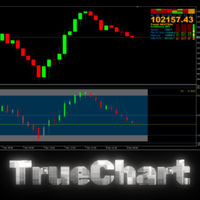
Proprietary Signal Amplification Technology Unlike conventional indicators that merely display data, TrueChart employs advanced signal amplification that emphasizes only high-probability trading opportunities. The system automatically filters out market noise and amplifies genuine signals through multiple confirmation layers, ensuring you only see what truly matters. Revolutionary Multi-Dimensional Confirmation System Most indicators operate in a single dimension. Our technology simultaneously
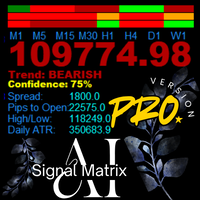
AanIsnaini Signal Matrix MT5 PRO - Bayesian Multi-Timeframe Dashboard "Advanced multi-timeframe dashboard with Bayesian Learning, real-time Signal Strength, and persistent memory. The older it runs, the smarter it becomes." The free version (v1.3) gave you visibility. The PRO Version gives you the edge . AanIsnaini Signal Matrix MT5 PRO is a sophisticated multi-timeframe analysis system that combines classical technical indicators with adaptive probabilistic reasoning. Designed for serious tra
My Volume Profile Scalper
Ahmad Aan Isnain Shofwan
My Volume Profile Scalper (MVPS) Grid EA. First ticket comes from Volume Profile (or you force the side). The rest is distance + multiplier — same math every cycle. Not a holy grail. Not “AI.” It opens, it grids, it manages the basket. If you don’t understand martingale, don’t attach it. or use multiplier lot size to 1 for fixed size. What it actually does First entry: Volume Profile on M1–D1, or Buy Only / Sell Only / Buy & Sell. Next entries: grid from last price × GridMulti . Lot follows las
Three Little Birds MT5
Ahmad Aan Isnain Shofwan
THREE LITTLE BIRDS EA Forged from loss. Perfected with pain. Released with purpose. Before you buy or rent, read my notes on what 3LB costs you and how to test it yourself in my blog post. Tip: If you want to understand how the EA works in detail during testing, look for the parameter “Debug” in the input settings. By default, it is False. Set it to True to see detailed messages in the Experts tab while running backtest or live test. Auto Time Frame: H4. The default settings are for: Metals: X
Filter:
No reviews
Reply to review