 MetaTrader 5
 Experts
 Indicators
 Libraries
 Utilities
 Widgets
 Rules
Rules
Watch the Market tutorial videos on YouTube
How to buy а trading robot or an indicator
Run your EA on
virtual hosting
virtual hosting
Test аn indicator/trading robot before buying
Want to earn in the Market?
How to present a product for a sell-through
New trading utilities for MetaTrader 5 - 56
 Below are trading programs simplifying trading in MetaTrader 5. Hover over a utility to read its description and purpose.
RTrade panel is easy trading panel use both (Stop Loss & Take Profit) based on pips with easy interface can be use by anyone
Panel Feature: -Open position based on (Lot) size
-Auto detect entry price -Use Stop Loss based on (pips) -Use Take Profit based on ( pips ) -Close all position in one button click
i will add more function in future update if you like it write your review
FREE

️ Prop Firm Risk Management Expert Advisor – Your Account’s Security Shield! If you are trading in prop firm challenges , this Risk Management EA is exactly what you’ve been looking for!
In the world of prop trading, there’s no room for mistakes – one wrong or emotional trade can wipe out your account and weeks of hard work…
But with this smart and precise EA , you can trade with confidence, knowing you’ll never cross your prop firm’s red lines. This EA is a tested, reliable, and powerful too
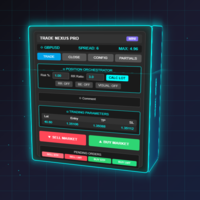
Transform Your Trading with Advanced Automation Management EA TRADE NEXUS PRO is a sophisticated MetaTrader 5 Expert Advisor designed specifically for every trading pair. This EA combines intelligent position management with precise risk control.
Key Features That Set Us Apart Position Orchestrator System
Risk Calculation Based on Stop Loss in Pips/Points. Orders : You can set pending orders such as limit orders, market orders and stop orders Dynamic Risk Control : Customizable risk p

Trade Simulator is not just a trade panel. It allows you to practice realistic trading using historical data, with interactive chart control. You can place trades, adjust stop levels, and monitor results as if trading live. You can also place and manage orders directly in the MT5 Strategy Tester. The same tool and interface can be used directly on live charts for actual trading. To use Trade Simulator correctly, follow the Setup & User Guide for the correct Strategy Tester setup and usage. Key F
FREE

Ping: Your Indispensable Tool for Reliable Trading Your internet provider and VPS promise a stable connection, but can you really trust them? In a world where every millisecond counts, a slow or unstable connection can result in missed profits or losses. Ping allows you to: Make Informed Decisions: Visually compare the speed of different VPS servers and brokers to choose the fastest and most reliable connection for your strategy. Eliminate Risks: Especially useful for scalpers and high-frequency

Utility TimeLs Close Positions is a tool for managing and automating trade closing operations in MetaTrader 5. It provides flexible control over when and how open positions are closed based on time, symbol, direction, magic number, and comment filters. You can disable trading on specific days of the week
You can set a specific time to close all open positions
You can filter closing operations by symbol, direction (Buy/Sell), magic number, or comment
You can execute up to three one-time scheduled

Buy Sell Multiple Panel - Execute Bulk Orders in a Single Click! Description Save time and seize market opportunities instantly. This powerful panel allows you to place multiple buy or sell orders simultaneously, each with custom lot sizes, take-profit, and stop-loss levels. Perfect for sophisticated entry strategies and managing complex trades efficiently. Key Features Bulk Order Execution: Open multiple market orders at once with just one click. Flexible Lot Sizing: Set individual lot sizes f

Dashboard – Trading Panel for MetaTrader 5 Dashboard is an essential tool for traders who need a centralized view , efficient order control , and quick access to key market information , all displayed directly on the MetaTrader 5 chart. Features: Clear display of open positions Quick order management (open/close) Profit/loss tracking per trade Built-in trend indicators (moving averages, candles, etc.) Customizable panel for different trading styles Optimized interface for day trading, swing
FREE

MT5 to MT4 Two Way Copier: Skyrocket Your Trading Success with Seamless Precision!
Unlock the power of automated trade replication with This Copier, the ultimate Expert Advisor (EA) designed to revolutionize your trading experience on MetaTrader 4 and MetaTrader 5. Whether you are a seasoned trader, a hedge fund manager, or a prop firm guru, this robust, feature-packed tool ensures your trades are copied with lightning-fast accuracy across multiple accounts or platforms. Say goodbye to manual

Enhance Your Manual Trading Workflow in MetaTrader DrawTrade is a total reimagining of how you interact with MetaTrader by introducing a flexible and intuitive interface designed specifically for manual traders. It enhances chart navigation, improves drawing responsiveness, and streamlines trade execution — all with tools that feel natural to use and quick to master. Core Navigation Improvements Mouse Flick Navigation
Quickly pan across charts with a flick of the mouse, improving chart expl

Main Features Automatically closes open positions at a specified time. Symbol filter: close positions only for a selected instrument (or leave blank to affect all). Magic number filter: close only positions with the specified magic number (or all, if set to -1). Displays operational status and parameters directly on the chart . ...and many other interesting features
FREE

Smart Risk Manager – Master Your Trades with Precision and Confidence Take complete control of your manual trading with Smart Risk Manager , a professional all-in-one trade and risk management Expert Advisor for MetaTrader 5 . Designed for traders who value speed, precision, and capital protection, it simplifies every step of trade execution while ensuring your risk remains under control. Whether you trade Forex, Gold, Indices, or Cryptocurrencies , Smart Risk Manager helps you execute trades w

• Please test the product in the Strategy Tester before purchasing to understand how it works.
• If you face any issues, contact me via private message—I’m always available to help.
• After purchase, send me a screenshot of your order to receive a FREE EA as a gift. Auto-Hedge System Description The auto-hedge system is a dynamic risk management tool designed to protect trading accounts from significant drawdowns while enabling opportunities for recovery and profit. When enabled, the system

ZoneStrike Trading Assistant is a manual trading panel for MetaTrader. You decide when and where to trade; ZoneStrike handles the position sizing, the order placement and the trade management, and draws the market structure you are reading straight onto the chart.
**** It is not an automated robot. It never opens a trade on its own — every entry is yours.
PLAN THE TRADE ON THE CHART Press Buy, Sell, Pending Buy or Pending Sell and the trade appears on the chart before it is live: an entry lin

The Ultimate TradingView to MT5 Bridge Automation Stop manual trading and latency issues. TradingView to MT5 Copier PRO is the fastest and most reliable bridge to execute your TradingView alerts directly on MetaTrader 5. This EA executes your trades instantly using High-Speed WebSocket technology .
Installation instructions and Trial version
Key Features Trade Copier Ultra-Fast Execution: Uses WebSocket connectivity (faster than standard WebRequest) to minimize slippage. Universal Broker

Scanner for the Agulhadas Strategy This scanner was developed to automate the identification of signals from one of the most popular strategies among Brazilian traders — informally known as “Agulhadas.” The technique uses five main indicators with clear visual rules to identify potential entry and exit points on the chart. With the scanner, you save time and avoid the manual work of finding these opportunities. Download this Scanner Indicator for free here How the Scanner Works The scanner analy

Theme Switcher - Personalize Your Trading Terminal Description The Theme Switcher is an interactive panel that lets you quickly change the color scheme of your MetaTrader 5 chart. Designed for traders seeking a comfortable and personalized visual environment, This tool offers a variety of theme styles inspired by brands, movies, and professional designs. How to Use It Open the panel: Simply add the indicator to your chart, and a window with buttons for different themes will appear. Select a them
FREE

PipsCounter Basic is an indicator for MetaTrader 5 that displays in real time the pip variation of open positions and provides a daily summary of closed trades. All information is shown directly in the main chart window in a clear and unobtrusive format. Features Real-time pip tracking
Continuously updates the pip difference for each active position on every market tick. Daily pip total
Shows the net pip value of all closed trades during the current trading day. TP/SL price labels (New)
Auto
FREE

Crystal Copycat ULTIMATE HYBRID 7.0 – MT5 Trade Copier (Local + Online) OVERVIEW
Crystal Copycat ULTIMATE HYBRID 7.0 is a professional MT5 trade copier designed for prop accounts, money managers, and signal providers who need both ultra-fast local copying and flexible online distribution. It supports 2 engines in one EA: Local File Engine – copies trades between MT5 terminals on the same PC/VPS using the MT5 Common folder (no DLLs, no external web APIs). Online Telegram Engine – sends master tra
FREE
Overview
Performance Indicator shows a heatmap of percentage returns for a list of symbols over configurable time intervals. It is used to visually compare relative strength and weakness , without giving any guarantee of results. Configuration
SymbolsList: comma-separated symbols; must match exactly the names in the terminal.
BaseTF: base timeframe for calculations.
UpdateSeconds: interval in seconds for automatic refresh.
CapPercent: normalization value for color intensity.
PeriodsList: stri
FREE
Pending Orders EA BOT - Your Ultimate Trading Companion for MetaTrader 5 The Pending Orders EA BOT is a powerful and easy-to-use Expert Advisor (EA) for MetaTrader 5 (MT5). It’s designed for both new and experienced traders to make grid trading simple, fast, and effective. With its user-friendly dashboard, you can set up trades, manage risks, and track profits in real-time. This EA is perfect for scalping with a minimum price interval of 0.01, placing hundreds of trades in minutes, or setting u
Bias Seasonal Pattern Analyzer for MT5 – Real-Time Seasonal Bias Analysis Bias Finder is an advanced tool for seasonal market analysis, designed to clearly display average profits generated during different time-based segments: Hourly Bias – shows the most profitable hours of the day Weekday Bias – reveals the best-performing day of the week for each symbol Day‑of‑Month Bias – analyzes behavior at the start and end of each month Monthly Bias – ideal for long-term seasonal or monthly trend analy

️ TradeForge Trade Copier – Effortless Multi-Account Mirroring TradeForge Trade Copier is a powerful Expert Advisor (EA) designed to seamlessly replicate trades from one MT5 account (Master) to multiple other accounts (Slaves). It’s engineered for fund managers, prop traders, and individual traders seeking efficiency, risk diversification, and consistent strategy deployment across multiple brokers. Core Concept: Trade Copying / Mirror Trading At the heart of TradeForge is the ability to dup

THE DEFENSIVE MEASURE OF YOUR PROFIT MAKING STRATEGIES!
As said by Master Sun Tzu: Security against defeat implies defensive tactics; ability to defeat the enemy means taking the offensive.
Do you want to stop having ridiculous drawdown because of glitches incurred by your Expert Advisors(EA)? Do you want to track your wins and losses and take risk management seriously? Before you purchase your next prop firm account or your next Expert Advisor, hold on. First, Congratulations! I have develop

Auto SLTP Risk Assistant – Smart Risk Management & Auto Lot Size EA for MT5 Looking for a fast and professional way to calculate lot size, Stop Loss, and Take Profit automatically on MT5? Auto SLTP Risk Assistant is a powerful MetaTrader 5 trading assistant and risk management EA designed to help traders execute trades with precise risk control and accurate position sizing. Simply drag the Stop Loss line on your chart, and the EA will automatically: Calculate lot size Set Stop Loss (SL) Set Tak
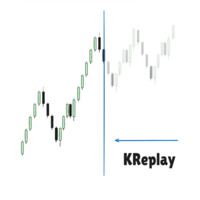
Candlestick Replay Tool - Professional Backtesting & Practice Assistant The Candlestick Replay Tool is a powerful indicator designed for MetaTrader 5 (MT5). It allows you to replay historical market data in an isolated simulation environment, making it the ideal choice for backtesting trading strategies, reviewing past market movements, and improving your trading intuition. The tool supports loading custom indicators and enables multi-timeframe synchronized replay by loading it onto multiple cha
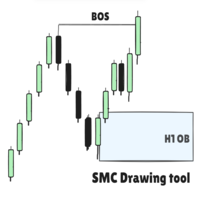
SMC Drawing Tool - Advanced Charting and Analysis Assistant Due to limitations in MetaTrader 5, this EA does not work in the Strategy Tester. To see it in action, you can download the demo version. SMC Drawing Tool is a professional technical analysis indicator for MetaTrader 5, designed to enhance the Smart Money Concepts (SMC) trading methodology. It deeply integrates a comprehensive suite of drawing tools with an intelligent labeling system and includes advanced features such as multi-timefra

- Statistics and monitoring of account - Sending screenshot to TG and push notification to the phone : bot report by schedule and by pressing the button; notifications of the drawdown (in % or currency) of a symbol and/or account by schedule; - Closing the position of the symbol by pressing its current profit/loss My bot's token is written in the "Bot token (0=off)" parameter . To work it, you need to find it in search of TG called " GR_BOT_MT5_TO_TG_bot " and send a message "/start" . After

The Ultimate Drawdown Recovery & Trade Protection EA for MT5
Watch tutorial video here: https://youtu.be/jkTFLoaHwnQ?si=qzUXLbJc9clSCMrr Now with Smart Direction Logic + Equity Drawdown Protection, Your Trades Deserve a Second Chance. Give Them This Soldier. Struggling with floating losses or sudden drawdowns that threaten your account? The Ultimate Drawdown Recovery EA (UDR) is a powerful, intelligent MT5 Expert Advisor designed to potentially recover losing trades, help protect your equity,

Unified Scroll – Effortless Multi-Timeframe Chart Synchronization (MQL5)
Tired of manually scrolling through multiple charts? Unified Scroll is the ultimate MQL5 utility that instantly syncs scrolling and panning across all charts of the same symbol—regardless of timeframe. No more misaligned charts, no more wasted time. Just smooth, synchronized analysis at your fingertips.
Seamless Scrolling & Panning – Move one chart, and all others follow in real time .
Works with Any Sym
FREE
This EA does not perform trading operations. It's a auxiliary visual tool for graphics synchronization.
The “there are no trading operations” error in the validator is expected and intentional. CHARTCONNECT – Chart Synchronizer (Version 1.19) Connect all your charts to the same symbol with just one click.
What is CHARTCONNECT? ChartConnect is a lightweight and efficient tool designed to automatically synchronize the ticker symbol of all open charts in MetaTrader 5

Discretion Assistant v1 – Manual Trading Utility for MT5 Discretion Assistant v1 is a comprehensive discretionary trading tool designed to support manual traders with visual clarity, intuitive chart overlays, and streamlined position control. It improves timing, judgment, and execution precision across all trading styles. Full Feature List (Customizable in pips and seconds) Position Control Automatic Take-Profit Placement Fixed-Width Trailing Stop ATR-Based Trailing Start Trailin

TradeBlitz: The Intelligent Forex Trading Assistant TradeBlitz is a highly efficient trading assistant tool specifically designed for forex traders. It helps traders make quick decisions and precisely manage risks in the complex and volatile forex market, thereby enhancing trading efficiency and returns. Core Features One-Click Trading: Supports instant one-click opening and closing of positions, allowing traders to swiftly seize market opportunities and capture every crucial moment. Intelligen

Are you tired of manually calculating lot sizes for your trades? The Target Lot Calculator is an MQL5 tool that instantly computes and displays the optimal lot size based on your desired profit/loss amount and the price range measured with a crosshair. This tool will make your trading more intuitive and efficient. Key Features Intuitive Operation : Simply move the crosshair to see the optimal lot size for the current price range in real-time. Dynamic Lot Calculation : The tool automatically cal
This EA does not execute any trading operations.
It is a visual utility tool designed solely for chart synchronization.
The “there are no trading operations” validation error is expected and intentional. CHARTCONNECT – Chart Synchronizer (Version 1.19) Synchronize all your charts to the same symbol with a single click.
What is CHARTCONNECT? ChartConnect is a lightweight and efficient tool developed to automatically synchronize the symbol (ticker) across all open charts in MetaTrade
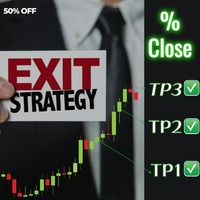
Introducing Exit strategy EA – Smart Trade Manager for MT5, designed to save you screen time and manage your open trades. Set your own TP levels. SL adjustments. Lot size percentages.
How It Works:
Set up to 2 Take Profits for each trade (TP1,TP2). I can add more TP levels
At each target hit:
1. Automatically close a customizable percentage of your position e.g 50% close on TP1
2. Instantly adjust your Stop Loss to a predefined level e.g Move stop loss to breakeven at TP1 hit.
Why Y

Telegram Notifier EA: Instant MT5 Trade Alerts & Reports Stay connected to your trading account 24/7 with the most comprehensive Telegram notifier on the MQL5 marketplace. This powerful Expert Advisor instantly sends all your MetaTrader 5 trading activity directly to your phone, tablet, or desktop via Telegram. Never miss an important market event or trade execution again. Whether you're away from your terminal or managing multiple accounts, this EA gives you the peace of mind that comes from be

Tired of losing money? Neuro_Inverted_Panel_EA is your solution — the ultimate manual trading panel for those ready to embrace inverted psychology! Simply attach the EA to your chart, set the maximum daily loss you're willing to accept (for smart risk control), and trade as you normally would — but without watching your "Toolbox" for open trades . This panel turns your typical losing habits into a winning strategy by flipping your decisions upside down — literally. Once attached, the panel displ

This EA automatically manages trailing stop-losses for all positions on the attached symbol using a visual control panel you interact with on the chart. Attaching the EA Load the EA onto the chart of the symbol you want it to manage (e.g., XAUUSD , EURUSD ). It only affects positions on that chart's symbol . Using the Panel Controls When you attach the EA, a panel appears in the top-left corner: UI Element Functionality Trailing: ON/OFF Click to enable or disable trailing logic Trailing Stop

The Vix100 Sniper Fx EA is a fully automated trading system designed for Scalping Volitility 100 on the MetaTrader 5 platform . It uses a combination of moving average filters and optional RSI divergence detection to identify potential Buy or Sell trade opportunities. The EA dynamically calculates lot size based on a user-defined risk percentage, adapting position size to account equity and stop loss distance. It includes advanced trade management tools such as trailing stop, break-even funct
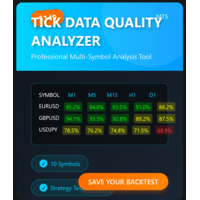
MT5 TICK DATA QUALITY ANALYZER Professional tick data quality analysis tool for MetaTrader 5 traders and developers Price: $69 USD (Launch Special $69 - Regular $99) Product Type: Expert Advisor / Utility Platform: MetaTrader 5 License: Lifetime, 5 Activations
INTELLIGENT BACKTEST RECOMMENDATIONS Automated Backtest Mode Selection - Tells you EXACTLY which tick data format to use in Strategy Tester Optimal Time Period Detection - Automatically identifies the BEST historical range for backtes
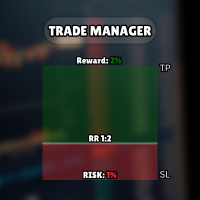
Check my other products: Click Here Visual Trading Made Easy: Simply place and drag horizontal lines on your chart to set your Entry, Stop Loss, and Take Profit levels. What you see is what you get. The visual lines give you instant clarity on your trade setup. Automatic Lot Size Calculation: Stop risking more than you intend to. Set your risk as a fixed amount of money or as a percentage of your account balance (e.g., 1%). The EA instantly calculates the correct lot size based on your stop-lo
FREE

FJUNIVERSE | MT5 Minimum Lot Price Snapshot Tool A simple and effective way to understand your risk per trade. This script is designed to help beginner traders clearly see the potential risk associated with trading the minimum lot size on each symbol listed in their Market Watch. With one click, the script calculates the estimated value of a position opened at the minimum lot size, using the current market (ask) price and contract size. It then determines how much would be at risk if the price o

Copies Signal from any Telegram channel and instantly executes the trade on MT5 without admin rights! Do you receive trading signals on Telegram and wish they could execute instantly on Meta Trader 5? Telegram to MT5 Signal Copier is a powerful bridge between your Telegram signal channels and MetaTrader 5. It listens to messages from a specific Telegram channel and automatically extracts trading signals — including symbol, action, entry price, stop loss, and take profit — then executes them in

Close All % Balance EA - Quick Guide This Expert Advisor automatically closes all or individual trades based on your profit/loss targets in percent (%) or USD . Main Features 2 Modes : All Trades : Monitors total profit/loss for all positions (same symbol + magic number). Per Trade : Monitors and closes each trade individually. Profit/Loss Targets : Set in % of balance or USD . Each can be turned off by setting to 0 . Symbol-Specific : Only works on the attached chart's symbol . Magic Numbe

Alert Relay Helper (EA) – MT5 & MT4
Encrypted bridge that forwards indicator alerts to external messengers * in real-time. Plug-and-play utility – simply attach it to one chart. Zero trading functions – does not open, modify or close orders. End-to-end AES-256 encryption – only custom indicators that support the same key can broadcast messages (e.g. VWAP Ultimate Pro v1.20+). Multi-platform – MT5 build 4150+, MT4 build 1380+. Before you turn it on : Open Tools > Options > Expert Advisors and
FREE

Auto BreakEven Pro is a lightweight, no-nonsense Expert Advisor designed to automatically move your Stop Loss to breakeven once your trade reaches a predefined profit level. This EA is ideal for traders who want to protect profits without constantly monitoring the charts.
Key Features: Automatically sets Stop Loss to break-even after a custom number of pips in profit. Optional break-even offset to lock in small gains (e.g., +0.5 pips). Compatible with any manual or automated strategy – simpl
FREE

Introduction Copytrade Online is a powerful EA tool that helps you automatically copy trades from a Master account to Slave accounts on MetaTrader 4/5 (MT4/MT5) platforms. The EA ensures fast, secure, and easy trade transmission, suitable for both individuals and trading groups. Copy online via the internet from an MT4/MT5 account on one computer to MT4/MT5 accounts on multiple other computers. Key Features Automatically copy trades from the Master account to multiple Slave accounts. Supports b

This Tool is designed to automate one of the most critical aspects of trade management — setting and managing Stop Loss, Take Profit , and Trailing Stop levels — directly on your MetaTrader 5 platform.
Key Features:
Automatic SL, TSL and TP Placement: Instantly sets initial Stop Loss and Take Profit levels on any new position based on customizable parameters, helping to enforce disciplined risk and reward management.
Dynamic Trailing Stop: Automatically moves the Stop Loss to lock in profits
FREE

Free Slave Version – Remote Trade Receiver MT5.
This is the FREE Slave version of our professional Remote Trade Copier system. It allows you to receive trades from a Master account running our full Copy Trade solution. Designed for simplicity and reliability, this version is read-only and cannot send trades or operate independently.
Key Features: One-click setup – simply connect to the Master. Fast and accurate order copying. Supports all symbols, order types, and brokers. Minimal resource us
FREE

TRADEX EDGE MANAGER V1.00 – Configuration Overview The Tradex Edge Manager V1.00 offers an intuitive and powerful set of customizable inputs, designed for precision trading and seamless automation with MT5. Below is a breakdown of its configuration categories and parameters: TELEGRAM SETTINGS Telegram Bot Token: Unique token to connect your EA to your Telegram bot. Telegram Chat ID: Destination group or channel where messages will be sent. Enable Telegram Notifications: Set to true to activ

Overview Stratbot is a sophisticated and highly flexible Expert Advisor designed for MetaTrader 5 that combines multiple advanced trading strategies into one powerful system. This EA is built for serious traders who demand precision, flexibility, and professional-grade risk management in their automated trading operations. Key Features & Capabilities 1. Advanced Multi-Condition Trading System 5 Customizable Conditions : Set up to 5 different trading conditions for both BUY and SELL signals
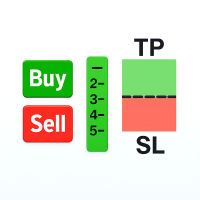
Easily analyze the trade setup and make adjustments before placing any order. This Tool allows you to analyze if the trade is worth taking based on its potential return. The Risk-to-Reward (R:R) Ratio is one of the most critical concepts in successful forex trading and long-term profitability. It measures how much you stand to gain (reward) for every unit of risk you take (risk).

JA Reverse Trade Tool - V1 Tired of buying when prices drop and selling when they soar?
Reverse Trade is your solution!
This smart tool flips the script: turn every "BUY" into a "SELL" and every "SELL" into a "BUY" to outsmart the market & solve your psychology problem!
Perfect for traders who feel cursed with bad timing.
Try Reverse Trade today and trade with confidence!
Key Features: Eight buttons (four BUY & four SELL) which lot size can be customized in EA's properties. One button to
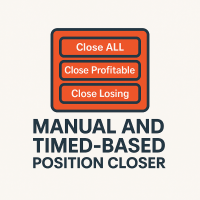
This EA puts simple, useful close buttons right on your chart—so you’re always one click away from managing your positions. Whether you want to clean up before the market closes or just take profits without hassle, Custom Close EA helps you do it fast, safely, and your way. What it does: Close All – Instantly closes every open trade. Close Profitable – Closes only trades that are in profit. Close Losing – Closes only trades that are in loss. Close Symbol Only – Closes trades only for t

Trade With Ease Risk Management Tool MT5 - Professional Trading Assistant Short Summary The TWE Risk Management Tool MT5 is a powerful and versatile Expert Advisor designed to enhance your trading experience with advanced risk management, precise order execution, and intelligent trailing stop features. Whether you're a beginner or an experienced trader, this tool helps you trade with confidence by automating key aspects of your strategy while giving you full control over risk parameters. Key

The Multi-Account Trade Copier EA is a lightweight, high-performance Expert Advisor designed to replicate trades across multiple MetaTrader 5 (MT5) accounts on the same device . The EA mirrors positions from a designated Master account to one or more Slave accounts running on the same device , ensuring reliable and fast trade synchronization without the need for third-party services.
You can copy all trades from one MT5 terminal to another MT5 terminal hosting two different accounts on the same

Assistant for easy manage your multiple orders
1. “Master Multi‑Order Management with One Click – Risk‑Based Lot Sizing, Partial Closes. Highlights the utility’s key strengths—automated volume/risk control, multi‑order oversight
2. “Trade Smarter, Not Harder – A Complete Dashboard for Simultaneous Trade Management” Frames the EA as an all-in-one control panel for scaling efficiency across multiple trades
3. “One Panel to Rule All Orders – Partial Close ,Half close , Profit close , Close all
FREE
Easy Renko Charts: Visualize Price Action Like Never Before! Tired of noisy candlestick charts obscuring the true trend? Easy Renko Charts is your ultimate solution for gaining crystal-clear insights into market movements directly on your MetaTrader 5 platform. This powerful utility transforms raw tick data into clean, insightful Renko bricks, allowing you to focus on significant price changes and filter out market noise. Easy Renko Charts creates a custom, synthetic symbol based on the active L

Hello, trading champs! I trust you are doing well. Have you experienced entering a position where the market initially moves in your favour or approach your takeprofit then suddenly the market reversed opposite your position? Well, it has happened to me numerous times and today I decide to fight back.
I present to you a trade manager that help you protect your position(s). This project helps you set your position(s) to breakeven either when a certain amount of pips you specify is reached or a
FREE

Expert TP SL v04 - Professional Trading Assistant with AI Motivation System Advanced manual trading tool with automatic risk management, overtrading protection, and intelligent psychological support for disciplined trading. PRODUCT OVERVIEW Expert TP SL v04 is a comprehensive trading assistant designed for manual traders who want to maintain emotional discipline while automating risk calculations. This isn't just another order placement tool - it's a complete trading psychology system that pr

This Expert Advisor MoneyProtect is a tool developed to support traders in their operations within defined parameters: adding a Stop Loss to open positions, activating the Trailing Stop, and setting the maximum loss value the trader is willing to accept on open trades. The operation works by adding a Stop Loss to the position when an order is opened, based on the number of points defined in the parameter Points To Stop Loss . The Trailing Stop can be enabled, starting from the profit points def

MT5 Premium App - Picture Based (Chart Screenshot) Telegram Alerts - Visual Notifications straight to your phone via Telegram Get the software at a discounted price of $80 for a Limited Time Only. Price Monitoring & Instant Alerts with Chart Screenshots for Traders. Stay ahead of the markets with Faithstream Forex Telegram Price Alert App, a professional MetaTrader 5 script that monitors key price levels and sends real-time Telegram alerts—complete with chart screenshots—when your targets are h
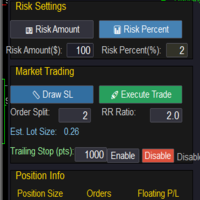
Market & Pending Risk Manager EA Operation Manual Market & Pending Risk Manager is a professional MT5 trading panel EA that integrates multiple functions such as market order trading, pending order trading, risk management, and trailing stop loss, providing traders with a comprehensive trading solution. Core Advantages Intelligent Dual-Mode Trading Market Order Mode: One-click buy/sell for fast execution Pending Order Mode: Precise entry to wait for the optimal timing Seamless Switching
FREE

Virtual SL TP Trailing Pro – Client-Side Stop Loss / Take Profit and Trade Management Looking for MetaTrader 4 version? I t is available separately in the Market: Virtual SL TP Trailing Pro MT 4 Public channel: CLICK HERE
Virtual SL TP Trailing Pro is a trade management utility for MetaTrader that keeps Stop Loss (SL) and Take Profit (TP) levels on the client side instead of sending them to the trading server. It is designed to help you manage exits in a structured way using a clear on-cha
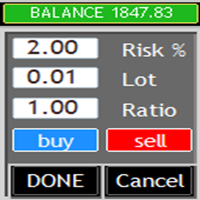
What is this? This Expert Advisor adds a visual trading panel to MetaTrader 5 charts. Key features: - Open/close trades with one click - Manage Stop Loss (SL) and Take Profit (TP) levels - Auto-apply risk settings - Light/dark theme toggle
Interface: 1. Main panel with buttons: - `BUY` – open buy order - `SELL` – open sell order - `CLOSE ALL` – close all trades - `On/Off` – hide/show panel 2. Input fields: - `Stop Loss (SL)` – SL distance in points
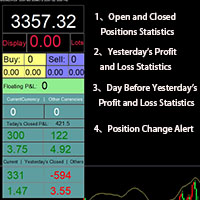
Smart Trading Monitor - Real-Time Position Tracking, P/L Analysis & Alert System Real-Time Monitoring: Automatically tracks open/closed positions, clearly displays yesterday's/previous day's P/L - no more manual calculations!
Smart Alerts (Premium only): Instant push notifications + sound alerts for position changes - never miss a trading opportunity!
Simple & Intuitive: One-click installation with key data displayed directly on charts for faster decision making
High Compatibility: Su
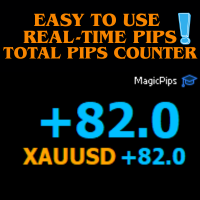
MagicPips - Ultimate Free Position Pip Counter Track Your Trading Performance in Real-Time with Precision MagicPips is a professional-grade tool for MetaTrader 5 (MT5) that provides traders with immediate, accurate pip calculations for all open positions. This utility offers a clear and customizable display of profit and loss in pips, helping traders monitor performance efficiently. Key Features Real-Time Pip Tracking Continuously updates pip gains and losses for all open positions (both buy and
FREE

SimpleKeys — Hotkey Trade Manager for MT5 Most trade managers give you a dashboard full of buttons you'll click once and forget. SimpleKeys does the opposite. Every action is a single keypress. Every level is a visual line you place exactly where you want it. No panels to navigate, no dropdowns to open mid-trade. Place your stop, place your target, press Space. Done. Who This Is For SimpleKeys is built for traders who already know what they're doing and need execution to keep up with their think

Template Loader : Automate Your Chart Setup with Precision
Automate chart template loading daily at your chosen time with Template Loader for MT5. Why Buy Template Loader? Template Loader is a must-have tool for traders who rely on specific chart setups for their strategies. Its straightforward design, reliable performance, and time-saving automation make it a valuable addition to any MT5 trading arsenal. Get started today and streamline your trading workflow! Full Description : Simplify Your T
The MetaTrader Market is a simple and convenient site where developers can sell their trading applications.
We will help you post your product and explain you how to prepare your product description for the Market. All applications on the Market are encryption-protected and can only be run on a buyer's computer. Illegal copying is impossible.

You are missing trading opportunities:
- Free trading apps
- Over 8,000 signals for copying
- Economic news for exploring financial markets
Registration
Log in
You agree to website policy and terms of use
If you do not have an account, please register