 MetaTrader 5
 Experts
 Indicators
 Libraries
 Utilities
 Widgets
 Rules
Rules
Watch the Market tutorial videos on YouTube
How to buy а trading robot or an indicator
Run your EA on
virtual hosting
virtual hosting
Test аn indicator/trading robot before buying
Want to earn in the Market?
How to present a product for a sell-through
New trading utilities for MetaTrader 5 - 40
 Below are trading programs simplifying trading in MetaTrader 5. Hover over a utility to read its description and purpose.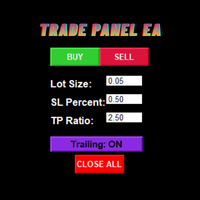
Trade Panel EA – Smart Manual Trading with Professional Risk Management Trade Panel EA is a powerful and user-friendly trading assistant for MetaTrader 5, designed for traders who prefer manual execution while benefiting from advanced trade management and automated risk control. Built with speed, simplicity, and precision in mind, this EA helps traders execute positions efficiently, manage risk consistently, and reduce emotional trading mistakes through an intuitive on-chart trading panel. Trad

Simple spread update script for updating your backtesting data and getting them as close as possible to your broker trading spread. This step is often overlooked but very important to do if you want to have reliable backtests.
Import downloaded data into your MT5 (e.g. dukascopy data), load specific period of ticks (usual time of your trading) and compare the provided spread with your broker at your trading time. To update the spread, load custom symbol to your market watch, open chart window a
FREE

SLSum is a simple on-chart utility that shows your total risk and reward across all open trades. It helps you instantly see how much you are risking and what your potential reward is — perfect for manual traders and prop-firm challenges.
️ Features Shows number of open trades Total SL (money + %) Total TP (money + %) Automatic R:R ratio calculation Works for current symbol only or all symbols Clean multi-line on-chart display Fast, lightweight, no chart clutter
️ Inputs Text color & font siz

Overview: ScalperTradePanel is the ultimate assistant for manual traders and scalpers who need speed, precision, and automated trade management. Unlike standard one-click panels, this tool combines manual entry with an automated Grid system , allowing you to average your entry price intelligently. It features a unique Dual-Mode Interface : switch instantly between Market Execution for speed, or Visual Pending Mode to plan your trades directly on the chart with drag-and-drop lines t

Risk Manager Panel PRO — Smart Trading Assistant for MT5 Risk Manager Panel PRO is an advanced trade-execution panel designed for professional traders who need speed, accuracy, and full control over their risk.
This tool replaces manual calculations and transforms your chart into a powerful trading workstation. It is built especially for traders who value lot precision, risk management, smart pending orders , and instant execution — all in one clean and intuitive interface. Key Features

MT5 Telegram Notifier — Real-Time Account Monitoring Stay informed and in control of your trading account from anywhere. This utility Expert Advisor sends instant notifications and detailed reports directly to your Telegram chat. Key Benefits Real-Time Alerts : Receive notifications when positions open, close, or pending orders change. Risk Management : Margin level alerts help you act before critical thresholds. Hedging Support : Displays every position individually using ticket-based logic. O

Scalper Pal - Your Ultimate Scalping Assistant. Scalper Pal is a powerful yet easy-to-use trading tool designed to supercharge your manual trading with lightning-fast execution, flexible risk management, and intelligent automation features. Perfect for scalpers, day traders, and anyone who values speed and precision in their trading. MT4 Version: Click here DM for demo version
Why Scalper Pal? Trading manually can be challenging when you need to: Execute trades quickly during fast market moveme

Economic Calendar Defender – Smart News Protection for MT5 Economic Calendar Defender is a utility designed to protect your trades during high-volatility events caused by important economic news without needing to be in front of the chart or modifying your standard trading operations or the EAs you were using. Simply install it on any chart, and the EA will be responsible for monitoring the economic calendar in real-time and managing your trades before, during, and after each relevant event. If
FREE

EW Close All – One Click. All Closed. EW Close All is a lightweight, multi-language Expert Advisor that lets you close all trades and cancel all pending orders instantly — with just one button click . Closes all open positions
Cancels all pending orders
Works on any symbol and timeframe
Multi-language interface
Clean, fast, and reliable Perfect for quick exits, risk control, or end-of-day cleanups.
Stay in control — close everything in seconds with EW Close All .
FREE
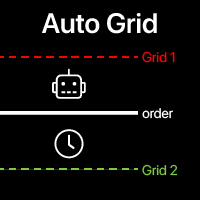
Auto Grid: automatic Grid orders based on your existing trades. Automate complex trading strategies with sophisticated grid systems that detect new positions and automatically create optimized order arrays. Multifunctional utility : 66+ features, including Auto Grid tool | contact me if you have any questions | MT4 version A. Intelligent Trade Detection & Monitoring: Symbol-specific or comprehensive portfolio scanning Advanced order type detection with precise categorization Strategic

Trade Dispensary Connect is an MT5 EA utility designed to send trades in JSON format to Trade Dispensary trade copier via Webhook. If Trade Dispensary is running on your local machine, simply use http://127.0.0.1 :5000/webhook/mt5/[ACCOUNT_ID] as webhook URL. If Trade Dispensary is running on another pc, obtain the address/domain of the machine. A tunneling service such as Pinggy or Ngrok is recommended for this scenario.
This MT5 EA is specifically designed to work with Trade Dispensary trade
FREE

【MAIN FEATURES】 - Automatically sets StopLoss/TakeProfit for XAUUSD positions - Supports both BUY and SELL orders - Fast response: checks every 0.5 seconds - Built-in retry mechanism (up to 5 attempts)
【PARAMETER DESCRIPTION】 StopLoss Distance: Stop loss in points from open price (e.g., 4500=45.00 points) TakeProfit Distance: Take profit in points from open price (e.g., 5000=50.00 points)
【USAGE GUIDE】 1. Set StopLoss/TakeProfit distances in the 'Inputs' tab 2. Enable 'Allow Algo Trading' to

Premium Risk is an intelligent risk-management and trade-execution tool designed especially for scalpers.
It automatically calculates your risk-reward ratio (R:R) and capital-based risk amount , helping you determine accurate lot size and position volume. With the POS module , you can automatically monitor and manage your trades.
The magnet feature detects current market price instantly, allowing fast and precise order execution. In short, Premium Risk is a professional, risk-focused trading ass

Ritz Conspiracy 16 – Multi-Layer Market Intelligence System Ritz Conspiracy 16 adalah indikator analisis pasar multi-layer yang menggabungkan 16 indikator teknikal utama ke dalam satu panel visual terpadu.
Dirancang dengan konsep market intelligence , indikator ini bekerja seperti pusat komando yang membaca perilaku pasar dari berbagai sudut: trend, volatilitas, momentum, volume, hingga struktur harga. Dengan pendekatan “konspiratif”, indikator ini menghubungkan jejak kecil dari 16 algoritma unt
FREE
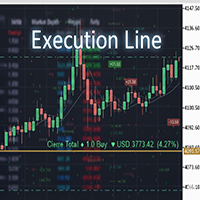
Result and Execution line, which shows the net global position, the expected profit at a given price level, and its percentage of the account balance. Additionally, with the line unselected, it executes position and/or order closing actions. You can move the line from one price to another by selecting it, to obtain information on the closing result of positions at different price levels. If you wish to close trades and/or orders, select this option in the EA parameters and then deselect the li
FREE

SCALPX PRO - MULTI-ORDER TRADING PANEL Professional Scalping EA with ATR Trailing Version 2.2

Prop Guardian Risk Manager MT5 – Drawdown, Risk & Hedge Protection for Prop Firm and Managed Accounts Prop Guardian Risk Manager is a professional risk-control utility for MetaTrader 5, designed for prop firm traders, money managers and anyone who wants strict account-level risk protection. It does not generate trading signals, strategy entries or trading decisions. Instead, it runs in the background, monitors your account risk and can automatically block new exposure, close managed positions or
Core Positioning Advanced analytical tool designed specifically for MT5, providing in-depth analysis of trading history, uncovering data insights, optimizing strategies, and enhancing profitability. Core Usage Strategy Performance Evaluation: Analyzes profitability, stability, and risk to provide an objective rating from A+ to D.
Trading Pattern Discovery: Identifies high-quality assets, time periods, and profit-making habits suited to different market conditions.
Risk Management Optimization: C
FREE

AE-DeletePendingOrders is a professional script for MetaTrader 5 designed to quickly and securely delete all pending orders on a trading account. The script provides full control over the deletion process thanks to a flexible filtering system and reliable error handling mechanisms.
Main features The script automatically deletes all types of pending orders: BUY LIMIT, SELL LIMIT, BUY STOP and SELL STOP. An intelligent retry system has been implemented in case of temporary communication errors wi
FREE

Fly With Gold – Scenario Dashboard PRO Market Condition & Trend Analysis Dashboard for MT4 / MT5 Fly With Gold – Scenario Dashboard PRO is a professional market condition analysis indicator designed to help traders identify trend, range (lateral), and neutral market phases in real time. This product is an analysis and decision-support tool .
It does not generate trading signals , does not open trades , and does not guarantee profits . What the Indicator Does Analyzes market conditions and classi

This tool automatically calculates the lot size, the TP and SL (in pips) for you, and directly places trades. It has 5 clickable buttons: Risk percentage Variable, holds the value in percentage of the account balance you willing to risk. Example: if the value is 1% and your account balance is 1000USD, the EA will place the trade that will ensure that you only loss 10USD should the market goes against you. TP (in pips) variable, holds the value of your preferred Take Profit in pips. SL (in pips)

OrderPro Trade Panel v1.00
OrderPro is a professional tool that provides a complete and interactive control panel to manage your trading operations. It was designed to simplify and speed up order execution, offering advanced risk management tools and real-time analysis.
Advantages of OrderPro
Intuitive interface - All controls in a single organized panel
Fast execution - Orders placed with one click
Professional risk management - Automatic BE and TS
Clear visualization - All importan
ControleProfit – Painel de Operações para MetaTrader 5 O ControleProfit é um painel simples e objetivo desenvolvido para facilitar a execução manual de operações no MetaTrader 5.
Foi criado para traders que desejam praticidade, rapidez e organização, mantendo o gráfico limpo e livre de elementos desnecessários. Funcionalidades Execução rápida de ordens
Botões BUY e SELL com tamanhos de lote pré-definidos (1, 5, 10 e 15).
Ideal para operações rápidas sem abrir janelas adicionais. Encerramento im
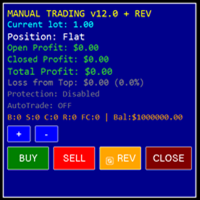
ReplayStrategy EA v12.04 - Professional Trading Panel
Overview Manual Trading EA is a comprehensive visual trading assistant for discretionary traders who want enhanced control, automation features, and detailed profit tracking. This EA provides a sophisticated control panel with real-time statistics, intelligent position management, and advanced protection systems. Key Features Complete Information Panel Real-time position tracking (LONG/SHORT/FLAT) Live profit monitoring (open, closed

Product Name: Anchor auto TP and SL Trade Manager MT5 Your manual trade will be managed automatically. Turns single trades into smart grids with auto-sync TP/SL.
Anchor Auto TP and SL Trade Manager is a powerful trade assistant designed for manual traders who use averaging or recovery strategies. Stop calculating grid levels manually! This EA turns your manual trade into an automated "Anchor." If the market moves against you, the EA automatically builds a recovery grid based on your specific S
FREE

Portfolio Aggregator - one dashboard, total clarity across all your trading accounts Portfolio Aggregator unifies account data from multiple brokers and currencies into a single, transparent dashboard, giving real-time visibility into equity, margin, P&L, and risk metrics so traders can maintain control and confidence across diversified strategies. It converts all values into a chosen base currency using live FX rates, and displays equity, balance, unrealized P&L, margin usage, and open position
FREE

Pro LTS Trade Dashboard & Market Manager Stop calculating. Start trading. The Pro LTS Trade Dashboard is not just a risk calculator—it is a complete trading command center designed to replace the default MT5 terminal. It combines professional Risk Management, Trade Execution, and a unique Draggable Symbol Switcher into one clean, collapsible interface. Developed by Logic Trade Solution (LTS) , this tool is built for traders who need speed, precision, and screen space. Why Go Pro? While our fr

Eabotpro Copy Trade is a simple and robust file-based trade copier EA for MetaTrader 5. It can work in two modes inside the same file: MASTER (writes all trades to a common file) and SLAVE (reads the file and copies the trades to another account). This makes it easy to copy trades between multiple MT5 accounts on the same PC or VPS without DLLs or external servers.
Main features: - Single EA with dual mode: MASTER or SLAVE (selectable by input) - Copies market orders (BUY/SELL) and pending ord

Are you an MT5 trader who needs rapid, reliable risk management? Introducing this essential utility – a powerful, free Expert Advisor designed to instantly close all open positions on your MetaTrader 5 account with a single, dedicated action. This tool is a must-have for emergency market exits or quick, decisive profit-taking. Why is this a FREE tool? I am a professional MQL developer actively focused on delivering 5-star solutions and securing custom MQL5 Freelance Jobs . This free ut
FREE
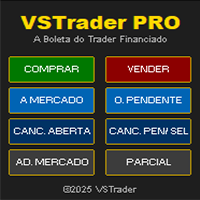
VSTrader PRO – A Boleta Que os Traders de Contas Financiadas Aguardavam Feita de Trader para Trader, a Boleta VSTrader PRO é uma solução inteligente para o trader que especialmente para FTMO, The5ers, FundedNext e qualquer outra mesa proprietária que aceite uso de EAs. Funcionalidades da Boleta: • Entrada a Mercado ou Pendente Com um Clique - posicione rapidamente sua ordem e execute em instantes. • Gestão de Risco Inteligente – cálculo automático de risco por operação pré-definido. Exemplo: 0,2

Trailing Stop Manager PRO: trailing stop, break-even and partial close EA for MetaTrader 5 Trailing Stop Manager PRO is a trade manager for MetaTrader 5. It applies a trailing stop, a break-even, partial closes and drawdown protection to every open position on the account, whether the position was opened by hand or by another Expert Advisor. The stop is the part of a trade most often left unmanaged. This utility moves it for you, on a rule you choose, and it never moves a stop against the positi

AUTO RISK MANAGER PRO: your partner in Forex trading! AUTO RISK MANAGER PRO_MT4 — version for MT4 Demo version + detailed description Stop losing money due to emotions! It’s time to trust risk management to a professional algorithm. Imagine this situation: the market suddenly moves against your position while you are sleeping, working, or spending time with your family. Sounds familiar? With Auto Risk Manager Pro — not anymore! Advantages: Revolutionary approach to risk management Automatic capi

Smart Stop Manager – Automated Stop-Loss Execution with Professional Precision Overview
The Smart Stop Manager is the execution layer of the Smart Stop lineup, built for traders who require structured, reliable, and fully automated stop-loss management across multiple open positions. It continuously monitors active trades, calculates the optimal stop level using Smart Stop market-structure logic, and updates stops automatically with clean, transparent rules. Whether managing a single asset or

Strifor Risk-Manager is a powerful tool designed for traders who value strict risk management and trading discipline.
It automatically tracks daily, weekly, and monthly results , warns about limit breaches, and helps maintain consistency in any trading system. Suitable for scalping , intraday trading , swing trading , mid-term strategies , and both manual and algorithmic trading. Key Features 1. Flexible Risk Limits Daily risk: percent or USD Weekly risk: percent or USD Monthly risk: percent o
FREE

AP Trade Manager — Product Description AP Trade Manager is a compact, broker-safe MT5 utility that turns your chart into a fast, disciplined trade workstation. It handles entries, exits, partials, breakeven+, OCO/Bracket logic, trailing stops, and scheduled-style actions from a clean panel you can dock anywhere. It’s pure MQL5 (no DLL, no WebRequest), and designed for live charts. What it does One-tap execution. Buy/Sell market and all four pending types (Buy/Sell Stop, Buy/Sell Limit). Auto-siz

Stop losing your money — visualize trading results in real time across any market scenario. Trade Planner MT5 is an advanced money management tool for MetaTrader 5, designed to plan, control, and analyze multiple potential account scenarios. It helps traders assess how equity, free margin, and margin level may change at any time and price — before opening or modifying real trades. Additionally, the program allows you to anticipate worst-case scenarios. Without proper planning, trades may trigge

Overview This Expert Advisor allows you to click on a candle body (similar to TradingView) to create three lines on the chart representing Entry, Stop Loss, and Take Profit. You can drag these lines with the mouse. The trade risk can be set in the EA's Inputs based on percentage, fixed lot size, or fixed dollar amount. The Reward/Risk (RR) ratio is displayed at the top-right corner of the chart. New Features Added Risk-Free option Trail Stop feature News Filter The EA includes a News Fil
FREE

ThunderSentinel is a simple yet powerful tool that helps you manage open positions automatically by closing them as soon as they reach your desired profit. It is designed for traders who want to automate the closure of trades without manually setting Take Profit levels. Main Features Automatic position closure:
You can choose whether to close trades based on a profit in euros or on a percentage gain. Continuous monitoring:
ThunderSentinel checks all open positions every X seconds (configurable

VM Auto SLTP Basic - Intelligent Trade Management for Scalpers Enhance your scalping strategy to a higher level. VM Auto SLTP Basic automatically manages Stop Loss and Take Profit for orders that are opened manually or by other Expert Advisors. This tool does not open trades on its own, allowing you to maintain full control while enjoying precise risk management. Full documentation available in the product blog: [User Guide] Key Features SL/TP based on ATR or fixed price Automatic SL move to B
FREE

https://youtu.be/P8x0ZxYflic --- ## **MASANIELLO PRO EA - Professional Money Management Trading System** ### **DESCRIPTION FOR MQL5 MARKETPLACE:** **Masaniello Pro EA** is a professional-grade Expert Advisor that combines the legendary Masaniello money management system with advanced visual trading tools. Perfect for traders of all levels who want to automate risk management and execute trades with precision. ### **KEY FEATURES:** ** Masaniello Money Management System** - Automatic bet progres

ZigZag Trader EA - Intelligent ZigZag Trading Assistant
Introduction ZigZag Trader EA is a fully automated trading assistant based on the ZigZag indicator. It intelligently identifies previous highs and lows of the ZigZag indicator, combined with an advanced risk management system, to provide you with precise trading signals and automated trade execution. Whether you are a novice or experienced trader, ZigZag Trader EA can help you simplify trading decisions and achieve stable trading performa
FREE
Triple TP is an expert advisor to dfine partial take profit values on three levels and (if you want) a stop loss for every trade. The settings are very simple. The EA works with inside stops. All values are hidden (not visible for your broker). With the Triple TP expert advisor you can manage manual trades and trades from other expert advisors too. The information display will show you the Average True Range (ATR) for the current timeframe in pips and the current spread. Define yourself in adva

RSI Telegram Alert is an innovative Expert Advisor that combines the power of the RSI indicator with the convenience of Telegram notifications. With this tool, you can receive RSI-based trading alerts directly to your Telegram chat — whether you’re at your desk or on the go. It’s designed for traders who want to stay informed about market movements in real-time without constantly monitoring the MetaTrader 5 terminal. The EA monitors RSI values on the selected timeframe and, once the specified th

Trading Assistent is a multifunctional trading panel that combines all necessary tools for professional trading. The panel provides complete control over positions, in-depth risk analysis, and fast order execution.
MAIN FUNCTIONAL BLOCKS
Position Management:
- Real-time viewing of all open positions
- Sorting by symbol, profit, volume, and type
- Visual indication of profitable and losing positions
- Bulk closing operations
- Breakeven function for profit protection
Trading Operations:
- I
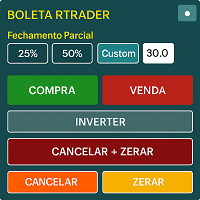
Boleta RTrader - A Boleta Mais Completa para MetaTrader 5 A ferramenta definitiva para traders que buscam precisão, agilidade e controle total sobre suas operações no MetaTrader 5.
**IMPORTANTE**: É aconselhável desabilitar no gráfico do MT5 o histórico de negociações somente quando for usar saídas parcias e precisar movimentar a ordem parcial para evitar delay. --- PRINCIPAIS FUNCIONALIDADES: EXECUÇÃO DE ORDENS **Compra e Venda Instantâneas**: Execute ordens a mercado com um único clique **

This Expert Advisor (EA) for MetaTrader 5 (MT5) has been designed to automatically manage Stop Loss (SL) and Take Profit (TP).
Main Features
Automatic Detection of Manual Positions : Monitors new manual positions without SL/TP and applies the configured rules Multiple Orders : Opening of multiple orders under the same conditions as the original position Hidden SL/TP : The hidden mode allows creating SL/TP invisible to your broker Equity Protection": Allows defining a threshold for the accou

How the Chart Cleaner Script Works
The Chart Cleaner is a one-click tool designed to instantly wipe your chart clean.
When you drag and drop the script onto a chart, it scans for and removes all visual objects—including trend lines, horizontal lines, text labels, shapes, and any other drawings you have placed.
The result is a completely clean, uncluttered chart, giving you a fresh workspace for your analysis. It's the fastest way to reset your chart to its default state.

TRADE WITH MAGIC – Professional One-Click Trading Panel
| Crystal AI Systems
Trade With Magic is a fast, lightweight, and highly efficient one-click trading panel designed for traders who require precise manual execution and full control over magic numbers, comments, and risk parameters. It is suitable for both manual trading and advanced EA testing environments where ac
FREE

Description Smart SL/TP Modifier Pro is a professional utility designed to help traders easily manage Stop Loss (SL) and Take Profit (TP) levels directly from their MetaTrader 5 chart.
It provides interactive on-chart control lines and intuitive buttons for quick modification of all active orders with just one click. This tool is especially useful for traders who manage multiple positions manually but want to ensure consistent and fast SL/TP adjustment. Main Features Modify all open trades
FREE

Autogrids Light – Smart Grid Trading EA for Hedge Accounts Autogrids Light carries the unmistakable DNA of the original Autogrids, preserving its powerful logic and precision while delivering a lighter, more streamlined version. Focused exclusively on the Spot Grid strategy, Autogrids Light dynamically constructs a customizable grid of buy and sell orders around a reference price, automatically placing pending orders according to user-defined distances, volumes, and number of levels. Every o

Tool Auto Modify SLTP – Protect Your Trades, Optimize Your Strategy In trading, risk is always present. Just one forgotten SL/TP can turn a promising trade into a loss. Even experienced traders occasionally make mistakes. That’s why Tool Auto Modify SLTP was created – to keep you protected and let you focus on your strategy. Key Features: Manage Orders for All Symbols: Monitor and adjust SL/TP for all your trading pairs. Three Flexible Risk Modes: Point-Based: Set fixed SL/TP distances. Account

EV Trade Panel is an Expert Advisor for MetaTrader 5 designed to support manual trading through a clean, dark-themed interface with fully adjustable controls. It provides a structured workspace where traders can execute orders efficiently, manage risk with precision, and handle positions in real time. The panel is adaptable to different instruments such as forex pairs, gold, indices, and other volatile symbols, and it fits naturally into any trading routine or timeframe. Main Features Order exec

Here our more valuable tools
SMC Trend Trading , Easy SMC Trading , Institutional SMC Architect Volume Analysis Tools , Volume flow Profile , Market volume profile , FVG with Volume , Liquidity Heatmap Profile , Volume Spread Analysis You Give an Instruction: When you run the script, a window pops up with a dropdown menu. You choose exactly what you want it to do from the list (e.g., "Close Profit Only" or "Delete Pending Orders"). It Scans Your Positions: The script then reads

MultiChartSync5 - Multi-Chart Auto-Sync Tool User Guide Program Overview MultiChartSync5 is a professional MetaTrader 5 multi-chart synchronization tool that enables automatic timeline alignment and synchronized navigation across multiple chart windows, significantly improving efficiency for multi-instrument and multi-timeframe analysis. Core Features 1. Intelligent Chart Synchronization Automatic Chart Alignment : All secondary charts automatically align with the master chart's candlestick t
Quantitative Synchronization Terminal Server MT5 is a professional MQL5 script for the MetaTrader 5 (MT5) platform, specifically designed to synchronize and load historical bar data and historical tick data from the server to the local terminal.This script helps traders ensure their local terminal has complete historical data, which is crucial for backtesting, technical analysis, and strategy development. Quantitative Trading Guide public chat: Join Us Quantitative Trading Guide public channe
FREE

V-Connect Tick Data Validator is a utility for MetaTrader 5. It checks each tick and rejects invalid data.
Features - Checks bid and ask prices - Checks spread and time - Uses only MQL5 functions - Logs results in the Experts tab - Real-time filtering:
- Negative or zero spreads - Stale timestamps (>60 seconds) - Reversed bid/ask - **<1ms overhead** — runs on low-spec VPS - **Journal audit trail** — "TICK PASSED" / "TICK REJECTED" How to Use Attach to a chart. In your EA: if (validate_tick(tick
FREE
Risk Manager is an MT5 Expert Advisor that opens a market order with a precisely sized lot at the cursor’s vertical level as Stop-Loss, using a single hotkey. Side is detected automatically: SL below price → BUY, SL above price → SELL. Risk is computed in account currency via OrderCalcProfit, so it works correctly on FX, metals, indices, and crypto.
Why traders use it Eliminates mental math and lot calculators. Turns any discretionary setup into a consistent, risk-fixed execution in one keystr

IanFX XAUUSD Trade Panel v5 — Open Trades on Your Phone, Manage Everything from the Panel IanFX Trade Panel is a professional, ultra-responsive manual trading panel designed specifically for XAUUSD scalpers, intraday traders, and multi-layer position builders. Built for mobile-first execution. Pre-load your zone prices, lot sizes, SL/TP, and grid settings into the panel. When the moment comes — tap one button. No fumbling through MT5's clunky order dialog on a tiny screen. No retyping number
=================================================== THE FUN & FRIENDLY GUIDE TO THIS PRO SCALPING TOOL V2 ===================================================
Welcome, fellow alchemist of the financial markets! If you're reading this, you’ve unlocked one of the most interesting, dramatic, occasionally chaotic, but ultimately POWERFUL tools in the XAUUSD universe: **Your Trailing_SLTP**.
Grab a cup of coffee (or something stronger), and let’s begin your journey.
----------------------------

MQL5 Blogs : https://www.mql5.com/en/blogs/post/765148 MT4 Version : https://www.mql5.com/en/market/product/154458 MT5 Version : https://www.mql5.com/en/market/product/154459
Free for Limited Time
Telegram Order [tambangEA] is a professional semi-manual trading assistant, created for traders who want a faster, cleaner, and more controlled execution workflow.
This product is designed for traders who already have their own market analysis and simply need a better way to execute, manage, and mo
FREE

Smart Stop Scanner – Multi-Asset Stop-Loss Intelligence for Modern Traders Overview
The Smart Stop Scanner brings professional stop-loss monitoring to every chart. It analyzes market structure, detects meaningful breakouts, and identifies the most relevant protective levels across Forex, Gold, Indices, Metals, Crypto, and more. All results appear inside one clean, DPI-aware dashboard designed for clarity, speed, and instant decision-making. This tool is part of the Stein Investments ecosystem
Trailing Stop Utility PRO – Multi-Mode, Multi-Symbol, Profile-Based Trailing Control If you find any bug or unexpected behavior — please don’t hesitate to message me.
Your feedback helps improve this tool and keep it stable for everyone. Overview Trailing Stop Utility PRO is an advanced, flexible trailing-stop manager designed for traders who need full control across multiple symbols, timeframes, and strategies.
It is lightweight, stable, and fully compatible with all MT5 builds — with zero ext

Limited Launch Sale: First 10 Copies Only Special Price: $35 (Regular: $90) Remaining: 10 Left
To increase market visibility, I am offering this discount for the first 10 buyers.
Do you spend too much time searching for past charts and price patterns? You scroll through the chart over and over to find a specific setup. When you finally think you’ve found it, you no longer know where it is on a lower timeframe. A small chart movement or zoom can make you lose it again. With this tool:
You ca
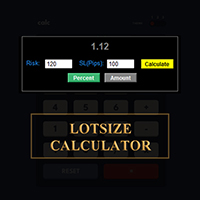
CALCULATE YOUR LOTSIZE RIGHT HERE ON METATRADER!!!
Hello, traders. Are you are a risk management-oriented trader? If Yes, then this is for you. My name is Ibrahim, I have developed a tool that can help you calculate your lotsize based on your risk percentage relative to your account balance. This tool can also help you to calculate your lotsize if you have an absolute value you wish to risk instead of specifying your risk in %. For example, you can specify that you wish to risk $100 from your
FREE

ROSSI CAMPOS TRAILING STOP AUTO EA - The Intelligent Guardian of Your Profits! Why Was It Created?
Losing profitable trades due to the lack of an efficient trailing stop was a constant frustration. Available solutions were either overly complex, heavy, or simply unreliable. I decided to build something light, precise, and trustworthy — an assistant that automatically safeguards your gains without any hassle. How Does It Work? (For Non-Programmers)
You set: Initial Stop Loss and Take Profit

Entry Price Averages EA with Close Orders -------------------------------------------------------------- -------------------------------------------------------------- -------------------------------------------------------------- Note for users - Choose the right tool for you: If you require only a visual average price display, please use our Entry Price Averages MT5 (if you already have an expert on your chart) . If you need interactive controls and the ability to manage/close orders

ROSSI CAMPOS ULTRA TRADER EA – The Intelligent Guardian of Your Profits! Why was it created?
Existing market solutions were complex, heavy, or simply didn’t work as they should. I decided to create something light, precise, and reliable. Exclusive Features: Lightweight and stable — Zero crashes or conflicts. Intuitive setup — Just fill in the fields and you’re ready! Millimetric precision — Calculations based on the current tick. Universal — Works on any asset and timeframe. Fully automatic — N

Close All Pro MT5 – Fast PnL Control is a powerful trade manager MT5 utility that gives you total control over your trades. With a single click, you can close all MT5 orders, monitor real-time profit and loss, and manage your floating PnL directly from a clean on-chart panel. The tool is lightweight, responsive, and built to help traders save time, reduce emotional stress, and maintain focus. Whether you trade manually or through an EA, this MT5 profit panel provides the visibility and precisio

This EA is primarily used for scalping XAUUSD. Purpose Removes emotion from trade management - automatically protects positions and takes profits so you don't have to make difficult decisions under pressure. What It Does ️ Auto Stop Loss Sets SL based on recent highs/lows + buffer No more manual placement stress Auto Partial Profits Two modes: Fixed Movement : Close 50% after X price movement R-Ratio : Close 50% at 1.2R profit target Locks in gains while letting winners run. ️ One

By default, MetaTrader 5 only supports timeframes of one minute or higher. Ultra-short-term charts such as 1-second or 5-second timeframes are not available in the standard platform. Seconds Chart Generator is a utility EA designed to generate seconds-based charts in real time using tick data, allowing traders to observe ultra-short-term price movements with precision. Simply attach it to any standard chart, and it will automatically create a custom symbol representing the seconds-based chart. Y
Learn how to purchase a trading robot from the MetaTrader Market, the store of application for the MetaTrader platform.
The MQL5.community Payment System supports transactions via PayPal, bank cards and popular payment systems. We strongly recommend that you test the trading robot before buying, for a better customer experience.

You are missing trading opportunities:
- Free trading apps
- Over 8,000 signals for copying
- Economic news for exploring financial markets
Registration
Log in
You agree to website policy and terms of use
If you do not have an account, please register