 MetaTrader 5
 Experts
 Indicators
 Scripts
 Libraries
 Storage
Join our fan page
- Published by:
-
Muharrem Rogova
 Founder of AlgoSphere Quant — building a complete ecosystem of rule-based MT5 trading tools.
Our philosophy: market structure first, strict risk management always, zero martingale.
We build for traders who trade with discipline — not with hope.
──────────────────────────
EXPERT ADVISORS - Views:
- 3222
- Rating:
- Published:
- Updated:
-
 You are missing trading opportunities:
- Free trading apps
- Over 8,000 signals for copying
- Economic news for exploring financial markets
Registration Log inYou agree to website policy and terms of use
If you do not have an account, please register -
 Need a robot or indicator based on this code? Order it on Freelance
Go to Freelance
Need a robot or indicator based on this code? Order it on Freelance
Go to Freelance
Attach the EA to any live or demo chart, enable Algo Trading, and use the panel buttons or keyboard hotkeys to trade. CommandDesk is not an automated strategy — it will show zero trades in Strategy Tester.
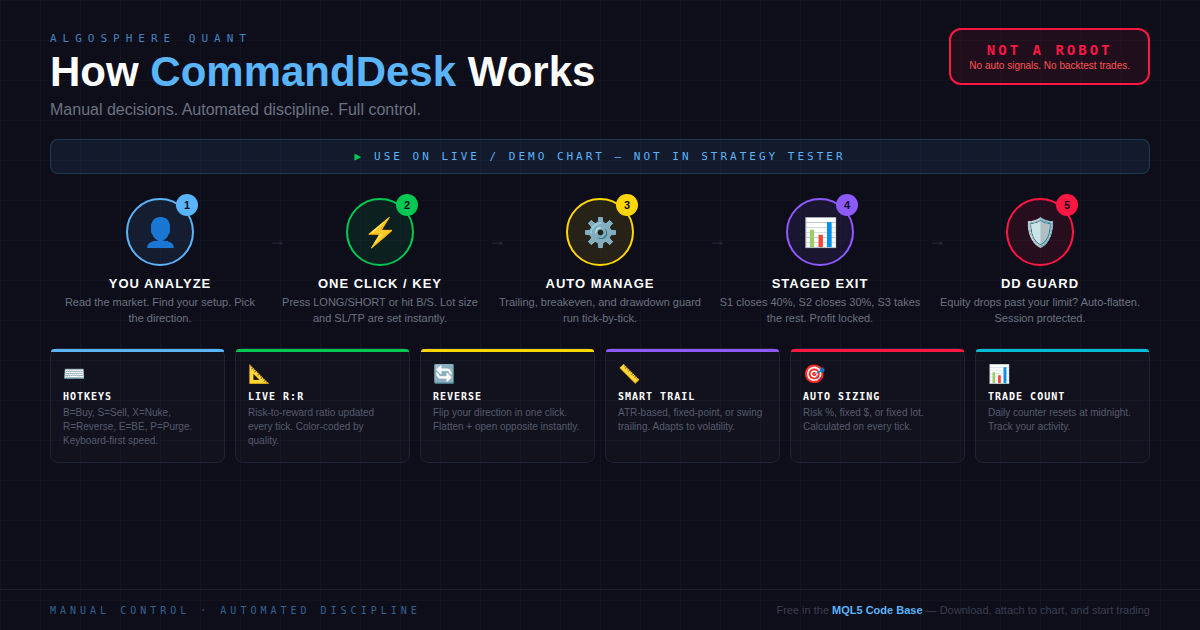
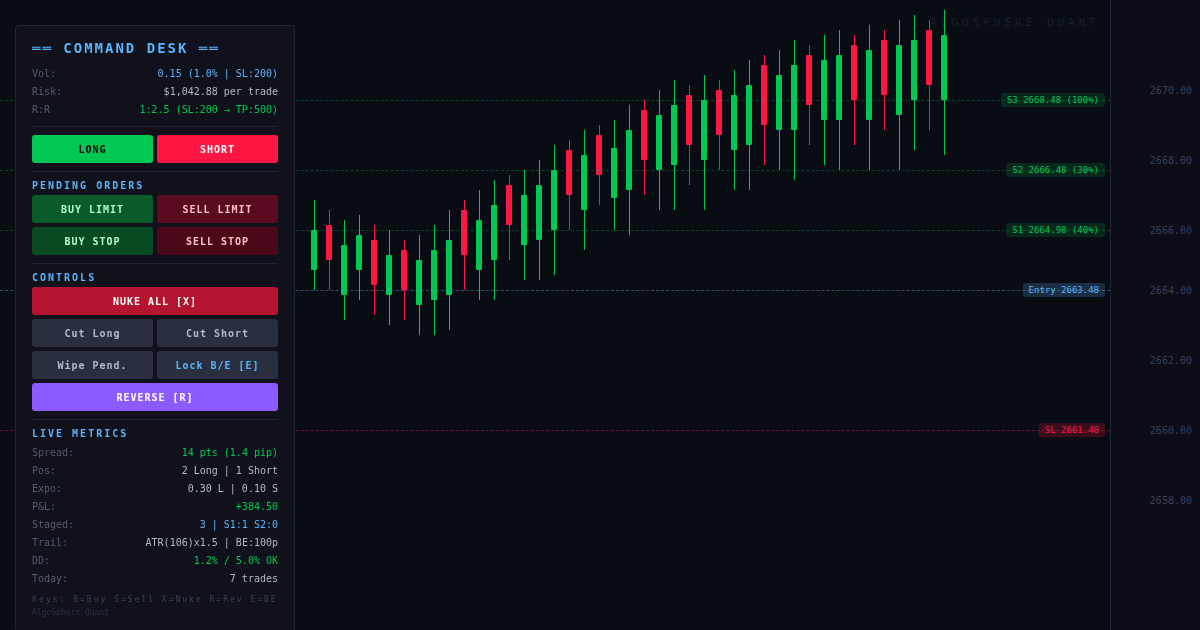
Risk-to-reward ratio is calculated from your SL distance and furthest TP stage, updated every tick. Color-coded: green for 2:1 or better, yellow for 1:1+, red below 1:1.
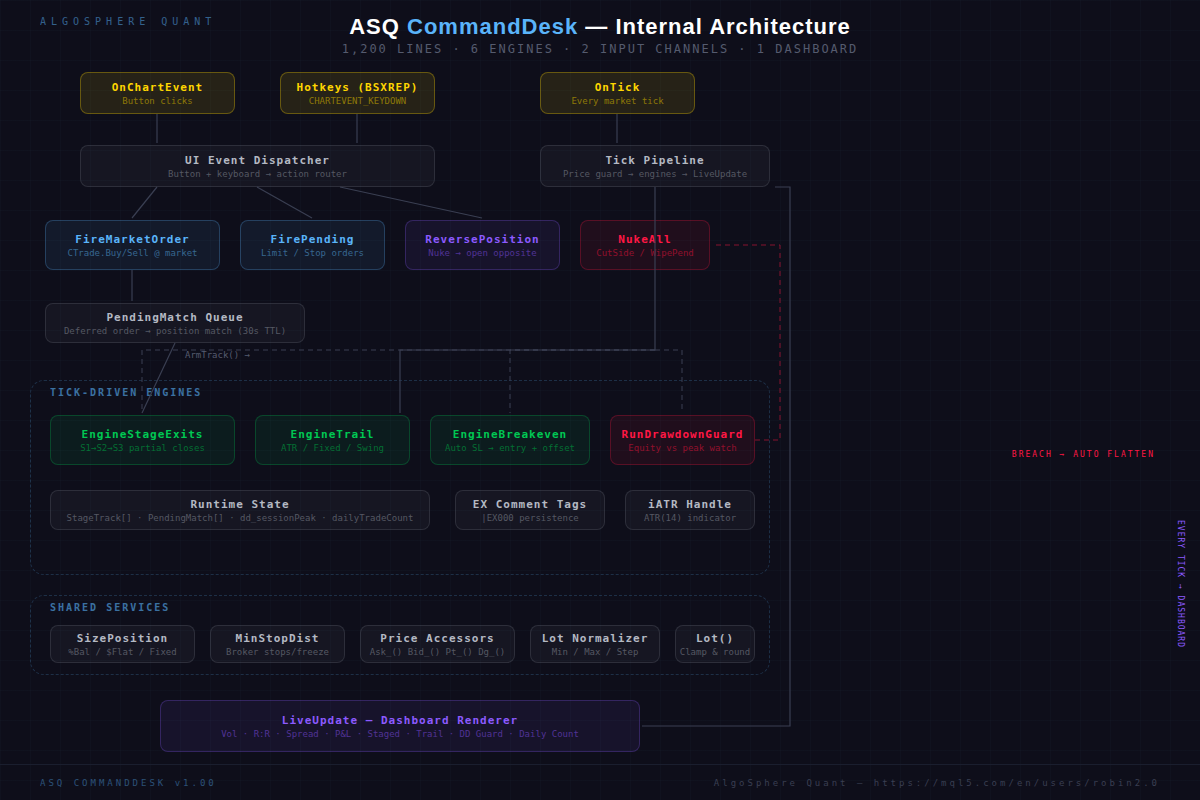
Real-time spread (color-coded by width), position count by direction, directional lot exposure, floating P&L with swap and commission, staged exit tracker, trailing configuration, drawdown guard status, and daily trade counter — all rendered on a dark-themed overlay panel.
═══ IMPORTANT ═══
⚠ Hotkeys are active when the chart window has focus. If you type in other MT5 windows, hotkeys will not fire. Disable hotkeys in the input settings if you prefer mouse-only operation.
 ASQ Candle Scanner
On-chart candle analysis indicator with structure tags, sentiment, and trend arrows for MetaTrader 5.
Institutional Fractal Dimension Index (Regime Detector)
An advanced quantitative filter based on Chaos Theory and fractal geometry, it calculates the intrinsic dimensionality of the price curve to instantly classify market regimes into trending or mean-reverting states.
 KSQ CommandCenter Remote Google Sheets Trade Manager
KSQ Command Centre is a production-ready, two-way bridge between MetaTrader 5 and Google Sheets. It was originally designed to help fund managers and quantitative traders remotely monitor and manage large, funded accounts (e.g., Darwinex Zero, Prop Firms, PAM, MAM) directly from a mobile browser, without needing to log in to a VPS. This Expert Advisor not only exports data—it actively listens for commands typed into your Google Sheet and executes them in MT5 in near real-time.
 ATR Based Stop Loss Manager
A comprehensive stop-loss and trade management module offering multiple stop-loss methods (Fixed Pips, ATR-based, Swing High/Low, and Percentage) and trailing stop options (Fixed, ATR, Step, and Breakeven). It includes automatic broker stop-level adjustment, risk-reward–based take profit calculation, and visual stop-loss lines on the chart. The code follows a clean, structured architecture with a dedicated `CStopLossManager` class, standardized enums and structures, and fully documented English comments for clarity and maintainability.