
7 things MetaTrader 5 doesn't tell you: lot size, netting and stops

Minimum lot, netting, stop levels and the Strategy Tester: seven things MetaTrader 5 doesn't tell you, found while building a trade panel.
Build a tool that has to be right about money on every tick, and MetaTrader 5 starts showing you its corners. None of these are bugs. They are how the platform works, and almost nobody writes them down. Each one changes how you should read your own terminal.
1. Your minimum lot can quietly raise your risk
You want to risk $50 on a trade with a wide stop. The arithmetic says 0.007 lots. The broker's minimum is 0.01. Any tool, or your own hand, now has two choices: refuse, or send 0.01 and risk more than you asked for. If it does the second without saying so, you won't notice until the stop is hit.
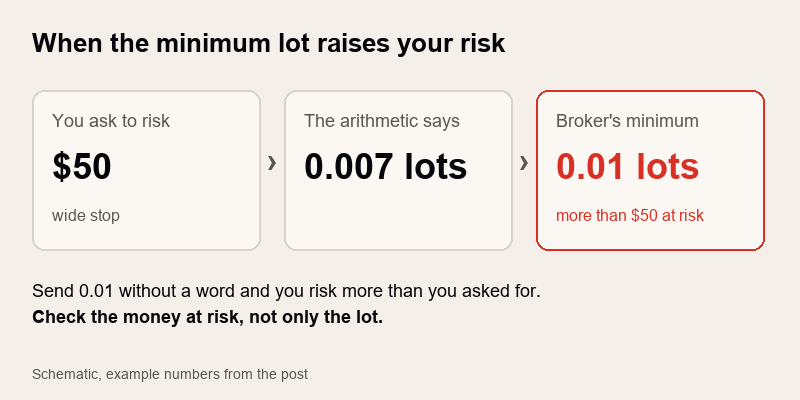
Risk $50 asks for 0.007 lots, the broker's minimum is 0.01
What it means for you: on small accounts and wide stops, check the money at risk, not only the lot. If the minimum lot is bigger than your risk allows, you're risking more than you think.
2. "Lot" doesn't mean the same thing on every symbol
1 lot of EURUSD is 100,000 euros. 1 lot of gold is often 100 ounces, but not at every broker. Indices and crypto vary even more. The same 0.10 lots can be a $20 risk on one symbol and $200 on another with the same stop distance.
What it means for you: before trading a new symbol, open Market Watch, right click, Specification, and read the contract size and tick value. Size from money at risk, never from a "usual" lot.
3. The broker can refuse a stop that's too close
Every symbol has a minimum stop distance (the stops level). Set your stop inside it and the order is rejected, sometimes in the middle of a fast move when you most need it to go through.
What it means for you: if your strategy uses tight stops, check the stops level in the Specification window, and expect it to widen around news at some brokers.
4. On a netting account, a second trade isn't a second trade
On a hedging account, two buys are two positions with two stops. On a netting account, the second buy is added to the first: one position, one average price, one stop. A tool built for hedging can get this badly wrong.
What it means for you: know which account type you have (your broker's account details say hedging or netting), and test your EA and your habits on that type.
5. Your account history isn't there the moment the terminal starts
Right after MetaTrader 5 starts, the full trade history may still be loading. Anything that reads it in the first seconds can see too few trades, or none.
What it means for you: a statistic that looks wrong just after start may simply be early. A good tool says "not available yet" instead of showing zero.
6. The Strategy Tester is not your terminal
In visual mode the tester replays past prices, but it doesn't behave like a live chart. It doesn't pass typed text on to fields drawn on the chart. The economic calendar isn't there. Push and e-mail notifications don't go out. Fills come from a simulator, not from your broker.
What it means for you: the tester is good for seeing how a tool behaves. It tells you nothing about your broker's spreads, fills or speed.
7. Your phone's trades exist for an EA only when the terminal sees them
Open a trade on your phone and it's on the server at once. An Expert Advisor running on your PC only knows about it when the desktop terminal lists it, which takes a moment and needs a running, connected terminal.
What it means for you: if a tool counts all your positions toward a limit, "all" means all that the terminal currently sees. With the terminal closed, nothing on your PC is watching.
How we handle these in RiskDeck
RiskDeck by Dojiwave works out the lot from your risk and stop, and the button shows your risk to the stop before you press it; if the broker's minimum lot pushes the risk above your number, the button shows the higher amount. It checks margin, the broker's minimum stop distance and lot steps before an order goes out. It runs on hedging and netting accounts. The loss limits count every position on the account once the terminal sees it, including the ones you open from your phone. An unknown risk shows as UNKNOWN, never $0.00.