
Available on the MQL5 Market: QuantBench [LINK Market]
QuantBench is an Expert Advisor for MetaTrader 5 that builds trading strategies on the asset and timeframe of the chart. It tests them on past candles: on a building part (in-sample) and on a part the strategy did not see while it was built (out-of-sample). It keeps the strategies that pass your filters in a list and lets you choose which strategies trade.
On a chart, the Expert Advisor does not search for or choose strategies by itself. You start the search, you choose the strategies and you decide if they send real orders.
1. Start a search
On the Generator page, set the filters and click "Start search". The bar at the top shows how far the search is.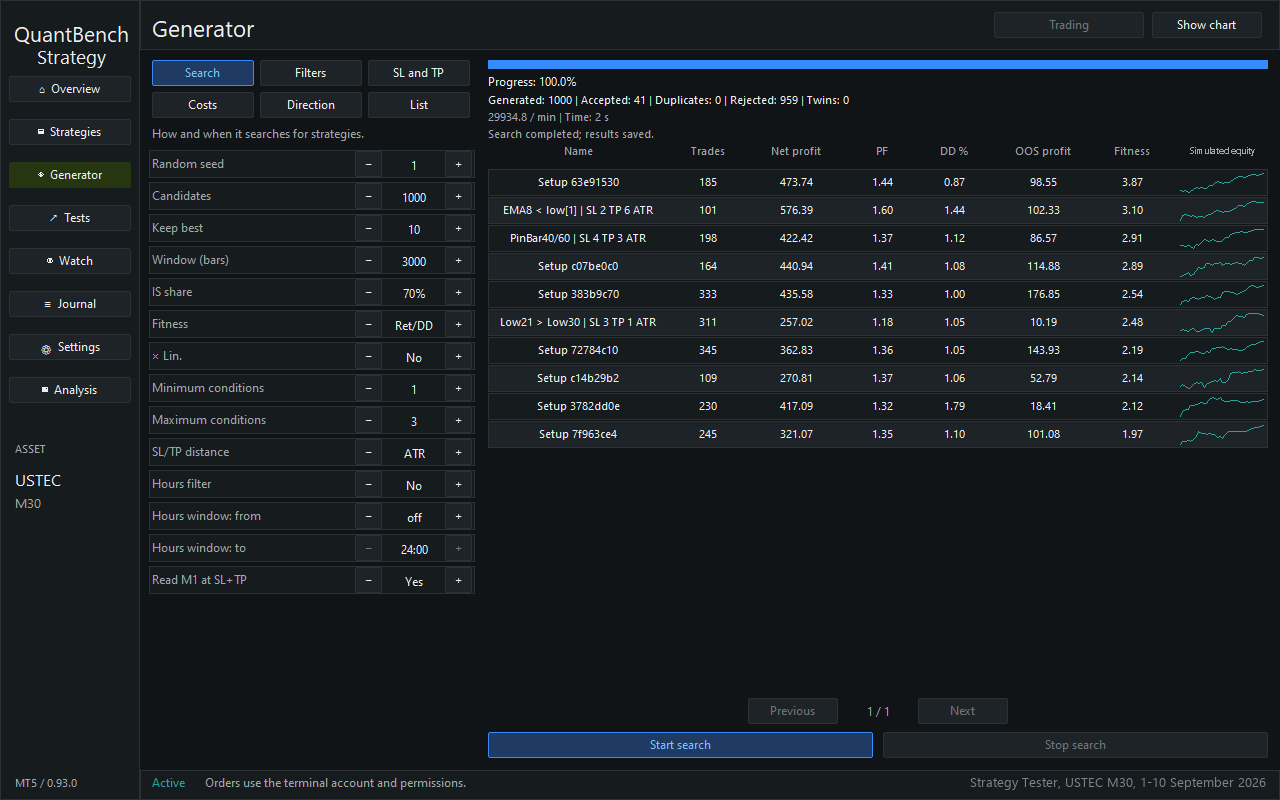
2. Look at the strategies found
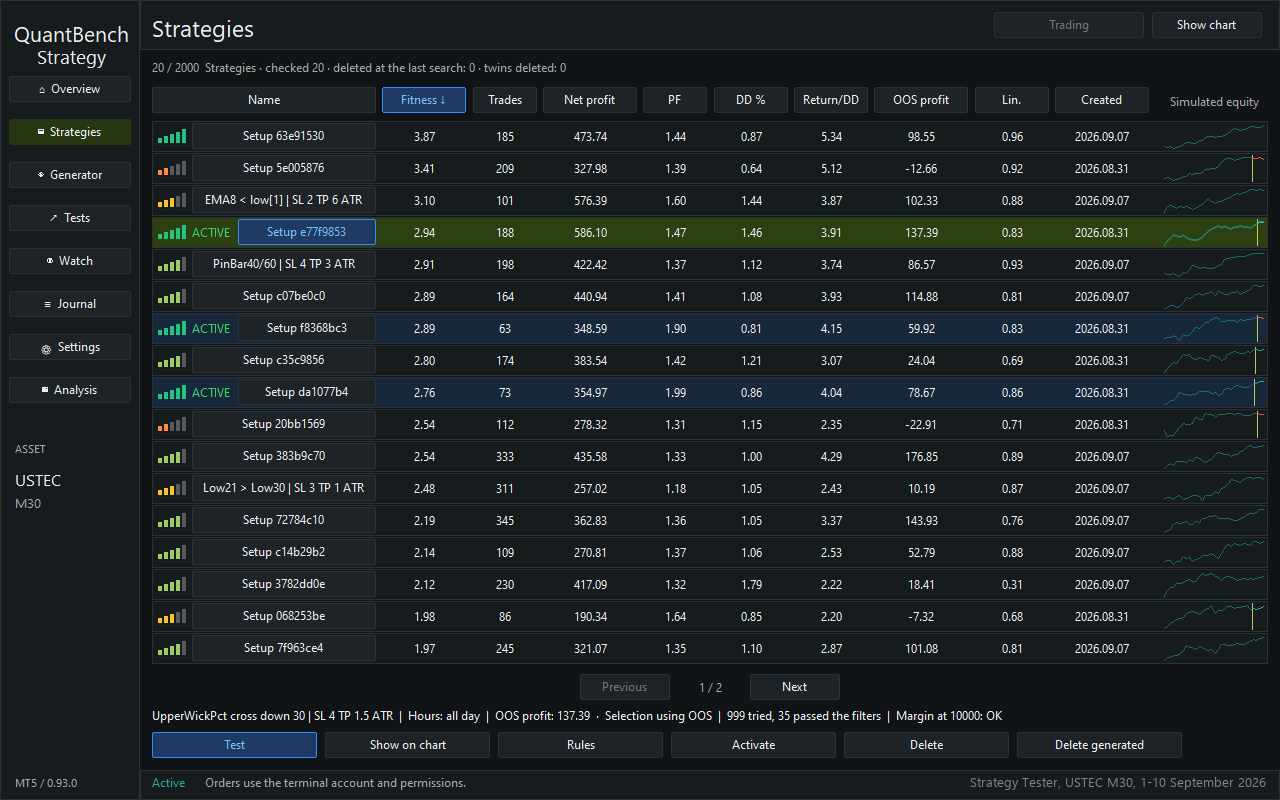
On the Strategies page, you see the strategies found, each with its score and a small chart. Select a strategy to test it, to show it on the chart or to put it on a place.
3. Test a strategy
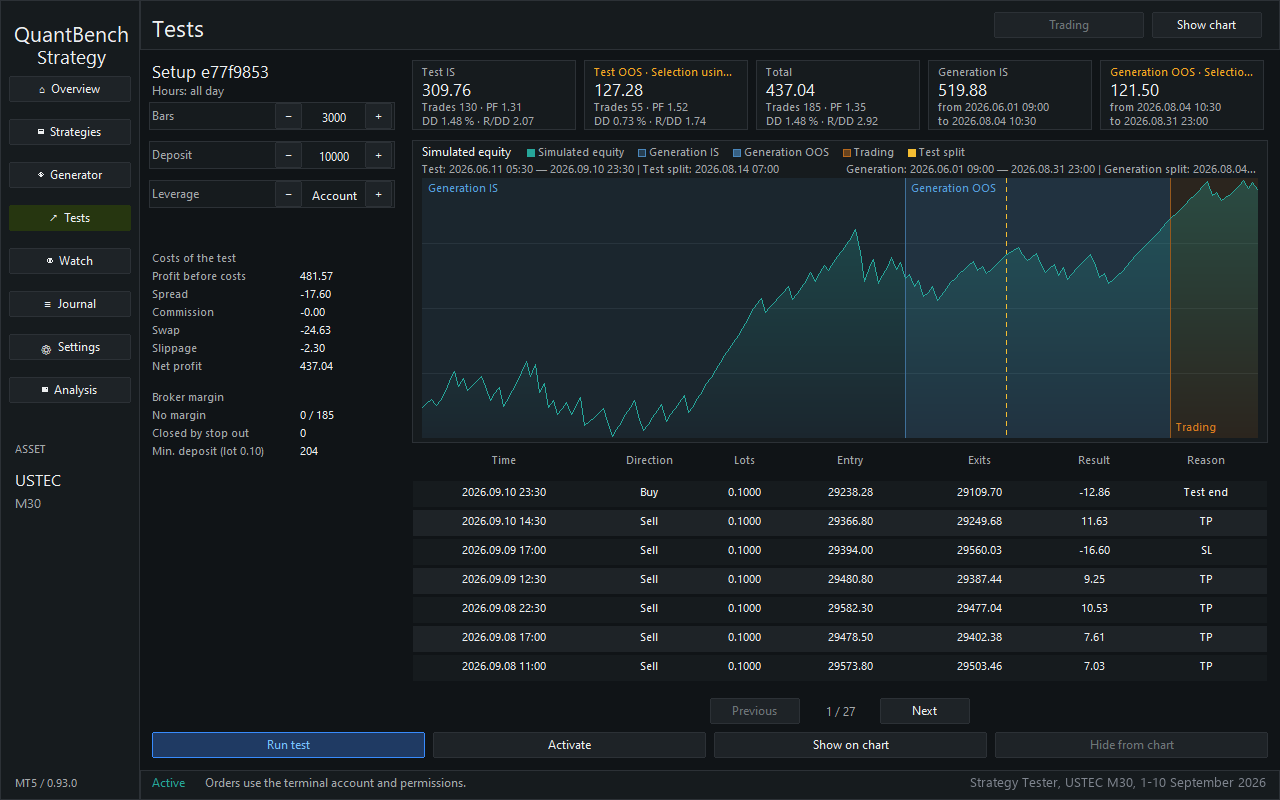
The Tests page shows one strategy in detail: its result on the in-sample part and on the out-of-sample part, the costs of the test and the list of its trades. The tests count the spread, the commission and the slippage.
4. See it on the chart
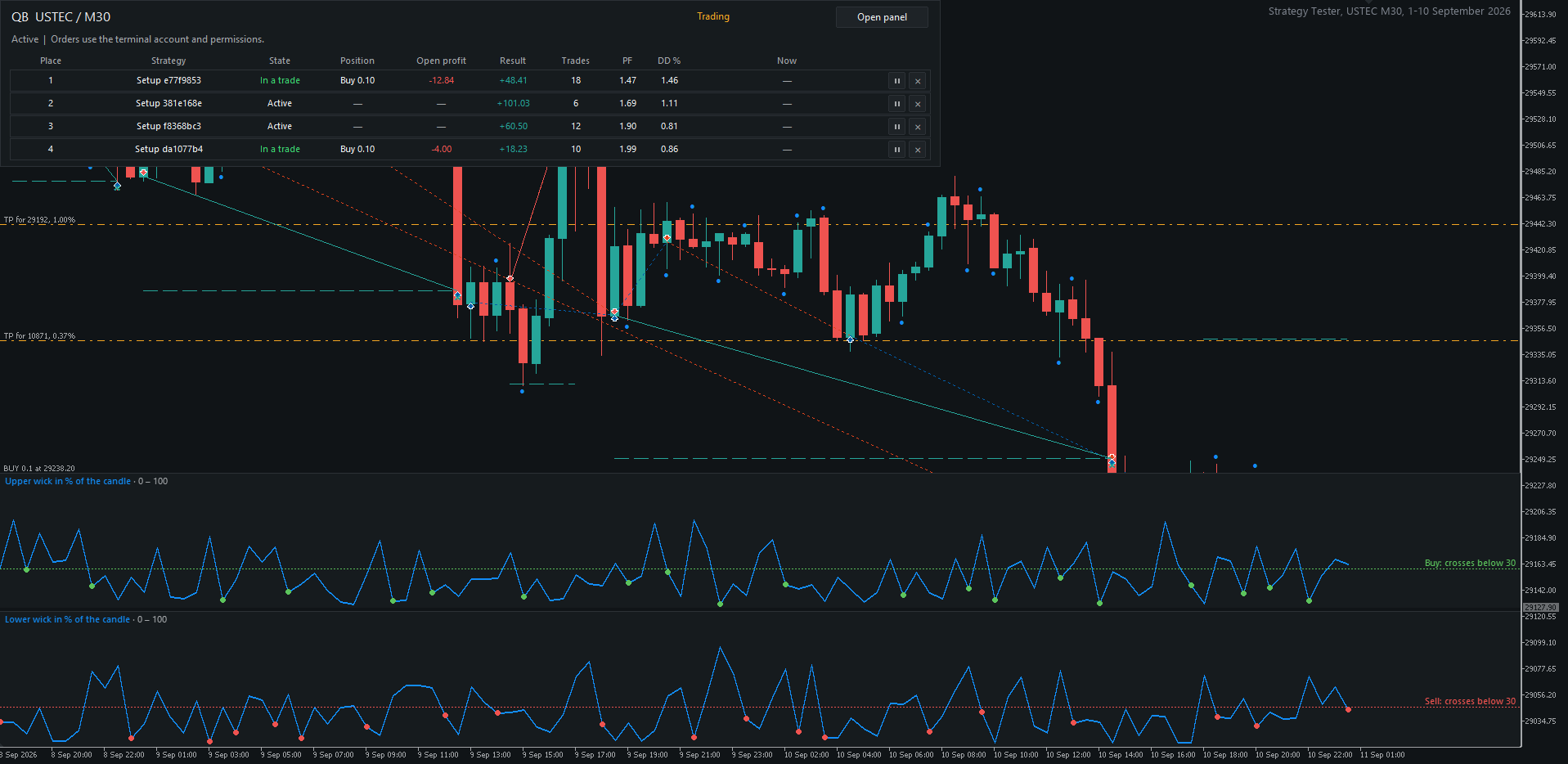
"Show on chart" draws the trades of the strategy on the chart, so you can check each entry and each exit yourself.
5. Put it on a place
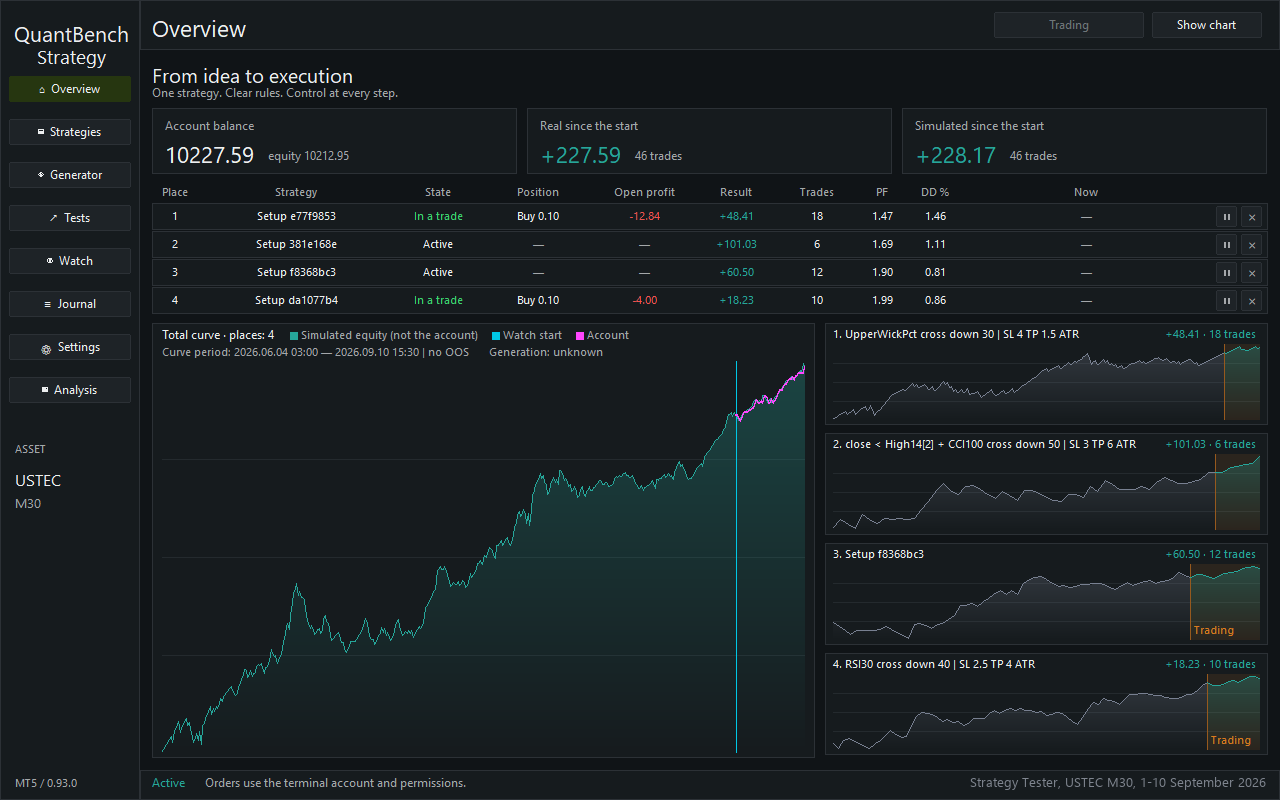
"Activate" puts the strategy on a free place. There are 4 places. On the Overview page, you watch the places: the state, the position and the result of each one. You can pause a place or remove it.
The button at the top switches between Simulation and Trading. Simulation is the default: no real orders. Trading needs a second click within 5 seconds; after that, every place sends real orders.
6. Watch the places
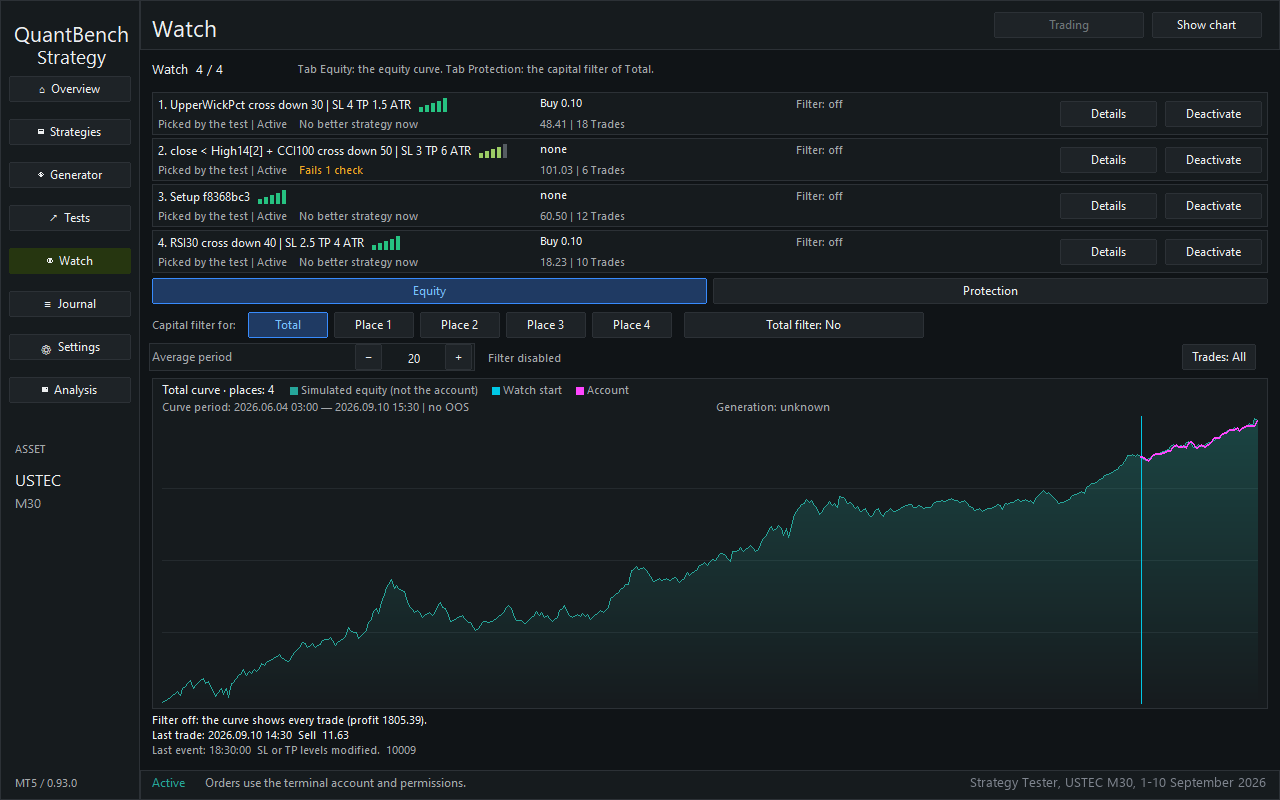
The Watch page follows the strategies on the places, with check bars on the recent candles and an equity curve. The check bars only inform you; you decide. The equity filter is here too, off by default.
7. Analyse the closed positions
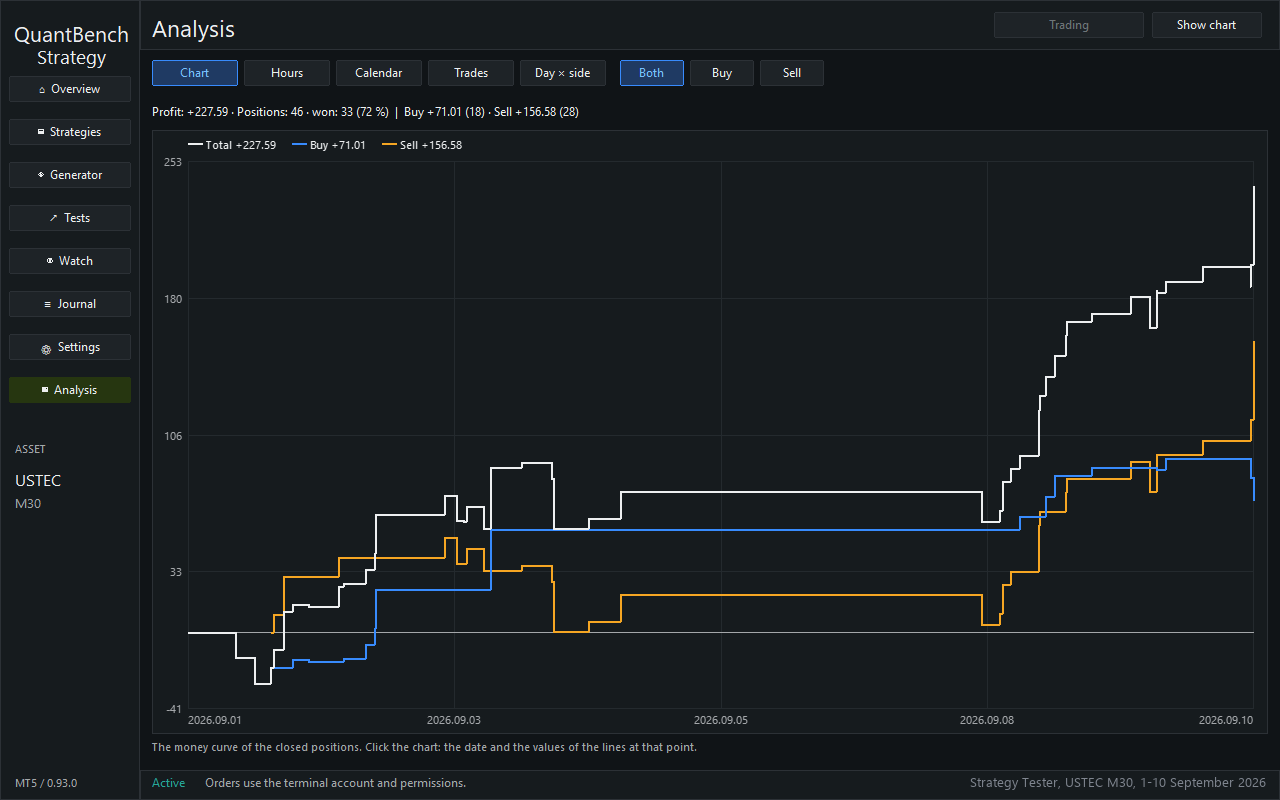
The Analysis page shows the closed real positions: the money curve, and the results by hour, by calendar day, by trade and by side.
Also included
- A journal of the events.
- Fixed lot or risk as a percentage of equity.
- A short panel on the chart, which you can fold to the left or to the right.
- Panel in 12 languages, dark or light theme.
Free demo in the Strategy Tester
The free demo runs only in the Strategy Tester. There, the Expert Advisor searches by itself and puts one strategy on each free place, one time only. In a visual test, the places start paused: click the play sign on the Overview page. In the demo, the rules and the names of the strategies are hidden. After purchase, you see them.
Price and demo: on the Market page of QuantBench [LINK Market]
Keep in mind
- Results on past candles are not results of real trading and do not guarantee future results.
- Trading with real orders involves a risk of loss. Start in Simulation, on a demo account.
- For real orders, the Algo Trading button of MetaTrader 5 must be on.
- A search uses the processor and can take time.