
This guide explains setting the Veltrix Core Expert Advisor (EA).
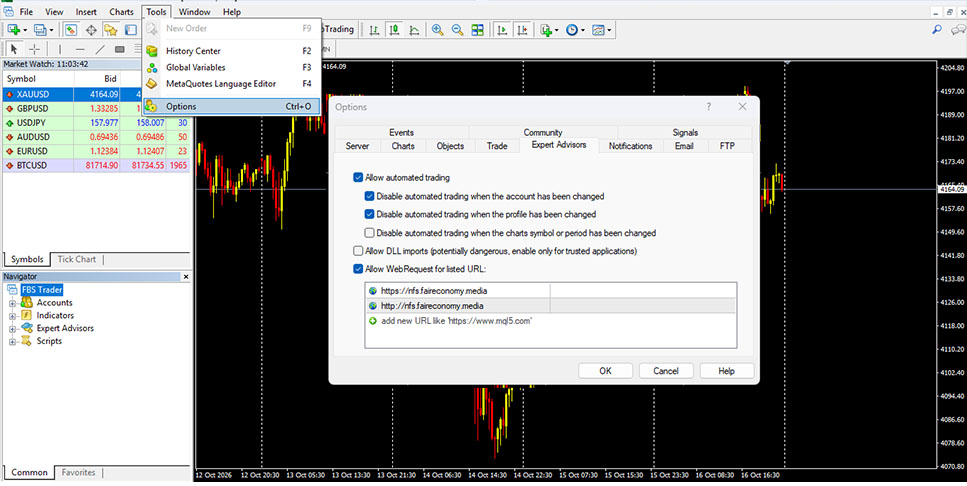
- Enabled WebRequest and add url link : ( https://nfs.faireconomy.media & http://nfs.faireconomy.media)
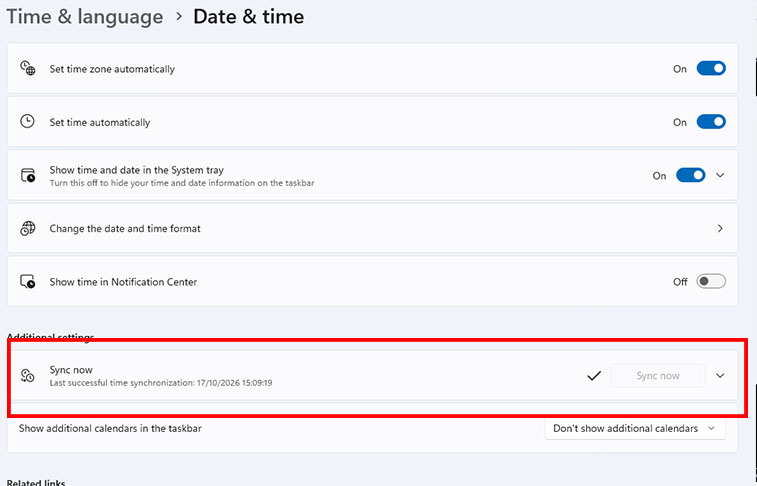
- It is advisable to synchronize the time on your VPS/PC to ensure accurate news release timing.
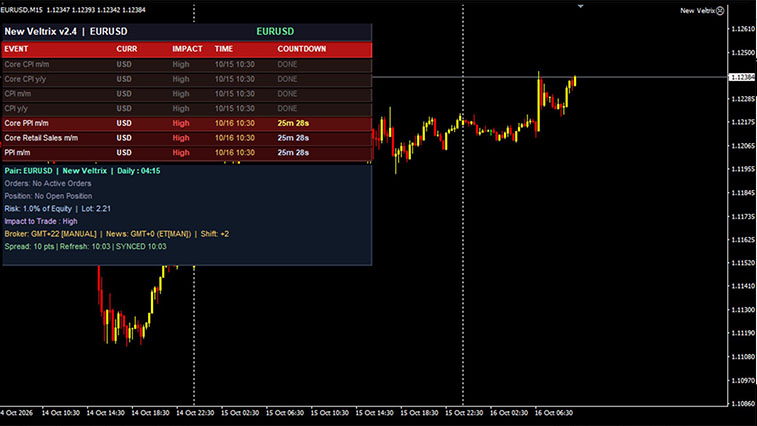
- Attach EA as usual, EA aka autoforce timframe to m15 (AUDUSD,EURUSD,GBPUSD dan USDJPY)
- default settings are recommended
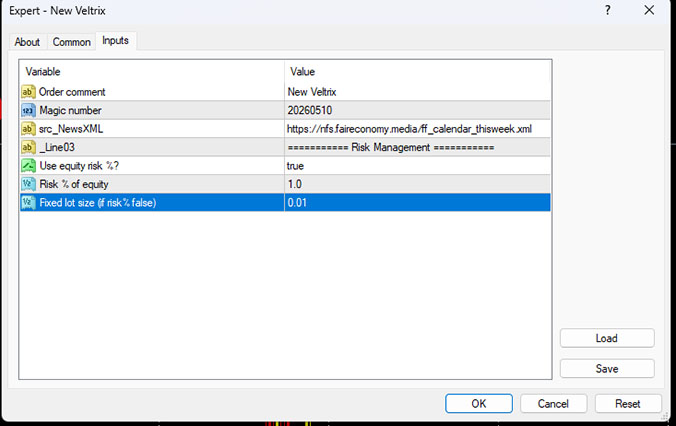
- EA Comments
This parameter defines the comment attached to every trade executed by the EA.It helps you identify trades in your account history.
- Magic Numbers
A unique identifier assigned to all trades opened by this EA.This is important if you are running multiple EAs simultaneously, as it prevents trade conflicts.
- src-NewsXML
just information.
🔹 Lot Management
- Use equity risk % ?
false → The EA will use a fixed lot size.
true → The EA will calculate lot size dynamically based on risk. - Fix lot size (if risk % false)
Defines the lot size used when Use equity risk % ? = false
- Risk % of equity
This defines the percentage of your account equity risked per trade.
Examples:
Value = 1.0 → Each trade risks 1% of your equity
The EA automatically calculates lot size based on each pair.



