

Technical analysis does not always take a long time because the market is difficult to read.
Sometimes, it takes a long time because the platform makes simple actions slower than they need to be.
A trader may know exactly where to draw a trendline, mark a Supply & Demand zone, place a Fibonacci retracement or plan a potential trade. The problem is that doing each of these things through menus and manual adjustments can become repetitive, especially when working quickly during a trading session.
The same applies to risk calculation.
When planning a trade, many traders still measure the distance to the Stop Loss manually and then calculate the position size separately. A few extra steps may not seem important, but when repeated throughout the day they add friction to the whole analysis process.
So the question becomes:
Can some of these actions be made faster directly from the MT5 chart?
The problem with doing everything manually
MetaTrader 5 already provides the tools needed for technical analysis, but accessing them efficiently is another matter.
For example, creating a Fibonacci retracement, drawing a trendline or marking a zone usually requires interacting with chart menus or selecting the appropriate object manually.
This is not necessarily a problem during a slow analysis session.
It becomes more noticeable when:
- you are preparing several charts;
- you are switching between instruments;
- you are working with multiple timeframes;
- you want to test different scenarios quickly;
- you are planning several potential entries;
- you are scalping or trading intraday.
Risk planning can have the same issue.
A trader may draw an entry, calculate the distance to the Stop Loss, determine the Take Profit level and then work out the Risk/Reward ratio. Doing this manually makes the process more fragmented than it needs to be.
The solution I was looking for was simple:
put the actions directly where the analysis happens — on the chart and on the keyboard.
A faster approach: shortcuts + visual tools
Instead of opening a menu every time you need a drawing tool, commonly used functions can be assigned to keyboard shortcuts.
This creates a much more direct workflow:
Press → Draw → Adjust → Continue analysing
The idea is not to replace MT5's existing tools, but to make frequently used actions easier to access.
Visual overlays can also make trade planning much more practical. Instead of calculating every value separately, the relevant information can be displayed directly around the planned position.
Here are a few examples.
GIF 1 — Creating a Long Position
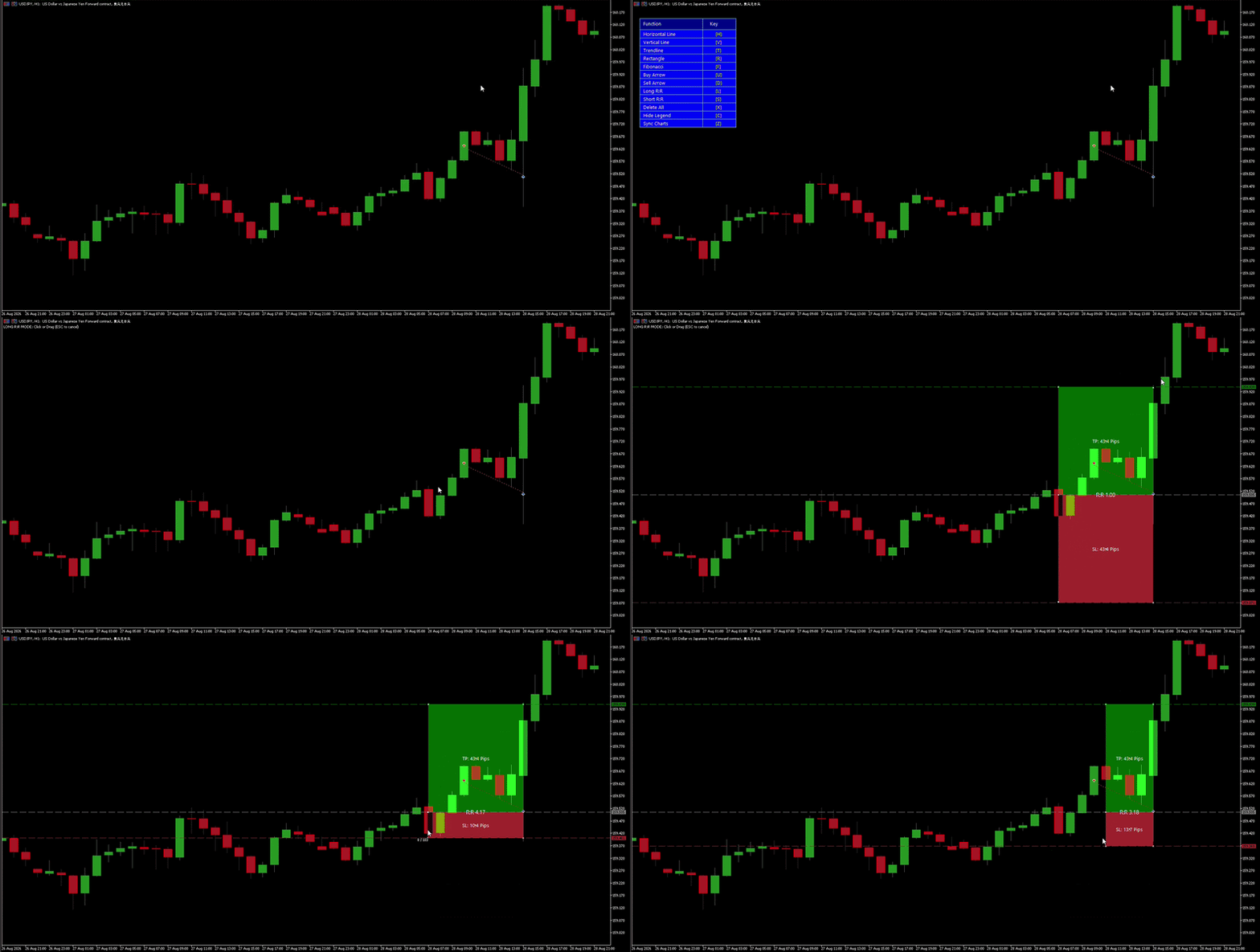
A Long Position can be created directly on the chart and then adjusted visually.
The entry, Stop Loss and Take Profit levels can be moved as part of the same setup, while the Risk/Reward ratio and pip distances remain visible.
This makes the planning process easier to read before an order is actually placed.
GIF 2 — Creating a Fibonacci Retracement
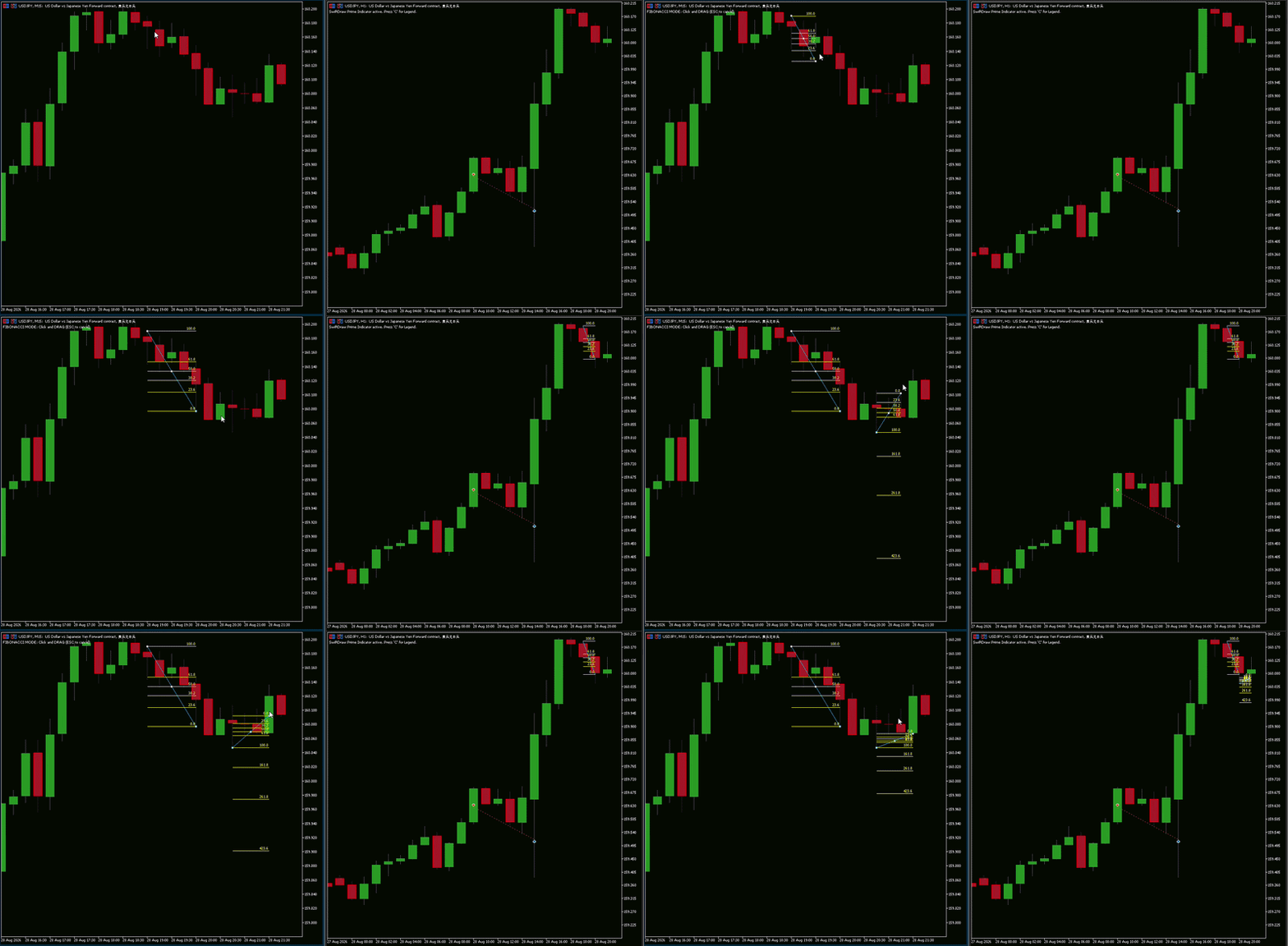
Fibonacci retracements are another example of an action that can be simplified with a shortcut.
With the magnetic function, the Fibonacci anchors can automatically snap to nearby candle highs and lows, reducing the need for very precise manual mouse positioning.
The result is a faster way to map retracement levels while keeping the analysis visually clean.
GIF 3 — Creating Trendlines
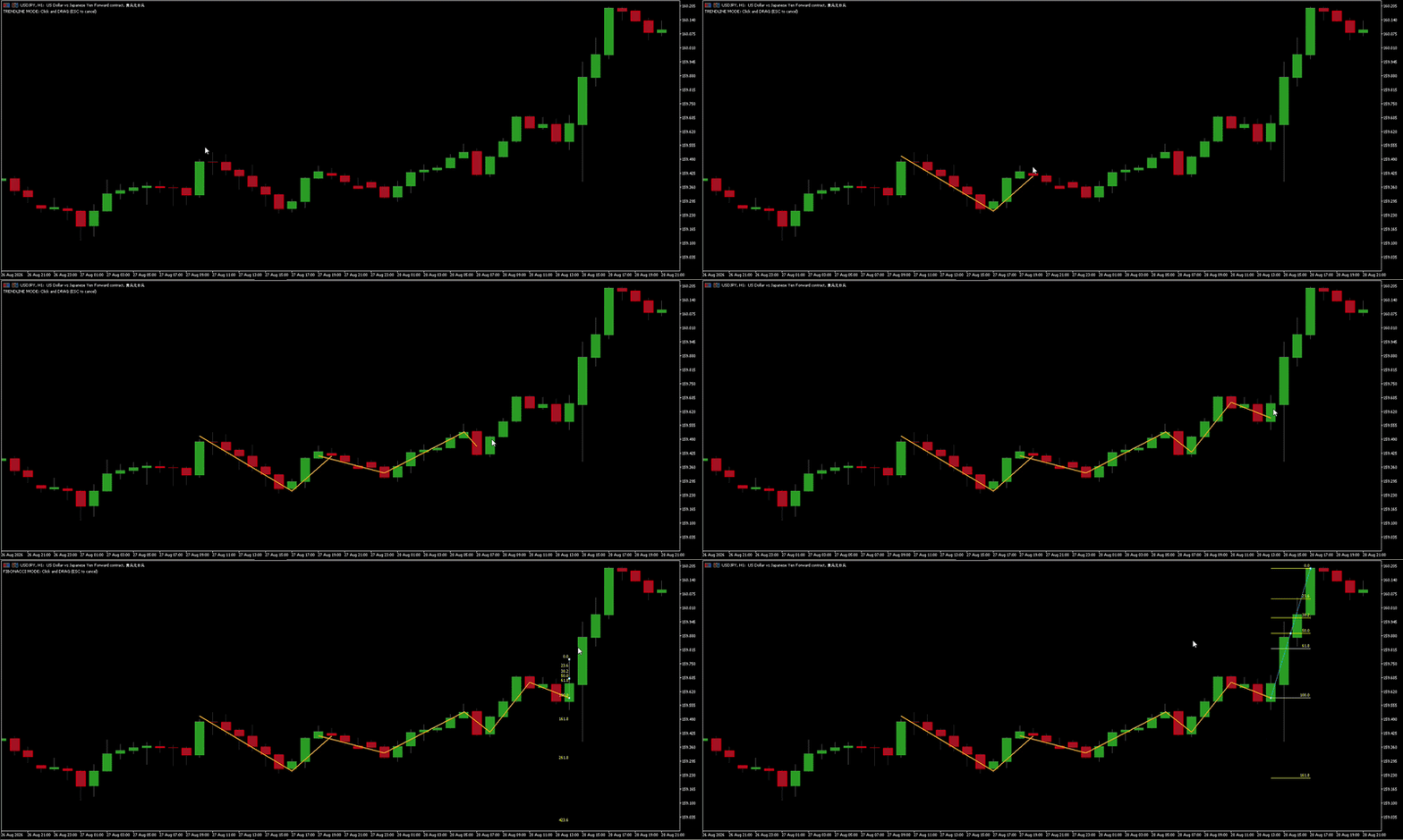
Trendlines can also be created directly through a shortcut and drag action.
For traders who repeatedly mark market structure, this can remove a number of unnecessary steps from the normal charting workflow.
From individual tools to a complete workflow
This idea eventually became SwiftDraw Prime.
Rather than focusing on one single indicator or trading signal, the goal is to bring several practical charting utilities together in one tool.
SwiftDraw Prime combines:
- keyboard shortcuts for commonly used chart objects;
- horizontal and vertical lines;
- trendlines;
- Supply & Demand rectangles;
- Fibonacci retracements with magnetic snapping;
- Buy and Sell arrows;
- Long & Short Position tools;
- Entry, Stop Loss and Take Profit visualization;
- Risk/Reward and pip information;
- one-action chart cleanup;
- customizable shortcuts;
- customizable object colours;
- Live Multi-Timeframe Chart Sync.
The idea behind all of this is quite straightforward:
less time spent navigating menus, more time spent analysing the market.
It is particularly useful for scalpers and intraday traders, but the same workflow can also be useful for anyone who frequently prepares charts manually.
A simpler way to get started
Not everyone needs all of these functions from the beginning.
That is why I also created SwiftDraw Starter.
Starter is designed as a simpler entry point into the SwiftDraw ecosystem, providing the essential charting tools and keyboard shortcuts without the complete set of advanced features found in Prime.
It includes tools such as:
- Horizontal Line
- Vertical Line
- Trendline
- Rectangle
- Fibonacci Retracement
- Buy & Sell Arrows
- customizable hotkeys
- customizable colours
- six supported languages
It is a good way to try the workflow and see whether shortcut-based charting fits your trading style.
For traders who want the complete experience, SwiftDraw Prime adds the advanced trade-planning and multi-timeframe features on top of the core charting tools.
Final thoughts
Speed in trading is not only about executing orders quickly.
It can also mean reducing the amount of time spent doing repetitive tasks around the trade.
Opening menus, selecting objects, adjusting levels and calculating distances are small actions individually, but they become significant when repeated hundreds of times.
That is the problem SwiftDraw was created to address.
The goal is simple: make the chart work around the trader, instead of making the trader work around the chart.
Try SwiftDraw
SwiftDraw Starter — Free
Get started with the essential charting tools and shortcuts:
https://www.mql5.com/en/market/product/193130?source=Site+Market+My+Products+Page#
SwiftDraw Prime — Full Version
Access the complete SwiftDraw experience, including advanced position planning, Risk/Reward tools and Live Multi-Timeframe Sync:
https://www.mql5.com/en/market/product/192979?source=Site+Market+My+Products+Page#


