
📌 FiboSniper Pro + Auto Trader X — Recommended Set Files
📥All recommended set files are attached below this post.
These set files are optimized for Mode 3 (FiboSniper Pro Sync).
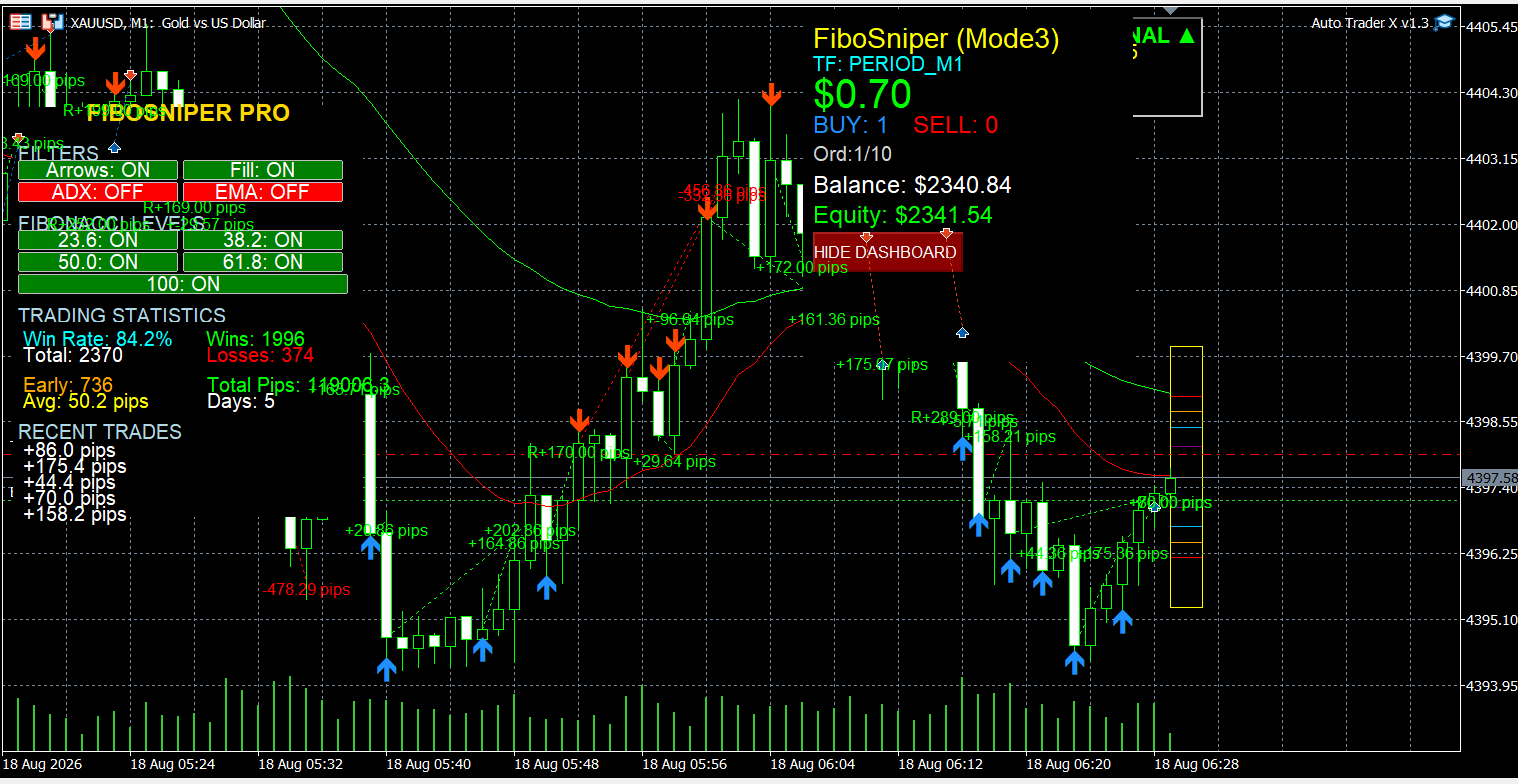
In this mode, FiboSniper Pro generates the trading signals, while Auto Trader X automatically executes and manages the trades based on those signals. Both products must be attached to the same symbol and timeframe.
⚙️ FiboSniper Pro v6.6 — Optimized Default Configuration
With Version 6.6, the default configuration has been optimized for easy use with Gold (XAUUSD), BTCUSD, Forex pairs, and Indices. M15 is recommended as a starting timeframe for a better balance between signal frequency and signal filtering.
────────────────────────────────────────────────────────────────────────────────────
Recommended Markets & Set Files
🥇 XAUUSD (Gold) – Best Performance
📁 Indicator Set File: fibosniper_gold.set
📁 EA Set File: autotraderx_mode3_fibosniper.set
Timeframes: M1 / M5 / M15 / M30 / H1
⭐ Recommended: M15
Minimum Capital: $200 | Recommended: $500+
₿ BTCUSD
📁 Indicator Set File: fibosniper_btcusd.set
📁 EA Set File: autotraderx_mode3_fibosniper.set
Timeframes: M5 / M15 / M30 /H1
⭐ Recommended: M15
💱 Major Forex Pairs
📁 Indicator Set File: fibosniper_forex.set
📁 EA Set File: autotraderx_mode3_fibosniper.set
Pairs: EURUSD, EURCHF, EURGBP, USDCHF, AUDUSD, USDCAD, NZDUSD, GBPUSD, USDJPY
Timeframes:M15 /M30 / H1 / H4
⭐ Recommended: H4
📊 Indices
📁 Indicator Set File: fibosniper_indices.set
📁 EA Set File: autotraderx_mode3_fibosniper.set
Indices: NASDAQ (NAS100), US30, US500
Timeframes: M1 / M5 / M15
⭐ Recommended: M15
⚠️ Important Note
For a more controlled and long-term trading approach, we recommend using the provided Auto Trader X set file: autotraderx_mode3_fibosniper.set.
This configuration limits the EA to a maximum of 2 simultaneous positions, helping to control market exposure and risk. The default configuration may allow up to 10 simultaneous positions.
This is a recommended configuration only and does not guarantee trading results. Please test on a demo account before live trading.
────────────────────────────────────────────────────────────────────────────────────
How Auto Trader X Mode 3 Works
- FiboSniper Pro: Generates high-quality Buy/Sell signals using dynamic Fibonacci Envelopes + multiple confirmation filters (ADX, EMA, RSI, ATR, Volume, Time, Candle structure).
- Auto Trader X: Automatically executes and manages trades based on the signals from FiboSniper Pro.
- Signal Mode: SIGNAL_MODE_FIBOSNIPER_SYNC
Setup steps:
- Attach FiboSniper Pro to the chart first.
- Attach Auto Trader X to the same symbol and timeframe.
- Select SIGNAL_MODE_FIBOSNIPER_SYNC.
- Enable AutoTrading in MetaTrader 5.
Important: In Mode 3, Auto Trader X does not generate its own signals. It only executes the signals coming from FiboSniper Pro.
────────────────────────────────────────────────────────────────────────────────────
Important Notes
- Always use the matching Indicator set file + EA set file for the market you are trading.
- Both FiboSniper Pro and Auto Trader X must run on the same symbol and timeframe.
- Trading hours are based on your MT5 broker server time, not your local computer time.
- These set files are recommended configurations only. They do not guarantee future trading results.
- Always test thoroughly on a demo account or in the Strategy Tester before switching to a live account.
────────────────────────────────────────────────────────────────────────────────────
📥 All recommended set files are attached below for quick download.
Download & Support:
📌 FiboSniper Pro indicator:
https://www.mql5.com/en/market/product/168754
📌 Auto Trader X EA :
https://www.mql5.com/en/market/product/191213
📌 Support:
https://www.mql5.com/en/users/minhnguyen1504



