
The problem every trader knows
You've found your entry. You've marked your stop. You have a plan. But at the one moment that matters most — the moment to click — you have to stop and do math: "With this stop-loss, on this account, at 1% risk… how many lots?"
Get a decimal wrong and you blow the account. Reach for a calculator and price has already moved. Eyeball it "close enough" and your risk management is just a theory you don't actually follow.
Lot Architect closes that gap. It turns your trade idea into a precise, risk-based order in a single click.
What Lot Architect is
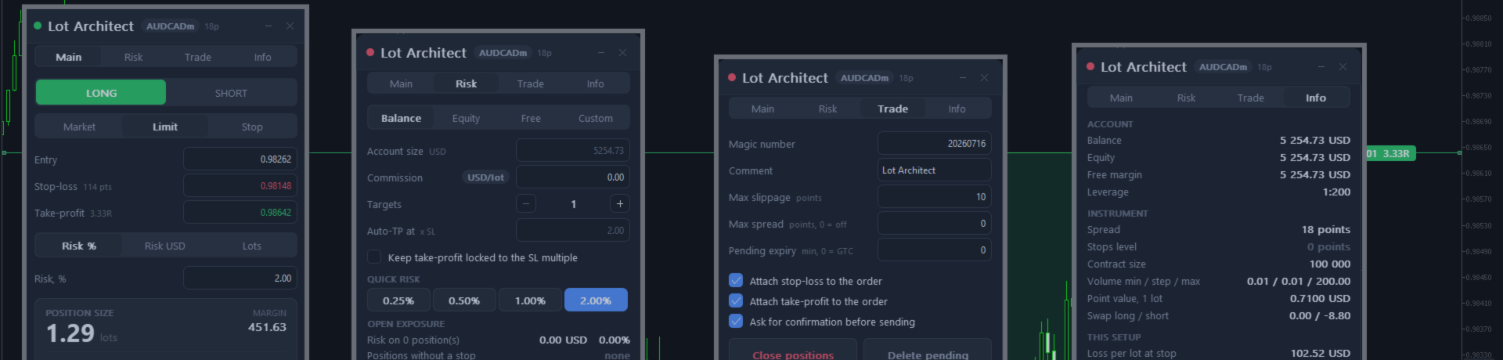
It's a utility that runs right on your MetaTrader 4 or MetaTrader 5 chart as a clean, modern panel. You set three prices — Entry, Stop-Loss, Take-Profit — and Lot Architect instantly calculates the exact position size for the risk you choose, then lets you place the order on the spot.
No calculator. No mental math. No guessing.
Where the power is
Size by risk, not by feel.
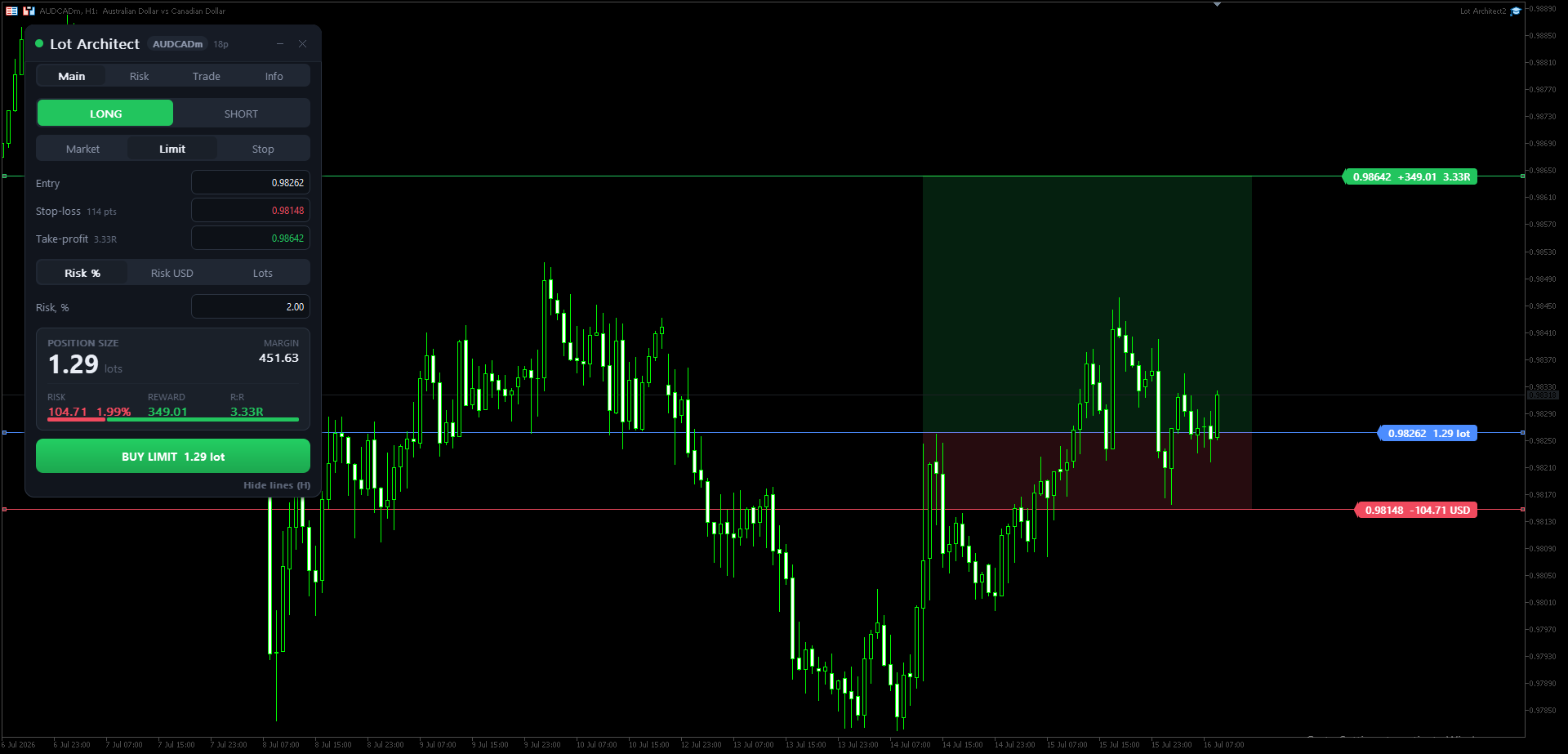
Define your risk as a percentage of the account, a fixed money amount, or trade a fixed lot size — the panel solves for the rest instantly. Want exactly 1% per trade? Just type "1".
Drag your levels on the chart.
The Entry, Stop-Loss and Take-Profit lines live directly on your chart. Drag them with the mouse and the position size, money at risk, potential reward and reward-to-risk ratio update in real time. Shaded risk (red) and reward (green) zones let you read the whole setup at a glance.
See the trade before you take it.
Position size, margin required, money at risk (with % of account), potential reward and R:R — all on one result card. You know exactly what you're wagering before real money is committed.
One-click execution — with a safety net.
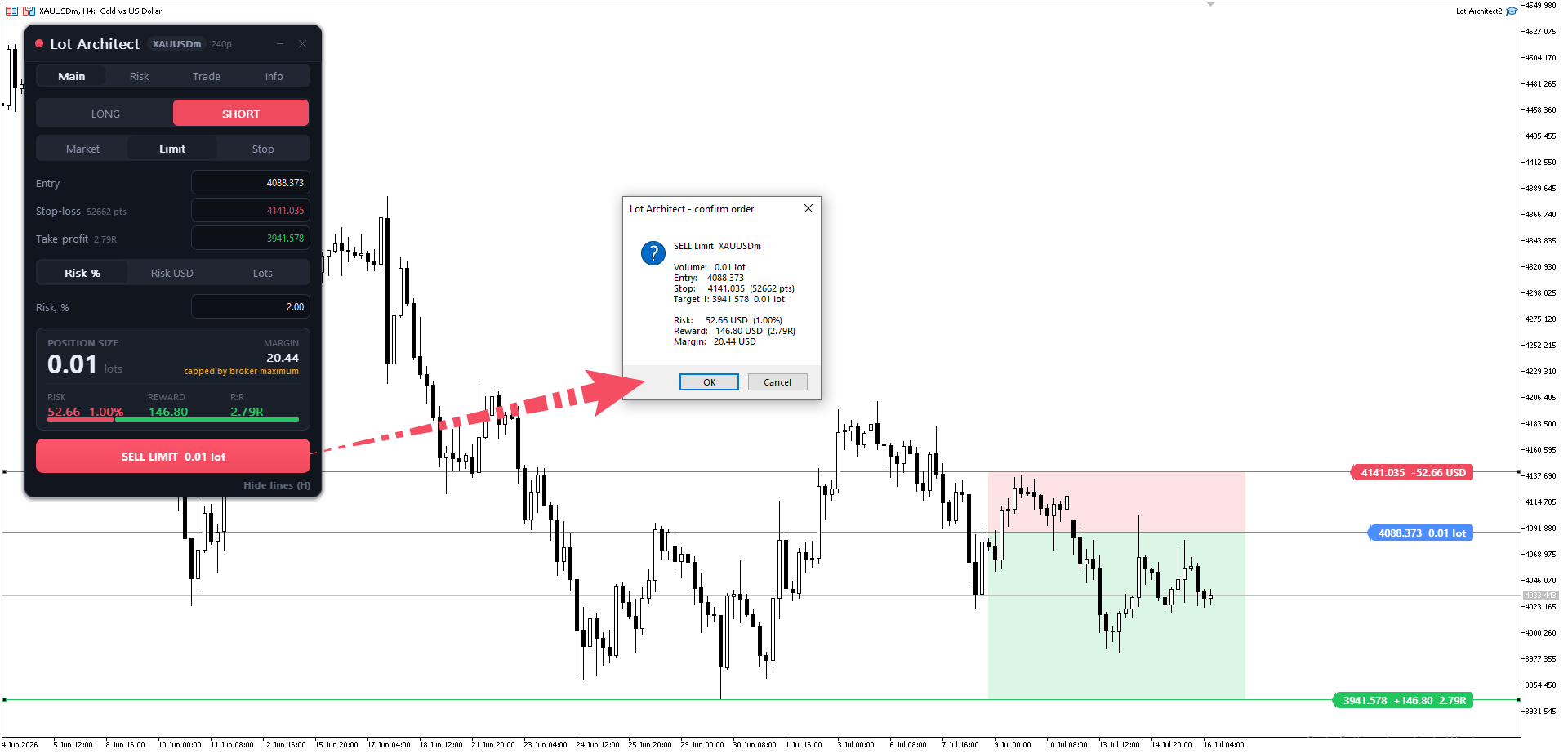
The order button refuses to fire, and tells you why, when the spread is too wide, margin is insufficient, a level sits inside the broker's stops level, or a target is on the wrong side of entry. You're stopped before the server rejects the order, instead of decoding a retcode afterward.
Up to 4 take-profit targets.
Set multiple targets and Lot Architect splits the volume across them automatically, rounded to your broker's lot step.
Accurate on every instrument.
Every money figure is computed through the terminal's own contract engine, so Forex, metals, indices and CFDs with exotic quote currencies are all sized correctly — not just the majors.
Real benefits for traders
- Discipline becomes the default. Risk per trade is fixed and shown in plain numbers — no more "let this one breathe a little."
- Faster than the market. From idea to filled order in seconds, quick enough for fleeting setups.
- Built for prop / funded accounts. When a fixed risk-per-trade is a hard rule, precise sizing isn't a convenience — it's a requirement.
- Portfolio risk at a glance. The Risk tab shows your total open risk across the account and flags any position running without a stop-loss.
Quick start
- Attach Lot Architect to the chart of the symbol you want to trade.
- Pick a direction — LONG or SHORT — and an order type: Market / Limit / Stop.
- Set your levels: drag the Entry / Stop-Loss / Take-Profit lines on the chart, or type the prices into the panel.
- Choose your risk basis — Risk %, Risk USD, or Lots — and enter the value (e.g. 1 for 1%).
- Read the result card: size, risk, reward, R:R. If it looks right, click the big BUY/SELL button to place the order.
Hotkeys: Shift+T place trade · Tab flip Long/Short · O cycle order type · H hide/show lines · ` minimize the panel.
Enable AutoTrading in the terminal to place orders (the calculator works without it).
Try it now
Let Lot Architect handle the math so you can focus on the only thing that matters — your trade.
👉 Get it here: https://www.mql5.com/en/market/product/186011
Note: Lot Architect assists with position sizing and order placement. It does not predict markets or guarantee profit. Every trade and its risk are your own. Test on a demo account first to get familiar with the workflow.