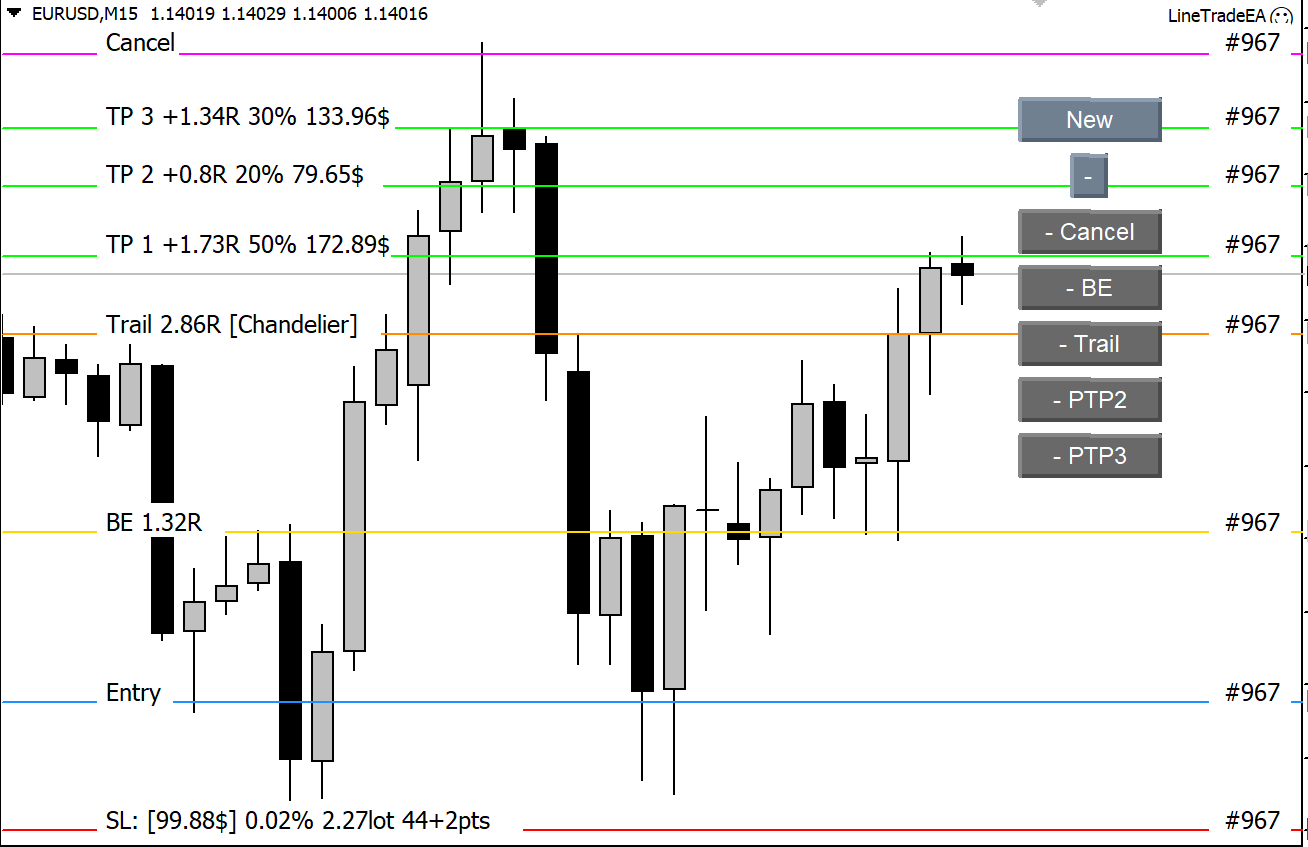
1. Download Demo Version (Full features, Demo accounts only): MT4 version
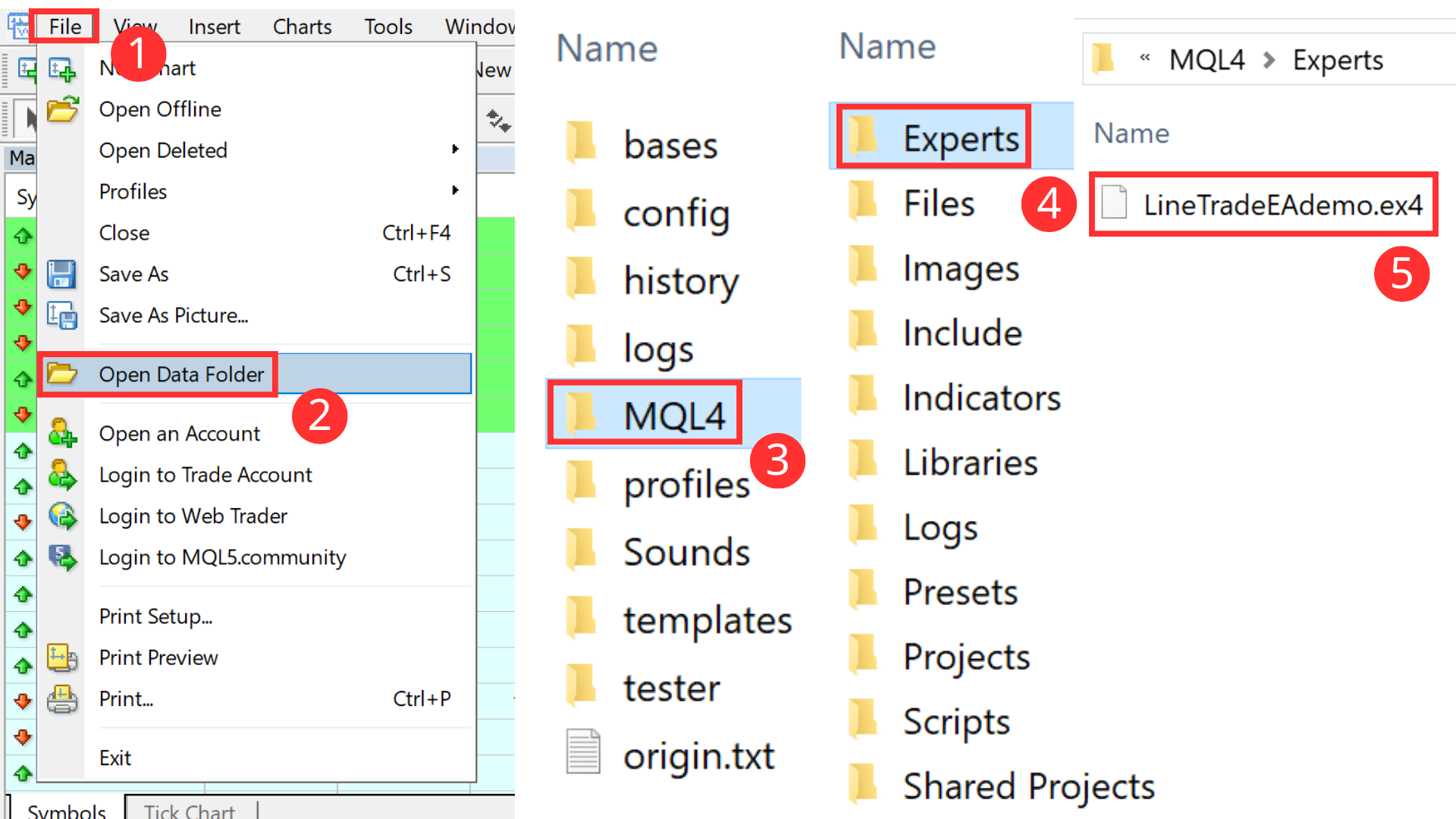
2. Copy the downloaded demo version to the "Experts" folder.
3. Refresh the "Expert Advisors" tab in the "Navigator" window, then attach the EA to a chart.
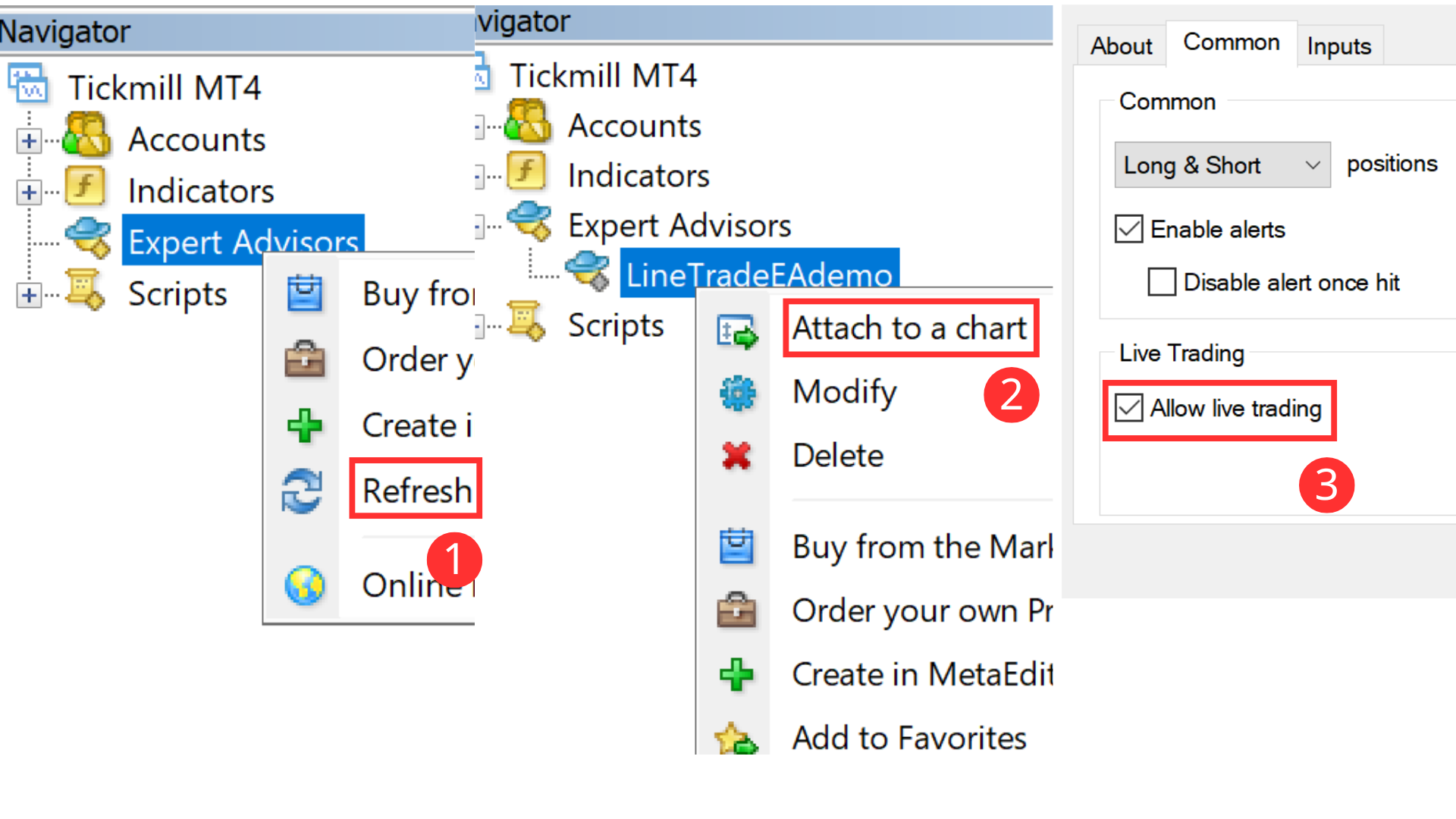
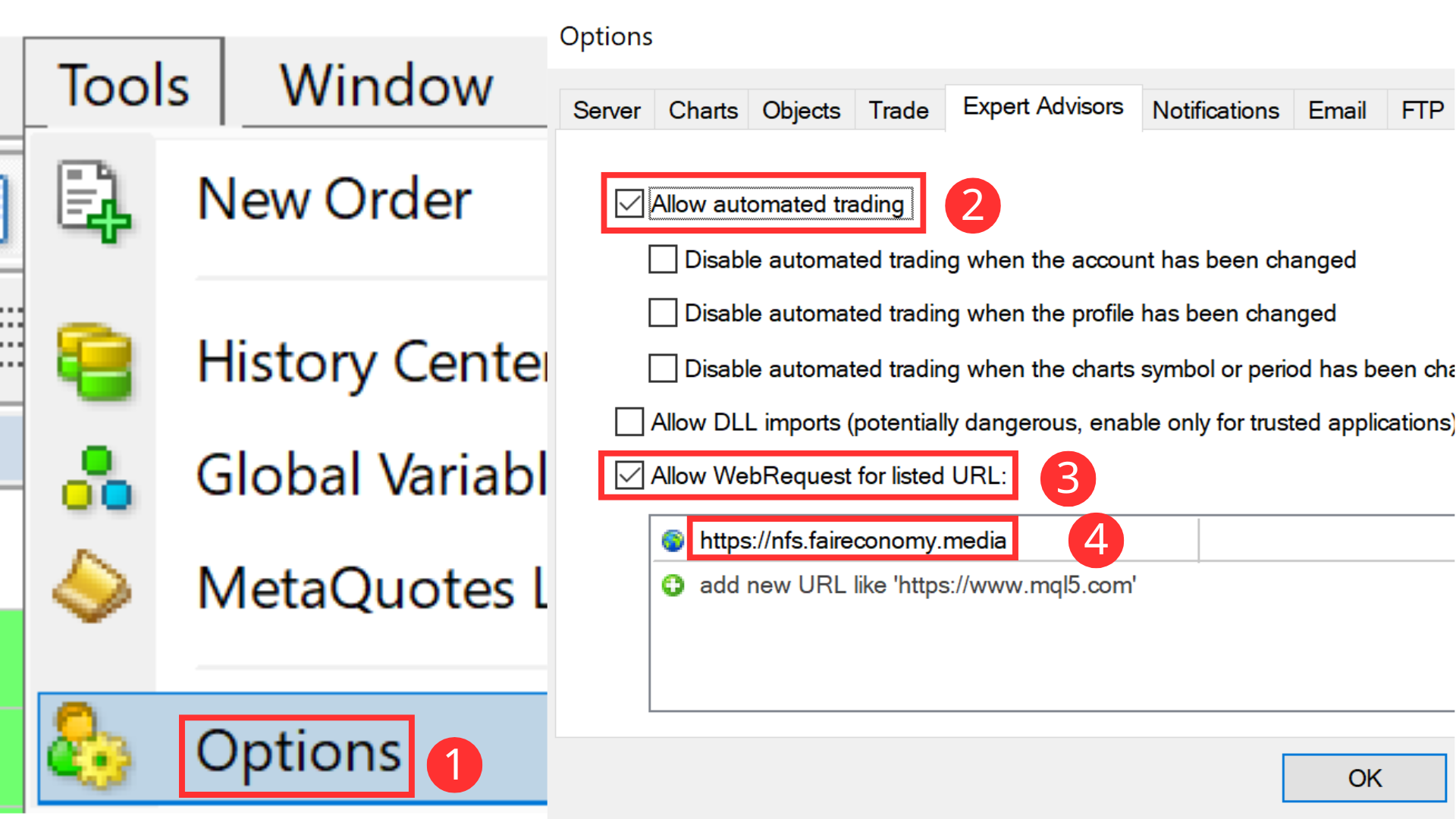
4. Enable AutoTrading for the terminal and add " https://nfs.faireconomy.media" to the WebRequest allowed URL list to fetch news.
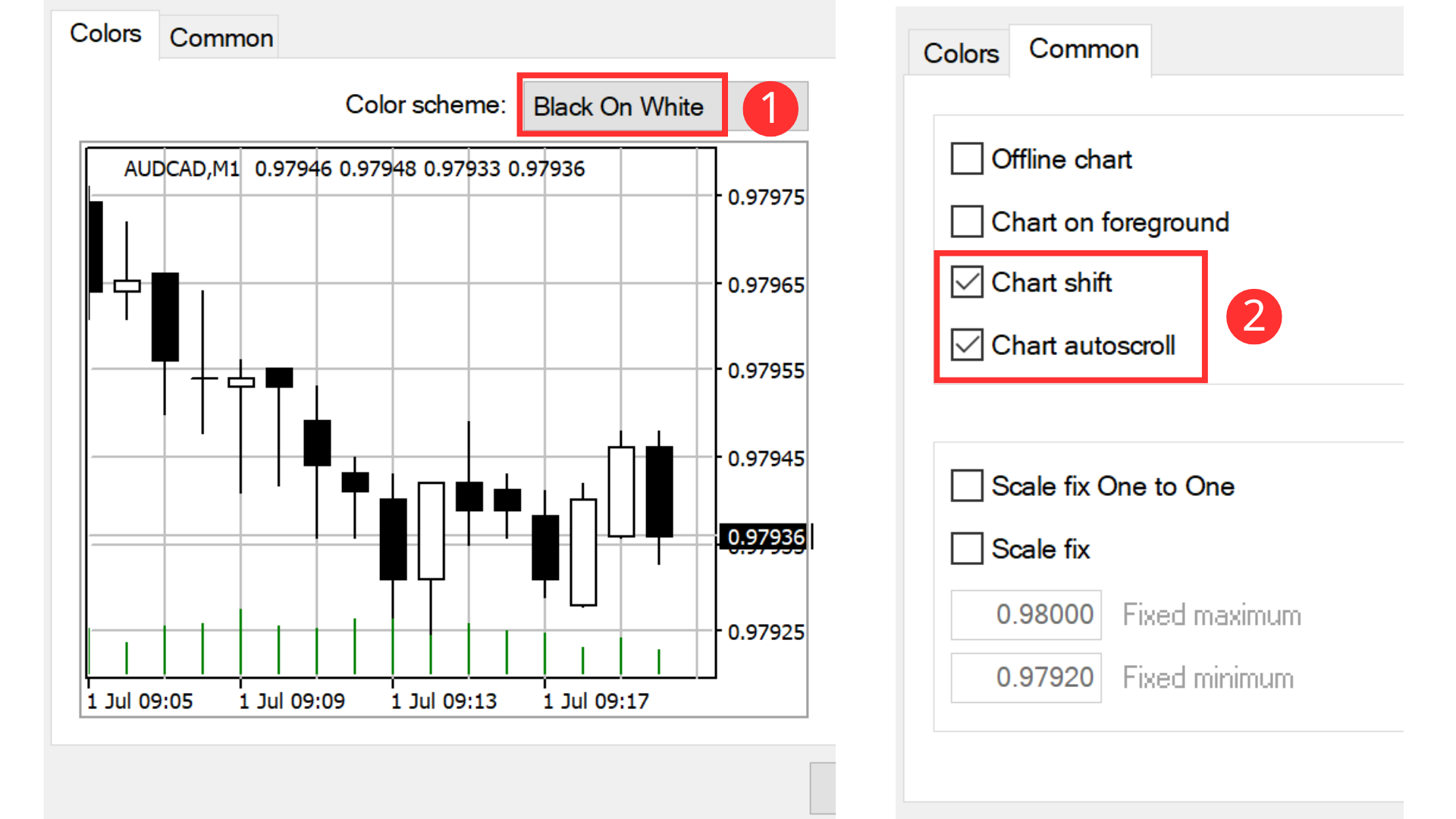
5. Adjust the colors and create blank space on the chart so the panel buttons do not overlap the price action.
Before trading, please configure the input parameters and personalize your settings, such as risk tolerance, SL buffer, and the close-before-news feature.
If you are happy with the product, please buy or rent the official version here.
If you have any questions, please ask them in the comments below.