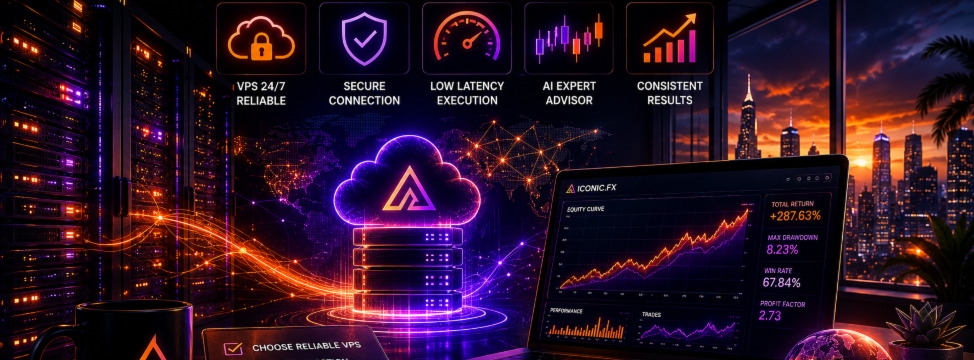
From Purchase to Live: The Complete VPS and Broker Setup Guide for Running an AI Expert Advisor 24/7

Buying an Expert Advisor is the easy part. The decision that actually determines whether the system delivers what it was built to deliver happens afterward, in a part of the process that almost nobody writes about: the infrastructure the EA runs on. A brilliant AI architecture executed on an unreliable setup produces unreliable results — not because the strategy failed, but because the strategy never actually got the chance to run the way it was designed to.
This is the gap between buying automation and actually achieving it. Every AI architecture discussed elsewhere on this profile — evolutionary intelligence, reinforcement learning, cybernetic coordination — depends on one unglamorous precondition: the EA needs to be running, continuously, on every tick, without interruption. This article covers exactly how to make that true. No marketing. A practical setup guide from purchase to live execution.
WHY A VPS IS NOT OPTIONAL FOR AI AUTOMATED TRADING
Bitcoin trades continuously. There is no close, no weekend gap, no session break. An automated system designed to capture opportunity across that full window only delivers on its design if it is actually running across that full window. A laptop that goes to sleep, a home internet connection that drops, a Windows update that forces a restart, a power outage during an overnight session — any of these silently takes the EA offline at a moment that may be exactly when a signal would have fired.
The cost of this is invisible. You will not see a missed trade in your trade history, because the EA was never there to take it. You will only see a smoother equity curve than what the system was actually capable of producing — and you will have no way to know how much was left on the table.
A Virtual Private Server, commonly abbreviated VPS, solves this directly. It is a remote server that runs continuously, independent of your personal computer, your home internet connection, or your physical location. You install MetaTrader 5 on it, attach your Expert Advisor, and the system runs uninterrupted regardless of whether your laptop is open, your internet is working, or you are awake. This is the infrastructure layer that converts a 24 hour capable strategy into a strategy that is actually operating 24 hours.
THE FOUR CRITERIA THAT ACTUALLY DETERMINE VPS QUALITY
Latency to Your Broker's Trade Server
Every order your EA sends travels from the VPS to your broker's trade execution server. The physical and network distance between these two points determines latency — the time delay between order placement and order execution. High latency means the price you intended to trade at and the price you actually received can diverge meaningfully, particularly during fast moves.
This matters more for AI driven systems than for simple indicator based EAs. The architectures running inside products like ICONIC KYBERNETIC AI perform matrix computations, reservoir updates, and causal gating calculations on every tick before a decision is finalized. A VPS that is geographically and structurally distant from your broker's server adds delay on top of an already real time computational process. Choosing a VPS location close to your broker's server, ideally within the same data center region, minimizes this combined delay.
Uptime Guarantee
A VPS that experiences regular downtime defeats the entire purpose of using one. Look for providers offering a documented uptime guarantee of at least 99.9 percent, which translates to less than roughly nine hours of downtime across an entire year. Anything meaningfully below this threshold introduces the same reliability gap that running on a personal computer was meant to solve.
Sufficient Computational Resources
The AI architectures across the ICONIC.FX lineup are not lightweight. ICONIC BTC AI+ maintains and continuously updates a MAP Elites archive alongside a plastic neural layer. ICONIC NEUROCORE AI+ runs two isolated reinforcement learning engines plus a shared reservoir computation. ICONIC KYBERNETIC AI processes a 500-node reservoir alongside bidirectional Transfer Entropy calculation and Nash equilibrium optimization, all on every tick, across two instruments simultaneously.
A VPS plan with minimal RAM and a shared, throttled CPU core can introduce processing lag under this load — particularly if you are running multiple chart instances or multiple EAs concurrently. Err toward a VPS tier with headroom rather than the absolute cheapest option available. The cost difference between a minimal plan and a comfortable one is typically a few dollars per month — a negligible cost relative to the capital the EA is managing.
Operating System and Remote Access Stability
Most trading VPS providers offer Windows based remote desktop access, which aligns directly with the native MetaTrader 5 environment. Confirm that remote desktop access is stable and that the provider supports automatic reconnection or session persistence, so that a brief connectivity interruption on your end does not affect what continues running on the server itself.
BROKER SELECTION: THE DECISION THAT DETERMINES YOUR REAL RETURNS
The broker you trade through has a direct mathematical impact on the expected value calculation discussed throughout this profile. The same AI signal, executed through two different brokers, can produce two different outcomes purely due to cost structure and execution quality.
Spread and Commission Structure
Two pricing models dominate the retail broker market: a raw or ECN style account with a tight, near market spread plus a fixed commission per lot, or a standard account with a wider marked up spread and no separate commission. For systems that execute frequently and target defined reward to risk ratios, a raw spread plus commission structure is typically more transparent and, over a meaningful trade volume, often less costly than a marked up spread that varies unpredictably with market conditions.
Calculate the effective cost per trade under each model at your typical position size before choosing. A broker that looks cheaper on the surface due to a no commission label can carry a wider effective spread that costs more per trade than a transparent commission based alternative.
Regulation and Fund Security
Trade only through brokers regulated by a recognized financial authority in their operating jurisdiction. Regulation does not guarantee performance, but it provides a baseline of operational accountability, segregated client funds, and a path for dispute resolution that unregulated offshore brokers do not offer.
Execution Speed and Slippage Track Record
Search for independent reviews and community discussion specifically addressing execution speed and slippage behavior during high volatility periods — not just general broker reputation. A broker that executes cleanly during calm conditions but widens spreads dramatically or requotes frequently during news events or fast Bitcoin moves can quietly erode a system's expected value during exactly the periods when the system is most active.
Symbol Availability and Leverage
Confirm the broker offers both BTCUSD and XAUUSD with the symbol naming and contract specifications your EA expects, and that leverage of at least 1:500 is available on these instruments, consistent with the recommended account configuration for ICONIC BTC AI+, ICONIC NEUROCORE AI+, and ICONIC KYBERNETIC AI. Some brokers apply different leverage tiers to crypto instruments than to traditional forex and metals pairs — verify this specifically rather than assuming uniform leverage across all symbols.
THE CONFIGURATION CHECKLIST BEFORE GOING LIVE
- Match your VPS timezone to your broker's server timezone where the EA's internal session and news filter logic depends on accurate time alignment.
- Enable AutoTrading in the MetaTrader 5 terminal and confirm the green status indicator is active on the chart — a surprisingly common reason for an EA appearing inactive after setup.
- Confirm no DLL permission is required. Every product in the ICONIC.FX lineup runs entirely in native MQL5, so there is no DLL import setting to enable and no associated security exposure to manage.
- Run a short supervised period after initial deployment, observing the first several trades to confirm execution, stop placement, and lot sizing match expectations, before stepping away entirely.
- Avoid duplicate symbol exposure across EAs. ICONIC NEUROCORE AI+ and ICONIC KYBERNETIC AI both trade BTCUSD and XAUUSD. Running both simultaneously on the same account creates combined exposure to the same two instruments from two independent systems — increase your account size and risk percentage awareness accordingly, or run only one of the two dual symbol products at a time unless deliberately seeking that combined exposure.
- Set the terminal to auto restart the EA after any terminal or VPS reboot, so a routine server maintenance window does not leave the EA inactive for an extended period.
COMMON MISTAKES THAT QUIETLY SABOTAGE PERFORMANCE
The most frequent setup failure is simply running the EA on a personal laptop that periodically sleeps, loses internet connectivity, or gets closed during travel. Every hour the EA is offline is an hour of the market's full 24 hour opportunity window that the system cannot access — directly undermining the structural advantage that automated trading is supposed to provide.
The second most frequent mistake is choosing the cheapest available VPS without verifying latency to the broker's actual trade server. A VPS located on a different continent from your broker's infrastructure can introduce execution delay that is invisible until you compare requested versus filled prices across a meaningful trade sample.
The third is overlooking the interaction between broker spread behavior and the EA's built in maximum spread filter. During major news events, spreads widen significantly across nearly all brokers. This is by design — the spread filter exists specifically to prevent entries during these abnormal conditions. A broker with consistently wide baseline spreads, however, can cause the filter to block valid entries even outside news periods, reducing the system's opportunity to trade. Verify your broker's typical spread on BTCUSD and XAUUSD during normal conditions before assuming the EA is underperforming.
WHAT CORRECT DEPLOYMENT ACTUALLY BUYS YOU
None of this infrastructure work changes the underlying AI architecture. It does not make ICONIC BTC AI+, ICONIC NEUROCORE AI+, or ICONIC KYBERNETIC AI more intelligent. What it does is ensure that the intelligence already built into these systems actually gets applied to every opportunity it was designed to capture, rather than a fraction of it determined by whichever hours your personal computer happened to be running.
The difference between a correctly deployed system and a casually deployed one is not visible in the architecture. It is visible in the trade history — specifically, in the opportunities that appear in one and are silently absent from the other.
EXPLORE THE FULL LINEUP
Full product documentation for ICONIC BTC AI+, ICONIC NEUROCORE AI+, and ICONIC KYBERNETIC AI is available on the ICONIC.FX developer profile, including minimum recommended account configuration for each product.
Live trading updates and daily content:
instagram.com/iconicfxofficial
Community and direct contact:
t.me/iconicfxofficial


