Why Pulsar Terminal Outperforms Standard MT5 Trade Managers
Most MT5 trade managers share the same architecture: a panel that lives inside MetaTrader 5. Pulsar Terminal is built differently. Here is what that changes for you.
LAUNCH PROMOTION CURRENTLY ACTIVE: 50% OFF. Lifetime license at $49 instead of $99. Limited time. Limited number of copies available on MQL5 Market.
Get Pulsar Terminal — Lifetime $49 (regular $99, launch promo, limited copies)
Download the Companion App — Free, installs in under a minute
Start your 7-Day Free Trial — Every feature unlocked, no credit card, just an email
1. No Limits on UI, Design, or Features
Standard trade manager utilities are built as panels attached to a chart. Their interface, design choices, and feature scope are limited by what such a panel can host.
Pulsar Terminal runs as a separate desktop application. There is no ceiling on what the interface can do, no limit on what features can be added, no design constraint inherited from a host environment.
What this freedom enables today:
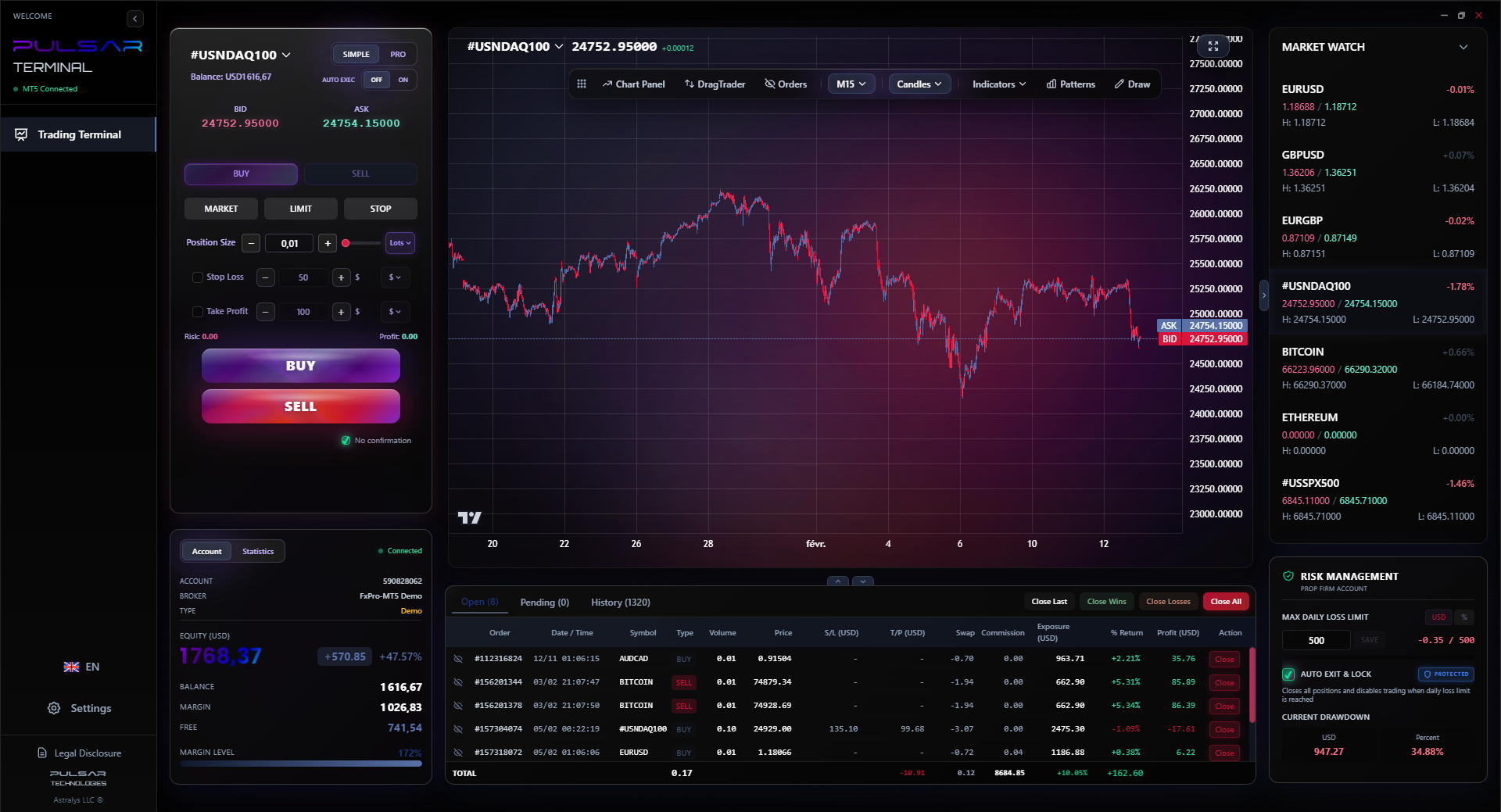
- Modern UI built on the Lightweight Charts engine, 7 visual themes, full color customization on every element
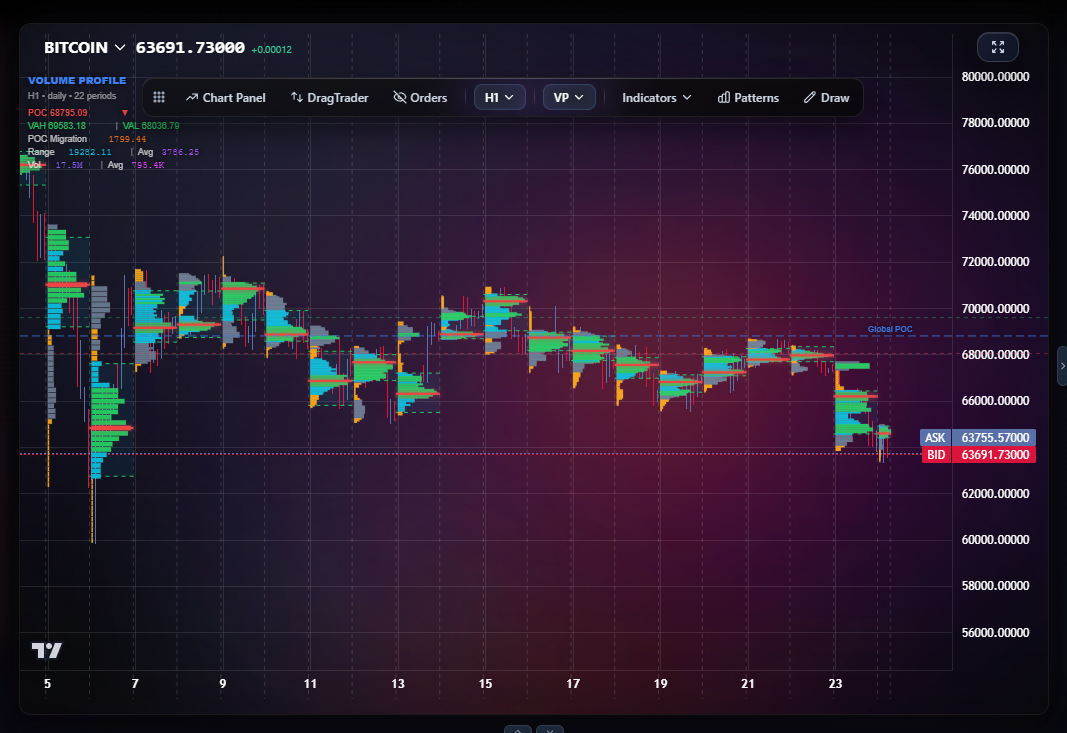
- Advanced features that cannot exist in chart-attached panels: Volume Profile, Market Profile, tick timeframes, voice announcements, 20+ chart pattern overlays
- Open expansion path: any new feature can be added in any direction
The roadmap is community-driven. Every monthly update ships features requested by users in the previous month. The Pulsar team listens and builds: custom themes on request, custom indicators on request, SMC and ICT tools, prop firm flow improvements. If you need something specific to your trading style, ask the team. It gets prioritized for the next release.
Communication between the EA and the companion app stays local. Your trading data never leaves your machine.
2. Modern Charting Engine
Pulsar's charts use Lightweight Charts (the engine TradingView uses).
| Feature | Other Trade Managers | Pulsar |
|---|---|---|
| 60fps chart panning | No | Yes |
| Tick timeframes (1T to 100T) | No | Yes |
| Volume Profile | No | Yes |
| Market Profile (TPO) | No | Yes |
| 20+ chart pattern overlays | No | Yes |
| Multi-monitor scaling | Limited | Native |
Out of the top 10 trade manager utilities currently available, none offer Volume Profile, Market Profile, or tick-based candles. Pulsar includes all of them.
3. Built for Prop Firm Traders by Default
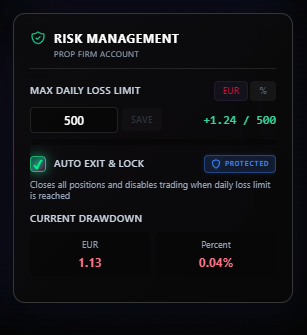
Most trade manager panels treat daily loss limits as an optional setting. Pulsar treats it as a headline feature.
- Real-time tracker: peak equity vs current drawdown, visible on the main panel
- Configurable safety buffer (default 5% before the limit)
- Dashboard turns orange near the buffer, red when crossed
- EA closes all positions automatically when the buffer is triggered
- Trading locked for the rest of the day
- CSV trade history export with all the columns prop firms expect
FTMO, The 5%ers, MyForexFunds: your account dies when the daily limit is breached. Pulsar prevents that automatically.
4. Multi-Level SL/TP, Up to 5 Levels Each
Most trade managers offer 1 to 3 SL/TP levels per position with basic partial closes.
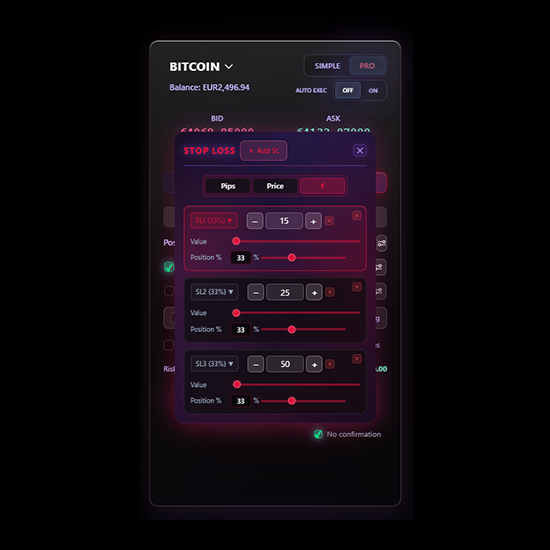
Pulsar supports up to 5 SL and 5 TP per position, with configurable percentage closes per level (for example: TP1 = 40%, TP2 = 30%, TP3 = 20%, TP4 = 10%). Drag any level directly on the chart.
5. Voice Announcements
Pulsar speaks trading events out loud (orders executed, TP hit, daily loss warning, breakeven activated). Male or female voice, 11 languages.
No other standard trade manager on the market offers this.
6. 7 Visual Themes Plus Custom Themes On Request
A trader spends 6 to 10 hours per day on their tool. Aesthetics affect fatigue, focus, and clicks.
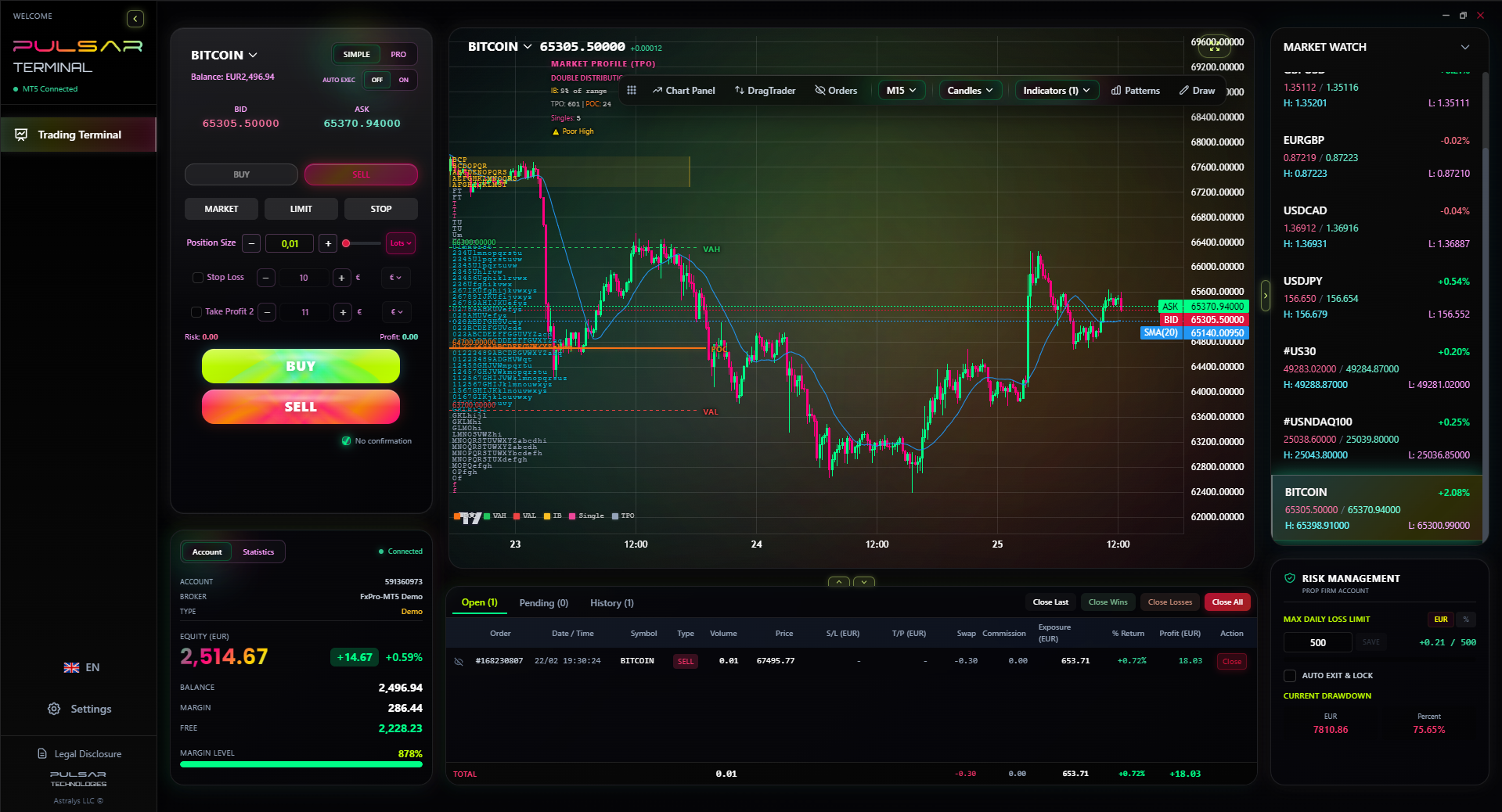
- 7 built-in themes: Deep Blue, Astral, Nebula, Arctic, Fruity, Dark Pro, White Pro
- 5 custom theme slots, full color control on every UI element
- The Pulsar team designs custom themes on request, included with your license
7. Community-Driven Roadmap
Most trade managers are closed boxes. Feature requests get marked "noted" and disappear.
Pulsar publishes a monthly changelog driven by user requests. Recent additions that shipped from buyer requests:
- Tick-based timeframes (200T, 500T, 1000T, 2000T)
- SMC drawing presets (BOS, CHoCH, IDM, X, Order Blocks, FVG)
- Cross-timeframe drawings
- Magnet Mode (snap to OHLC)
- Risk-based position sizing
Custom indicators on demand: ask for what you trade, the team builds it.
8. One Window, Not Two
Most traders use one platform for analysis (where their indicators, drawings, and overlays live) and MT5 for execution. Two windows. Two cursors. Two contexts.
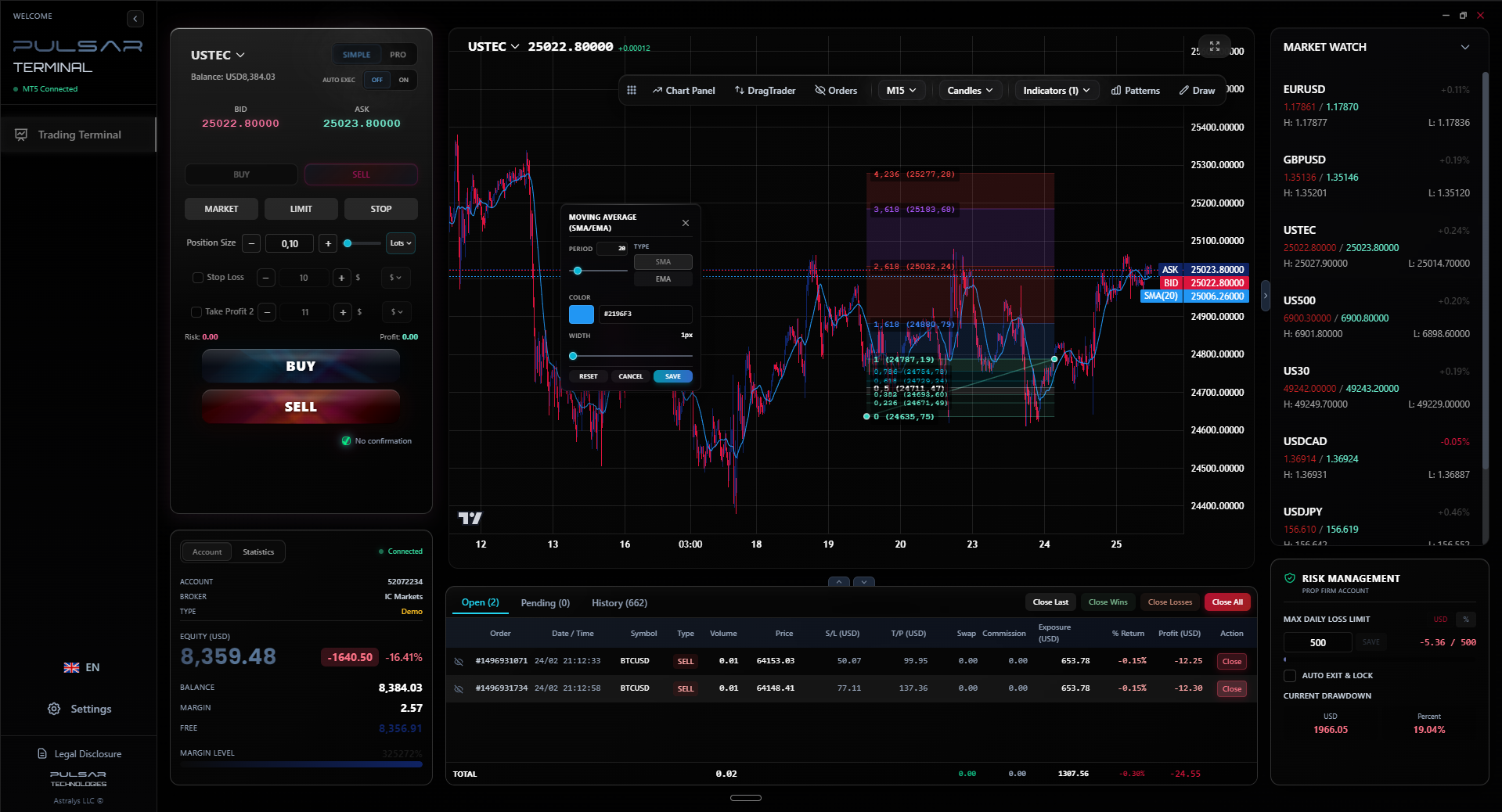
Pulsar collapses analysis and execution into the same window. The chart is the panel.
Pricing
- Lifetime license: $99 one-time on MQL5 Market
- Rental: $30 for 3 months
- Free 7-day demo: no credit card, just an email
All future updates are free for the life of your license.
Try It Before You Buy
Pulsar Terminal offers a 7-day free demo: same EA, same companion app, every feature unlocked. Download instructions and link are in the User Guide blog post linked at the top of this page.
If it fits your workflow, the lifetime license is on MQL5 Market.