Vladislav Andruschenko
4.5 (1212)
  • 信息
14+ 年
经验
44
产品
2337
演示版
93
工作
0
信号
0
订阅者
👋 欢迎来到 Expforex

我是 Vladislav,一名专业的 MQL4/MQL5 开发者,自 2007 年起一直专注于创建 MetaTrader 交易工具。

Expforex 为 MetaTrader 4 和 MetaTrader 5 开发实用的交易解决方案:
智能交易系统(Expert Advisors)、交易面板、交易复制工具、风险控制工具、账户报告、测试工具以及自动化交易系统。

✅ 自 2007 年起专注于 MetaTrader 开发
✅ 支持 MT4 和 MT5 的专业工具
✅ 提供文档、视频教程和产品支持
✅ 面向交易者、开发者和资金管理者的专业实用工具

━━━━━━━━━━━━━━━━━━━━
⭐ VirtualTradePad PRO SE — 高级 MetaTrader 交易工作空间
适用于 MT4 和 MT5 的专业手动交易面板,支持基于图表的交易控制、持仓管理、订单工具、部分平仓、加仓平均、信号工作区、测试准备以及高级交易模块。
https://expforex.com/zh/vtpprosehero/

━━━━━━━━━━━━━━━━━━━━
🌐 Expforex 官方网站
https://www.expforex.com/zh/

🚀 Expforex 完整产品导航中心
https://www.mql5.com/zh/blogs/post/760823

🛒 MQL5 Market 上的全部产品
https://www.mql5.com/zh/users/vladon/seller#products

📘 全部 MQL5 指南与说明
https://www.mql5.com/zh/users/vladon/blog

━━━━━━━━━━━━━━━━━━━━
💬 有问题、想法,或需要帮助?

我始终建议先查看完整指南和产品文档。大多数常见问题、设置示例和重要说明,都已经在文档中详细解释。

如果您需要针对某个产品获得个人帮助,请在您正在使用的对应产品页面的 Comments(评论)区域留言。这样可以更方便地确认产品版本、设置、截图和日志,并提供更准确的答复。

您的反馈、想法和实际交易场景,也会帮助 Expforex 产品不断改进。

━━━━━━━━━━━━━━━━━━━━
🔗 社交链接

📢 MQL5 频道
https://www.mql5.com/zh/channels/expforex

▶️ YouTube
https://www.youtube.com/Expforex

📘 Facebook
https://www.facebook.com/ExpForex/

𝕏 X / Twitter
https://x.com/expforex

🎵 TikTok
https://www.tiktok.com/@expforex

📧 联系方式
https://expforex.com/zh/contacts/
Vladislav Andruschenko
⭐ EXP AI Sniper — NEW MAJOR UPDATE

🆕🆕🆕🆕🆕🆕🆕🆕🆕🆕🆕🆕🆕🆕🆕🆕🆕🆕🆕🆕🆕🆕
⭐⭐⭐⭐⭐⭐⭐⭐⭐⭐⭐⭐⭐⭐⭐⭐⭐⭐⭐⭐⭐⭐
Exp – AI Sniper. Automatic Smart Expert Advisor for MetaTrader.
💎 Exp – AI Sniper MT4: https://www.mql5.com/en/market/product/118167

💎 Exp – AI Sniper MT5: https://www.mql5.com/en/market/product/118127

🌐↔️↔️↔️ FULL GUIDE: https://expforex.com/aisniper/

▶️YouTube: https://www.youtube.com/watch?v=TdFK770JeHw

⭐⭐⭐⭐⭐⭐⭐⭐⭐⭐⭐⭐⭐⭐⭐⭐⭐⭐⭐⭐⭐⭐
🆕🆕🆕🆕🆕🆕🆕🆕🆕🆕🆕🆕🆕🆕🆕🆕🆕🆕🆕🆕🆕🆕

🛠 MetaQuotes VPS — Panel Functionality Restored

-Complete recovery of panel operation on MetaQuotes VPS.
-The following controls are fully working again:
Stop Trading, Modify Only, Telegram Notifications, Push Alerts.

🎨 Improved MT5 Graphics Compatibility

-Enhanced visual rendering and UI stability on MetaTrader 5.
-Preparatory optimizations completed for the upcoming new MT5 graphical engine.

🔤 Universal Font Upgrade (Maximum Compatibility)

-Roboto font replaced with Tahoma for consistent display.
-Tahoma is supported across all Windows versions for stable text rendering.

📏 Strategy Tester Support — Auto-Resize Enabled

-Auto-Resize panel feature is now supported inside the Strategy Tester.
-More удобная работа с панелью во время backtesting.

🐞 Minor Fixes & Technical Improvements

-Numerous small bug fixes and UI consistency improvements.
-Internal code optimizations for better stability and performance.
-Fully recompiled with the latest terminal build for maximum compatibility.
Vladislav Andruschenko
Version 25.977 2025.11.26

⭐ COPYLOT — NEW MAJOR UPDATE

COPYLOT Trade Copier between terminals
💎 COPYLOT MT4: https://www.mql5.com/en/market/product/6226
💎 COPYLOT MT5: https://www.mql5.com/en/market/product/11953
📰↔️↔️↔️ FULL GUIDE for COPYLOT: https://www.mql5.com/en/blogs/post/684303
🌐↔️↔️↔️ FULL GUIDE for COPYLOT: https://www.expforex.com/?p=44
▶️Youtube: https://www.youtube.com/watch?v=Is1GVvJhNFs


⚙️ Updated Free Margin Logic for Forex & Crypto Symbols

A new mechanism has been implemented for currency pairs and instruments based on Bitcoin and Ethereum.
For these symbols, free margin checks are no longer applied, preventing server-side margin miscalculations from blocking trade operations.

This update ensures that Copylot can open positions correctly even on brokers with unconventional or inaccurate margin settings — especially useful for crypto and non-standard symbols.

🔄 EAPADPRO v67 Enhancements
🎨 Enhanced MT5 Graphics Compatibility

-Improved rendering accuracy and smoother visual performance in MetaTrader 5.
-Completed internal preparations for the upcoming graphical engine update within the terminal.

🔤 Universal Font Transition

-The interface font has been fully migrated from Roboto to Tahoma.
-Tahoma is supported on all Windows environments, including MetaQuotes VPS, ensuring consistent and error-free text display.
-This guarantees stable panel rendering across all systems and configurations.

🐞 Stability Improvements & Minor Fixes

-Corrected various small UI issues and visual inconsistencies.
-Optimized internal architecture for improved reliability and faster operation.
-The Expert Advisor has been fully rebuilt using the latest MetaTrader terminal version, ensuring flawless compatibility moving forward.
Vladislav Andruschenko
Version 25.977 2025.11.26

⭐ VIRTUALTRADEPAD PRO — MAJOR UPDATE (2025.11.26)

VirtualTradePad — Your Professional Trading Interface
https://www.youtube.com/watch?v=lHBUf05SDIk
🔄 Seamless Migration to MetaQuotes VPS
-This update fully resolves all previous issues related to settings storage, migration, and panel behavior when running VirtualTradePad on the MetaQuotes VPS.

✅ Full Settings Persistence
-All panel parameters configured on the chart are now reliably saved and transferred to the VPS without loss.

✅ CLP Panel Complete VPS Integration
-The CLP (Close Partial Position) panel is now fully operational on the VPS, including all advanced closing mechanics.

✅ Settings Priority Logic
-External parameters (VPS MQL5 CLP options) take priority during initialization, ensuring predictable and consistent loading behavior.

✅ Local Terminal Synchronization
-You can continue to monitor and interact with VirtualTradePad locally, while the core logic executes on the VPS.

✅ Full Functional Restoration
-Complete recovery of all features on MetaQuotes VPS, including:
-Trailing Stop
-Breakeven
-Order management
-Real-time panel updates

🎨 Graphics, Interface & Compatibility 🛠 Enhanced MT5 Graphics Compatibility
-Improved rendering and display stability for all graphical interface elements in MetaTrader 5.
-Preparatory optimizations included for the upcoming new MetaTrader graphical engine.

🔤 Universal Font Upgrade
-Roboto has been replaced with Tahoma, ensuring:
-Perfect compatibility with all Windows versions
-Correct display on MetaQuotes VPS
-Stable rendering in both MT4 and MT5

📏 Auto-Resize Support in Strategy Tester
-The Auto-Resize panel feature now works flawlessly inside the Strategy Tester, dramatically improving backtesting comfort and accuracy.

🐞 Fixes & Technical Improvements
-Resolved multiple minor bugs, interface inconsistencies, and small visual defects.
-Optimized internal architecture for greater performance and long-term stability.
-Fully recompiled using the latest MetaTrader build, ensuring clean compatibility with current and future terminal versions.


https://expforex.com/virtualtradepad/
Vladislav Andruschenko
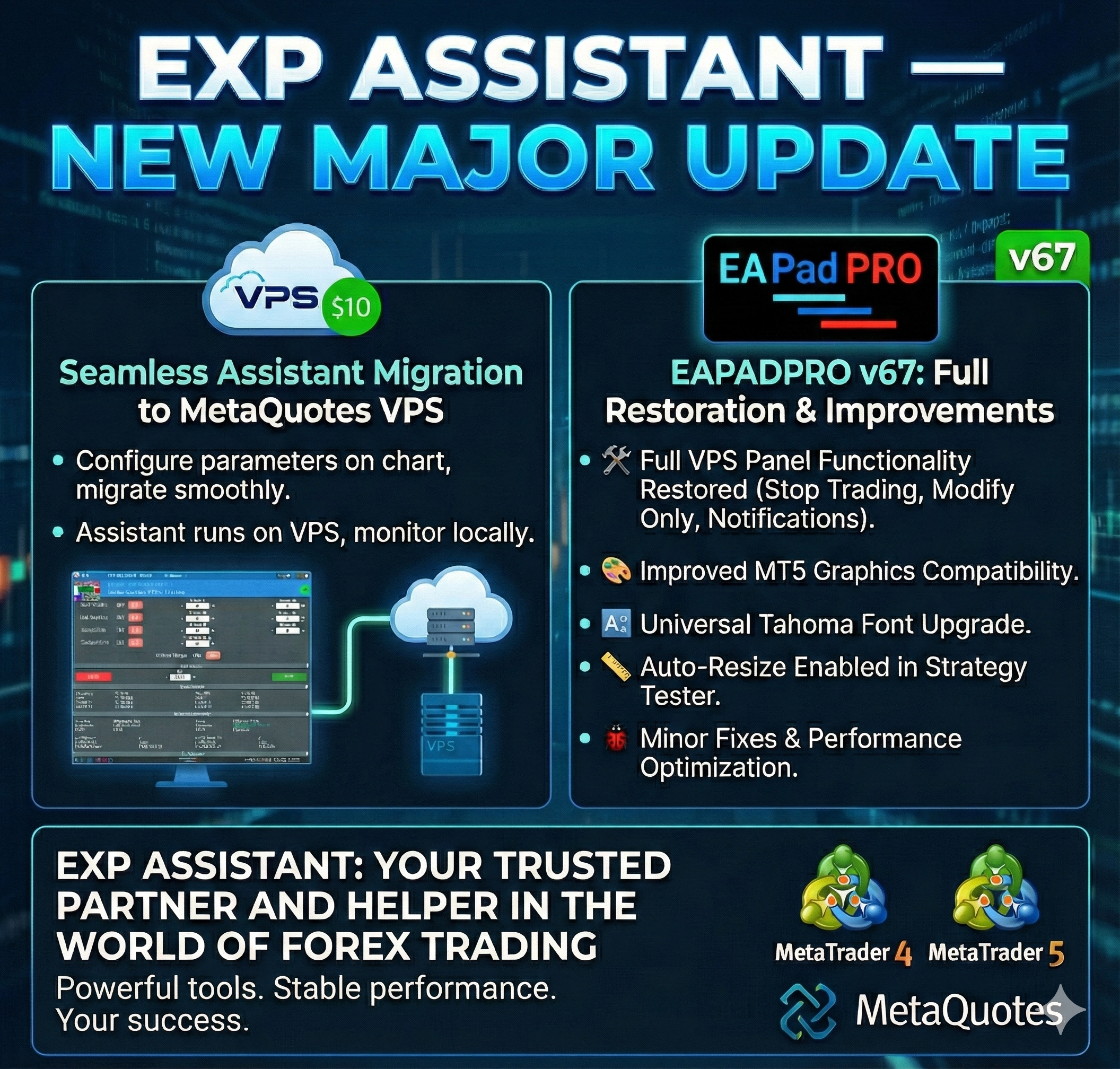
⭐ EXP ASSISTANT — NEW MAJOR UPDATE

🔹 ASSISTANT: MT4: https://www.mql5.com/en/market/product/14623
🔹 ASSISTANT: MT5: https://www.mql5.com/en/market/product/4477
📰↔️↔️↔️FULL GUIDE for ASSISTANT: https://www.mql5.com/en/blogs/post/718537
🌐↔️↔️↔️FULL GUIDE for ASSISTANT: https://www.expforex.com/?p=73
▶️YouTube: https://www.youtube.com/watch?v=lc3hG7xgehc

🔄Assistant: Seamless Assistant Migration to MetaQuotes VPS

-All Assistant parameters can now be configured directly on the chart and smoothly migrated to MetaQuotes VPS.
-The Assistant continues operating on the VPS while you monitor and interact with it from your local terminal.


🔄EAPADPRO v67:

🛠 Full Restoration of VPS Panel Functionality

-Complete recovery of all panel operations on MetaQuotes VPS.
-The following features are now fully restored:
Stop Trading, Modify Only, Telegram Notifications, and Push Alerts.

🎨 Improved MT5 Graphics Compatibility

-Enhanced visual rendering for MetaTrader 5.
-Preparatory optimizations completed for integration with the upcoming new graphical engine.

🔤 Universal Font Upgrade

-The previous panel font Roboto has been replaced with the universal Tahoma font.
-Tahoma is supported across all Windows versions, ensuring stable and consistent text display on any system.

📏 Auto-Resize Enabled in Strategy Tester

-The Auto-Resize panel feature is now fully supported inside the Strategy Tester, improving backtesting usability.

🐞 Minor Fixes & Technical Improvements

-Numerous small bugs and UI inconsistencies have been resolved.
-Optimized internal code structure for better stability and performance.
-Fully recompiled using the latest terminal build, ensuring compatibility and smooth operation in current MetaTrader versions.
Vladislav Andruschenko
🔥 THE BIGGEST SALE OF THE YEAR! 🔥
🚀 Black Friday just went NEXT LEVEL!
🎉 Enjoy a HUGE -50% DISCOUNT
on all my Expert Advisors, utilities, and Forex trading tools!
👉 Shop now:
https://www.mql5.com/en/users/vladon/seller
💡 Why Traders Choose Our Tools?
✔️ Professionally engineered for traders of all levels
✔️ Advanced trading algorithms that adapt to any market
✔️ Fast & intuitive interfaces — trade in ONE CLICK
✔️ Reliable, tested, proven over 15+ years
✔️ Optimized for MT4 & MT5 without hype — only real results
⏳ Hurry Up — This Deal Won’t Last!
🔥 The Black Friday -50% Sale is available for a limited time only!
Upgrade your trading today while the discount is live!
✅ What You Need to Do:
1️⃣ Visit the store page
2️⃣ Pick the tools that fit your strategy
3️⃣ Activate the discount before it’s gone!
💥 Your best trading starts NOW — don’t miss your chance! 💥
Vladislav Andruschenko
🚀 Site Fully Restored

Dear visitors,

We are pleased to inform you that "Expforex.com" (https://expforex.com) has been fully restored after the recent technical issues and external interference.
All infected files have been completely cleaned, and the website is now operating safely and stably.

✅ The site and all its functions are fully operational
✅ Security systems have been reinforced
✅ User data remains completely secure

Thank you for your patience and continued support!
— The "Expforex Team" (https://expforex.com)
Vladislav Andruschenko
🚨 Site Maintenance Notice

Dear visitors,

Our website Expforex.com is currently under maintenance due to a recent server issue and suspected external attack.
We are working to restore all services and ensure the safety and stability of the platform.

During this period, access to the website and some functions may be temporarily unavailable.
Your data and accounts remain secure — no user information has been compromised.

We expect to be back online soon.
Thank you for your understanding and patience!

— The Expforex Team
Vladislav Andruschenko
DUPLICATOR — Mengulang posisi trading beberapa kali di akun Anda

🔸 Ingin memperbanyak trade tanpa membuka manual berulang kali?
🔸 Lihat bagaimana DUPLICATOR mengulangi order sesuai jumlah yang Anda atur — cepat, otomatis, dapat disesuaikan.
🔸 Cocok untuk strategi copy / scaling dan manajemen posisi.

🎥 Tonton sekarang: https://www.youtube.com/watch?v=EqqiBamqbp0

🔹 DUPLICATOR MT4: https://www.mql5.com/en/market/product/9833

🔹 DUPLICATOR MT5: https://www.mql5.com/en/market/product/21046

📰 Panduan lengkap DUPLICATOR: https://www.mql5.com/en/blogs/post/688869

🌐 Panduan lengkap di Expforex: https://www.expforex.com/id/?p=52

#Duplicator #Expforex #EA #Forex #MT4 #MT5
Vladislav Andruschenko
Best of the best. Thank you Metaquotes. @metaquotes
Vladislav Andruschenko
💛💛💛💛💛💛💛💛💛💛💛💛💛💛💛💛💛💛
THE XCUSTOMEA universal trading adviser on custom indicators for MetaTrader
💎 THE XCUSTOMEA MT4: https://www.mql5.com/en/market/product/32115
💎 THE XCUSTOMEA MT5: https://www.mql5.com/en/market/product/32116
📰↔️↔️↔️ FULL GUIDE for THE XCUSTOMEA: https://www.mql5.com/en/blogs/post/721838
🌐↔️↔️↔️ FULL GUIDE for THE XCUSTOMEA: https://www.expforex.com/?p=32
🌐↔️↔️↔️ FULL GUIDE for THE XCUSTOMEA: Testing and Optimization: https://expforex.com/the-x-testing-and-optimization/
▶️Youtube: https://www.youtube.com/watch?v=GiOm8nPv7Yg
📰↔️↔️↔️ Descriptions of settings and inputs: https://www.mql5.com/en/blogs/post/745231
▶️YouTube: https://www.youtube.com/watch?v=lPBklxnmUK8


WHAT'S NEW — CUSTOM OPTIMIZATION CRITERION (USER GUIDE)
=======================================================

This feature is for Strategy Tester optimization in MetaTrader 5.
It does NOT change live trading behavior. It helps the Tester pick the
best parameters by a number YOU define.

-------------------------------------------------------
WHAT IT IS & WHY IT MATTERS
-------------------------------------------------------
During optimization, the Tester ranks results by a single number
(criterion). Usually that’s profit, drawdown, etc.
Now you can provide your own number with a simple formula, so YOU
decide what “best” means (e.g., maximize profit while penalizing
drawdown, reward more trades, prefer higher Profit Factor, etc.).

Example idea:
STAT_PROFIT / (STAT_EQUITY_DD + 1)

-------------------------------------------------------
WHAT’S NEW
-------------------------------------------------------
- String input "OnTester_Custom_max" to define your custom ranking formula.
- Full expression support:
- Operators: + - * /
- Precedence: * and / before + and -
- Parentheses: ( )
- Unary minus: -X
- Numeric constants: 1, 0.5, 10.0
- No limits on formula length or number of metrics used.
- All TesterStatistics variables supported (incl. STAT_COMPLEX_CRITERION).
- Formula normalization: spaces/tabs and case handled automatically.
- Optional pre-filters before calculation to discard bad runs early:
- Min trades, Min profit, Min balance/equity
- Max balance/equity drawdown (percent)
- Min Profit Factor
- Improved logs: original formula, normalized expression, final score.
- Safe division policy by default:
- Division by zero returns 0.0 (can be changed in code if desired).

NOTE: OnTester() affects ONLY optimization ranking. It does not change
the EA’s live trading logic.

-------------------------------------------------------
WHERE TO FIND IT IN METATRADER 5
-------------------------------------------------------
1) Open Strategy Tester (Ctrl+R).
2) Select the EA, symbol, timeframe, dates, deposit.
3) Enable "Optimization".
4) Set "Optimization Criterion":
- Custom max (to maximize your formula), or
- Custom min (to minimize it).
5) In "Inputs", find the string parameter: OnTester_Custom_max
- Enter your formula here.
6) (Optional) Set filters in Inputs to prune junk runs:
- OnTester_Min_Trades
- OnTester_Min_Profit
- OnTester_Min_Balance / OnTester_Min_Equity
- OnTester_Max_Balance_DD / OnTester_Max_Equity_DD (percent)
- OnTester_Min_ProfitFactor

After runs finish, the "Custom" column equals your returned value
(STAT_CUSTOM_ONTESTER).

-------------------------------------------------------
HOW TO WRITE A FORMULA (SYNTAX)
-------------------------------------------------------
- Allowed operators: + - * /
- Precedence: * and / before + and -
- Parentheses supported: ( )
- Unary minus supported: e.g., -STAT_PROFIT
- Spaces and case are ignored
- Numeric constants allowed: 0.5, 10, 1000

Common variables:
- STAT_PROFIT Net profit
- STAT_TRADES Number of trades
- STAT_EQUITY_DD Max equity drawdown (money)
- STAT_EQUITYDD_PERCENT Max equity drawdown (%)
- STAT_BALANCE_DD Max balance drawdown (money)
- STAT_PROFIT_FACTOR Profit Factor
- STAT_EXPECTED_PAYOFF Expected payoff per trade
- STAT_RECOVERY_FACTOR Profit / balance drawdown

TIP: Protect denominators to avoid division by zero:
use /(X + 1) or /(X + 0.0001)

-------------------------------------------------------
READY-TO-PASTE PRESETS (EXAMPLES)
-------------------------------------------------------
1) Balanced profit vs. drawdown (money):
STAT_PROFIT / (STAT_EQUITY_DD + 1)

2) Reward activity while controlling risk:
STAT_PROFIT * STAT_TRADES / (STAT_EQUITY_DD + 1)

3) Quality-focused (expected payoff and PF), normalized by % risk:
STAT_EXPECTED_PAYOFF * STAT_PROFIT_FACTOR / (1 + STAT_EQUITYDD_PERCENT)

4) Strong penalty for large risk (quadratic):
STAT_PROFIT - 0.1 * (STAT_EQUITY_DD * STAT_EQUITY_DD)

5) Classic:
STAT_RECOVERY_FACTOR

Pick "Custom max" for all examples above (unless you truly need to
minimize your metric → then choose "Custom min").

-------------------------------------------------------
HOW TO ENABLE & USE (STEP-BY-STEP)
-------------------------------------------------------
1) Set reasonable filters first (e.g., OnTester_Min_Trades,
OnTester_Max_Equity_DD) to discard poor runs.
2) Enter your formula in OnTester_Custom_max.
3) Select Optimization Criterion = Custom max
(or Custom min if you really want to minimize the metric).
4) Run optimization (Genetic recommended).
5) Sort results by "Custom" — this is your score.
6) Open the top 5–10 runs and check secondary stats
(drawdown, PF, number of trades).
7) Run Forward testing on finalists to verify robustness
and avoid overfitting.

-------------------------------------------------------
BEST PRACTICES
-------------------------------------------------------
- Scale your metric sensibly (avoid extremely large/small values).
- Keep units consistent when mixing money and percentages
(normalize if needed).
- Use penalties for risk (e.g., quadratic in drawdown) to discourage
extreme settings.
- If many scores are zero, loosen filters or check variable names and
denominators.
- Division-by-zero policy can be customized in code:
default is 0.0; switch to DBL_MAX or a large constant if preferred.

-------------------------------------------------------
FAQ
-------------------------------------------------------
Q: Does this affect live trading?
A: No. It only changes how the Tester ranks optimization runs.

Q: "Custom" is always zero. Why?
A: Usually too-strict filters, division by zero, or a typo in a variable
name. Simplify filters and double-check the formula.

Q: Custom max or Custom min?
A: Typically Custom max. Use Custom min only if your formula is an
error/risk/cost you want to minimize.

Q: Can I use numbers in formulas?
A: Yes (e.g., 0.5, 10, 1000). Example:
STAT_PROFIT - 0.05 * STAT_EQUITY_DD

-------------------------------------------------------
SUMMARY
-------------------------------------------------------
Define your goal as a single number, let the Tester search for parameters
that optimize YOUR definition of "best", and verify winners with forward
testing to ensure stability.