Vladislav Andruschenko
4.5 (1212)
  • 信息
14+ 年
经验
44
产品
2337
演示版
93
工作
0
信号
0
订阅者
👋 欢迎来到 Expforex

我是 Vladislav,一名专业的 MQL4/MQL5 开发者,自 2007 年起一直专注于创建 MetaTrader 交易工具。

Expforex 为 MetaTrader 4 和 MetaTrader 5 开发实用的交易解决方案:
智能交易系统(Expert Advisors)、交易面板、交易复制工具、风险控制工具、账户报告、测试工具以及自动化交易系统。

✅ 自 2007 年起专注于 MetaTrader 开发
✅ 支持 MT4 和 MT5 的专业工具
✅ 提供文档、视频教程和产品支持
✅ 面向交易者、开发者和资金管理者的专业实用工具

━━━━━━━━━━━━━━━━━━━━
⭐ VirtualTradePad PRO SE — 高级 MetaTrader 交易工作空间
适用于 MT4 和 MT5 的专业手动交易面板,支持基于图表的交易控制、持仓管理、订单工具、部分平仓、加仓平均、信号工作区、测试准备以及高级交易模块。
https://expforex.com/zh/vtpprosehero/

━━━━━━━━━━━━━━━━━━━━
🌐 Expforex 官方网站
https://www.expforex.com/zh/

🚀 Expforex 完整产品导航中心
https://www.mql5.com/zh/blogs/post/760823

🛒 MQL5 Market 上的全部产品
https://www.mql5.com/zh/users/vladon/seller#products

📘 全部 MQL5 指南与说明
https://www.mql5.com/zh/users/vladon/blog

━━━━━━━━━━━━━━━━━━━━
💬 有问题、想法,或需要帮助?

我始终建议先查看完整指南和产品文档。大多数常见问题、设置示例和重要说明,都已经在文档中详细解释。

如果您需要针对某个产品获得个人帮助,请在您正在使用的对应产品页面的 Comments(评论)区域留言。这样可以更方便地确认产品版本、设置、截图和日志,并提供更准确的答复。

您的反馈、想法和实际交易场景,也会帮助 Expforex 产品不断改进。

━━━━━━━━━━━━━━━━━━━━
🔗 社交链接

📢 MQL5 频道
https://www.mql5.com/zh/channels/expforex

▶️ YouTube
https://www.youtube.com/Expforex

📘 Facebook
https://www.facebook.com/ExpForex/

𝕏 X / Twitter
https://x.com/expforex

🎵 TikTok
https://www.tiktok.com/@expforex

📧 联系方式
https://expforex.com/zh/contacts/
Vladislav Andruschenko
🆕🆕🆕🆕🆕🆕🆕🆕🆕🆕🆕🆕🆕🆕🆕🆕🆕🆕🆕🆕🆕🆕
⭐⭐⭐⭐⭐⭐⭐⭐⭐⭐⭐⭐⭐⭐⭐⭐⭐⭐⭐⭐⭐⭐
Exp – AI Sniper. Automatic Smart Expert Advisor for Metatrader.
💎 Exp – AI Sniper MT4: https://www.mql5.com/pt/market/product/118167
💎 Exp – AI Sniper MT5: https://www.mql5.com/pt/market/product/118127
🌐↔️↔️↔️ FULL GUIDE for Exp – AI Sniper: https://expforex.com/aisniper/
▶️Youtube: https://www.youtube.com/watch?v=TdFK770JeHw
⭐⭐⭐⭐⭐⭐⭐⭐⭐⭐⭐⭐⭐⭐⭐⭐⭐⭐⭐⭐⭐⭐
🆕🆕🆕🆕🆕🆕🆕🆕🆕🆕🆕🆕🆕🆕🆕🆕🆕🆕🆕🆕🆕🆕
Vladislav Andruschenko 已发布产品
评论: 3
799.00 USD

AI Sniper for MetaTrader 4 —— 为精准执行而打造的智能交易机器人 AI Sniper 是一款专为 MetaTrader 4 打造的智能自适应交易机器人,面向希望获得更高质量自动化交易体验的交易者。 它并不是普通的 Forex 机器人,而是一套围绕精确判断、结构化分析与高效执行而构建的专业级 Expert Advisor。 AI Sniper for MT4 通过高级算法逻辑、实时市场分析与精细化执行机制,帮助交易者在复杂市场中识别更优质的 BUY 与 SELL 机会。 AI Sniper 采用复杂而高效的算法架构与先进的交易方法,将原本杂乱无序的市场波动转化为更有逻辑、更有结构的交易决策。 系统会持续评估价格行为、市场状态与技术条件,以识别更有利的入场区域、交易管理时机以及市场反应节点。 基于超过 15 年的 Forex 与交易市场实践经验,这款 Expert Advisor 将智能交易逻辑、策略过滤、优化执行与面向交易者的专业设计整合在同一套 MT4 解决方案中。 AI Sniper

Vladislav Andruschenko 已发布产品
评论: 3
799.00 USD

AI Sniper for MetaTrader 5 —— 为精准交易而打造的智能交易机器人 AI Sniper 是一款专为 MetaTrader 5 打造的智能交易机器人,适合希望获得更高效率、更强逻辑和更专业自动化交易体验的交易者。 它将高级市场分析逻辑、自适应交易机制与精确的入场判断相结合,帮助您在高波动市场中更高效地捕捉 BUY 和 SELL 交易机会。 AI Sniper 是一套具备自我优化能力的 MT5 智能交易系统,能够实时分析市场,快速响应价格变化,并以更高的效率、逻辑性和精准度执行交易。 AI Sniper 并不是普通的自动交易程序。它建立在更深入的市场评估基础之上,通过技术分析、策略过滤与持续运算,在每一次价格变化中寻找更有价值的交易位置。 凭借超过 15 年的交易市场与程序开发经验,我们将真实交易中最重要的核心要素整合到这一系统之中:智能识别、结构化判断、严格执行以及稳定运行。 机器人会持续评估当前市场环境,搜索更优的入场区域,并根据多空趋势变化作出有逻辑的交易决策。它追求的不是频繁而随意的进场,而是建立在概率、结构与信号一致性基础上的精准执行。 AI

Vladislav Andruschenko
https://expforex.com/

Take advantage of the AI chat on www.expforex.com!
The intelligent Expforex AI assistant instantly answers questions related to our trading and investment programs.
Get quick and accurate responses, as well as support for all aspects of our website.
Optimize your financial decisions with the help of artificial intelligence!
Vladislav Andruschenko
New video
https://www.youtube.com/watch?v=EgTsrAsgpRA

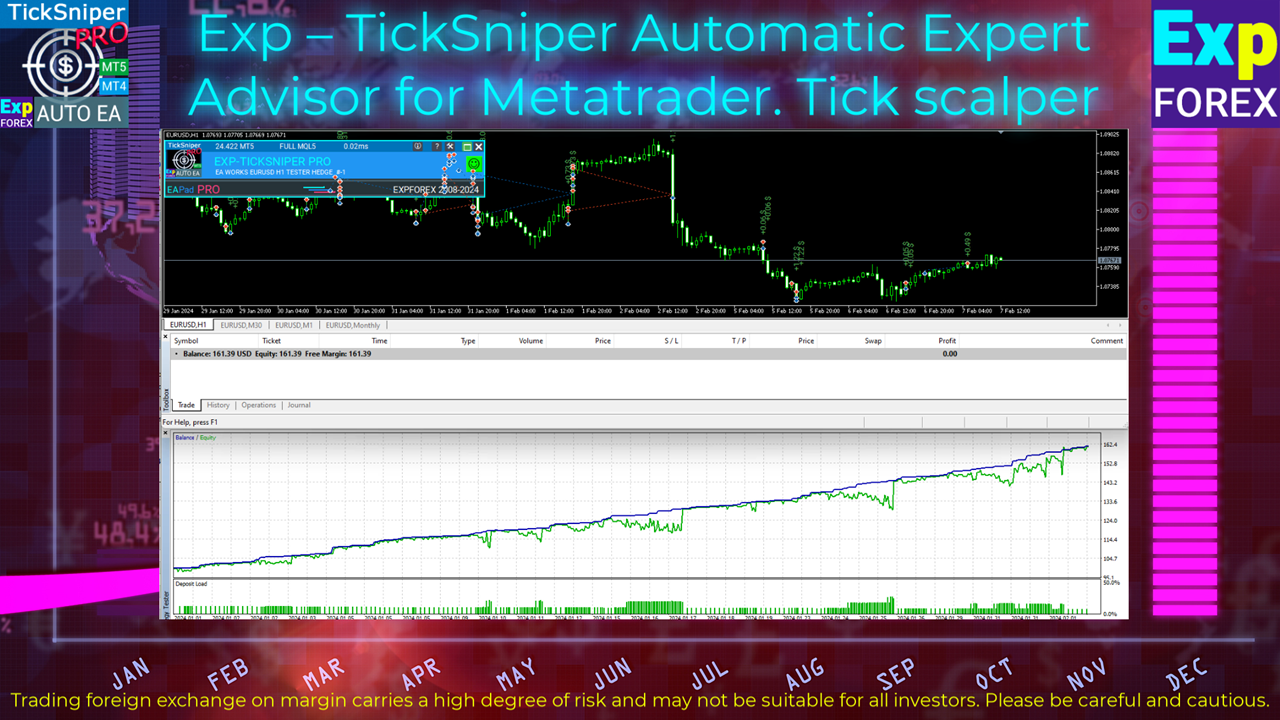
TICKSNIPER PRO is a high-speed tick scalper with auto-selection of parameters for each currency pair automatically.
💎 TICKSNIPER MT4: https://www.mql5.com/en/market/product/1287
💎 TICKSNIPER MT5: https://www.mql5.com/en/market/product/3493
📰↔️↔️↔️ FULL GUIDE for TICKSNIPER: https://www.mql5.com/en/blogs/post/681147
🌐↔️↔️↔️ FULL GUIDE for TICKSNIPER: https://www.expforex.com/?p=10
Vladislav Andruschenko
▶️Youtube: https://www.youtube.com/watch?v=l1eurZ2FZ-I

💛💛💛💛💛💛💛💛💛💛💛💛💛💛💛💛💛💛
COPYLOT Trade Copier zwischen Terminals
💎 COPYLOT MT4: https://www.mql5.com/de/market/product/6226
💎 COPYLOT MT5: https://www.mql5.com/de/market/product/11953
↔️↔️↔️ FULL GUIDE for COPYLOT : https://www.mql5.com/en/blogs/post/684303
↔️↔️↔️ FULL GUIDE for COPYLOT : https://www.expforex.com/?p=44
▶️Youtube: https://www.youtube.com/watch?v=l1eurZ2FZ-I
Vladislav Andruschenko
▶️Youtube: https://www.youtube.com/watch?v=KKnfnT8ySkI

💛💛💛💛💛💛💛💛💛💛💛💛💛💛💛💛💛💛
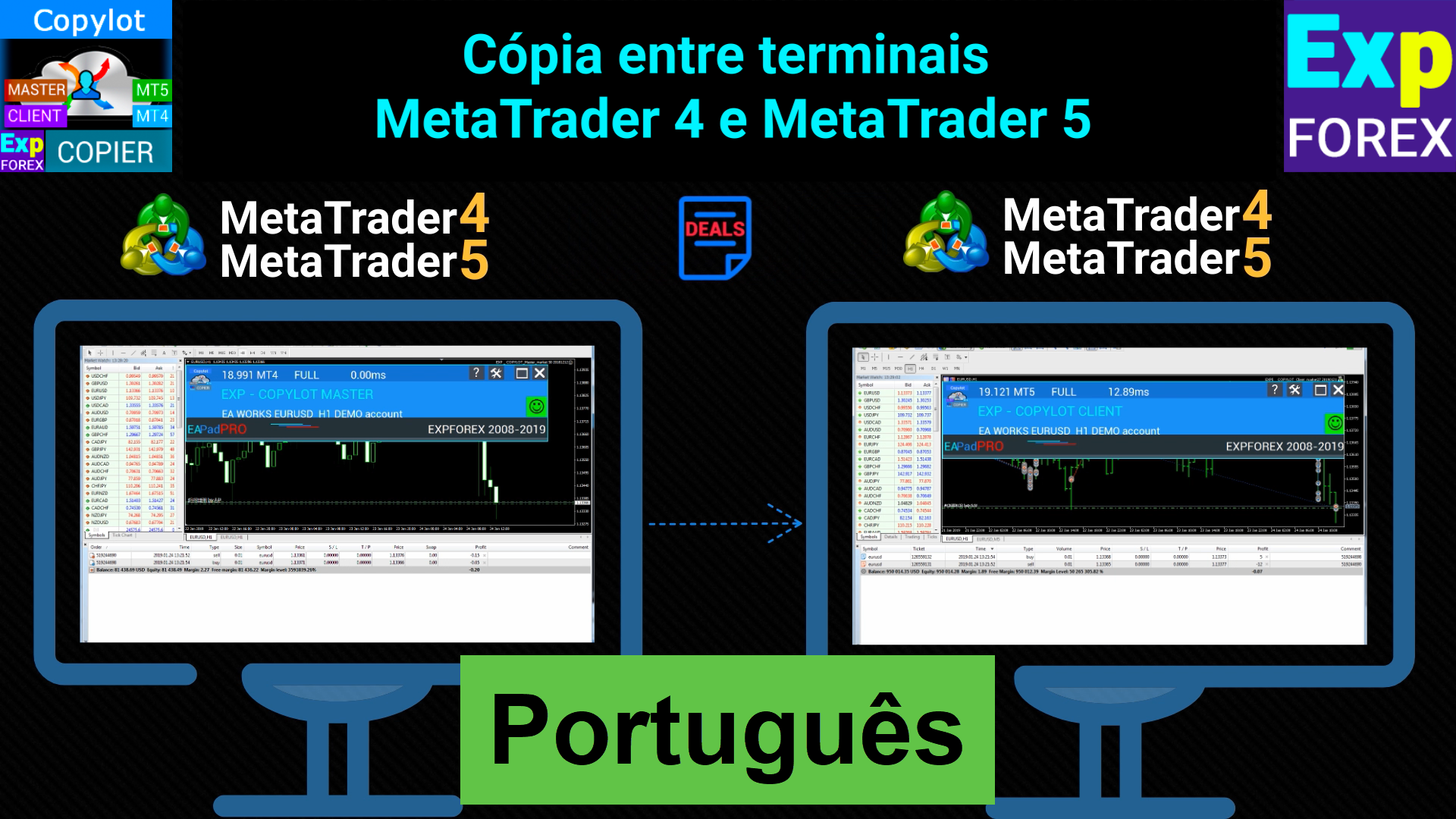
COPYLOT Copiadora comercial entre terminais
💎 COPYLOT MT4: https://www.mql5.com/pt/market/product/6226
💎 COPYLOT MT5: https://www.mql5.com/pt/market/product/11953
↔️↔️↔️ FULL GUIDE for COPYLOT : https://www.mql5.com/en/blogs/post/684303
🌐↔️↔️↔️ FULL GUIDE for COPYLOT : https://www.expforex.com/?p=44
Vladislav Andruschenko
▶️Youtube: https://www.youtube.com/watch?v=MuqRCiYrHgc


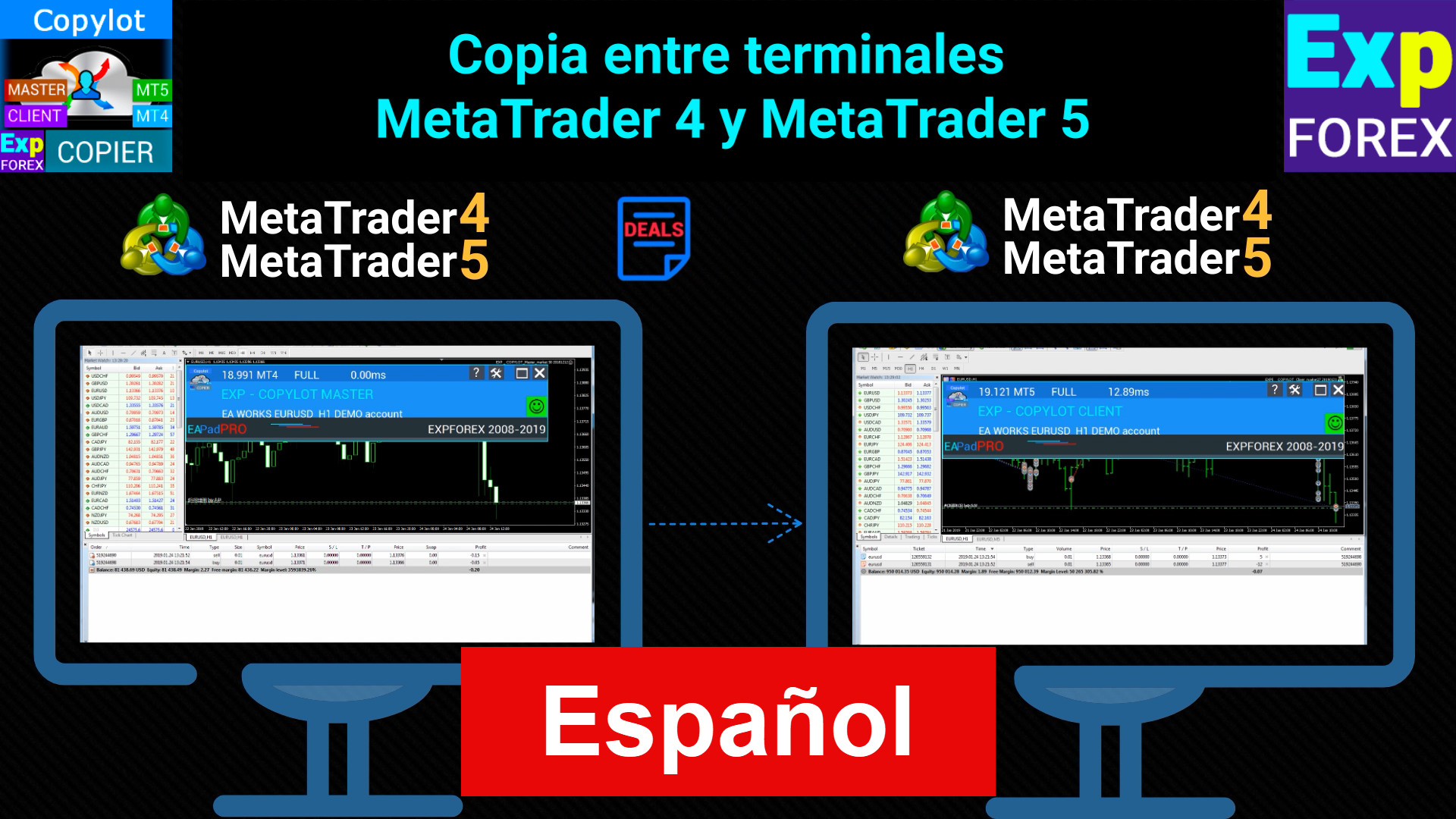
COPYLOT Trade Copiadora entre terminales
💎 COPYLOT MT4: https://www.mql5.com/es/market/product/6226
💎 COPYLOT MT5: https://www.mql5.com/es/market/product/11953
↔️↔️↔️ FULL GUIDE for COPYLOT : https://www.mql5.com/en/blogs/post/684303
🌐↔️↔️↔️ FULL GUIDE for COPYLOT : https://www.expforex.com/?p=44
Vladislav Andruschenko 已发布产品
评论: 1
35.00 USD

基于波动模型的交易策略涉及下达两个相反的挂单,每笔交易手数增加。当市场价格朝某个方向移动时,其中一个订单被触发,而另一个订单的手数增加。 这种方法使交易者能够在最大限度地降低风险的同时获取利润,使其成为交易外汇、股票和商品的可靠方法。这种策略在金融交易中的使用已得到广泛认可,因为它能够促进明智的决策,尤其是在动荡的市场中。 其有效性归因于它能够识别市场趋势并加以利用,同时降低市场风险。因此,对于寻求优化交易绩效的交易者来说,它是一种受欢迎的选择。 ONLY for HEDGING account type EA 提供三种开仓挂单类型 (TypeofTrade) 下单后自动开仓(即时开仓自动交易) 手动开仓及之后的开仓管理(手动开仓ManualTrade) 根据最高/最低水平之间的距离开仓(过去条形图的最高最低点 TFTrade) OCO   (One-Cancels-the-Other)订单是一种条件订单,由两个订单组成。如果第二个订单被执行,第一个订单将自动取消 。 Swing - 完整描述 MT4 版本 如何购买 如何安装     如何获取日志文件

Vladislav Andruschenko
Attention!
Due to the increase in the number of additional tools, the cost of renting services for the maintenance of the site and other applied tools,
The cost of products - utilities will be increased until Friday, April 19, 2024.
You can purchase the full version of our utilities at reduced prices now, without time limits. 💟💟💟💟💟💟💟💟💟💟💟💟💟💟💟
https://www.mql5.com/en/users/vladon/seller 💟💟💟💟💟💟💟💟💟💟💟💟💟💟💟 Thank you for your trust and understanding!
We strive to be the best.
Vladislav Andruschenko
💟💟💟💟💟💟💟💟💟💟💟💟💟💟💟💟💟💟💟💟💟💟

All my programs: https://www.mql5.com/en/users/vladon/seller#products

💟💟💟💟💟💟💟💟💟💟💟💟💟💟💟💟💟💟💟💟💟💟
💌My channel: https://www.mql5.com/en/channels/expforex
📰My blog: https://www.mql5.com/en/users/vladon/blog
▶️YouTube: https://www.youtube.com/Expforex
🌐Website: https://www.expforex.com/
📧 Contact: https://expforex.com/contacts/
💟💟💟💟💟💟💟💟💟💟💟💟💟💟💟💟💟💟💟💟💟💟

Global Update EAPADPRO v55 with build 4270

!!!Attention! Support of visual Graph Elements (Buttons, input line, Edit Box, CheckBox) is no longer supported by VPS server from MetaQuotes!!!!


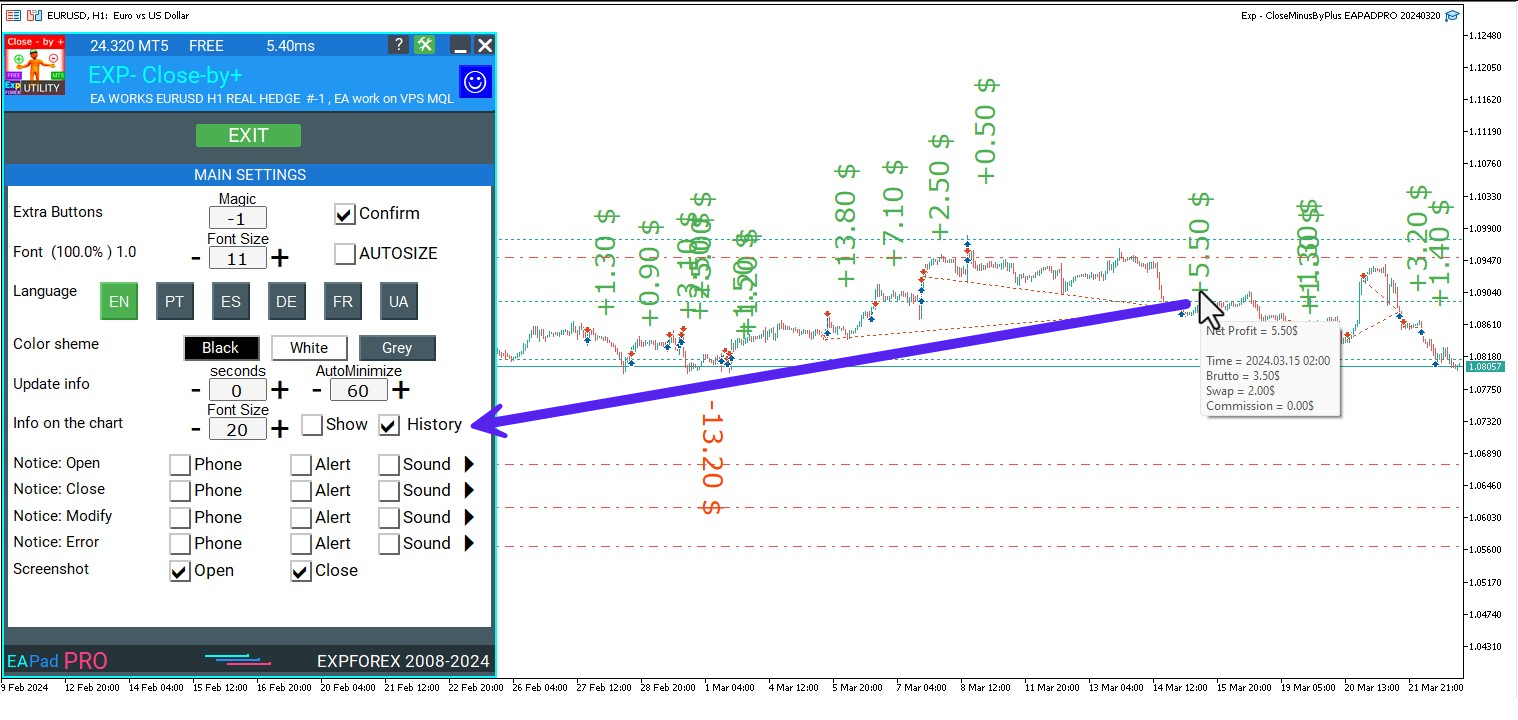
-Added: information about profit from closed positions to the chart.
The information is displayed for each bar of the current timeframe.
You can change the timeframe to see the result of trading on a certain bar of the current timeframe.
If several positions/deals are closed on one bar of the current timeframe, the trading result is summarized, and the total information for a certain bar is displayed.
The information is updated when the next position/deal is closed.
You can turn off showing history in the panel settings.

===========================================================================================

-Added: The status of the Expert Advisor operation if it was launched on the server from "VPS MQL MetaQuotes".
When Expert Advisor is running on the server from MetaQuotes, a message will be created on the home computer that Expert Advisors are running on the server "VPS MQL MetaQuotes". The smiley face is blue.
Attention: If an Expert Advisor is launched on both the server and the home computer, it can trade in parallel on 2 terminals (server "VPS MQL MetaQuotes" + home computer); there may be conflicts.
Attention: If the Expert Advisor is launched on the server "VPS MQL MetaQuotes", do not Turn it on work on the home computer to avoid conflicts.
Frequency of polling the status of work on the server = 1 day.
After deinitialization of the Expert Advisor on the server - It will get the status - stopped.
To test the work on the server from "VPS MQL MetaQuotes", pending orders are created!

===========================================================================================

-Added: The error status of the Expert Advisor operation can now be read on the EAPADPRO panel.
You can click on the Smile or the Expert Advisor operation status bar and you will be shown a message about current errors of Expert Advisor operation.
If you click on the Smile button on the panel, you will be shown the causes and errors and their solutions with pictures.

===========================================================================================

-Added: Notification of errors and opening/closing of trades to the chart in the form of InfoBox.
Notification is shown for 4 types:
---Opening a new trade;
---Closing a deal;
---Modification of a trade;
---Error received by Expert Advisor from the server;
In the EAPADPRO panel settings, you can turn on or off the notification type you need.
Notifications can be viewed as they arrive in the notification queue.
Notifications are accumulated in a data array each time you install/reinstall/change Expert Advisor settings.
In the EAPADPRO header you can also enable disable INFOBOX.
===========================================================================================

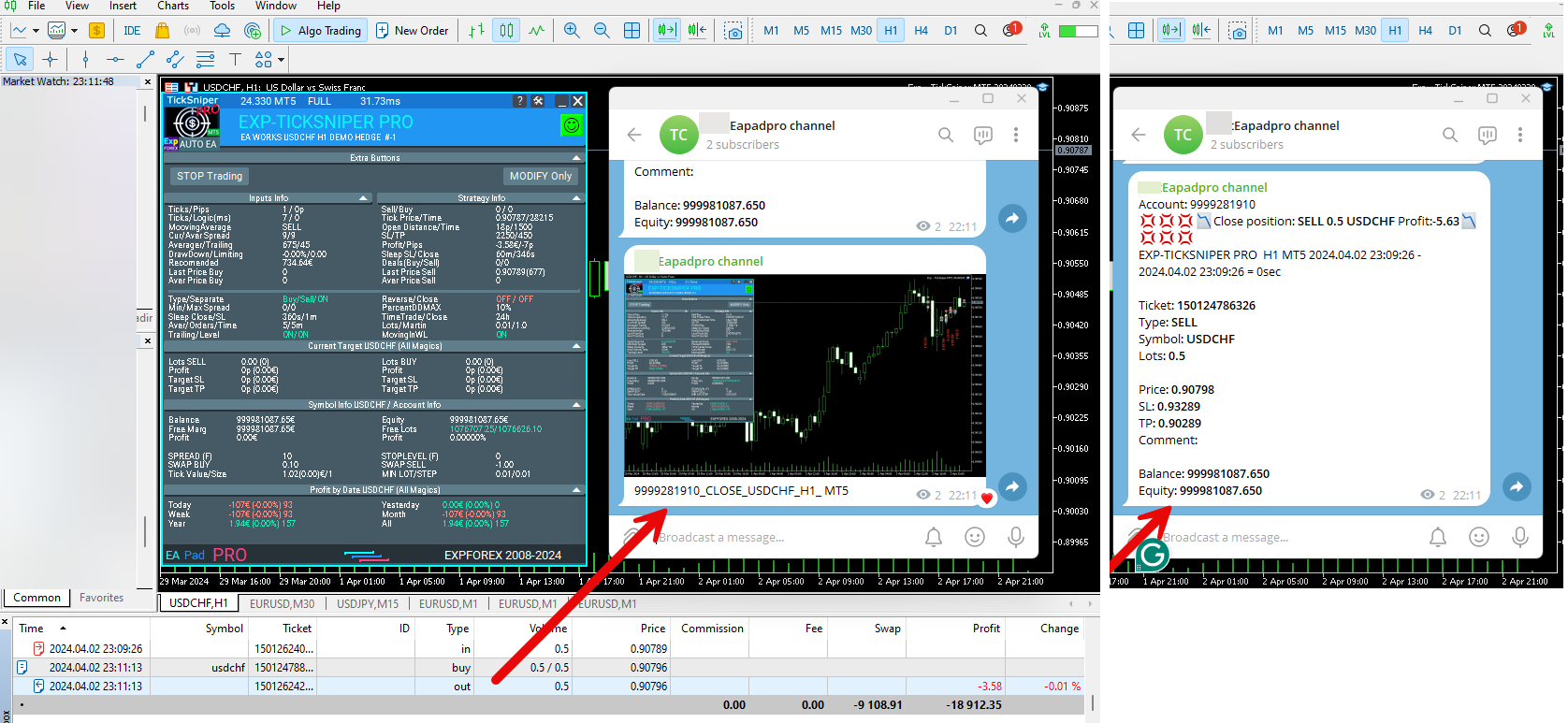
-Added: Working with Telegram (Beta version)
For Expert Advisor to work with the Telegram bot, you need to set up the bot on your phone and create a "public" or "private" channel.
To receive notifications from your account, you need to assign your bot as an administrator of your "public" or "private" channel.
Attention! Sending notifications and working with commands takes computer resources! Use the Telegram bot only for your own needs.

How To set Telegram bot: https://www.mql5.com/en/market/product/30733#!tab=comments&page=1&comment=52925811

New settings for working with Telegram:
EAPadPRO2=" =============== Telegram bot ";
==input ENUM_UPDATE_MODE TG_UpdateMode=UPDATE_SLOW --> Update Mode. Timer speed, to receive commands from Telegram bot. The faster the timer runs, the more computer resources will be used! Please do not change it unnecessarily. 2sec,3sec,10sec
==TG_PRIORITY=TG_HOME_VPS --> Priority of work. This is the priority mode when the Telegram bot works on the MetaQuotes VPS server and your home computer.
TG_HOME_ONLY=1, // Only the HOME bot. The Telegram bot works only on the home computer.
TG_VPS_ONLY=2, // Only the VPS bot. The Telegram bot works only on the MetaQuotes VPS server.
TG_VPS_HOME=3, // First VPS bot, second HOME bot. The Telegram bot works on the MetaQuotes VPS server if you upload it to the server. If not, it will work on your home terminal. Check the work on the VPS server every 10 minutes.
TG_HOME_VPS=4, // First HOME bot, second VPS bot. The Telegram bot works on a home computer, but if the home computer/terminal is turned off, it will work on the VPS server from MetaQuotes. Check the VPS server's work every 10 minutes.
Attention! Screenshots are not available on the VPS server from MetaQuotes!
==TG_Token="" --> Token bot. Token (unique code) of the bot that will send notifications and receive commands
==TG_ChannelName="" --> --> Public Channel Name @. Or "private" ID starts -100 of the private channel. That will send notifications about opening/closing/modification/errors and screenshots from the terminal.
==TG_UserNameFilter="" --> Whitelist Usernames. List of users, starting with @, who can use the bot.
Attention! Sending notifications and working with commands takes computer resources! Use the Telegram bot only for your own needs.
==TG_UseBotTimer=false;//TG_UseBotTimer --> Working with the bot from the phone

New notification type added to EAPADPRO panel settings:
==Notice Open TG - Send a notification to the Telegram channel if a trade is open;
==Notice Close TG - Send a notification to the Telegram channel if a trade is closed;
==Notice Modify TG - Send a notification to the Telegram channel if a trade is modified;
==Notice Error TG - Send a notification to the Telegram channel if an error is received;
==ScreenShot TG - Send a screenshot to the Telegram channel if a trade is opened or closed;

Attention! This is a beta version of working with the Telegram bot. We are working on improving and adding new features.
If you have any suggestions, please write in the "Comments" section.

===========================================================================================


-Improvement: Code optimization to increase speed.
-Improvement: The speed of the panel update in the strategy tester is now calculated automatically depending on the speed of quotes arrival.
This is done to increase the speed of the program in the strategy tester.
Information update is now equal to 1 real second.
-Improvement: The speed of the program running EAPADPRO in the strategy tester.
Attention! Events in the strategy tester are processed only when a new tick is created.
If a new tick (minimum price movement) is not created, then the panel waits for the next tick.

With Visualization:
Version 48: 390sec (TickSniper 2024-2024)
Version 55: 244sec >>159% (TickSniper 2024-2024)
w/o Visualization:
Version 48: 363sec (TickSniper 2020-2024)
Version 55: 220sec >>165% (TickSniper 2020-2024)
with Visualization:
Version 48: 15750sec (TickSniper 2020-2024)
Version 55: 6220sec >>253% (TickSniper 2020-2024)

-Improvement: The color of the button to close a position on the chart changes depending on the current profit of this position.
-Improvement: Graphic improvements to optimize the Expert Advisor's performance
-Improvement: The account deposit Symbol is cent ¢, USD $, or eur €. All others are the first letter of the deposit currency name.
-Improvement: When visual testing is completed, objects are not removed from the graph.
-Improvement: When creating screenshots after opening/closing positions, the EAPAPDPRO Control Panel will be expanded to show full information.
This is done in order to study the trading history of Expert Advisor on the visualization graph after testing is completed.
-Fixed: Managing positions and orders from the chart when the panel is minimized.
-Fixed: Corrected the error of clearing the chart from unused order labels.
-Fixed: AutoSize when switching charts.
-Fixed: Drawing errors to Print when the Expert Advisor runs on "VPS MQL MetaQuotes"
Vladislav Andruschenko


Subscribe to my Channel to get new updates💌My channel: https://www.mql5.com/en/channels/expforex


💟💟💟💟💟💟💟💟💟💟💟💟💟💟💟💟💟💟💟💟💟💟📰My blog: https://www.mql5.com/en/users/vladon/blog
▶️YouTube: https://www.youtube.com/Expforex
🌐Website: https://www.expforex.com/
📧 Contact: https://expforex.com/contacts/

💟💟💟💟💟💟💟💟💟💟💟💟💟💟💟💟💟💟💟💟💟💟
Vladislav Andruschenko
new video ▶️YouTube: https://www.youtube.com/watch?v=P0wFS-5g3Ac
===========================================================================================================
Swing strategy (Pendulum). Automatic opening of 2 opposite pending orders, OCO orders.FREE
🔹 Exp Swing MT4: https://www.mql5.com/en/market/product/13409
🌐↔️↔️↔️FULL GUIDE for Swing : https://www.expforex.com/?p=90
Vladislav Andruschenko
New English video ▶️Youtube: https://www.youtube.com/watch?v=Is1GVvJhNFs
💛💛💛💛💛💛💛💛💛💛💛💛💛💛💛💛💛💛
COPYLOT Trade Copier between terminals
💎 COPYLOT MT4: https://www.mql5.com/en/market/product/6226
💎 COPYLOT MT5: https://www.mql5.com/en/market/product/11953
📰↔️↔️↔️ FULL GUIDE for COPYLOT: https://www.mql5.com/en/blogs/post/684303
🌐↔️↔️↔️ FULL GUIDE for COPYLOT: https://www.expforex.com/?p=44
Vladislav Andruschenko
===========================================================================================================
The information panel on the chart has information on your positions. FREE
🔹 InfoPad MT4: https://www.mql5.com/en/market/product/34961
🔹 InfoPad MT5: https://www.mql5.com/en/market/product/34962
🌐↔️↔️↔️FULL GUIDE for InfoPad: https://www.expforex.com/load/3-1-0-121
▶️YouTube: https://www.youtube.com/watch?v=km0-TcgPyLQ
Vladislav Andruschenko
Vladislav Andruschenko 2024.03.13
-Added type of position for monitoring. Parameter TypeofDealsToShow (All deals, Only Buy, Onle Sell)
-Added information about profit from closed positions to the chart. The information is displayed for each bar of the current timeframe. You can change the timeframe to see the result of trading on a certain bar of the current timeframe. If several positions/deals are closed on one bar of the current timeframe, the trading result is summarized and the total information for a certain bar is displayed. The information is updated when the next position/deal is closed. Settings: ShowInfoClosedPositionSize = Size of text labels; If 0 - text labels are not shown; PLUS_Color = Color of the plus value; MINUS_Color = Color of minus value;
Vladislav Andruschenko
===========================================================================================================
Displays current time at the main markets of the world and the current session. FREE
🔹 Market Time Pad MT4: https://www.mql5.com/en/market/product/5980
🔹 Market Time Pad MT5: https://www.mql5.com/en/market/product/423
🌐↔️↔️↔️FULL GUIDE for Close Minus by Plus: https://expforex.com/market-time-pad/
▶️YouTube: https://www.youtube.com/watch?v=AuUqBitTIgo
Vladislav Andruschenko
Closing unprofitable positions by searching and closing profitable positions. FREE
🔹 Close Minus by Plus MT4: https://www.mql5.com/en/market/product/2825
🔹 Close Minus by Plus MT5: https://www.mql5.com/en/market/product/66394
📰↔️↔️↔️FULL GUIDE for Close Minus by Plus: https://www.mql5.com/en/blogs/post/727514
🌐↔️↔️↔️FULL GUIDE for Close Minus by Plus: https://expforex.com/exp-close-minus-by-plus-closing-unprofitable-positions-by-searching-and-closing-profitable-positions/
▶️YouTube: https://www.youtube.com/watch?v=cJ7uyP6t8-0
Vladislav Andruschenko
Exp – Partial Close and Trailing. Partial closing of positions on rollbacks
new video: https://www.youtube.com/watch?v=P7p3K4F6eA0&feature=youtu.be
full guide https://www.expforex.com/?p=100