EForex 2 EMAs Cross Over
- 指标
-
Veridiana Adorno Kendrick
 我坚信,外汇交易的成功,特别是在像XAUUSD这样的高波动性货币对中,对于愿意学习和应用正确原则的人来说是可以实现的。我的使命是赋能和触达其他交易者,分享知识,以便每个渴望财务自由的人都能获得在全球市场中蓬勃发展所需的信心。
加入我,让我们一起发现如何将您对交易的热情转化为一份有利可图且令人满足的职业。真正专家的专业知识和指导就在您的触手可及之处,坚韧和克服挑战的过程是成功的关键。 - 版本: 1.0
- 激活: 5
Become a constantly profitable 5-star forex trader!
We offer a few indicators to support you understand and analyse the market!
With our strategies you will improve your trading system and bacome an expert...
We have indicators for trend direction, market direction and others.. for multi-time frames and that covers all majors or your favorite trading symbols!
Some of them offer a customizable calculation parameters... or Graph features!
See how powerful they are! The are also easy-to-use trading system for beginners, advanced and professional traders.
Also, all indicators can be modified in order to give you a better experience. Just let us know what you would like to see in each one..
Hope you can develop your skills using these indicators and get a better understanted about the Market!
For any questions related to the purchase, installation, and use of the indicator - pm, please.
Details for :
EForex-2MA-CrossOver-B08
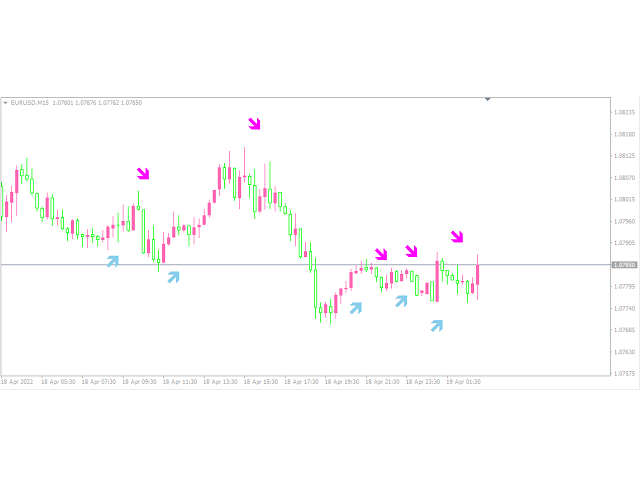
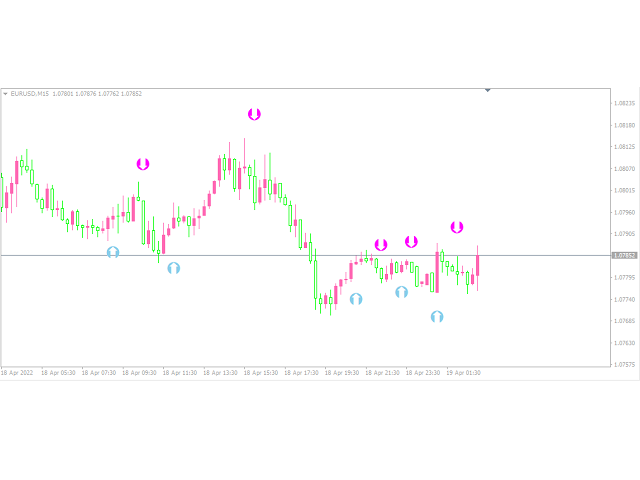
This indicator is a Moving Average that show you at which point they crossed over. It is more usful on the shorter periods
that get obscured by the bars / candlesticks and when the zoom level is out.
You can enter two EMA periods and also allows you then to remove the EMAs from the chart.
EMAs are initially set at 4 and 8. You can also select the arrow type and setup the alerts for sound and Email!
Lot of options for you! Enjoy!
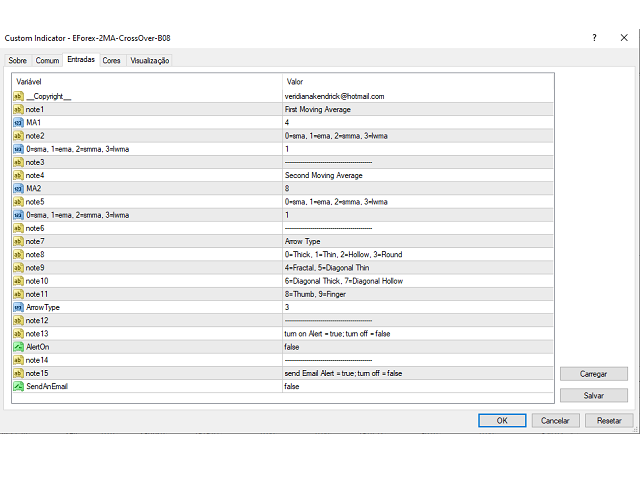
note1 = "First Moving Average";
MA1 = 4;
note2 = "0=sma, 1=ema, 2=smma, 3=lwma";
MA1Mode = 1; //0=sma, 1=ema, 2=smma, 3=lwma
note3 = "--------------------------------------------";
note4 = "Second Moving Average";
MA2 = 8;
note5 = "0=sma, 1=ema, 2=smma, 3=lwma";
MA2Mode = 1; //0=sma, 1=ema, 2=smma, 3=lwma
note6 = "--------------------------------------------";
note7 = "Arrow Type";
note8 = "0=Thick, 1=Thin, 2=Hollow, 3=Round";
note9 = "4=Fractal, 5=Diagonal Thin";
note10 = "6=Diagonal Thick, 7=Diagonal Hollow";
note11 = "8=Thumb, 9=Finger";
ArrowType=3;
note12 = "--------------------------------------------";
note13 = "turn on Alert = true; turn off = false";
AlertOn = false;
note14 = "--------------------------------------------";
note15 = "send Email Alert = true; turn off = false";
SendAnEmail=false;