Gold Breakout Sentinel Pro
- 专家
- 版本: 1.16
- 激活: 10

Gold Breakout Sentinel trades XAUUSD on the H1 chart. Each day it waits at yesterday's high and yesterday's low with a stop order, and enters only when a stochastic turn and a Bollinger Band filter agree. Every trade has a fixed stop loss and take profit of 1.9% of the entry price, set with the order.
An on-chart panel shows what the EA is waiting for, the orders it has placed, why a signal was or was not traded, and the real risk of the next trade for your balance.
Key features
- One signal check per H1 bar; pending stop orders at yesterday's high or low, deleted after 9 bars if not filled
- Fixed stop loss and take profit on every order, no grid, no martingale, no averaging
- Status panel with the risk of the next trade in percent of balance, named Safe, Medium, High, Very high or Extreme
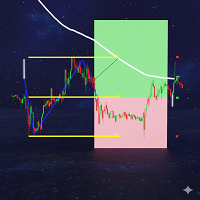
- Yesterday's high and low drawn on the chart, and an arrow at each signal with its outcome
- Checks margin, the broker's stop and freeze levels, and the stop-out level before every order
- Works with brokers quoting gold with 2 or 3 decimals, on hedging and netting accounts
- Yesterday's high and low are taken from the New York-close day on any broker: on brokers whose server day starts at midnight GMT or on European time, the day is rebuilt from H1 bars, so a short Sunday candle cannot move the levels
- Every order carries a comment, so its trades are easy to find in the account history
- Trades only on XAUUSD charts, including broker names with a prefix or suffix (XAUUSDm, XAUUSD.pro); on any other live or demo chart it stays idle and says so on the panel. In the Strategy Tester any symbol can be tested
How it trades
Once per H1 bar the EA reads a stochastic calculated on closing prices. When its signal line peaks on the previous bar and the Bollinger Band filter agrees, it places a buy stop at yesterday's high; when the line troughs, a sell stop at yesterday's low. The order is only placed while price has not yet passed that level, and a new signal on the same side replaces the waiting order. New orders are placed only while the EA has no open position on the symbol.
Default settings: no set file needed
The default inputs are the optimised settings, the same ones used for every backtest and screenshot on this page. There is no separate set file to ask for: attach the EA to an XAUUSD H1 chart and keep the defaults. Only the display inputs are meant to be changed to taste.
Quick start
- Open an XAUUSD H1 chart and attach the EA.
- Enable Algo Trading in the terminal.
- Keep the default inputs, or change only the display settings.
- Read the Risk row on the panel before the first trade. If it says Very high or Extreme, the balance is small for gold; see Recommended balance below.
Lot size and risk
Every trade uses the minimum lot: 0.01, or the broker's minimum where that is larger. The panel's Risk row shows what that lot risks at the stop as a percentage of your balance, and names it: Safe up to 1%, Medium up to 2%, High up to 3%, Very high up to 5%, Extreme above 5%.
Sizing by a fixed lot or by risk level (Safe, Medium, High, Very high or a custom percent of balance) is available in the paid edition, Gold Breakout Sentinel Pro.
Before sending an order the EA checks that the account can carry its margin and survive its stop loss without reaching the broker's stop-out level. If not, the order is skipped and the reason is shown on the panel. A waiting order is cancelled for the same reason if the balance falls before it fills.
Recommended balance
At a gold price near 4,200, the 1.9% stop on 0.01 lot loses about 80 USD. The balance therefore decides how much each trade risks:
- 8,000 USD or more (recommended): about 1% per trade, Safe
- 4,000 USD: about 2%, Medium
- 2,700 USD: about 3%, High
- 1,600 USD: about 5%, Very high; below this every trade is Extreme
- About 200 USD: the technical minimum; below it no order is placed
These figures scale with the gold price. Where the broker's minimum lot is 0.10, multiply them by ten.
Backtest
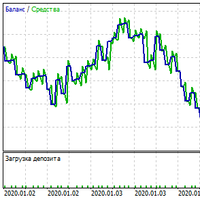
The screenshots come from a reproduction of the EA's rules on RoboForex-Pro XAUUSD history from January 2021 to October 2026, default inputs, with spread, commission and swap included. With 0.01 lot: 234 trades, net profit 2,240 USD, profit factor 1.44, win rate 58%, worst drawdown 268 USD, longest losing streak 4 trades, about 3.4 trades per month.
Please read before trading it. 2021 to 2026 was the best period for these settings. Over 2009 to 2020 the same settings lost money (profit factor 0.94). Tested on 36 other symbols from 2023 to 2026, the rules were not profitable outside gold, so the EA is meant for XAUUSD only. Test it on a demo account first. Past results do not guarantee future results.
Inputs
Strategy: magic number (260931), Bollinger Bands period (9), stochastic %K period (23), signal period (3) and slowing (7), stop loss and take profit in percent of the entry price (1.9 each), pending order expiry in bars (9).
Broker clock: Auto (detects New York-close, European or a fixed offset from the server time), or set it by hand; fixed offset from UTC in hours (Fixed offset only).
Display: show the info panel (true), show yesterday's high/low and signals (true), light colours for white charts (false), panel position (top left), margins from the side and top (10 and 26 px), font size (9).
Support: debug log for bug reports (false).
Questions
Can I use it on other symbols or timeframes? It trades XAUUSD only on live and demo charts: on any other symbol it loads but places no orders, because the backtests on other symbols were not profitable. The Strategy Tester allows any symbol, so you can check that yourself. It is designed for the H1 chart; on other timeframes yesterday's levels and the 9-bar expiry no longer mean the same thing.
Can two trades be open at once? On a hedging account the buy stop and the sell stop wait together, so on a day that breaks both levels both can fill. The EA never adds a new order while a position is open. The Pro edition can cancel the other order as soon as one fills.
Why did it not trade today? Most days have no signal, or price has already passed yesterday's level. The panel shows the last signal and the reason it was or was not traded.
Does it need a VPS? It checks once per H1 bar and keeps its orders on the broker's server, but the terminal must be running for new orders to be placed and expired ones to be cancelled. A VPS keeps it running when your computer is off.
Reporting a problem
The EA has a debug log for bug reports. It is off by default; turn it on only while you look into a problem.
- Open the EA's inputs (right-click the chart, Expert list, Properties, or double-click the EA name), go to the SUPPORT group and set Debug log for bug reports to true.
- Leave it running until the problem happens again, or repeat it in the Strategy Tester with the same dates and inputs.
- Open the Experts tab of the Toolbox (in the Strategy Tester: the Journal tab). Lines starting with DBG show the EA's version and edition, the broker's symbol settings, and for every bar what the EA saw and why it did or did not place an order. Right-click, Open, to get the full log file.
- Send a private message on MQL5 or a comment on this product with: the DBG lines around the time of the problem, the symbol and timeframe, your inputs (in the inputs window, Save, gives a .set file), and a screenshot of the chart with the panel.
- Set the debug log back to false afterwards.
The log never contains your account number or password.
Support and custom development
Questions and suggestions are welcome in the comments of this product or by private message on MQL5.
I also build custom Expert Advisors and indicators, and connect trading strategies to other platforms through their APIs. Send me a private message on MQL5, or order through the MQL5 Freelance service.