 MetaTrader 5
 专家
专家 指标
指标 程序库
程序库 实用工具
实用工具 窗口小部件
窗口小部件 规则
规则MetaTrader 5 交易实用工具 - 42
 以下是可在MetaTrader 5中简化交易的交易程序。将鼠标悬停在一个工具上,阅读它的描述和用途。
该面板具有每个初学者都可以处理的最直观的界面。
在 SLp 列中 - 您需要以点子为单位指定 SL 大小。如果该值变为灰色,同时 Bay / Sell 按钮也处于非活动状态,则您指定的 SL 值小于经纪商设置之前允许的值。
在 TP% 列中 - 您以帐户余额的百分比表示 TP。在设置中,您可以根据此指标的计算方式选择净值、余额或可用保证金。
在 R% 栏中,您可以设置交易的风险值。
插入按钮。 - 允许您立即使用设置的值打开订单,如果禁用,则您可以直接在图表上预设交易参数。
在顶部,您可以通过单击左上角的减号来最小化图表上的面板。 Pro Trading Panel - https://www.mql5.com/en/market/product/72256
还可以通过调整面板名称下方的 + 和 - 按钮来增加或减少面板本身的大小。
如果您还想开挂单和转移到BU,追踪止损,保存开单的各种设置,支持各种技术的定单,那么考虑一个功能更强大的EasyTradePad面板,您可以在我的产品中找到它。

Ferramenta derivada do DR Assistant, a versão Lite conta com recursos semelhantes, mas sendo mais específica em sua aplicação, destina-se exclusivamente ao uso para gestão de ordens abertas a partir de suas funções. Deste modo, quaisquer outras negociações ou posições abertas por outras ferramentas ou manuais serão ignoradas pelo Assitant Lite. Os parâmetros e configurações disponíveis, bem como suas principais funções são: - Take Profit e Stop Loss: duas opções de Steps, em pontos, para ambas a

Open Risk Profit shows your current risk or possible profit of all open positions. Total open risk is your loss if all positions run into the stop loss.
Total open profit is your profit if all positions reach your take profit.
Total float is your current profit or loss of all positions. The program also breaks down the information into the individual symbols. For example, you can monitor how much is your current profit and your potential risk in EURUSD, no matter how many individual positions
This expert advisor works on price volatility, it scans the market every single tick trying to find great opportunities for day trading. it has alarms, analisys and much more to provide great trades for you, give it a try.
It is a cross-over alarm which bips when standard deviation goes from low to very high so that you can surf the movement. It is all about volatility and high flow.

手动交易面板 EA MT5 是您可以找到的最简单易用的 MT5 交易面板。它的所有选项和功能都集中在一个表面上,无需打开额外的窗户或面板。它是一个订单管理、风险计算器、部分关闭和帐户保护实用程序,都在一个极其方便的界面中使用!
通过使用 手动交易面板 EA MT5 ,您可以比传统的手动交易方法更快、更准确地进行多次交易,这让您有更多时间和更清晰的头脑专注于您的交易决策。
账户保护是我们的首要任务,因此 手动交易面板 EA MT5 也是一个很好的账户保护实用程序,它可以在账户止盈或止损后关闭所有未平仓交易、删除所有挂单并关闭所有附加有任何 EA 的终端图表已达到亏损净额。这在盈利情况下非常方便,当您的资产低于您想要的止损水平时,可以避免您的交易账户进一步亏损。 提示: 您可以在您的模拟账户中下载并试用 手动交易面板 EA MT5 模拟版: 这里 将下载的免费演示文件粘贴到您的 MT5 >> 文件 >> 打开数据文件夹 >> MQL5 >> 专家文件夹并重新启动您的终端。 免费演示版本每次可在 4 小时内发挥全部功能,仅限演示帐户。 要重置试用期,请转至 MT5 >> 工具

This script is designed to download a long history of cryptocurrency quotes from the Binance exchange. You will find it perfectly suitable if you want once to download the history of cryptocurrencies for charts analyzing, collecting statistics or testing trading robots in the MetaTrader 5 strategy tester, or if you need to update the history not very frequently (for example, once a day or once a week). After running the script, you will have fully featured (but not automatically updated) cryptoc

This service is designed to stream online cryptocurrency quotes from the Binance exchange to your MetaTrader 5 terminal. You will find it perfectly suitable if you want to see the quotes of cryptocurrencies in real time — in the Market watch window and on the MetaTrader 5 charts. After running the service, you will have fully featured and automatically updated cryptocurrency charts in your MetaTrader 5. You can apply templates, color schemes, technical indicators and any non-trading tools to

1. 这是什么. 这是一个 非常严谨 的以展示不同市场交易时段的指标。它展示了主要市场:NewYork, London, Frankfurt, Sydney, Wellington, Tokyo. 非常重要: 不同的市场夏令时起止日期不同,而一个市场的交易时段又会因夏令时冬令时而不同。 同时,北半球国家、南半球国家夏令时制度也是不同的,以及一个市场在不同的年份,夏令时的制度也是变化的。 比如: 纽约夏令时制度: 1987年-2006年:4月第一个星期日02:00 --> 10月最后一个星期日02:00 2007年-至今: 3月的第二个星期日02:00 --> 11月的第一个星期日02:00 纽约外汇市场交易时段(UTC+3): 15:00-22:00(夏令时); 16:00-23:00(冬令时)。 所以交易时段,必须要考虑历史上所在城市、所处年份的夏令时日期、以及对应的交易时段,否则交易时段是错误的。但是如果这些都是手工设置,非常的繁琐,本程序就可以自动设置。 你可以参阅我的博客了解主要国家的夏令时

1. 这是什么. 这是一个 非常严谨 的以展示不同市场交易时段的指标。它展示了主要市场:NewYork, London, Frankfurt, Sydney, Wellington, Tokyo. 非常重要: 不同的市场夏令时起止日期不同,而一个市场的交易时段又会因夏令时冬令时而不同。 同时,北半球国家、南半球国家夏令时制度也是不同的,以及一个市场在不同的年份,夏令时的制度也是变化的。 比如: 纽约夏令时制度: 1987年-2006年:4月第一个星期日02:00 --> 10月最后一个星期日02:00 2007年-至今: 3月的第二个星期日02:00 --> 11月的第一个星期日02:00 纽约外汇市场交易时段(UTC+3): 15:00-22:00(夏令时); 16:00-23:00(冬令时)。 所以交易时段,必须要考虑历史上所在城市、所处年份的夏令时日期、以及对应的交易时段,否则交易时段是错误的。但是如果这些都是手工设置,非常的繁琐,本程序就可以自动设置。 你可以参阅我的博客了解主要国家的夏令时

币安未来的 Mt5 机器人(专家)
该系统在币安期货市场上运行。
您可以轻松地将其集成到您自己的代码中以实现操作自动化。
提供手动操作面板。
对冲模组兼容。
所有操作都可以在屏幕上手动完成。
这是同时控制多种加密货币的最有效方式。
屏幕是带有币安屏幕的模板类型。 您可以从链接下载模板文件。
https://drive.google.com/file/d/1WHqGhym0QIK31l7kwfit9_tXb7YbqSuT/view?usp=sharing
此程序需要安装。
https://www.mql5.com/tr/market/product/68694
https://www.mql5.com/tr/market/product/73887
参数
API 密钥 = 您的币安 API 密钥
秘钥 = 你的币安秘钥
*您应该允许来自工具菜单 >> 选项 >> 智能交易系统的 WebRequest 并添加 URL: https://fapi.binance.com/
单击链接以查看屏幕截图。
https://www.mql5.com/e

1. 此 EA 是自动止盈、止损、追踪止损和利润锁定,带有退出策略(反向/对冲)鞅。
2. 适用于电脑图表或移动交易的手动交易(当在 VPS 上时)
3. 变量输入以点子为单位
4. 第一个仓位将由您自己手动开仓(买入/卖出)。此后将设置 TP、SL、TS 和利润锁定。
5. 如果您的第一次手动交易(失败)并且与您的趋势相反,则有 2 种退出策略。
(a) 当您的第一次手动交易(买入)达到 SL 时,反向鞅(卖出)被激活。
(b) 当您的第一次手动交易(买入)达到 SL 时,对冲马丁格尔(买入)被激活。
*反之亦然,当第一次手动交易(卖出)达到 SL 时。
6. 当您的第 1 次手动交易符合您的趋势但突然逆转时,会激活追踪止损和追踪步骤。
7. 利润锁定是锁定当前同对多笔订单中一定数量的利润(百分比)。如果您打开 4 个订单,它会在达到利润锁定时关闭任何 2 个订单(当百分比设置为 50% 时)。
8. 启用警报
9. 为任何交易启用推送通知到您的手机。
输入截图如下:

NFP Master its an scalper EA that trade the NFP monhtly news,here we locate an extraordinary oportunity to make flash money, even if the price rise down or pump up we will get profit anyway, the best part of this Expert Advisor is that we dont need any VPS, just run the EA 10 minutes before the Non Farming Payrolls new gonna be released and let the money comes, just test it on any NFP new that has been released in the past and you will see it works, the performance say it all. Preferly use ECN b

This is the Best Renko chart generator ever in the market you can set the box sizes based on ATR or Fixed Size: 1. Fixed Box Size 2. Current ATR Size 3. ATR size of the Chart Start Time. also you can set the Renko chart cut of date and time to start as reference of creating renko charts. you need to attach to a symbol chart that want the renko chart of it, then immediately a new chart will be opened which is based on renko, you can use this generated chart and attach your EA to trade on or you e

A utility to close all positions and orders with one simple click at once.
Various options are available to filter or select orders and positions : Type of orders/positions : Buy / Sell / Buy Limit / Sell Limit / Buy Stop / Sell Stop Symbol Selection : All / Chart Symbol / Custom Symbols. You can enter custom symbols separated by comma. (for example you can enter EURUSD,GBPUSD,AUDJPY) Order Open Type : Manual Opened / Opened by EA Magic Number : You can enter more than one magic number separate
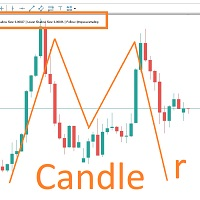
MARUBOZU IS THE KEY.
Imagine finding a fantastic marubozu candle pattern in the 1H timeframe automatically and bips an alarm for your awareness?
The 1H Marubozu means trend and momentum in the 5M timeframe.
Find a momentum candlestick pattern with this great algorithm, it always considers the last closed candle.
it is simple to use, but if you want some support just get in touch via mql5.
Seconds time frame
In MT5 there are no second charts by default. Many of the presented options for creating such do not work fully - errors with extrema, inability to use indicators, etc. I present you a fully working variant. The script works as an Expert Advisor by creating a custom symbol. To work, the script is placed on the M1 chart of the instrument of interest, after which the window of the custom symbol will open automatically. The settings are minimal and intuitive - the timeframe inter

It may be true that “Time waits for no one [human],” but at least now you can control the marching time of all your robots. EA Schedule Launcher (ESL) can launch and close any number of your EAs and/or indicators at custom beginning and ending times. You save your EA and/or indicator to a template and input when to open and close them. The power to control your EAs trading time window can improve both strategy performance and terminal/computer performance.
Note: EA cannot be run with the visual

将交易从一个MT5账户或MT4账户复制到另一个MT5账户的实用工具 Demo-version can be downloaded here .
您可以在净额结算和套期保值账户之间以任何组合复制头寸。 您可以通过仪器的名称和将被复制的位置的魔术数字来设置过滤器。 到目前为止,来源仅发送有关市场头寸的信息。 挂单在变成公开市场头寸时被处理.
在一个终端上,顾问以发送者模式(发送者)启动,在另一个终端上-在接收者模式(接收者)中启动。
终端必须在同一台服务器上工作,以便它们具有相同的共享数据文件夹,通过该文件夹交换数据。
安装程序
在发件人帐户的终端中,我们以发件人模式启动顾问,配置常规参数。 在收件人帐户的终端中,我们以收件人模式启动顾问,为收件人配置常规参数和参数。
要复制MT5->MT4,请使用此产品作为发件人,另一个产品 实际贸易复制 MT4 作为收件人。
要复制MT4->MT5,请使用此产品作为接收者,另一个真实交易复制 MT4 产品作为发送者。 More detailed information in the post .

The Grid Builder MT5 utility is designed for placing a grid of pending orders of any complexity and will be an excellent tool in the hands of a trader who trades grid trading strategies. The tool has numerous settings that allow you to quickly and easily build a grid of orders with the specified parameters. All types of pending orders are supported:
Buy Stop; Buy Limit; Sell Stop; Sell Limit. The script also allows you to delete a previously placed grid of orders in one click. If the "Delete
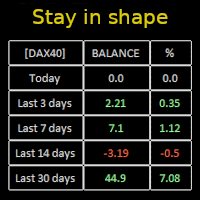
Constantly monitor the progress of your trading at daily intervals of your choice. For positive readings - maintain discipline and stick to your strategy. In case of gradually worsening results - react as soon as possible.
Be aware of the quality of your work!
The panel calculates the account balance You can track your progress for both the current instrument and the entire account The number of days back (5 items) - you set freely Learning to count days: if today is October 3 (day number

Pending Orders Grid Complete System opens any combination of Buy Stop, Sell Stop, Buy Limit and Sell Limit pending orders and closes all existing pending orders. Only one time of the pending order at the same time!!! You will have a possibility to put a legitimate Open Price for the first position in the grid. Usually it should in the area of Support/Resistance lines. You just need to drop this script on the chart of a desired currency pair.
Input Parameters Before placing all pending ord

Account Protector Meta Trader 5 This utility prevents risk of ruin per trading cycle. Retail forex trading accounts are designed with stop-out levels that make it nearly impossible to restore lost capital after a trader — human or algorithmic — blows an account . This is especially frustrating for traders who have grown their account to multiples of its starting value, only to suffer irreparable losses from a series of bad trade entries. The Account Protector solves this by enforcing a specified

Trading panel for manual trading. Has a fairly wide functionality. Allows you to automatically calculate the order size, open both market and pending orders. It has a wide range of options for closing orders, it is possible to partially close orders, close orders after reaching a certain profit or loss, separately close profitable and unprofitable, buy and sell, as well as pending orders. The panel also contains a simple implementation of a grid of pending orders, reverse and lock functions, tr

What Exactly Is A Smart Trading Tool? Smart Trading Tool was developed for fast and comfortable trading of the financial markets especially for ORDER BLOCKS TRADERS . It provides traders functionalities, such as: A Drawing Tool One-Click Trading Panel Automated Lot Sizes Calculation based on your risk appetite & Money Management ( Watch this video , how this tool can help manage your risk per trade better!) Built in PRICE LEVELS (Fibonacci, Round Numbers, Daily hi-low, etc) Shows Trading

MANAGING YOUR FOREX TRADING LIKE A PROFESSIONAL WITH POSITION SIZE CALCULATOR Position Size Calculator – an MT5 indicator, is a user-friendly tool that allows you to determine your required forex trading size for each trade based on how much you want to risk and available capital in your forex trading account. Load the calculator onto your chart and simply draglines to show your stop loss and take profit level. The calculator will automatically calculate the trade size instantly. This indica
这个工具将在您的手机上发送详细的通知,并在MT5终端上提醒您,一旦您想看到的蜡烛图出现在图表上。该通知包含符号、蜡烛图样和形成该图样的时间框架。
你需要将Metatrader 5 Mobile与你的Windows终端连接起来。以下是方法。 https://www.metatrader5.com/zh/mobile-trading/iphone/help/settings/settings_messages#notification_setup 可以检测的烛台形态列表。 三个白兵 三只黑乌鸦 看涨的三线击球 看跌的三条线罢工 三条内侧上升线 三条内侧下跌 三条外线上涨 三线外跌 早晨之星 傍晚之星 看涨被遗弃的婴儿 看跌被遗弃的婴儿 看涨的哈拉米 看跌哈拉米 看涨的吞噬 看跌吞噬 锤子 射击之星 反转锤子 悬挂的人 蜻蜓斗鸡 墓碑十字星 早晨的斗极星 晚间斗极星 穿透线 黑暗四叶草 看跌的踢球者 看涨踢球者 长下影线(长颈线在下侧)。 长上影线(长灯芯在上方)。 输入参数 当你启动该工具时,你将不得不设置一些输入参数。 EnableMobileNotifications: 启用移动通

Multi Strategy Dashboard Utility MT5 Some functions of the MSD Utility can only be used on the full version. Multi instrument and multi time frame scanner, with the best indicators. Comes with an order management panel. The MSD Utility can be used for manual trading. Click on the '?' button on the dashboard to obtain information about the various elements of the MSD Utility. Uses ATR Take Profits, ATR Stop Losses and ATR Trailing Stops. Comes with an FX Currency Strength meter and a Mar

货币强度交易面板 EA MT5 是适合任何初学者或专家交易者的创新解决方案!它将货币强度概念提升到一个全新的水平,因为它将它与价格行为相结合,并且可以应用于任何符号/货币对,除了通常的 8 种主要货币的 28 种组合。这意味着您可以交易任何货币对的强弱,包括所有货币、商品和加密货币(不是指数)。这是一款真正的突破性产品,通过使用彩色条形图,让您一眼就能清楚地了解 16/32 符号,从而直观地告知您任何对的 2 个部分的强度/弱点平衡,而无需破译复杂的强度线或直方图,就像在其他传统的货币强度解决方案中一样。
货币强度交易面板 EA MT5 也是您可以找到的最简单易用的 MT5 交易面板。它的所有选项和功能都集中在一个表面上,无需打开额外的窗户或面板。它是一个订单管理、风险计算器、部分关闭和帐户保护实用程序的合一,使用起来极其方便!通过使用 货币强度交易面板 EA MT5 ,您可以比传统的手动交易方法更快、更准确地进行多次交易,这让您有更多时间和更清晰的头脑专注于您的交易决策。 货币强度交易面板 EA MT5 也是一个很好的账户保护实用程序,它可以在达到账户止盈或止损净值后关

此实用程序将允许您将任何交易从一个具有主设置的终端复制到具有从设置的其他终端
与此同时,您可以选择要复制的对,通过几个参数设置复制顺序的大小。 通过回撤或只复制有利可图的交易来设定限额损失
您可以将mt4或MT5的交易复制到MT4或MT5其他经纪商
现在,将在MT4中工作的任何Ea交易的信号复制到MT5终端或返回将不难
使用复制主复制任何交易从其他信号,EAs,手动交易.
使用设置,您可以更改批量大小,交易方向,只复制利润交易和setdbvalue来保存您的存款
复制大师可以在一个帐户上统一不同订阅信号的几种策略
要复制MT4的交易,你需要复制主MT4版本: https://www.mql5.com/en/market/product/62132
有关复制主设置的更多信息: https://www.mql5.com/en/blogs/post/749356

A utility to close all orders automatically when conditions meet.
Various options are available to filter or select orders : Conditions : Closing conditions. 3 different conditions can be defined. EA will close orders anytime one or more defined conditions meet. Conditions can be defined based on account properties or selected orders properties. Also a fixed time to close orders is available.
Type of orders : Buy / Sell / Buy Limit / Sell Limit / Buy Stop / Sell Stop Symbol Selection : All / Ch
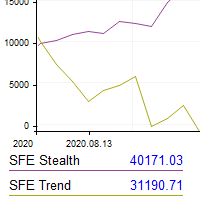
This utility shows the performance of the account (closed operations) in a graphical panel attached to a graph as an indicator. The purpose of the utility is to have a quick and clear view of the performance of transactions organized by different EAs or any desired combination.
The utility has the following features in the current version 1.0:
- Custom groups can be defined, to analyze and compare different performances within the account. The groups can contain filters of two types, filters

This Expert Advisor helps checking the connection of your trade accounts and it generates a report as a CSV file. Disconnections can be caused by trade server or by client terminal. Many users run their trading EAs on VPS, and this product help them to find out the cause of disconnection - trade server or VPS. To do that, open 2 client terminals with different brokers on one VPS and run this EA on both 2 terminals for some time. Then you can compare 2 report files from 2 terminals. An example i

....................................................... This tool places random orders, Randomly place pending orders just for do some testing. All is random: random symbol, random lots, random order type, random stoploss and takeprofit... Some users need to batch place orders for testing purposes, and this tool can meet their requirements. Notice: It can't run on live(real) account.

....................................................... 有些交易者不喜欢让他们头寸中的止盈/止损价格暴露出来,这个EA可以帮助他们。 把EA拖放在图表上,并设定止盈/止损点(0意味着忽略),如果图表上的商品有头寸,它会在图表上监察商品的价格,如果价格达到用户设定的止盈/止损水平,就关闭这个头寸。
这个工具可以有效隐藏用户的止盈/止损价格。止盈/止损价格由开仓价格与用户设定的止盈/止损点子所决定。 你可以拖曳水平线来设置新的 止盈/止损价格。 ...........................................................
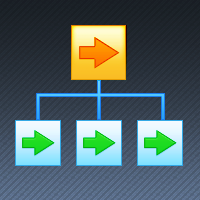
If you want something as below: Sell FOREX trading signal. Manage multiple accounts. Follow somebody's trading. "TradeCopier_source" and "TradeCopier_follow" can help you! Features: Copying from one source (master) account to multiple follower (slave) accounts. Allow investor (read only) password for the source (master) account. There are no complicated settings and input parameters, everything is easy. Works with different Brokers. Works with different symbols (EURUSD_FX, eurusd_m, etc.). C

This tool has been designed for macroeconomic investors. It allows you to observe and operate currency indices that are more uncorrelated instruments than currencies, that do not share the same noise level as pairs and are totally uncorrelated with each other.
CurrencyTrader is a tool that allows you to trade the DXY, EURX, JPYX, GBPX, CADX, AUDX, CHFX and NZDX currency indices
Currently I use this tool for my swintrading in darwinex MACRO for MetaTrader 5 - Antonio Renteria Arce
I have left
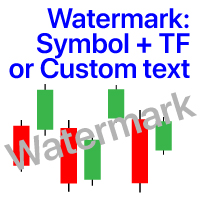
图表上的水印:符号+时间帧/或您自己的文本 我的#1实用程序 :包括66+功能 / 如果您有任何问题 ,请与我联系 在指示器的设置中,您可以配置: 字体大小;文字颜色; 字体名称; 职位:
1=左上;
2=右上;
3=左下;
4=右下;
5=中心; 显示当前时间范围:开/关; 要删除的符号的前缀(n_AUDCAD-->AUDCAD); 要删除的符号的后缀(USD CAD pro-->USD CAD); 显示自定义文本:如果启用,将显示您自己的文本,如下所示: 自己的水印; 我的#1实用程序 :包括66+功能 / 如果您有任何问题 ,请与我联系 .....................................................
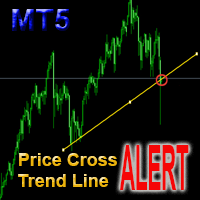
This is a support tool that will notify you when the price crosses a trend line, you can draw any trend line by manual, and you can change or drag it on chart in working time This tool will automatically update the new location of the trend line to alert you How to use: after added it on chart, you will draw a trend line and set name of the trend line same as in input of the tool (the parameter LineName ) There are 3 notification methods : Pop Up Alert, Send Email or Notification You can choose

Make your Trailing Stop, Take Profit, Breakeven, and Stop Loss levels invisible to the broker!
STEALTH MODE Virtual Trailing Stop Virtual Take Profit Virtual Breakeven Virtual Stop Loss Virtual 2-levels Trailing Stop Virtual Trailing Take Profit Virtual Lifetime of Orders Setting levels by dragging labels on the chart (Drag&Drop)
TRADING PANEL Operate faster with orders/positions [1] Change Order lot [2] Place BUY order [3] Place SELL order [4] Place BUY LIMIT order [5] Place SE
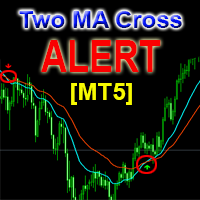
This is a support tool that will notify you when a fast MA (Moving Average) Line crosses a slow MA Line, you can choose any fast MA Line and slow MA Line by parameters in input tab The Indicator will draw a red arrow where fast MA line crosses DOWN slow MA line and it will draw a green arrow where fast MA line crosses UP slow MA line There are 3 Alert methods : Pop Up Alert, Send Email or Notification You can choose true or false to use or not for any Alert method in input tab You can choose Al

FXC Trade AssistanT MT5
This trading software will help you in manual trading. You can use it for open and close positions in many forms. The EA offers you lot sizeing, stop management methods and other usefull tools using with its control panel.
New in v1.13: Ultra-Fast CLOSE operation can close over 100 trades/second (Only MT5) New SETUP panels: Control, Chart, Msg., SFX, Advanced Added SFX sound profiles
Zero-Point Calculation with Swap & Commission Can handle foreign trades
New Info data: St

Customized Copy is a Multi-Terminal visual trade copying utility that supports Metatrader4 and Metatrader5 for Trade Copying.
You can activate EA on 10 different PCs/VPS. On each PC/VPS can install on Unlimited Terminals.
Specifications :
Real Time, Multi Terminal - Multi Account - MT4/MT5 trade copying (support over 50 accounts at same time) All settings are input visually. Visual display and modify of copy map and network Each copy path can be used with different settings

Hello, boys and girls!
Script allows you either to quickly save opened charts and then close all charts opened by visual tester mode or just faster close all charts. Feel free to take a look at video manual about how to use this script on my YouTube channel. Also, feel free to join my telegram channel , where time to time I publish some exclusive stuffs. Feel free to leave feedback and thoughts how to improve this script - I'd highly appreciate that. All the best.

产品简介: 本工具是一个简单的交易面板,主要用于复盘交易训练。您可以在策略测试环境下根据自己的交易策略进行交易练习。 这个工具主要适用单向交易训练,不适合进行对冲交易训练。
使用方法: 在策略测试中选择本EA,并进行货币兑、图表周期、复盘时间段等相关参数设置。 点击“开始”按钮后,会显示交易面板。 您可以点击“+”、“-”来调整下单时的仓位大小,每点击一次,变化0.01。 BUY按钮用来建立多头仓位。 SELL按钮用来建立空头仓位。 CLOSE按钮用来平仓,如果持有多个仓位,会平仓“报价”靠前的订单。
均线指标: 这个工具提供两条均线指标的显示支持。 在“输入”选项卡中,可以设置均线的显示与否,以及均线的周期参数。
自定义指标: 这个工具还提供一个自定义指标的显示设置。 在“输入”选项卡中,可以设置自定义指标的显示与否,以及它的路径参数。
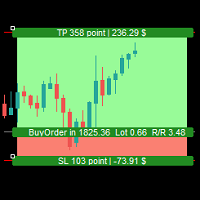
Simple Assistant for Trading
Precise Risk Management in each
Automatic Money Management Visual Trading Open Position Management User friendly and practical
during 15 years of considerable experience in stock market, we have dealt with many professional traders who have been used profitable and unrivalled methods in this market but failed in the long term. The reason is undoubtedly the lack of standard in their manner during their trade. Standard means the accurate repetition of a process….

Trade Panel Osw MT5:专业风险管理与交易面板 Trade Panel Osw MT5 是一款专为 MetaTrader 5 设计的快速执行与高级订单管理控制台。旨在优化剥头皮和日内交易,允许交易者直接在图表上控制风险敞口并自动保护资本。
面板参数与功能 交易选项卡 (Trade) N Orders:点击执行时同时开仓的订单数量。 Lot / Type of Lot:入场手数。可选固定手数 (Fixed Lot)、金额风险 (Money Lot) 或余额百分比 (Percent Lot)。 SL Points:以点数为单位的止损距离(0 为禁用)。 TP / Type of TP:以固定点数 (TP Points) 或止损倍数 (TP Risk) 设置止盈,以保持精确的盈亏比 (R:R)。 Comment:附加到每个订单的自定义注释。 Visual:图表上的线条,用于预览和调整进场、止损及止盈水平。 Type of Operation:市价单 (By Market) 或挂单 (Program),在图表上设置挂单。 BUY / SELL:操作方向选择器,用于配置动态

Excellent spread indicator. Reflects the spread on each bar as it is. It should be remembered that the spread is displayed at the time of the bar opening. Therefore, the most correct information will be on the minute bars. Spread is one of the basic forex concepts that any trader should know. If explained clearly, you can describe such an example. The trader buys the EUR / USD pair at the rate of 1.1000. However, he immediately goes into negative territory, for example, by 10 points, as if he bo

Ultimate MT5 to Telegram (UMT) sends controlled trades (via symbol, magic, comment) to your telegram channel. It sends open and closed trades, including pending orders and TP/SL modifications, along with chart screenshots, to any telegram channel. Additionally, you can send trade reports of open trades and summary profit/pip reports for day, week, or month. You can customize the design of the trade actions or reports with variables and emoticons.
A beautiful panel allows you to visualize all t

This is an expert for netting trading. In it, the grid of pending orders is being set. The Expert Advisor decides by calculation. It is possible to customize the work of the advisor by the hour. Many settings can be viewed in the panels. He displays his solution on the chart in the form of lines. There are only two types of lines. It is possible to use Magic number. It is already configured by default. You can also specify the size of the rate for it in the current currency. You can simultaneou

价格行为交易面板 MT5 根据指定(默认为 8 个)过去蜡烛的纯价格行为数据计算任何符号/工具的买入/卖出力量水平平衡。通过监控指标面板上可用的 32 个符号/工具的价格行为,这将为您提供最接近的市场情绪。超过 60% 的买入/卖出力量水平为买入/卖出特定符号(使用默认设置)提供了相当稳固的水平。价格行为交易面板 MT5 有 3 种计算模式,可用于标准、快速或缓慢接近价格行为,还提供可调整数量的价格行为蜡烛,以便更清晰或更平滑地适应实时变动。
价格行为交易面板 MT5 也是您可以找到的最简单易用的 MT5 交易面板。它的所有选项和功能都集中在一个表面上,无需打开额外的窗户或面板。它是一个订单管理、风险计算器、部分关闭和帐户保护实用程序的合一,使用起来极其方便!通过使用价格行为交易面板 MT5,您可以比传统的手动交易方法更快、更准确地进行交易,这让您有更多的时间和更清晰的头脑专注于您的交易决策。价格行为交易面板 MT5 也是一个很好的账户保护实用程序,它可以在达到账户止盈或止损净值后关闭所有未平仓交易、删除所有挂单并关闭所有带有任何 EA 的终端图表。 提示 :您可以在您的模拟账户中

- Go up one more level with the most important Tools to Analyze the Market, such as drawing Horizontal and Dynamic Lines, Zones, Ratios, Trap Level Strategy, Impulse Projection, Bar Information with precision, automatic drawing of the most important Opening Levels (Open Day , Open Week, Open Month, Open Year), floating boxes on the chart where we can see the Countdown of each bar, the Spread and ATR indicator, an independent Panel with buttons for all options and shows the symbol, Time Frames,

一个强大的工具,用于分析币安交易所上的任何加密货币并监控主要关键信号(在币安上,还有任何 MT5 经纪商的任何符号)。
好处:
一体!!!您不再需要不同的产品来下载历史记录和获取在线币安数据。 通过电报、移动终端和邮件发送信号,您可以随时掌握市场信息。 灵活的信号设置以及在图表上绘制水平、区域和模式以监控突破和反弹的能力。 要工作,您需要设置允许的网址:
服务 - >> 设置 - >> EA 交易 - >> 允许以下 URL 的 WebRequest - >> 添加到列表中:
https://api.binance.com https://api.telegram.org 促销:
该产品每购买五次后,将根据购买者的意愿在产品中添加两个新信号。新版本将免费提供给所有买家。购买 - 发表评论 - 写下您对信号的期望,您的投票将被考虑在内。 如果您购买了该开发商的两个或多个产品(例如,这个和一个交易面板),那么将为您添加一个信号,您个人想要的那个! 所有问题都可以在一个小组中提问
设置:
负载图表的符号列表 - 将从币安服务器下载的符号列表,它们可以使用任何 MT 工具/指

The trend in the market can be predicted using trend lines but the problem is you don’t know where exactly the price is going to touch the trend line where you can put your pending orders on. Smart Channel Expert Advisor makes it possible to put an advanced channel around the price data, which can be configured to handle placing orders, opening and closing positions, managing risk per trade, spread, slippage, and trailing stop-loss and take-profit automatically. Features Money Management (Calcul

I know, you have an idea for an EA and would like to develop your own without the need of a programmer? Then LT Sandbox EA will help you with that! As the name says (sandbox), you can configure it the way you want (within your limitations, of course). With it you can use up to 13 indicators, including an external indicator (from a third party), being able to make dozens of combinations! Available indicators: Moving Average (two of them) RSI Stochastic Oscillator MACD Bollinger Bands Parabolic S

EA Functionality -------------------------------------------------------------------------------------------------------------------------------- - The EA automatically sets SL (Stop Loss) of the specified size in points for each position immediately after opening position; - EA will close all open positions if their losses exceed the set amount; - Close all positions biggest then set limit; Position automatically closed if it bigger than set limit; - New function how much you can loss per day.
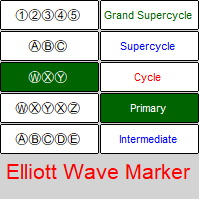
艾略特波浪标记 - 用于标记 Elliott 波形图的面板 。 该实用程序允许您快速标记图表(应用标记、更改和删除)。 输入参数: 字体:EwaPro、Arial、EliotWaveMine。 (下载字体: https ://disk.yandex.ru/d/Pxwg7cI_cYh6_Q) 三重组合中的第二个“X”(“X”或“XX”) 波浪级别的颜色(Grand Supercycle、Supercycle、Cycle、Primary、Intermediate、Minor、Minute、Minuette、Subminuette)
为方便起见,实现: 快速选择(从面板)波浪水平、修正和脉冲组合、字体大小、时间范围 - 用于绘制新字母和数字并进行更改。 更改对象的属性(立即针对一组字符)-颜色,字体大小,时间范围-从对象的属性(对于他们更改的一个图形对象-整个组发生的更改) 一次删除整个组 带时间表的折叠桌 将面板移动到图表上的任何位置 隐藏和显示面板

Trade Copier Agent 旨在复制多个 MetaTrader(4/5) 账户/终端之间的交易。 使用此工具,您可以充当提供者(源)或接收者(目的地)。所有交易行为都将立即从提供者复制到接收者。 该工具允许您在同一台计算机上的多个 MetaTrader 终端之间复制交易,复制速度快如闪电,不到 0.5 秒。 贸易复印机代理安装和输入指南 请在开始复制之前或没有订单时在提供商帐户上应用设置!
有订单时的任何更改都会影响收款人帐户。 例如:如果提供者账户应用买单然后禁用接收者账户上的所有买单将被关闭。
如果您想获得有关 EA 添加 URL ( http://autofxhub.com ) MT4 终端的通知(请参阅屏幕截图)。 MT5版本 https://www.mql5.com/en/market/product/77134 以下是亮点功能: 在 MT4 和 MT5 账户之间复制。 在一个工具内切换提供者或接收者。 每个账户既可以作为Provider又可以作为Receiver,因此账户之间可以通过2种传输方式相互复制。这就像一个贸易共享网络。 一个提供者可以将交易复

我认为您想在一个地方使用 Metatrader 平台的许多漂亮功能而不会错过。
我们专门为您设计了一个交易面板。满足您错过的所有神奇功能。
Nova Ultimate Trade Panel 为您提供最佳便捷的交易体验!
它是一个辅助面板,运行速度非常快,并且经过编码可以满足您的所有要求。
您可以在所有贸易交易中轻松使用它,并在最高级别利用其所有功能。
Nova Ultimate Trade Panel 设计为动态面板,可以拖动、移动和最小化尺寸。
先说一下它的内置功能;
您可以使用箭头键和带有数据输入的框来快速交易并根据需要更改交易(手)的大小。 您可以进行待处理交易并更改您的交易设置。 您可以使用箭头键、切换框和动态手动拖动水平移动线设置所有交易和挂单交易的获利和止损水平。在图表上绘制动态线,当水平发生变化时,Nova 交易面板上的 TP 和 SL 水平也会发生变化。 借助群组开仓区域,您可以一次对包含货币的所有对符号进行买入或卖出交易。例如,如果选择 EUR 组,组开仓选项设置为 ON 并按下 Instant Buy 按钮,则为所有含欧元的货币对打开 Bu

Instead of sticking to the Charts,let's use ALL IN ONE KEYLEVEL Announcement: We are pleased to announce the latest version 14.02 of the One In One Keylevel product. This is a reliable product that has been upgraded with many new features and improvements to make your work easier and more efficient. Currently, we have a special promotion for this new version. The current discounted price is $500, and there are only 32 units left. After that, the price will increase to $1000, and will continue to

MetaTrader 新闻面板是一款在 MetaTrader 交易平台内显示经济日历数据的工具。该工具从外部来源(例如财经新闻网站或数据提供商)获取经济新闻和数据发布,并以易于阅读的格式显示它们。 该工具允许交易者按来源、时区、影响级别、货币和通知方式过滤新闻发布。它还包括一个刷新按钮,使用户能够手动更新数据并确保他们拥有最新的可用信息。 新闻面板安装和输入指南 您必须将数据源的 URL 添加到选项 -> Expert Advisors ->“允许对列出的 URL 进行 WebRequest”,以便让新闻面板从源加载新闻数据 (参见屏幕截图)。 MT4版本 https://www.mql5.com/en/market/product/77300 MT5版本 https://www.mql5.com/en/market/product/77301 主要特点:
新闻载有完整的详细信息(解释、效果、频率等)。 随时手动刷新数据。 过滤要显示的新闻类型(影响、货币等)。 在即将发布的新闻发布之前发出警报。 在即将发布的新闻发布之前向您的手机和/或电子邮件发送通知。 该工具的

Tool that gives the possibility to test your strategy manually on historical data in the Metatrader 5 Strategy Tester application.
It is based on an EA that can only be used in the strategy tester and in visual mode.
The EA provides the possibility to configure, through input parameters, the display of different indicators: 3 Moving Average RSI Stochastic MACD Alligator Bollinger Bands Parabolic SAR Envelopes Fractals Ichimoku CCI
Due to the limitations of the Mt5 strategy tester, such as th

Trade Informer HVZ is a utility that allows you to display trading results (open and closed positions) using filters for trading instruments and Magic Numbers of Expert Advisors. The results are displayed as a horizontal or vertical table or as separate blocks. Full list of displayed parameters:
List of analyzed instruments List of Magic Balance of open positions Result of closed positions for today The result of closed positions for the previous day
The result of closed positions for the c
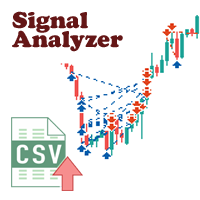
MQL5网站上有大量高质量的信号,学习他们是拓宽思路和提高自己很好的途径。 信号的交易记录可以下载,以csv文件格式保存 下来,但观看这些文本信息是很困难的。 Signal Analyzer有2种使用模式: 1. 可以导入下载下来的csv文件,并将他们在 MT5的图表窗口中显示出每条交易记录。 2. 设置好参数后,使用策略测试器进行历史文件回测。 *** SignalAnalyzer 使用方法如下: *** 1. 从MQL5网站下载csv格式的交易记录。 *** 2. 将下载的csv文件放入MT5终端公共文件夹的Files文件夹中。 *** 3. 启动MetaTrader 5 终端,打开需要分析货币对的图表。 *** 4. 将 'SignalAnalyzer' 附加的图表上,设置如下参数: *** 1) file name: csv 文件名称,如12345.positions.csv。 *** 2) symbol filter: 需要分析的货币对名称,如EURUSD(留空表示当前货币对)。 *** 3) hour offset: 时间偏移量。当时区不一致时使用。

Easy Copier Limited is utility tool to copy trade / trade copier form one account (master) to other account (slave) . It works only with a single forex ( EURUSD ) . You can use this tool as local copier ( Terminals have to be in same PC / VPS ) as well as Remote Copier ( Terminals can be in different PC / VPS ). For remote copy you can use my server or it can be configured to your server . Trades are possible to copy from MT4 => MT4 MT4 => MT5 MT5 => MT5 MT5 => M

Candlestick Pattern Scanner is a multi-timeframe and multi-symbol dashboard and alert system that checks all timeframes and currency pairs for different candlestick patterns that are formed in them. Scanner is integrated with support and resistance zones so you can check the candlestick patterns in most important areas of the chart to find breakout and reversal patterns in the price chart. Download demo version (works on M4,M6,M12,H3,H8 timeframes and 20 symbols of Market Watch window) Read

Ichimoku Assistant is a multi-timeframe panel and alert system that scans all timeframes for multiple rules related to different ichimoku strategies. The Ichimoku indicator has 5 different lines, including Tenkan-sen, Kijun-sen, Senku Span A, Senku Span B and Chikou Span. This scanner checks the status of these lines compared to each other and gives alerts based on your selected rules. If you are using ichimoku kinko hyo in your trading strategy, this scanner and its alert and filtering system i

Volumeku is a Volume-based analysis tool. Its use and purpose is very simple, it is clear that with large volumes of trading some event happens in the market, sometimes a reversal happens, sometimes the beginning of a strong movement. You who are greater, where X is a variable. Let's take the value of 6500 on the H1 chart as an example, put this measurement on your chart and see with your own eyes what happens to the price every time it hits such a level. Download now, it's free and very cool! D
FREE

信息 - NETTING 帐户的面板 主(顶部)行显示当前交易的当前利润(亏损) - 通过 计算 确定。 图上。第 1 位:在顶部,自交易开始以来的盈亏。在示例中:5,536.97。该金额按照计算工具抵押品金额(保证金要求金额)的方法计算。在示例中: FORTS 期货模式 - 在 FORTS 上交易期货合约的保证金和利润计算。 底线显示有关整个交易的信息。这些信息是从历史中收集的。在示例中买入 1/- = 买入 1 份合约。例如,如果 买入 2/1 = 输入两个,则部分关闭(一个)。 按钮“所有订单”和“Fin.res”。 :显示当前持仓数据和历史中的所有订单(针对当前交易)。该示例包含一个变化边距(清算):var.marg。价格(保证金收盘)固定利润 5722.57。此外,从清算价格 153270 开始计算。 在图的最上面一行。 #1 入场价格不取决于清算。因此,符合当前仓位利润-185.59 和计算利润+ 5536.97。在这种情况下,第二行总结了当前仓位的利润和清算利润。
设置选项: 英语、俄语 背景颜色、文本、利润、损失 图表显示开盘价线 可自定义的工具信息列表:(面板

所有活跃和待定交易的潜在损失: 如果达到止损水平(或如果未设置止损水平,则为当前浮动亏损) 我的 #1多功能工具: 66+个功能,包括此指标 | 联系我 任何问题 | MT4版本 在输入设置中 您可以调整: 计算方法 : 账户货币 / 点数 / 余额百分比 图表上的位置: 左下 / 右下 / 左上 / 右上角
字体: 颜色、大小和样式 您可以选择将 掉期和佣金成本 包含在计算中 使用“% / 余额”方法时的计算基础:账户余额 / 可用保证金 / 当前净值 我的 #1多功能工具: 66+个功能,包括此指标 | 联系我 任何问题 | MT4版本 //----------------------------------- 我的 #1多功能工具: 66+个功能,包括此指标 | 联系我 任何问题 | MT4版本

用户手册:智能交易系统“通用指标连接器”
本系统是一个高性能自动化桥接器,无需重新编程即可执行任何自定义指标(.ex5)的信号。该智能交易系统充当智能订单管理器,允许您将退出规则、资金风险管理和时间控制应用于原本仅用于视觉控制的策略。
1. 指标链接配置
要使智能交易系统正常工作,您必须正确“映射”外部指标:
指标名称:指标文件夹中的指标文件的确切名称。
信号类型:
K线内:信号出现后立即执行订单。
K线收盘后:等待K线收盘以确认信号,避免“重绘”。
买入/卖出缓冲区大小:指定指标生成箭头的通道数(0、1等)。
操作类型:筛选条件,仅允许买入、仅允许卖出或两者兼有。
添加到图表:启用后,指标将自动绘制在图表上。
2. 风险与资金管理(资金管理)
系统提供三种计算仓位大小的方法:
FIX_LOT:用户自定义的固定手数。
LOT_RISK_MONEY:根据止损位计算承担固定金额风险所需的手数。
LOT_RISK_PERCENT_BALANCE:承担总余额的百分比风险(例如,1%)。
SL/TP 点数:以点数表示的保护和目标价位。注意:使用 0 表示不设固定
MetaTrader市场是独有的自动交易和技术指标商店。
阅读MQL5.community用户备忘更多地了解我们提供给交易者的独特的服务:复制交易信号,自由职业者开发的自定义应用程序,通过支付系统完成的自动付款和MQL5云网络。
